Family photos should be easy to collect. They should also stay private.
That sounds simple. In practice, it is not. One person sends pictures in a text thread. Someone else uploads to Google Photos. A cousin puts a few on Facebook. A grandparent saves the wrong copy. By the time the birthday, reunion, or wedding is over, the photos are spread across phones, chats, and cloud folders.
A private family photo sharing app solves a specific problem. It gives everyone one place to upload. It keeps access invite-only. It makes the album about an event, not an endless feed.
This guide focuses on that use case. Not generic cloud storage. Not social media. A dedicated private event gallery for families.
Why Family Photo Sharing Needs Its Own App
Most families already have tools for photos. They have Google Photos, iCloud, group texts, WhatsApp, Facebook, and Instagram. The issue is not a lack of apps. The issue is that these tools were not all built for private, event-based family sharing.
The problem with group chats and social media
Group chats work well for quick updates. They are poor long-term photo albums.
Photos sent in chats can be hard to find later. They sit between grocery reminders, travel plans, and birthday messages. Some messaging apps may also resize or compress media depending on the app, settings, network, or device. That can make the shared copy less useful than the original.
Search is another problem. A chat thread is not built like an event gallery. You cannot easily filter by who took the photo. You cannot group uploads around one date range. You cannot stop unrelated screenshots or old photos from drifting into the same place.
Social media creates a different concern. It is easy to share. But it is not the same as private sharing.
Meta says it uses information across its products to personalize ads, recommendations, and other experiences. That is normal for large social platforms. It is also more data use than many families expect when they post pictures of children, relatives, homes, schools, or private events.
This does not mean every family should avoid every social platform. It means family organizers should understand the tradeoff. A private birthday album is not the same thing as a public or semi-public social post.
What 'private' actually means for family photos
For family photos, private should mean more than “hard to stumble across.”
A private family photo sharing app should give you invite-only access. No public profile. No search engine indexing. No strangers browsing the album. No ad system built around the photos people upload.
It should also be clear who can join. A host should be able to invite guests with a QR code or link. Guests should not need to create a new social profile just to upload a few pictures from a family lunch.
Privacy also includes clear security language. Do not assume end-to-end encryption unless the provider states it plainly in its own security or privacy documentation. If that is a requirement for your family, check it before choosing any app.
For many families, the practical privacy checklist is simple:
- Invite-only access.
- No public search listing.
- No ads inside the family album.
- Clear guest controls.
- A simple way to remove or limit access.
- A clear pricing page, so private sharing does not become a surprise bill.
That is where a purpose-built tool like Sync.camera fits better than a general cloud folder or a social feed.
Key Features to Look for in a Private Family Photo App
A good family photo app should reduce work for the host. It should also make guests feel comfortable. The best features are not flashy. They are practical.
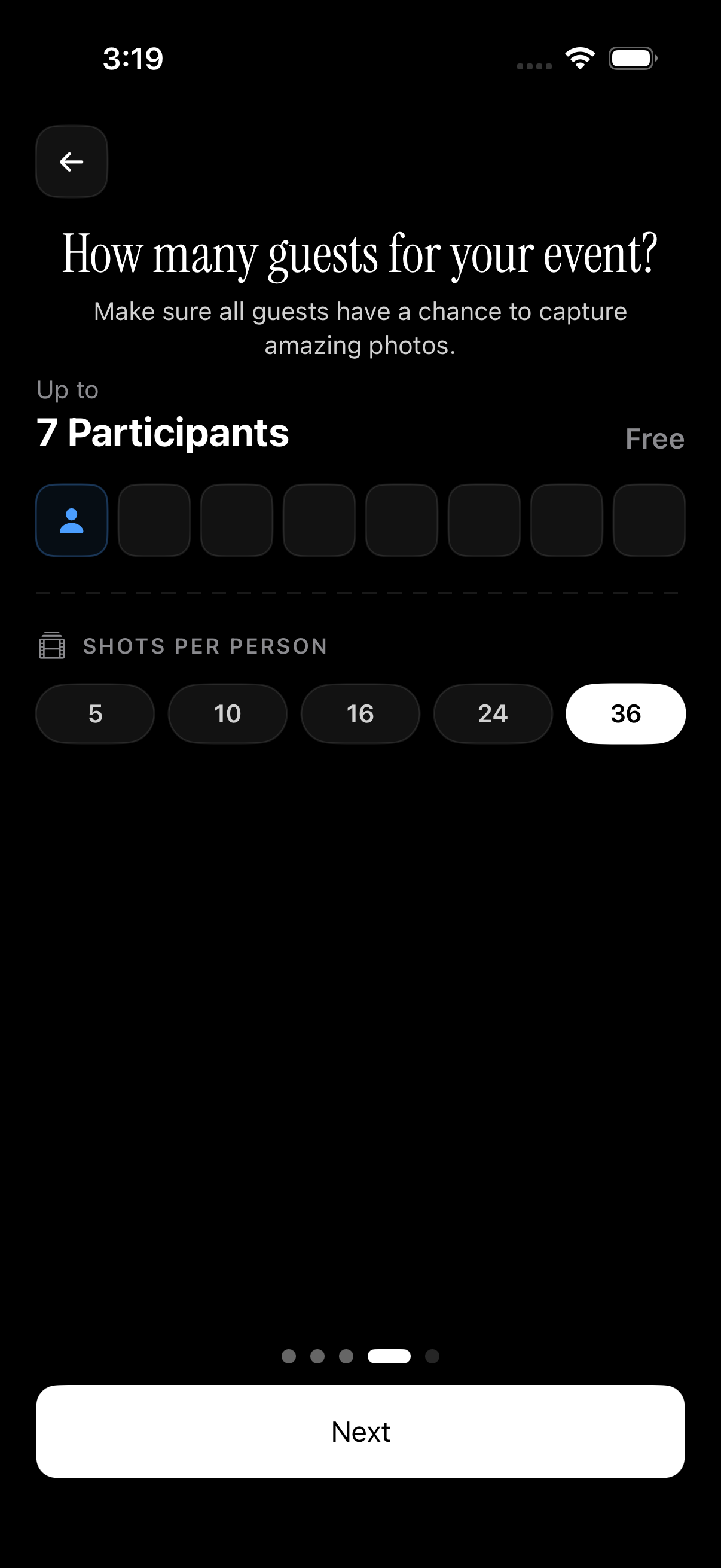 The guest limit selector helps hosts choose a small private event size before sharing the album.
Invite-only access and guest controls
Start with access. A family album should not depend on public posting.
Sync.camera uses event invites, including QR code and link sharing. The host creates an event, then shares one invite. Guests can join without creating a separate account. That matters for older relatives. It also matters for busy guests who will not download another app during a party.
Guest limits help the host plan. Sync.camera allows up to 7 guests on free events. That covers many casual family moments, such as a small birthday, holiday dinner, baby shower, or weekend visit. Before relying on that for a real event, check the current pricing, because plan details can change.
Guest control is also a privacy control. If the host decides who gets the invite, the album stays closer to the real guest list.
Event-based albums vs. endless streams
Generic cloud tools often organize around people, devices, or libraries. A family event needs a different shape.
An event-based album starts with a name and date range. For example: “Maya's 6th Birthday” or “June Family Reunion.” Sync.camera supports event scheduling, where only photos taken between the event start date and end date are allowed in uploads.
That date range matters. It keeps the gallery focused. It helps prevent old selfies, screenshots, memes, and unrelated vacation photos from being added by mistake.
It also saves cleanup time later. Instead of five relatives creating five separate Google Photos albums, the whole family adds to one event gallery.
For a deeper comparison, see Sync.camera vs Google Photos and best photo sharing apps for families.
Gallery reveal and timing controls
Some photos should be visible right away. Others should wait.
Gallery reveal controls let the host decide when uploads become visible. On Sync.camera, the host can choose to reveal photos during the event, after the event ends, or after a set delay.
That is useful for surprises. Imagine a birthday party where guests upload setup photos before the guest of honor arrives. A delayed reveal keeps the gallery private until the right moment. The same logic works for weddings, anniversaries, baby showers, and family trips.
This is a feature generic tools usually do not handle well. A normal shared cloud album is either visible or not. A private event gallery gives the host timing control.
Here is a simple comparison:
| Feature | Sync.camera event gallery | Google Photos shared album | iCloud Shared Albums |
|---|---|---|---|
| Event date range for uploads | Yes | Not the core model | Not the core model |
| QR invite flow | Yes | Link sharing available | Shared album invites available |
| Guest account required | No separate guest account required for Sync event guests | Google account may be needed for some participation flows | Apple/iCloud participation depends on Apple setup |
| Gallery reveal timing | Yes | Not a standard shared album control | Not a standard shared album control |
| Filter by photographer | Yes | Not the same event-specific control | Not the same event-specific control |
This is not about one app doing everything. Google Photos and iCloud are useful photo libraries. They are not built first as private, timed, QR-based family event galleries.
How a QR-Based Invite Flow Makes Sharing Effortless
The invite flow is where many family albums fail. If the invite is annoying, people do not upload. If people do not upload during the event, the photos stay scattered.
 The QR invite lets guests join the event gallery while they are standing together at the gathering.
Hosting a family event album in minutes
With Sync.camera, the host creates an event and shares a single QR code. Guests scan it and join the event gallery.
That is a small detail with a large effect. At a birthday party, the host can print the QR code and place it near the cake table. At a wedding, it can go on a sign near the guest book. At a family reunion, it can be shared at check-in.
The best time to collect photos is while everyone is still there. A QR code works in that moment. It does not ask guests to search their inbox, find a link, remember a password, or install an app before they can help.
For wedding-specific setup ideas, see how to share wedding photos privately.
No app download required for guests
No app download is a major benefit for mixed-age families.
Many grandparents can scan a QR code. Fewer want to create a new account, confirm an email, download an app, and learn a new interface during a party. The easier the invite, the more complete the gallery becomes.
Email links can still work. But they create small points of failure. The email may go to spam. The link may expire. Someone may open it after the event, when the upload moment has passed.
A QR invite is synchronous. It works while the host and guest are in the same room. If someone is confused, the host can help on the spot.
A useful host tip: show older relatives how to scan the QR code before the event starts. Do it during the quiet first few minutes. That avoids a line of questions later.
Filtering and Finding Photos After the Event
Collecting photos is only half the job. Families also need to find them later.
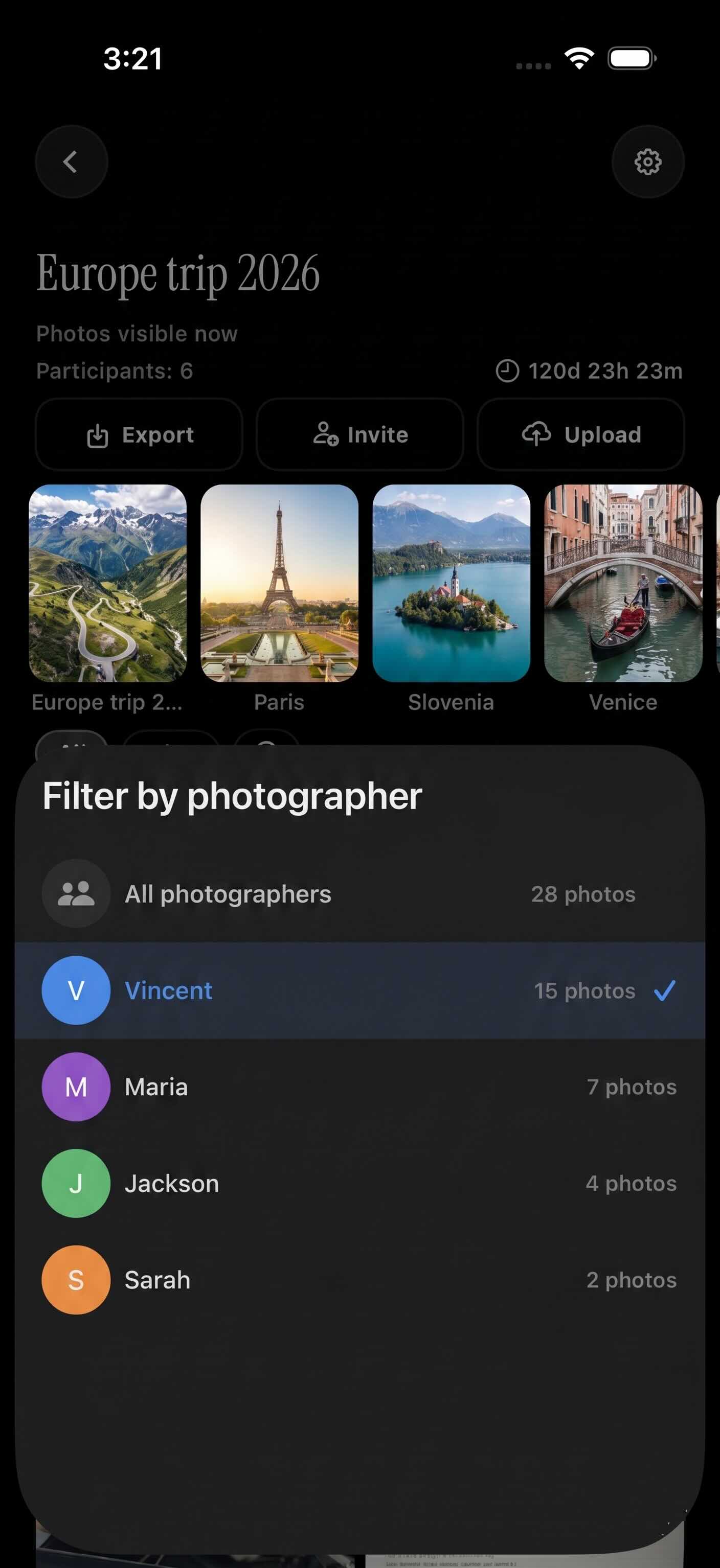 Filtering by photographer helps guests find one person's uploads without scrolling the full event gallery.
Why a searchable, organized gallery matters
After a reunion or wedding, dozens of people may upload hundreds of photos. Without filters, the gallery becomes another scroll problem.
This is where event structure helps. Instead of asking every family member to send their best pictures later, the host can point everyone to one event gallery. The gallery is already tied to the occasion. It is not mixed into a personal cloud library.
That reduces duplicate cleanup too. If five relatives each create separate Google Photos libraries or shared albums, someone still has to merge, dedupe, and forward links. A shared event gallery avoids much of that work.
Organization also protects the feeling of the event. A birthday album should feel like the birthday. A wedding gallery should feel like the wedding. It should not become a dumping ground for unrelated phone photos.
Filter by photographer to find your own shots
Sync.camera includes a filter by photographer feature. Each guest can view their own uploads, or view another person's uploads in isolation.
That is useful in normal family situations. A parent may want to find only the photos taken by an aunt. A cousin may want to check whether their own uploads went through. A host may want to review one person's pictures before downloading or sharing the final gallery.
Photo metadata can also matter. EXIF metadata may include useful details such as capture time, device information, or orientation, depending on the file and app handling. A private family photo app should be clear about how it uses metadata and what it preserves.
For setup details, see the event photo gallery setup guide.
Free vs. Paid: What You Actually Get
Pricing should be easy to understand. Families should know what is free, what is paid, and when they need to upgrade.
What the free tier covers for most families
Sync.camera free events allow up to 7 guests and standard photo upload limits. That is enough for many small family gatherings.
Think of a simple use case: two parents, two grandparents, an aunt, an uncle, and one close friend. That group can share one private event without turning it into a paid project.
The important point is transparency. Before planning around any limit, check the current pricing. Guest caps, upload limits, and plan names can change. A family organizer should not discover that on the day of the event.
When a paid event plan makes sense
A paid event plan makes sense when the guest list grows or the photo volume is high.
Weddings are the obvious example. Large reunions are another. So are milestone birthdays, graduation parties, and professional family shoots where many people will upload from different phones.
Paid Sync.camera events support unlimited photo uploads per guest. That makes them better suited for bigger events where guests may upload many images. It also reduces the host's need to police limits during the event.
The decision is practical:
- Use free for small family events with a short guest list.
- Use paid for large events, high upload volume, or professional use.
- Check pricing before you print QR signs or send invites.
How to Set Up Your First Private Family Photo Event
A private family photo event should be simple enough to set up before guests arrive. The host should not need to manage a complicated workflow.
Step-by-step: creating an event on Sync.camera
Here is a simple setup flow for a birthday, reunion, or wedding event.
Step 1: Create the event. Name it clearly. Use the family name, occasion, and date if helpful. Set the event date range so only eligible photos can be uploaded. Choose the guest limit that fits your gathering.
Step 2: Set the gallery reveal preference. Decide when guests can see the gallery. Choose during the event if you want live sharing. Choose after the event if you want the host to review first. Choose a delayed reveal for surprise moments.
Step 3: Share the QR code. Put the QR code where people will see it. A table sign works well. So does a printed card, a welcome board, or a message in the family chat before the event.
Step 4: Test the flow. Scan the QR code from another phone before guests arrive. Confirm that the event name, date range, guest limit, and reveal setting are correct.
Step 5: Remind people once. Do it early. A simple line is enough: “Scan this code and add your photos here so everyone can get them later.”
Tips for getting the whole family to contribute
Make the album visible at the event. Do not hide the QR code in a long message thread.
Help older relatives early. Show them how to scan the QR code while things are calm. Once they upload one photo, they usually understand the flow.
Keep the event name obvious. “Family Reunion 2026” is better than “Photos.” Guests should know they joined the right gallery.
Use reveal timing with intent. For a surprise birthday, delay the gallery until after the reveal. For a picnic or reunion, live sharing may be fine. For a wedding, the couple may prefer an after-event reveal.
Tell guests what belongs in the gallery. A short instruction helps: family photos, group shots, candid moments, and pictures from the event date range. That keeps the album clean.
A private family photo sharing app should make this easier, not heavier. The goal is one shared place. Invite-only access. A simple QR code. Event-based uploads. Clear reveal controls. Useful filters after the day is over.
That is the difference between another cloud folder and a real private family event gallery.