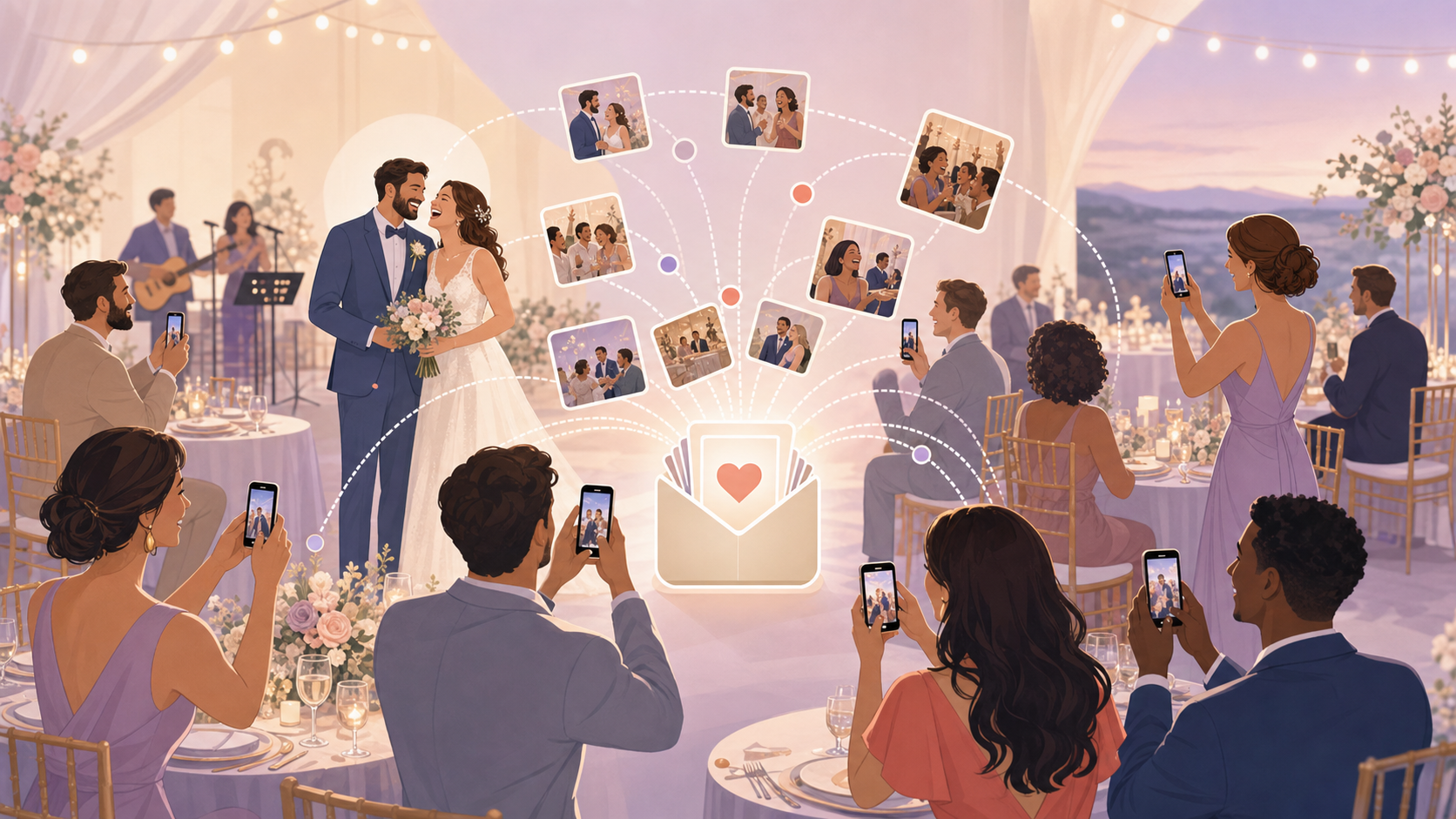
Why Guest Photos Fill the Gaps Your Photographer Can't
Your wedding photographer covers the ceremony and the formals. That is their job, and they do it well. They arrive early, they nail the key shots, and they deliver a polished gallery weeks or months later. But they are one person — and a wedding fills every corner of a venue simultaneously.
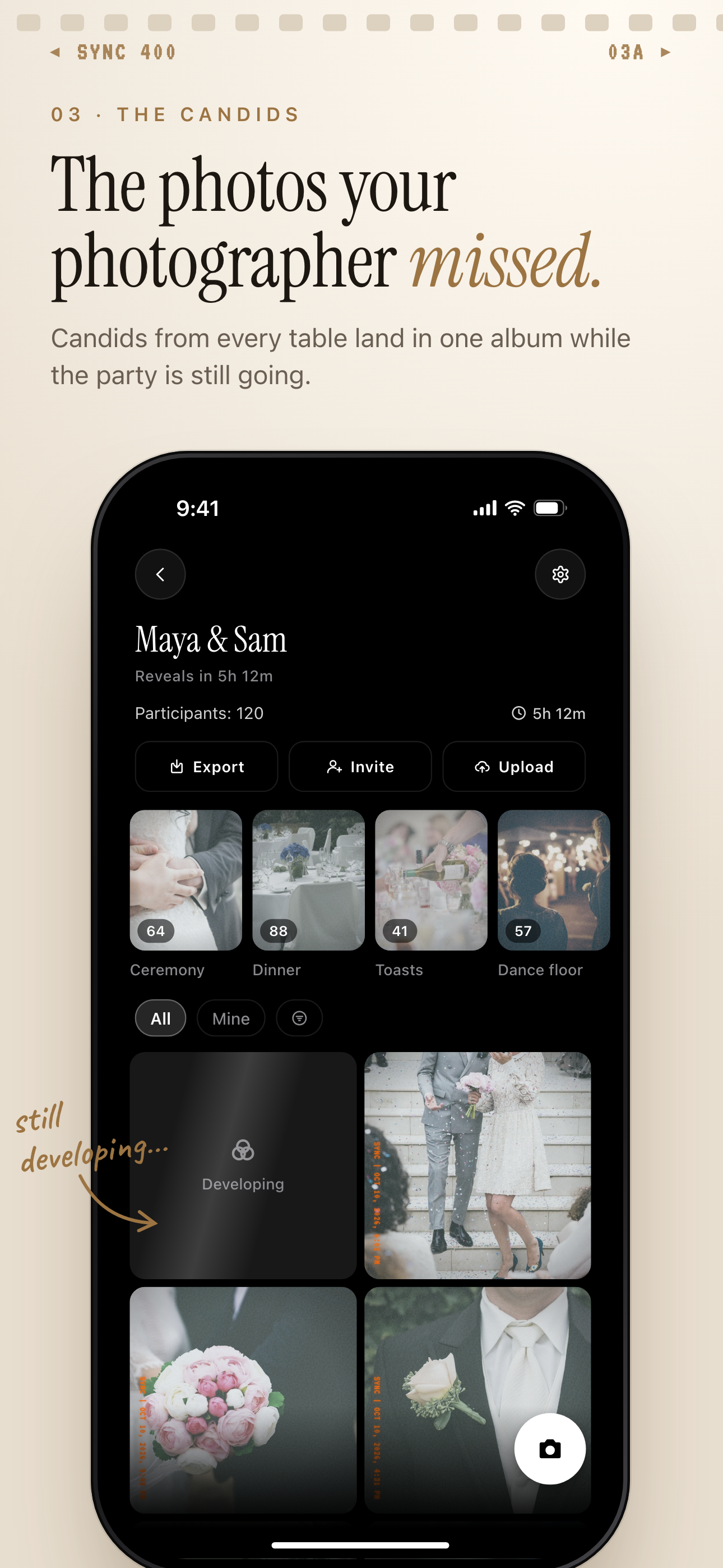 Candids from every table land in one wedding album while the party is still going.
What a professional photographer misses (and why it matters)
Think about the parts of the day where guests spend the most time: the cocktail hour, the dinner conversations, the long stretch between the first dance and the cake cut. These moments exist between the structured shots. The photographer is usually transitioning, taking a break, or focused elsewhere.
Guests live in that space. They are at the tables, overhearing the toasts, laughing at inside jokes only they know. Their phones are already out. The candid from your best friend's table is often the photo you come back to — not because the composition is better than the professional shots, but because it is true to the moment.
The real problem: photos get taken but never shared
This is the friction point most planning guides skip over. Guests take photos. Plenty of them. The problem is what happens next.
Those photos sit on individual phones. They end up in a group chat where they are buried within hours. They get AirDropped to one or two people and forgotten. It is extremely common for couples to find out weeks after the wedding that dozens — or hundreds — of guest photos exist somewhere, but most of them never made it back to the couple.
Any guest photo idea that ignores the collection problem only solves half the problem. The question is not just "how do we get guests taking photos?" It is "how do those photos get to us?" Keep that distinction in mind as you look at your options.
The Best Wedding Guest Photo Ideas (Ranked by Ease of Collection)
Not all guest photo ideas are equal. The fun factor matters, but the more useful question is: how reliably do photos flow from guest phones back to the couple? Here are the main options, ranked by how well each one solves the collection problem.
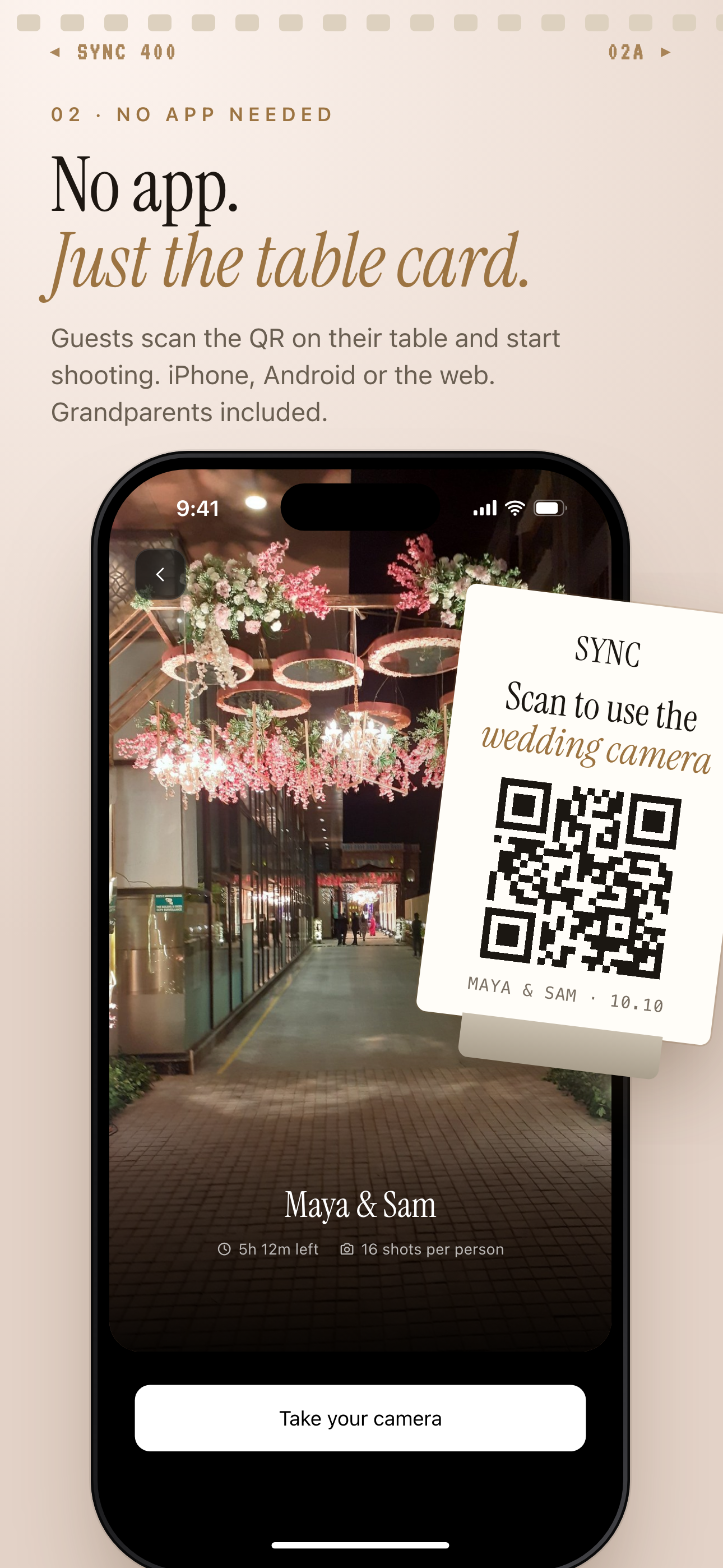 Guests scan the QR code on their table card and land on the wedding's join screen, with no account to create.
Shared digital album via QR code
Guests scan a code with their phone camera. They join a shared event. They upload photos directly from their camera roll. The couple sees everything — live or on a chosen schedule.
No app install required. No group chat required. The gallery is private: only guests who scanned can access it. The host controls when the gallery becomes visible, which means you can have a live feed during the reception or hold everything for a post-wedding reveal.
Privacy note: A private shared album is meaningfully different from posting to a public platform. Guests share directly with the couple, not the internet.
Disposable cameras on tables
Charming, tactile, and genuinely popular. Guests enjoy using them and they produce a consistent lo-fi aesthetic that many couples love. The trade-off is real: film needs development. That takes days and costs money, and it cannot happen on the wedding day. Cameras often sit uncollected at the end of the night, and you have no idea what is on them until after development — sometimes weeks later.
If you love the look, disposable cameras work best as a complement to a digital option rather than a standalone collection strategy.
Photo booth with a printer
Booths are crowd-pleasers and they produce prints guests take home as keepsakes. The couple usually receives a digital gallery from the booth operator, but only of photos taken inside the booth — not candids from anywhere else in the venue.
Before booking, ask the vendor: does the digital gallery include every capture? In what format? Is there a bulk download?
Custom hashtag on Instagram
Low setup effort, high collection friction. Guests post to their own Instagram accounts using a shared tag. Every photo defaults to public visibility unless the guest has a private account. You cannot bulk-download Instagram content. Retrieving your photos means scrolling the hashtag and saving each one individually.
A hashtag works as a supplement to a private album. As a standalone strategy for actually collecting photos, it creates more work than it saves.
Polaroid station
Polaroids are joyful and the instant print is a real keepsake. The output is physical only — you get the print if you are standing there when it comes out. The couple does not receive a digital copy unless someone photographs the Polaroid and shares it separately.
Great for atmosphere. Not a collection strategy.
How to Set Up a Shared Wedding Photo Album With SYNC
SYNC is built for this. One host creates a private event in minutes. Guests scan a QR code to join — no account required on their end. Every photo they upload flows into one gallery that the host controls.
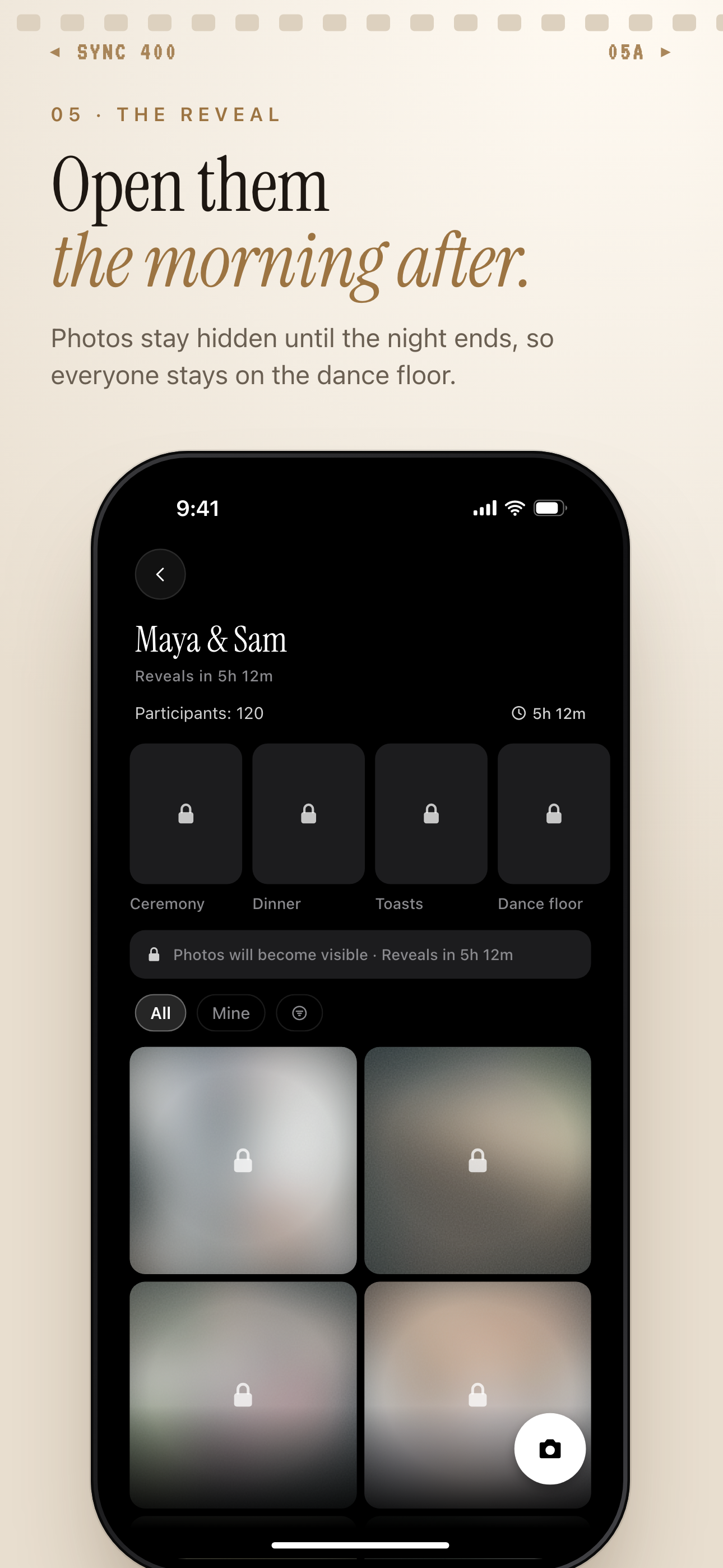 With a delayed reveal, the gallery stays locked until the time you set, like the morning after the wedding.
Create the event and set your guest limit
Open SYNC, name your event, and choose your event dates. Up to 7 guests join for free, which works for small celebrations. For a full wedding with 50, 100, or 300 guests, unlimited guest plans are available. See options on the wedding photo app for guests page.
Setup takes under two minutes. Guests who join see only that specific event's gallery — nothing else.
Choose when the gallery goes live
This is one of SYNC's most practical settings. Three reveal options:
- During the event — photos appear as guests upload them. Creates a live, social energy. Guests can see what others are capturing throughout the night.
- After the event ends — the gallery stays hidden until you close the event. Useful if you want to experience the photos together as a couple before sharing them widely.
- With a custom delay — you set a specific reveal time, like the morning after the wedding. A couple waking up to a full gallery of guest photos is a different experience than sorting through them at midnight.
More detail on how this works in the gallery reveal feature guide.
Print or display the QR code at the venue
The QR code is the entry point. Make it easy to find. Practical placements:
- On each place card at the table
- A small framed sign at the center of each table
- A larger display near the bar or venue entrance
- Printed in the wedding program or welcome bag insert
The more surfaces it appears on, the more guests will encounter it. Someone who misses the place card catches the table sign. Someone who misses both sees it in the program. Step-by-step setup is in the how to create a wedding photo event guide.
Tips to Actually Get Guests Taking (and Uploading) Photos
A good system only works if guests use it. Participation drops when guests encounter something unfamiliar on a busy, social day without any prior context.
Announce it at the rehearsal dinner or in your wedding program
Pre-explaining before the wedding day is the single highest-leverage thing you can do. Guests who hear about the shared album the night before are far more likely to scan and upload than guests seeing a QR code for the first time at a table they are already navigating.
One sentence at the rehearsal dinner is enough: "We have a shared photo gallery — the QR code is at your table tomorrow." Add a line to the program. The setup takes two minutes and meaningfully increases the number of guests who participate.
Place the QR code where guests already look
Repetition matters. Put the code in the program, on each table, and in the welcome bag insert. The goal is zero friction at the moment someone pulls out their phone to take a photo — if the QR code is right there, the path from "take photo" to "upload to gallery" is a single tap.
Give a gentle nudge during the reception
A short MC or DJ announcement during cocktail hour helps. Something like: "If you take any photos tonight, scan the code at your table to add them to the couple's shared gallery." Brief, no pressure. Guests who were curious but unsure often just need the reminder.
Consider assigning a "photo champion" at each table — a guest who already gravitates toward documenting moments. A short message before the wedding asking them to encourage their tablemates takes two minutes and extends your reach across the room without any additional effort on the day.
Unplugged ceremony, plugged-in reception: Some couples ask guests to put phones away during the ceremony and actively encourage sharing during the reception. Both preferences are valid. SYNC accommodates this — set the event window to open after the ceremony ends so the gallery captures only reception moments. Wording and logistics in the unplugged wedding guide.
What to Do With Guest Photos After the Wedding
Download everything in one go
When your event ends, you can download the full guest gallery at once. Every photo, every guest, in a single batch. No chasing. No individual requests.
Compare that to the alternative: texting 40 people three weeks after the wedding, hoping they still have the photo, and receiving a trickle of replies over the following month. With a shared album, collection happened during the event — you arrive at the download already done.
Filter by photographer to find the best shots
SYNC lets you filter the gallery by uploader. Browse everything from a specific table, or pull up every photo one particular guest took. If you remember a moment and know roughly who was nearby, you can find those photos quickly without scrolling through the entire gallery.
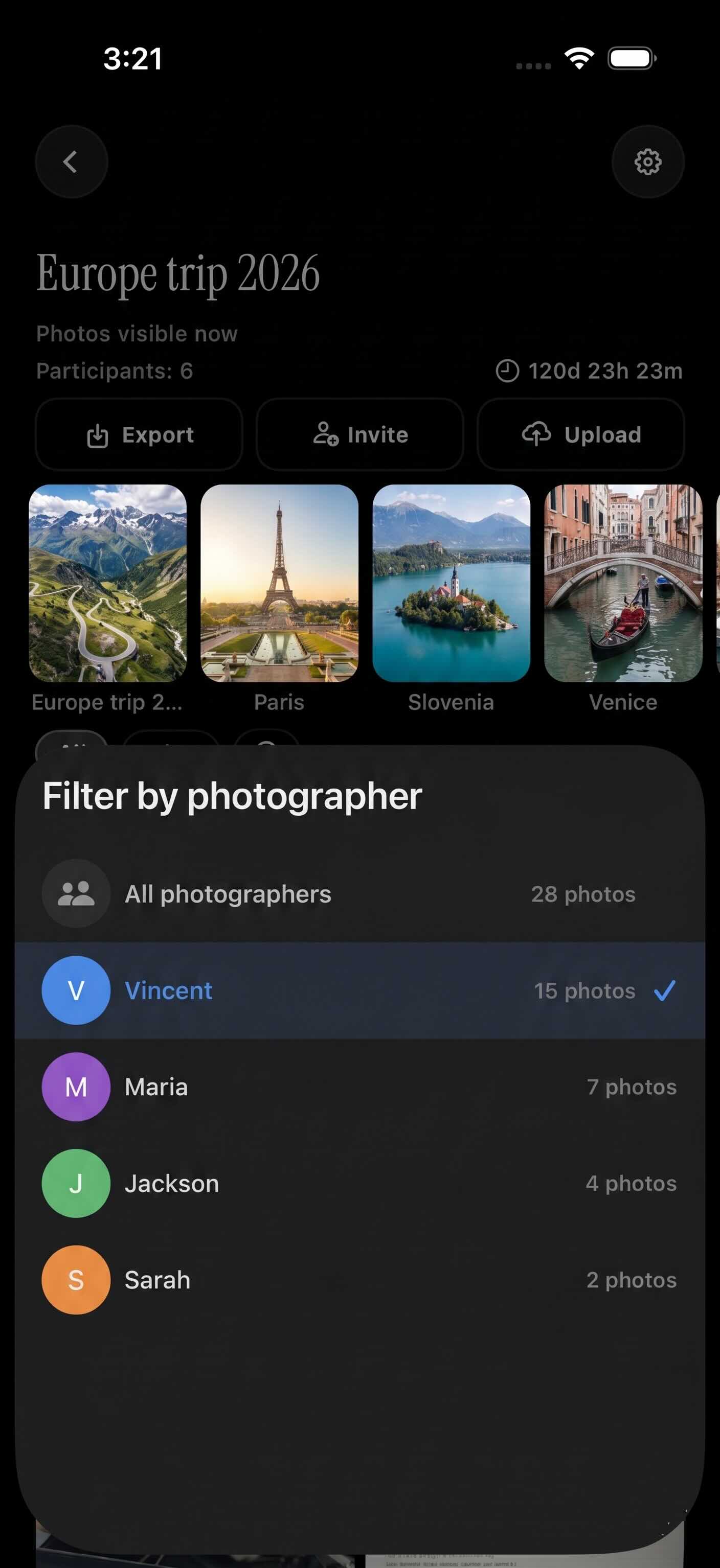
Filter by photographer shows every photo one guest took.
Share the album with family who couldn't attend
Not everyone who matters could be there. A private share link lets you extend the gallery to family members who were traveling, close friends in another country, or anyone who couldn't make it. They see the photos without a public post, and without you having to sort and export anything manually.
Practical note: Once you download your guest gallery, back it up to iCloud or Google Photos right away. Do not rely on any single app as your only copy. The backup takes a few minutes and removes any risk of losing the photos later.