Why Placement Makes or Breaks Your Wedding QR Code
You've generated a QR code for your wedding photo album. Now comes the part that actually determines how many photos end up in it: where you put that code.
Get placement right, and guests join throughout the day, uploading candid moments from ceremony to last dance. Get it wrong, and most guests never see it — and the gallery stays thin.
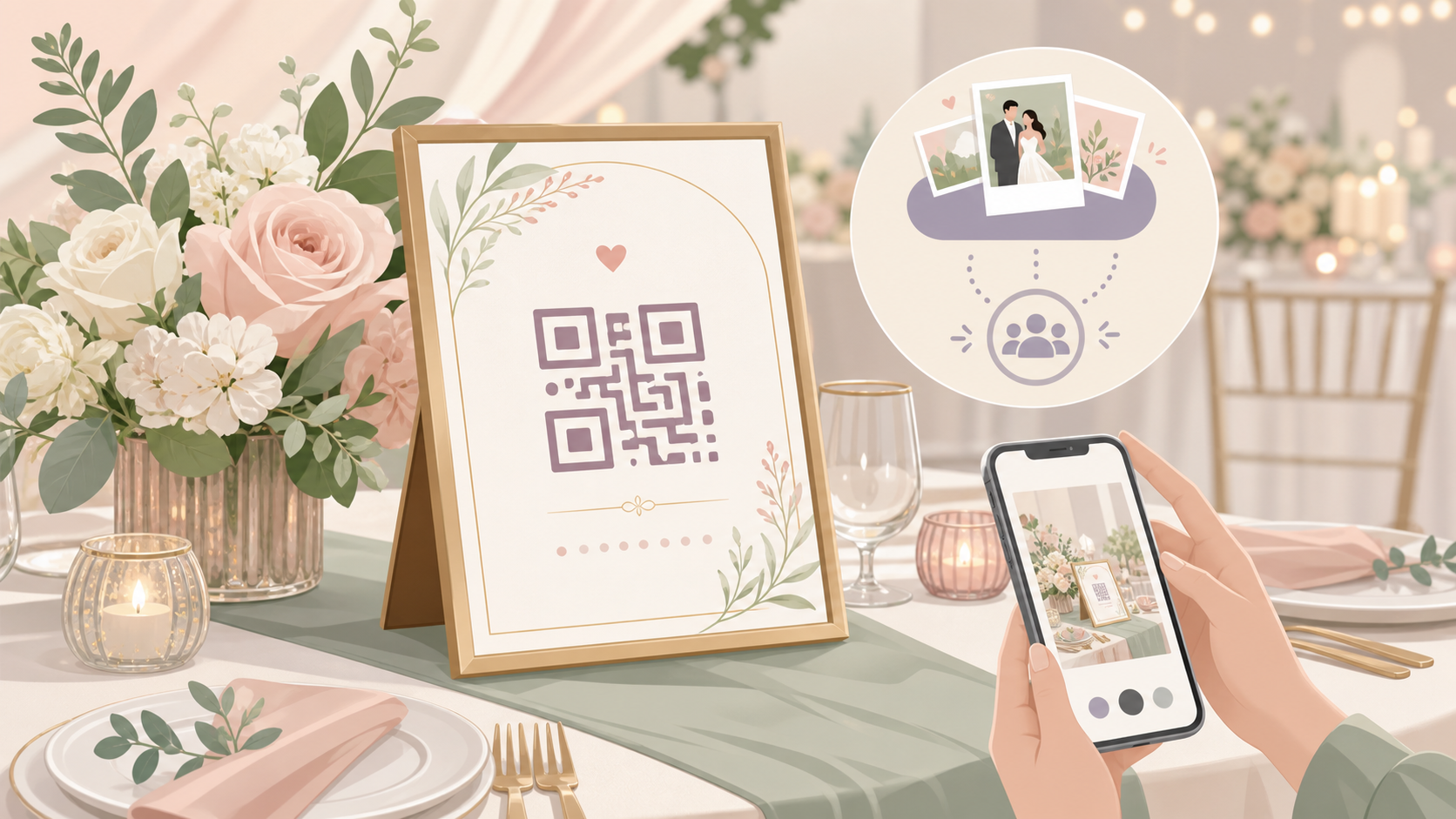
 A guest scans the SYNC QR code to join the shared wedding photo album — the step that only works if the code is visible and at eye level.
Low scan rates mean missed photos
Guests won't search for a QR code. If they don't spot it within a few seconds, they move on — especially during cocktail hour, when they're juggling drinks, greeting people, and not thinking about their phones.
A single placement in one corner of the venue misses most guests. Event organizers who see strong participation consistently use multiple placement points throughout the venue. For any wedding over 50 guests, one code in one location is rarely enough. Placing your code in multiple spots is standard practice — repeat it wherever guests naturally pause.
SYNC generates one unique QR code per event. You take that single code and display it in multiple spots. No managing different codes or different links — just one code, placed well, placed often.
The three factors: visibility, lighting, timing
Three things determine whether a guest scans.
Visibility. Is the code at eye level? Unobstructed by floral arrangements or table decor? In the natural path guests walk through the venue?
Lighting. Ballrooms, barn venues, and outdoor evening receptions are often dim. A code placed in low light — especially on a glossy surface that reflects candlelight — is hard for phone cameras to focus on. QR scan reliability drops sharply when lighting is poor or the code is obscured.
Timing. A guest who misses the entrance sign has no second chance if the code isn't repeated later. Placement at multiple moments throughout the day catches guests when they're ready — not just when they first arrive.
The Best Spots to Display Your Wedding QR Code
Five locations consistently deliver strong scan rates at weddings. For events over 50 guests, use at least three of them.
Welcome sign at the venue entrance
Guests arrive at the entrance in a calm moment before the rush. It's the highest-dwell spot at any wedding: everyone passes through, and no one is in a hurry yet.
Place the QR at roughly eye level — about five feet from the floor. Pair it with a short prompt. This first-touch placement sets the expectation for the whole event and reaches guests when they have the mental bandwidth to act on it.
Reception tables and escort card displays
Dinner is when guests have time. They're seated, not juggling drinks, and their phones are often already on the table. A small tent card or printed place card at each table gives guests a private, unhurried moment to scan.
The escort card display works for the same reason: guests stop, they look, they have a few seconds of focused attention. A QR code framed alongside the escort cards converts well.
Bar and drink stations
At the bar, guests are already stationary and often have a phone in hand. Foot traffic repeats throughout the night — people return multiple times, meaning multiple exposures to your code. A framed QR card next to the drinks station works well as a backup for guests who missed the entrance sign.
Photo booth area
Guests at a photo booth are already in photo-taking mode. They're motivated to capture and share the moment. A QR code card near the props converts immediately — guests are already thinking about documentation.
Guest book or gift table
Guests who stop to sign the guest book are engaged and thoughtful. They're thinking about you and the day. Dwell time here is high. A QR prompt alongside the guest book reaches exactly the guests most likely to participate in a shared gallery.
How to Make the QR Code Look Like Part of Your Wedding
A QR code is just a square. The material, the frame, and the wording around it carry your wedding's aesthetic — not the code itself.
 SYNC's share screen gives hosts a download-ready QR code they can take straight to a print shop or drop into a stationery design template.
Print formats that match any aesthetic
Acrylic signs, wooden frames, and linen-backed tent cards all read as wedding decor — not tech. The material does the aesthetic work; the QR lives inside it. Choose the format that matches your venue, and the code comes along for the ride.
For table cards, a 4×6-inch card is a practical size. For a standalone welcome sign, the QR needs to be large enough to scan comfortably from a standing distance. A code smaller than 2 inches on a sign placed six or more feet from guests will fail for most phone cameras — size and scan distance are directly linked. Scale the printed code to match the expected distance.
SYNC lets hosts download the QR code as a PNG image from the app's Share section, ready to hand off to a printer or drop into a design template.
Color and contrast rules
Contrast is non-negotiable. The QR's dark modules must be at least 40% darker than the background. A light code on light stock — pale gray on cream, for example — will not scan reliably.
Matching the border or frame color to your wedding palette is fine. Just keep the core QR matrix — the black-and-white square — intact. Don't colorize the modules themselves unless you've tested the result on multiple devices and confirmed it still scans.
Skip glossy lamination. Event lighting reflects off glossy surfaces and creates glare that prevents phone cameras from locking focus. Matte finishes scan reliably across varied lighting conditions, including candlelit reception rooms.
Wording that prompts guests to scan
A bare QR code with no label gets ignored. Guests need to know what they get before they commit to scanning. Add a short call-to-action above or below the code:
- Scan to share your photos
- Scan to see every photo from today
- Add your photos to our shared album
One line is enough. Keep it where guests can read it at a glance, without squinting or leaning in.
What Happens After Guests Scan
The guest experience after scanning shapes how enthusiastically people talk about the album at the table — which drives more scans from guests nearby. Understanding the journey helps you communicate it clearly on your signage.
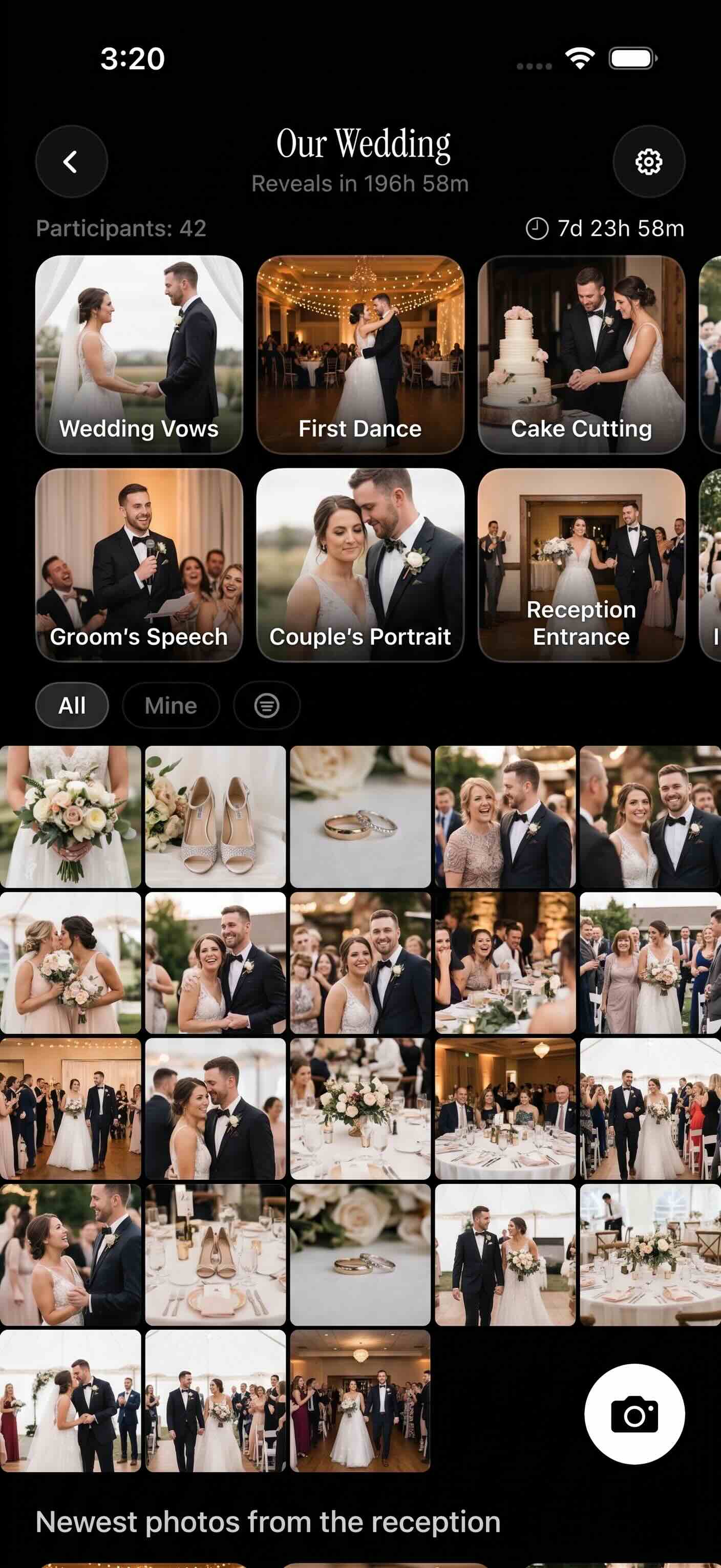 The SYNC gallery collects photos from every guest who joins — giving couples a complete record of their wedding from every angle and every table.
Joining the SYNC event instantly
On iOS, scanning the QR launches an App Clip — a lightweight version of SYNC that runs without a full app download. Guests tap once, join the event, and can start uploading within a minute. No App Store visit. No install barrier of any kind.
On Android and desktop, the QR opens a mobile web experience. Same result: no installation required. The barrier to joining is as low as it can be.
Uploading photos from any phone
Once joined, guests upload photos from their camera roll or take new ones on the spot. The experience works on older Android devices and current iPhones alike — no special hardware required.
Up to 7 guests can join a SYNC event for free. Paid plans unlock unlimited guests and unlimited uploads, which matters at a 150-person wedding where contributions could come from every table.
Seeing the shared gallery
Hosts control exactly when the gallery becomes visible to guests. SYNC offers three named reveal options:
- During Event — the gallery is live and visible throughout the day. Guests see each other's photos in real time as they're uploaded.
- After Event — photos stay private until the event officially ends, then unlock automatically.
- Delay After Event — you choose a custom delay (hours or days) before the gallery opens to guests.
This is a privacy-forward design choice. Candid getting-ready photos won't appear on guests' screens mid-ceremony. You decide when the reveal happens — not the upload timestamp.
Guests can also filter the gallery by individual uploader. At a large wedding where hundreds of photos accumulate, this lets you find exactly what a specific friend or family member captured.
Common QR Code Placement Mistakes (and How to Avoid Them)
Too small or mounted too high
A QR code smaller than 2 inches on a sign placed six or more feet away will fail for most phone cameras. Phones need enough pixels to resolve the pattern. If the sign is large but the QR is a small corner element, guests standing at a normal distance won't be able to scan it.
Mounting the code above eye level — above a floral arch, at the top of a tall easel, or high on a wall — puts it outside the natural camera angle. Keep codes at chest-to-eye height for reliable scanning.
Only one code for the whole venue
A single entrance placement means guests who miss it at arrival have no second chance. Once dinner starts and guests are seated, the entrance sign might as well not exist. Repeat the code at the bar, on tables, or at the photo booth.
For weddings over 50 guests, three placement points is a practical minimum: entrance, dining tables, and at least one other high-traffic location.
Skipping the test scan before the event
Always test the morning of the event. Scan with at least two phones — one iOS, one Android — to confirm the code resolves correctly and the SYNC event is live. Confirm guests can actually join.
Paper warps in humid venues. Lamination can bubble between print day and wedding day. A code that scanned perfectly on Thursday may not scan cleanly on Saturday if the surface has shifted.
Outdoor placements add another variable: direct sunlight washes out the camera preview on many iPhones and Android devices. If a code is positioned in full sun, move it to a shaded spot or bring it inside for the reception.
SYNC is a wedding photo-sharing app that gathers every guest's photos into one shared album — one QR code, no app download required on iOS. Place the code where guests actually look, and the gallery fills itself.