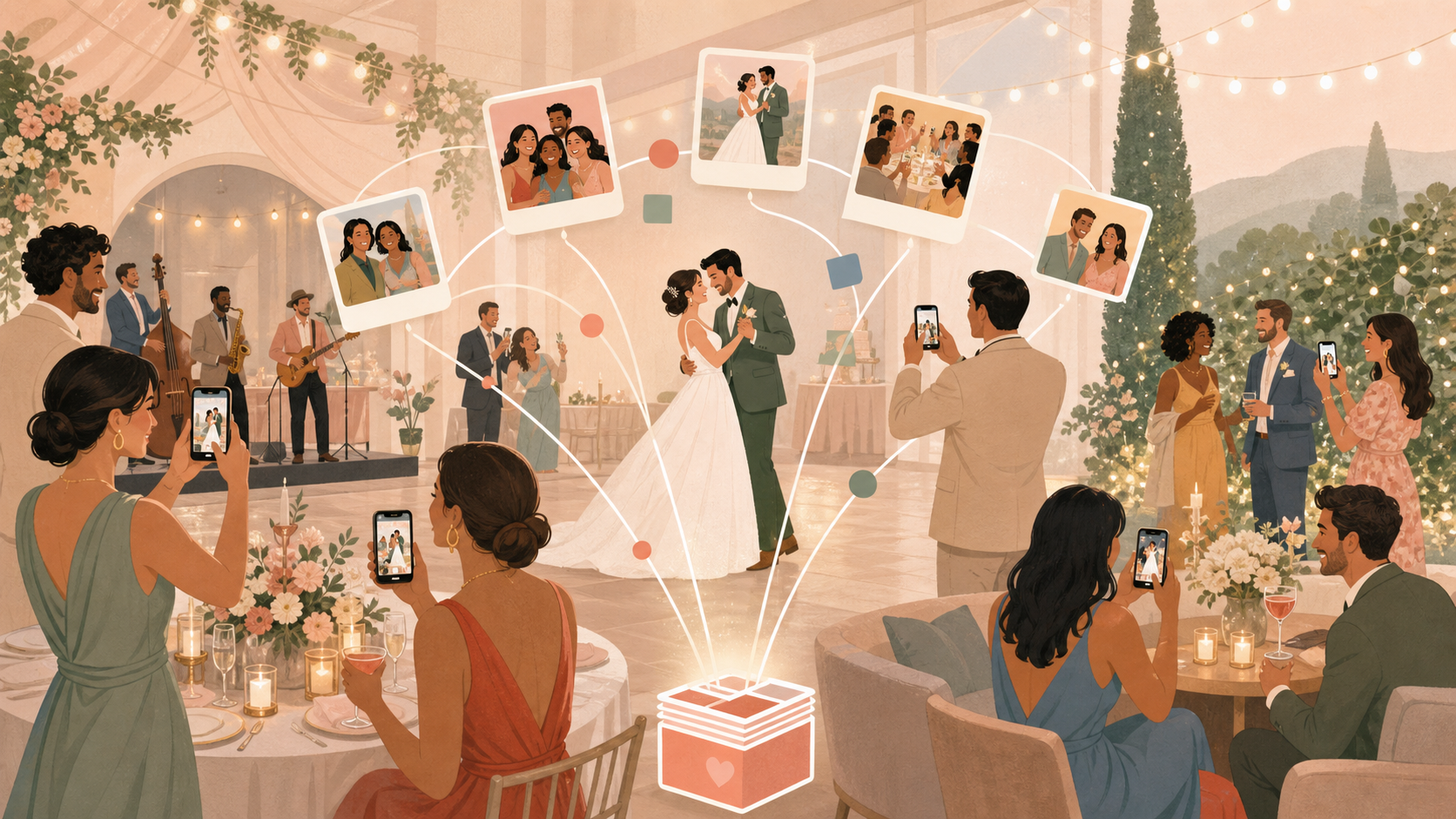
Why Couples Are Skipping the Traditional Photo Booth
Photo booths have been a wedding staple for over a decade. But more couples are asking the same question: is the cost actually worth it?
The real cost after add-ons
A basic photo booth rental typically runs $800–$1,500 for a four-hour wedding, based on pricing ranges reported by wedding planning resources including The Knot. That number climbs fast.
Print strips, custom backdrops, social sharing kiosks, an extra hour of time — each line item stacks. By the time the invoice arrives, many couples have spent $1,500–$2,000 or more on a single fixture in one corner of the reception.
There is also the coordination overhead. Someone has to set up, staff, and break down the booth. That means another vendor contract, another arrival window, and another person to wrangle on your wedding timeline.
The coverage problem: one corner, one camera
A photo booth sits in one place. Guests have to walk to it, queue, and pose. The candid moments — the grandmother tearing up during the first dance, the groomsmen mid-joke at the bar — happen elsewhere and go uncaptured.
Digital delivery is often an afterthought. Many booth vendors provide an email link sent days later, a USB drive mailed weeks after the wedding, or a vendor portal that expires in 90 days. Guests rarely revisit these. The photos sit in a folder no one downloads.
If candid coverage and easy digital access matter to you, a fixed booth is structurally the wrong tool.
Seven Wedding Photo Booth Alternatives (Ranked)
Each option below is rated across four axes: upfront cost, setup effort, digital shareability, and venue-wide coverage.
Disposable cameras on tables
Cost: Low upfront, but development adds up. Film development typically runs $20–$30 per roll (verify current rates — The Darkroom, Walgreens Photo, and CVS Photo are common options). For 15–20 table cameras, that is $300–$600 in development and scanning fees before the cameras themselves.
Coverage: Good. Every table has a camera, so moments spread across the room.
Digital shareability: Low. You get scans eventually, but turnaround is days to weeks.
Verdict: Tactile and nostalgic. Guests enjoy the novelty. The development cost and delay are real friction — plan ahead if you go this route.
Selfie station with ring light and backdrop
Cost: Medium to high. Renting a ring light, backdrop stand, and prop set typically runs $300–$700 for a day.
Coverage: Poor. Still one fixed corner.
Digital shareability: Medium. Guests photograph themselves on their own phones — no central gallery unless you pair it with an app.
Verdict: A visual focal point guests gravitate toward. Not a coverage solution by itself.
Polaroid cameras
Cost: High per photo. Instax film runs roughly $1–$1.50 per shot. At a 150-person wedding with moderate usage, costs accumulate quickly.
Coverage: Limited by the number of cameras you distribute.
Digital shareability: None natively. Polaroids are physical objects.
Verdict: Works best as a guest book prop. Guests tape a Polaroid next to a handwritten note — a fun ritual, not a photo coverage strategy.
DIY printed QR-to-gallery sign
Cost: Near zero. Print a sign pointing guests to a shared folder.
Coverage: Theoretically venue-wide; in practice limited by whether guests remember to use it.
Digital shareability: High — if guests actually upload.
Verdict: Works better when paired with a purpose-built app that handles the gallery and moderation.
Guest photo-sharing apps (e.g. SYNC)
Cost: Free tier available for small events. No hardware to rent.
Coverage: Venue-wide. Every guest's phone becomes a camera. Moments at the bar, on the dance floor, and during cocktail hour are captured wherever guests happen to be.
Digital shareability: High. All photos land in one hosted gallery the couple controls in real time.
Verdict: Highest coverage at the lowest cost. Learn how it works for weddings.
Hiring a second photographer
Cost: $500–$2,000+ depending on the photographer's experience and your local market (verify current rates through WeddingWire or a local photography association).
Coverage: Excellent — a professional moves through the entire event.
Digital shareability: High, though edited delivery typically takes days to weeks.
Verdict: The quality ceiling. Worth it if your budget allows. Pairs well with a guest-sharing app for full candid coverage at every price point.
Live photo wall on a venue screen
Cost: Low, if your venue already has a projector or display. Some apps — including SYNC — support a live photo wall view that streams guest uploads as they arrive.
Coverage: Ambient display, not a capture tool on its own.
Digital shareability: High when tied to a structured shared gallery.
Verdict: A great complement to a guest photo app. Projects guest photos in real time so the entire reception can see them.
Note on combinations: A selfie station prop corner for posed fun plus SYNC for candid coverage across the full venue is a practical two-track setup at a fraction of traditional booth cost.
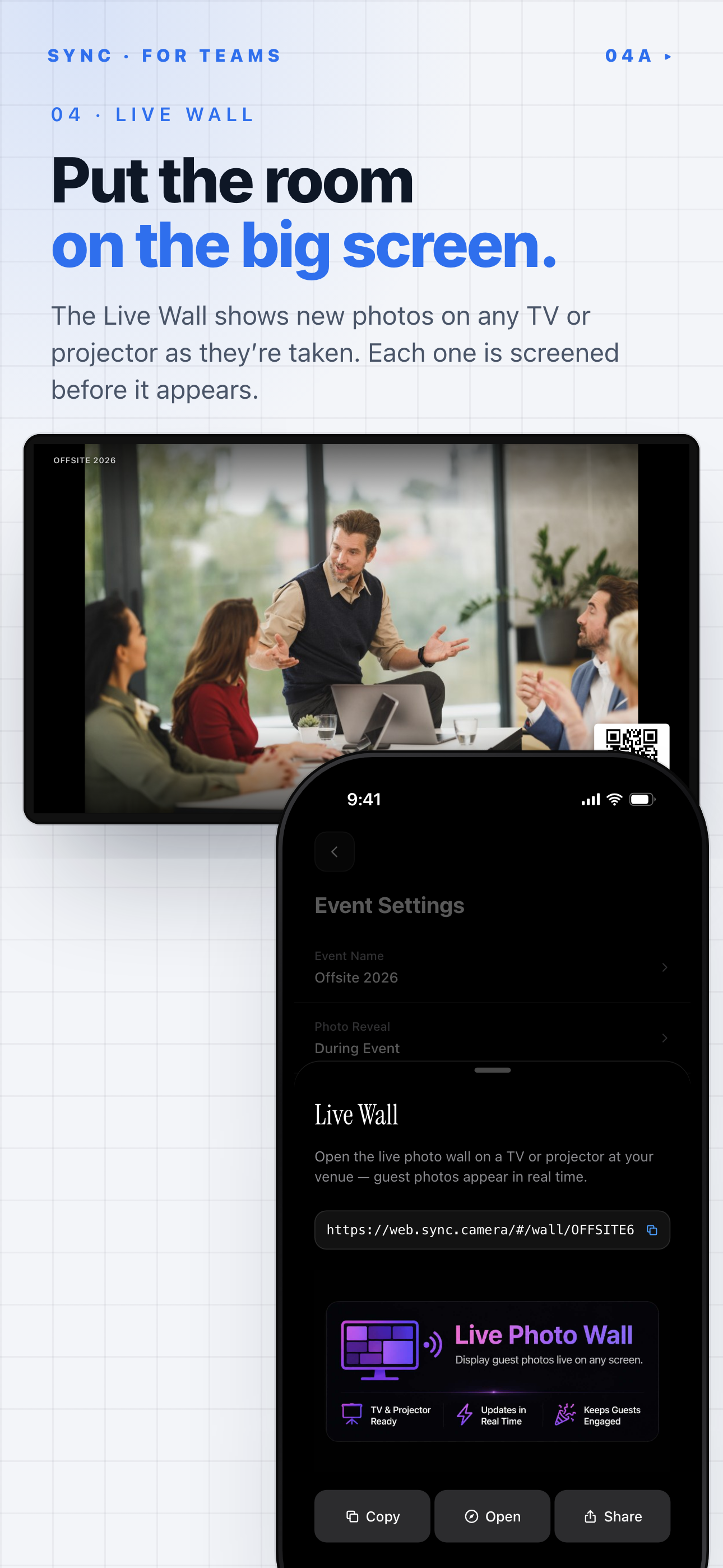
SYNC's Live Wall streams guest photos to a TV or projector as they are taken.
How SYNC Works as a Photo Booth Alternative
SYNC turns every guest's phone into a camera that feeds one shared, couple-controlled gallery. No hardware. No fixed location. No vendor attendant.
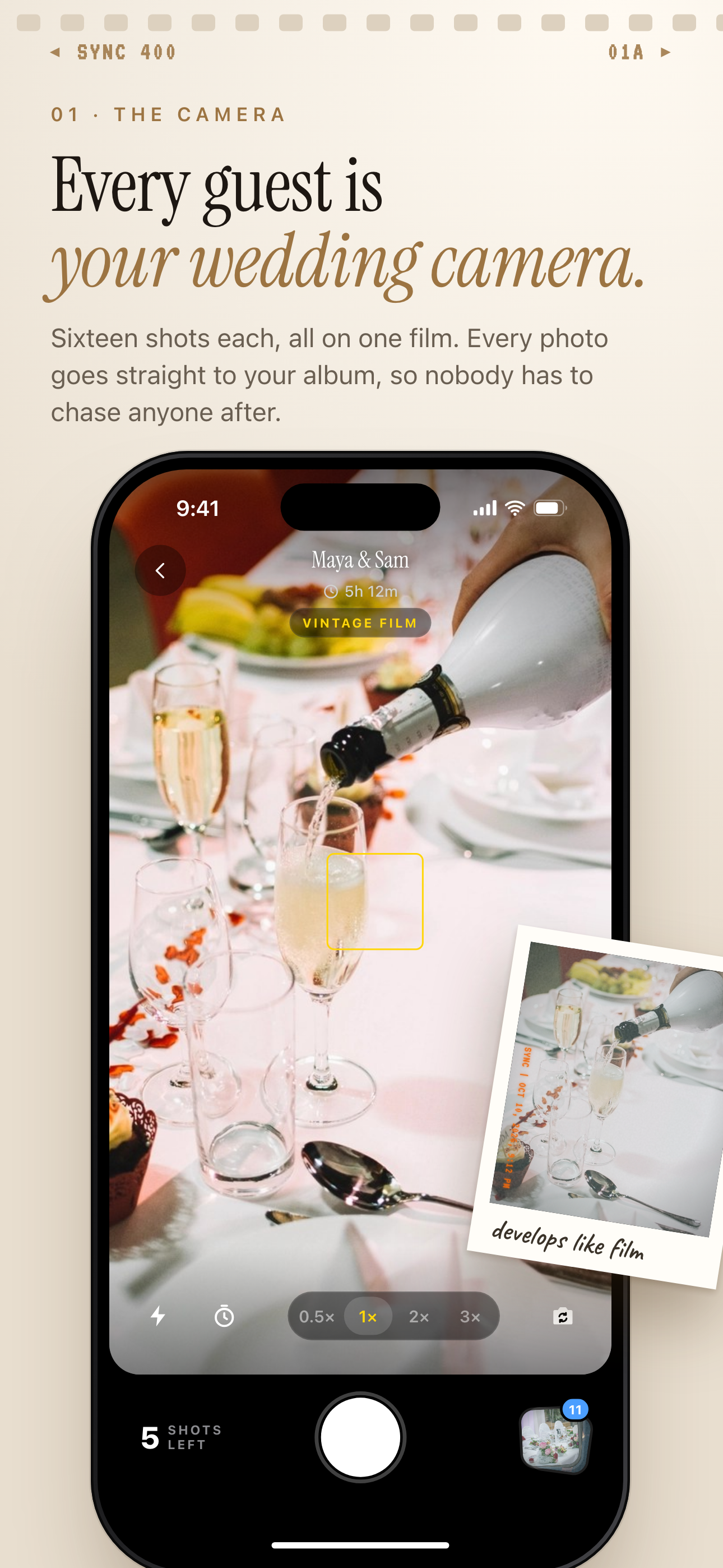 Every guest's phone becomes a camera that feeds the couple's shared wedding album.
Every guest becomes the photographer
The couple creates an event in the SYNC app (available on iOS and Android) and receives a QR code. Guests scan the code. Their photos upload directly to the event gallery.
There is no single corner to crowd around. Coverage happens wherever guests and their phones happen to be — at the ceremony, during cocktail hour, on the dance floor at midnight.
One feature that directly mirrors the photo booth experience: photos are grouped by photographer. After the event, the couple can filter uploads by individual guest rather than scrolling hundreds of mixed images. That structured archive is something a traditional booth does not offer.
One shared gallery — no app download required for guests
On iOS, the App Clip loads instantly when a guest scans the QR code — no full app install, no App Store visit required. Android and web guests join through the browser.
All photos land in one moderated gallery. The couple sees every upload through the host view and can remove any photo before the gallery opens to guests. That curation window is something a traditional photo booth does not give you — booths print and hand images to guests on the spot with no couple review.
SYNC's free tier covers events with up to seven guests — enough for a micro-wedding or elopement at zero cost. A paid tier unlocks unlimited guests and unlimited uploads. Check current pricing before finalizing your wedding budget.
Setting Up SYNC at Your Wedding: Step by Step
The full setup takes under ten minutes. No vendor coordination, no equipment load-in.
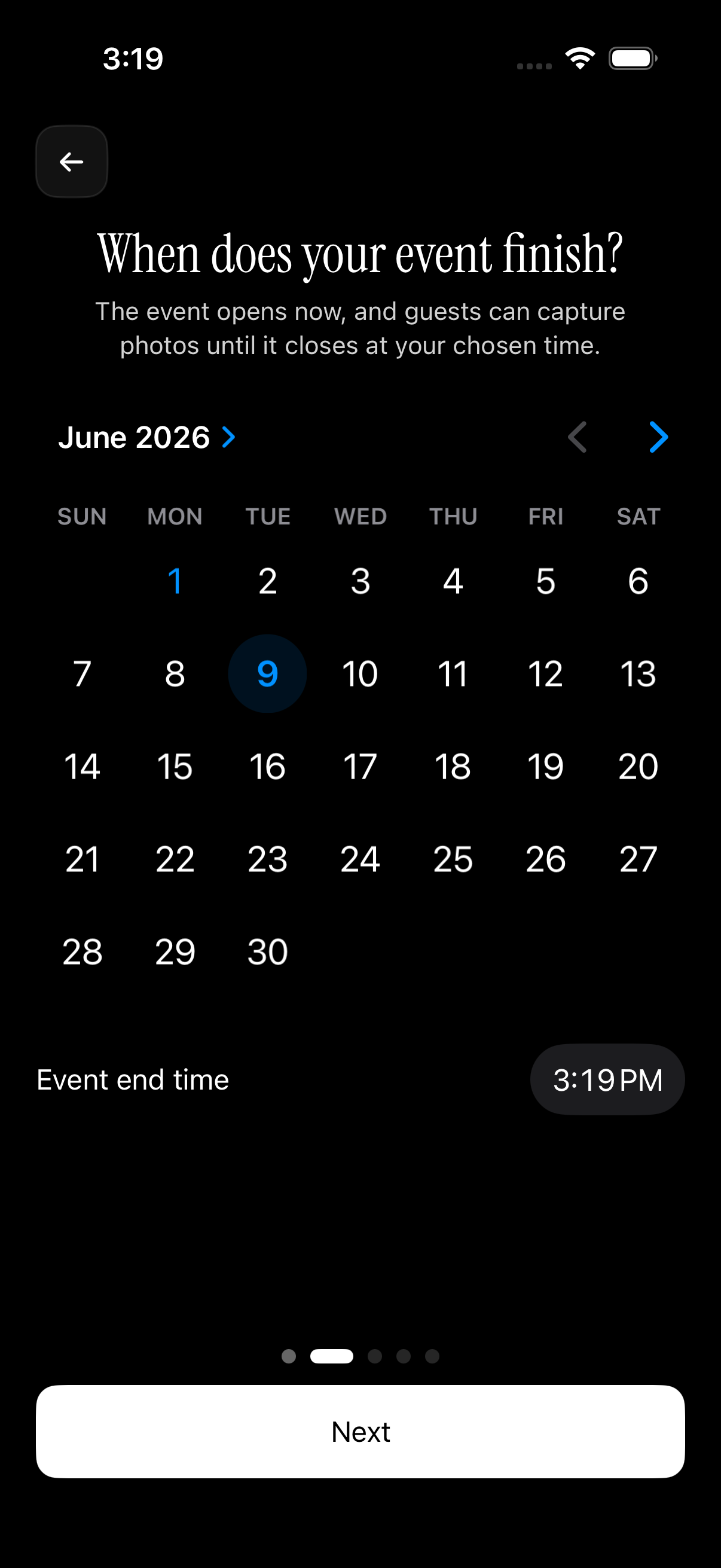 Setup asks when the event finishes; guests can capture photos until it closes at that time.
Create the event and lock in your date range
Step 1: Open the SYNC app. Tap Create Event. Set your event name, expected guest count, and the schedule window — the date range during which photo uploads are accepted.
This date window matters. Photos taken before the start date or after the end date are excluded automatically. That protects you from a guest accidentally uploading a rehearsal dinner photo or a getting-ready image you did not intend to share with everyone.
Display the QR code where guests will naturally pause
Step 2: Download or screenshot the QR code. Print it on table cards, a welcome sign, or the bar menu. Multiple prints cost nothing — place them throughout the venue so guests encounter the sign wherever they are, not just at one booth location.
Step 3: Guests scan on arrival or during cocktail hour. Uploads start immediately. The couple monitors incoming photos in real time and can remove anything before the gallery goes live.
Placement tips that work:
- Bar top — guests pause there naturally and have a free hand
- Each dining table card, alongside the place card
- Guest book station — scan to upload a photo, then sign the book
- Venue entrance welcome sign
See the full setup walkthrough.
One practical note: A small share of older guests may be unfamiliar with QR scanning. Designate one volunteer — a younger family member or someone from the wedding party — to assist at the sign during cocktail hour. Five minutes of their time handles it.
Gallery Reveal: You Choose When Guests See the Photos
A traditional photo booth hands guests a print the moment they step out. There is no curation window, no second look. With SYNC, the couple decides when the gallery opens.
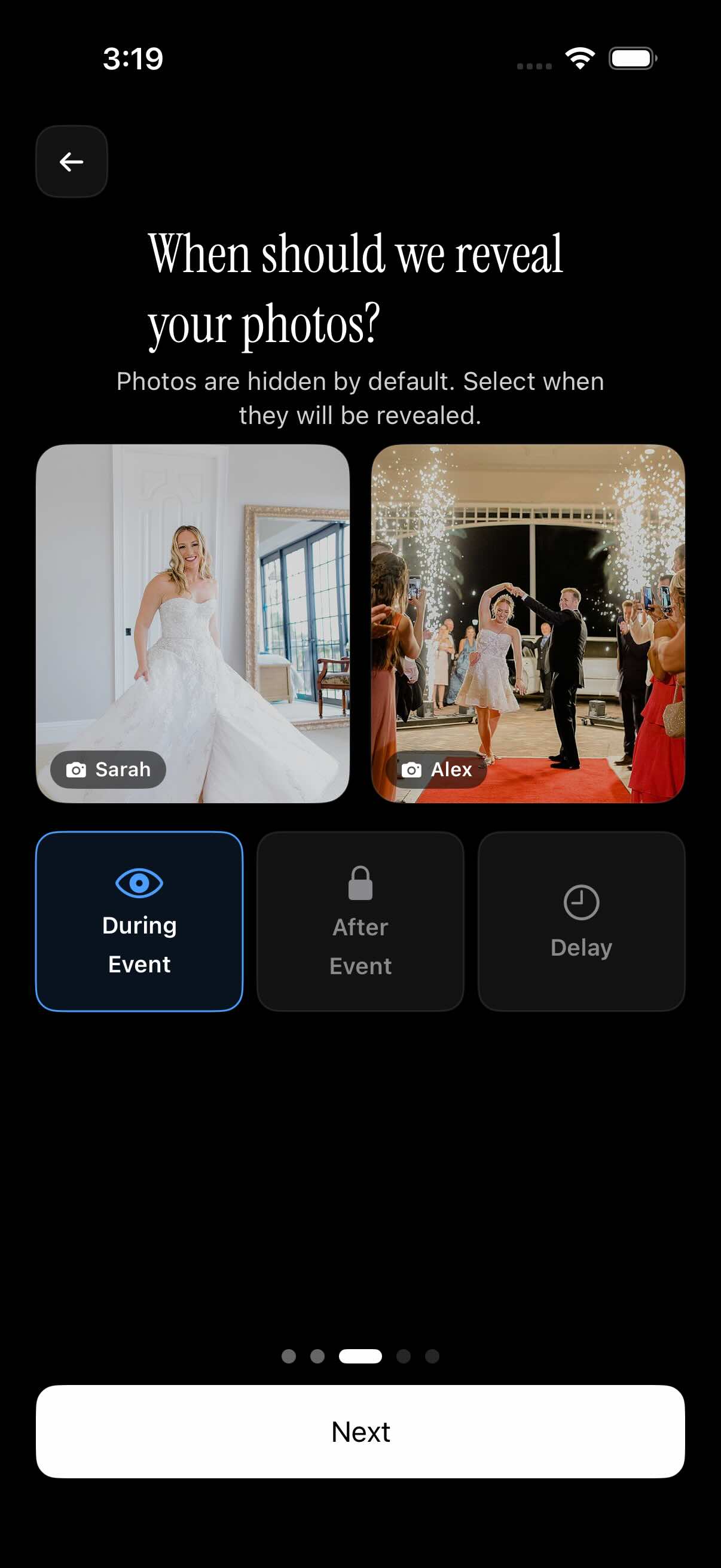 SYNC's three reveal modes let the couple choose whether guests see photos during the event, after it, or after a delay.
Three reveal modes explained
Mode 1 — During the event: Guests see each other's uploads in real time. Great for building energy at the reception — pair it with the live photo wall feature on a venue screen and guests can watch the gallery fill up throughout the night.
Mode 2 — After the event ends: The gallery locks until the event window closes. The couple reviews every photo first. Guests see nothing until you open the gallery. Configure your reveal settings from the host dashboard.
Mode 3 — Custom delay after the event: Set a specific unlock time — 24 hours, 48 hours, a week after the wedding. The couple gets a dedicated review window to curate before the gallery goes live.
Why delayed reveal builds anticipation
The traditional booth gives guests a print on the spot — the moment is over the second they walk away. A delayed SYNC reveal creates a second beat: guests know a gallery is coming and look forward to it.
It mirrors the feeling of a wedding album delivery. You know the photos exist. You are waiting for the reveal. That anticipation is a feature, not a delay.
Cost Comparison: Photo Booth vs. SYNC
Line-item breakdown
| Item | Traditional Photo Booth | SYNC |
|---|---|---|
| Base rental / subscription | $800–$1,500 (4 hrs) | Free for 7 or fewer guests; paid tier for larger events |
| Print add-on | $200–$500 optional | Not applicable |
| Custom backdrop | $100–$300 optional | Not applicable |
| Attendant tip | $50–$100 | Not applicable |
| Vendor coordination | Yes | No |
| Venue coverage | One fixed corner | Venue-wide |
| Digital delivery | Days to weeks | Real time |
For a 150-guest wedding, a traditional photo booth with standard add-ons typically runs $1,200–$2,400 total (verify against current local vendor quotes; national averages from The Knot suggest this range).
For the same 150-guest wedding using SYNC's paid tier, check current pricing at sync.camera. The couple's total cost is the subscription — no prints, no backdrop, no attendant, no tip.
When a photo booth still makes sense
SYNC does not replace every use case. Be honest about your priorities.
A photo booth still wins when:
- You want physical print-outs as guest favors — something guests hold and take home that night. SYNC is digital-only.
- Your venue has unreliable cell signal. Guest uploads require a working connection. Check signal strength at your venue before committing to any app-based option.
- Your guest list includes a significant share of guests unlikely to scan a QR code, and you would rather not coordinate a volunteer to help.
For most weddings with solid cell coverage, SYNC delivers broader candid coverage at a lower total cost than any booth rental. A hybrid approach — SYNC for venue-wide candids plus a selfie station corner for fun posed shots — gives you both without the full booth cost.
Pricing and tier details for SYNC should be verified at sync.camera before finalizing your budget. Photo booth rental figures reflect ranges from national wedding planning resources; your local market will vary.