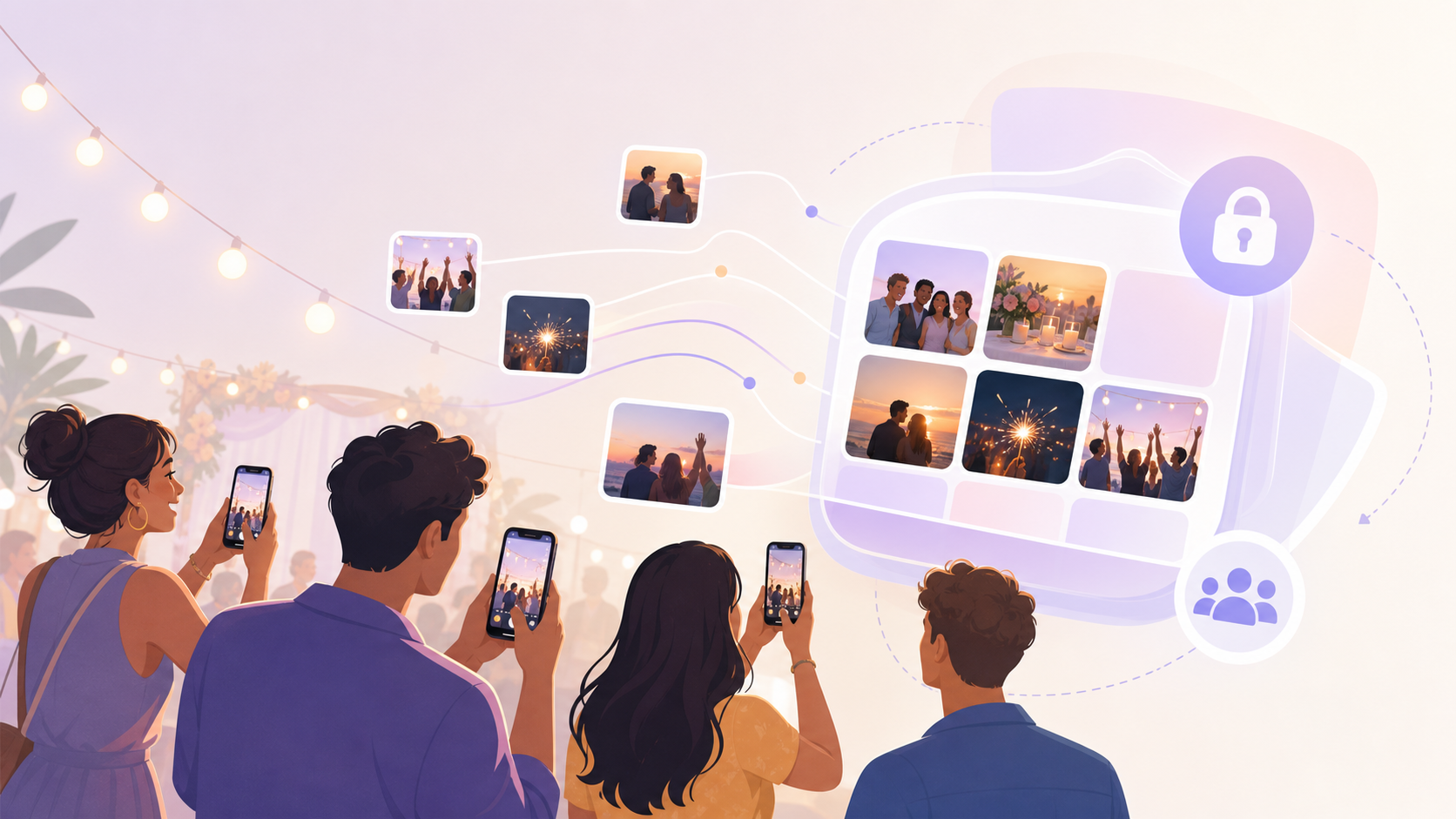
Real-time photo sharing means photos reach the right people while the moment is still happening.
That sounds simple. In practice, it depends on the app, the network, the privacy settings, and how people join the album.
A social feed is not always the answer. A family reunion does not need a public post. A wedding does not need twenty chat threads. A school game does not need compressed images buried between messages.
This guide explains the main ways to share photos in real time. It focuses on private group sharing at events, trips, and celebrations. It also covers what to check before you trust an app with other people’s photos.
What 'Real-Time' Actually Means for Photo Sharing
Real-time photo sharing means a photo appears on another person’s device within seconds of capture. Not later that night. Not after someone remembers to upload. Not after Wi-Fi becomes available.
The key word is “sharing.” Backup is not the same thing.
Cloud backup tools such as Google Photos and iCloud Photos are built to protect your library. They may upload quickly. They may also wait because of battery, network, storage, or app settings. That is useful for backup. It is less reliable when guests expect to see photos during the event.
Real-time sharing needs two things to work well:
- The sender’s phone must upload the photo quickly.
- The receiver must be told or refreshed quickly, usually through push notifications or a live feed.
Some tools use a live connection behind the scenes. WebSockets are one common underlying protocol for this. They let an app keep a connection open instead of asking the server again and again for updates. You do not need to understand that to use the app. The simple point is this: a live feed feels faster than a page that only updates when you refresh it.
Instant upload vs. manual sync: the difference
Manual sync means someone chooses photos, opens an app, selects recipients, and taps send. It works. It is also easy to forget.
Instant upload means the sharing flow starts as soon as a photo is taken or added. The app may upload in the background. It may also ask the photographer to confirm which shots should go into the shared space. The best option depends on privacy.
For a public event wall, automatic upload may be fine. For a private wedding album, people may want a quick review step before sharing. For a client shoot, the photographer may want to send selected previews only.
This is why “real time” should not mean “no control.” A good real-time setup is fast and still deliberate.
How latency affects the experience at live events
Latency is the delay between taking a photo and another person seeing it.
At a birthday dinner, a short delay may not matter. At a sports event, it can. Parents may want to see a goal photo before the next play starts. At a wedding, guests may enjoy seeing ceremony and reception photos appear during the same evening.
Network quality makes the biggest visible difference. Local venue Wi-Fi can help if it is stable and not overloaded. Cellular can be faster in some venues, especially with strong 5G coverage. It can also struggle in basements, arenas, rural venues, and crowded halls.
There is no honest universal latency number. File size, signal strength, server distance, app design, and background upload rules all matter. Treat any fixed benchmark as a test result for that setup, not a promise for every event.
Common Ways to Share Photos in Real Time
There are four common approaches: direct device sharing, messaging apps, dedicated event photo apps, and cloud shared albums.
Each one can be right. The best choice depends on group size, distance, privacy, and how organized the photos need to be.
Direct device-to-device (AirDrop, Nearby Share)
AirDrop is fast for Apple users who are nearby. Android has similar nearby sharing options, depending on the device and settings.
This works well when you want to send a few full-quality photos to one person beside you. It is poor for a large group.
The limits are clear:
- People need to be physically close.
- The sender chooses recipients each time.
- There is no persistent event album.
- Mixed-device groups can be awkward.
Privacy is strong in one way. You are sending directly to selected people. But it does not solve the bigger event problem. If thirty guests each send photos to different people, the memories still end up scattered.
Group messaging apps (iMessage, WhatsApp)
Messaging apps are the default for many families and friend groups. They are familiar. They already have the people in them. They also create problems when photos matter.
The first problem is compression. WhatsApp and iMessage can reduce image size depending on how the photo is sent, device settings, and platform behavior. WhatsApp also offers higher-quality sending options in supported versions, but the sender has to choose the right mode. iMessage behavior can vary with settings such as Low Quality Image Mode.
The second problem is organization. A chat is built for conversation. Photos get mixed with replies, reactions, plans, and unrelated messages. After a wedding or school event, finding the best image can become work.
The privacy model is usually a closed group. That is good if the group is correct. It is less good when people forward images, add new participants, or save everything to personal devices.
Use messaging when speed and convenience matter more than album structure. Avoid it when you need a clean archive.
Dedicated event photo apps
Dedicated event photo apps are built around one shared space.
A tool such as sync.camera can create a live event feed. Guests join the event, often through a QR code or invite link, and photos land in one place. The goal is not to become another social network. The goal is to make group sharing simple during one real event.
This works well when contributors do not all know each other. A wedding is the obvious example. Guests from both families can scan one QR code and add photos to the same album. They do not need to follow each other. They do not need a public feed. They do not need to create social posts.
For example, at a wedding reception setup, the couple can place a QR code near the guest book and on table cards. Guests scan it, join the private album, and share reception photos as they take them. People who joined the album can see new moments appear during the evening instead of waiting for a dump of images the next day.
For setup details, see how sync.camera works and QR code photo sharing.
Privacy depends on the app settings. Look for closed albums, event expiry, download controls, and moderation. No-account-required access is helpful, but it should not mean the album is public to the whole web.
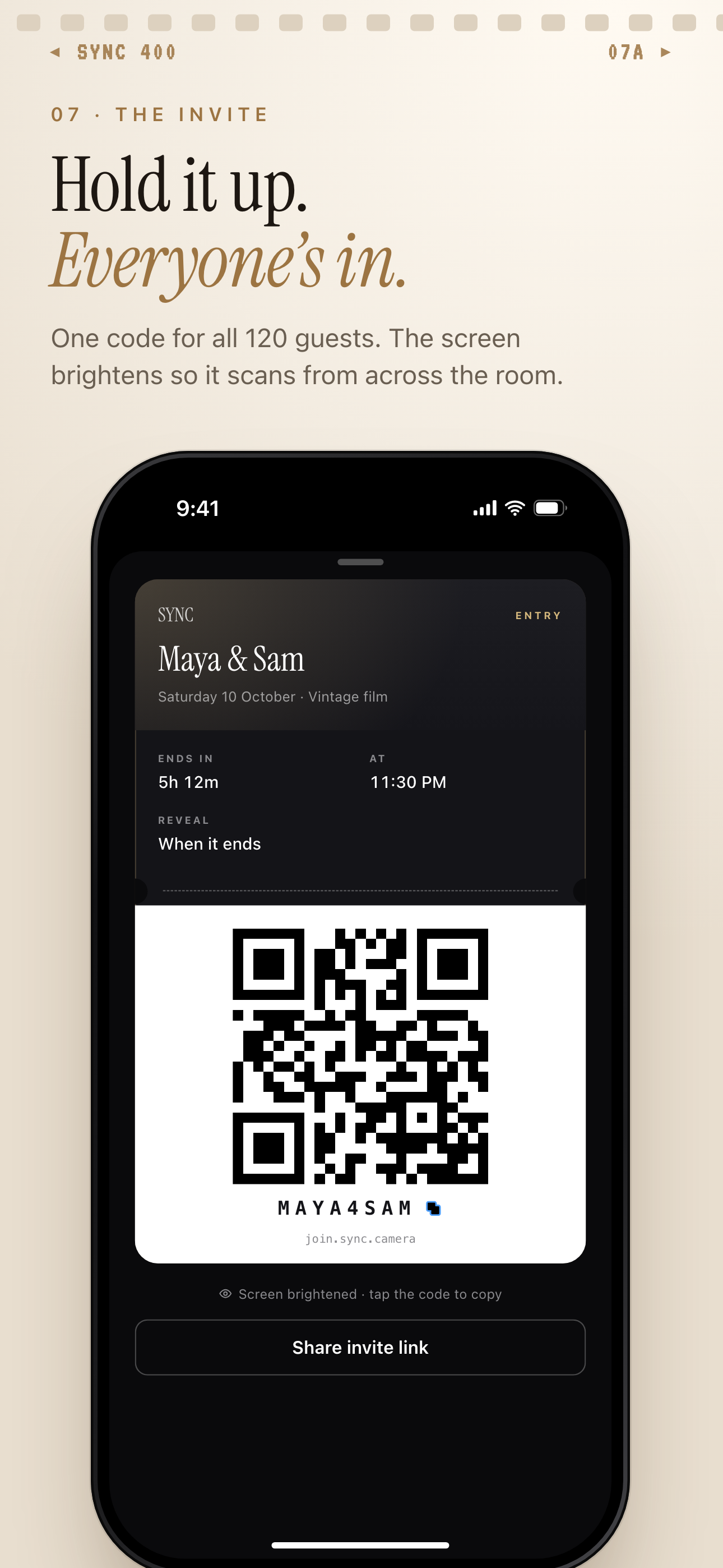
One QR code or join code brings every guest into the same private event album.
Live cloud albums (Google Photos shared albums, iCloud Shared Albums)
Google Photos Shared Albums and iCloud Shared Albums are useful for families and small groups.
They are not the same as dedicated event feeds. They can feel near-real-time when contributors are online, backup or sharing is active, and recipients have notifications enabled. But they are still cloud album products first. Uploads and alerts can depend on device settings and network conditions.
Apple’s support documentation for Shared Albums explains how subscribers can receive notifications when new photos are added. Google Photos Help also documents shared album behavior and notification controls.
These tools are good when people already use the same ecosystem. They are weaker when guests do not want accounts, do not know each other, or need a simple scan-to-join flow.
Privacy is usually link-based or invite-based. Check the exact settings. A public link can be opened by anyone who has the URL. A closed album limits access to invited people or approved participants.
Choosing the Right Method for Your Situation
Start with the event, not the app.
Ask four questions:
- How many people will contribute?
- Do they already share the same app ecosystem?
- Do you need full-quality downloads?
- Who should still have access after the event ends?
The answers usually point to the right method.
Weddings and large events: keeping every guest's photos in one place
For events with 20 or more contributors, chat threads break down quickly. One group uses WhatsApp. Another uses iMessage. Someone starts a Google Photos album. A cousin sends AirDrop batches to nearby friends. The couple then has to collect everything later.
A shared album or dedicated event app is cleaner. One QR code can route guests into one place. The album becomes the memory hub, not another conversation.
For weddings, also think about moderation. Some couples want every guest photo to appear right away. Others want a review step before images show on a live screen or shared gallery. Both are valid. The key is choosing the setting before the event starts.
A deeper planning checklist is available in create a wedding photo album and the event photo sharing guide.
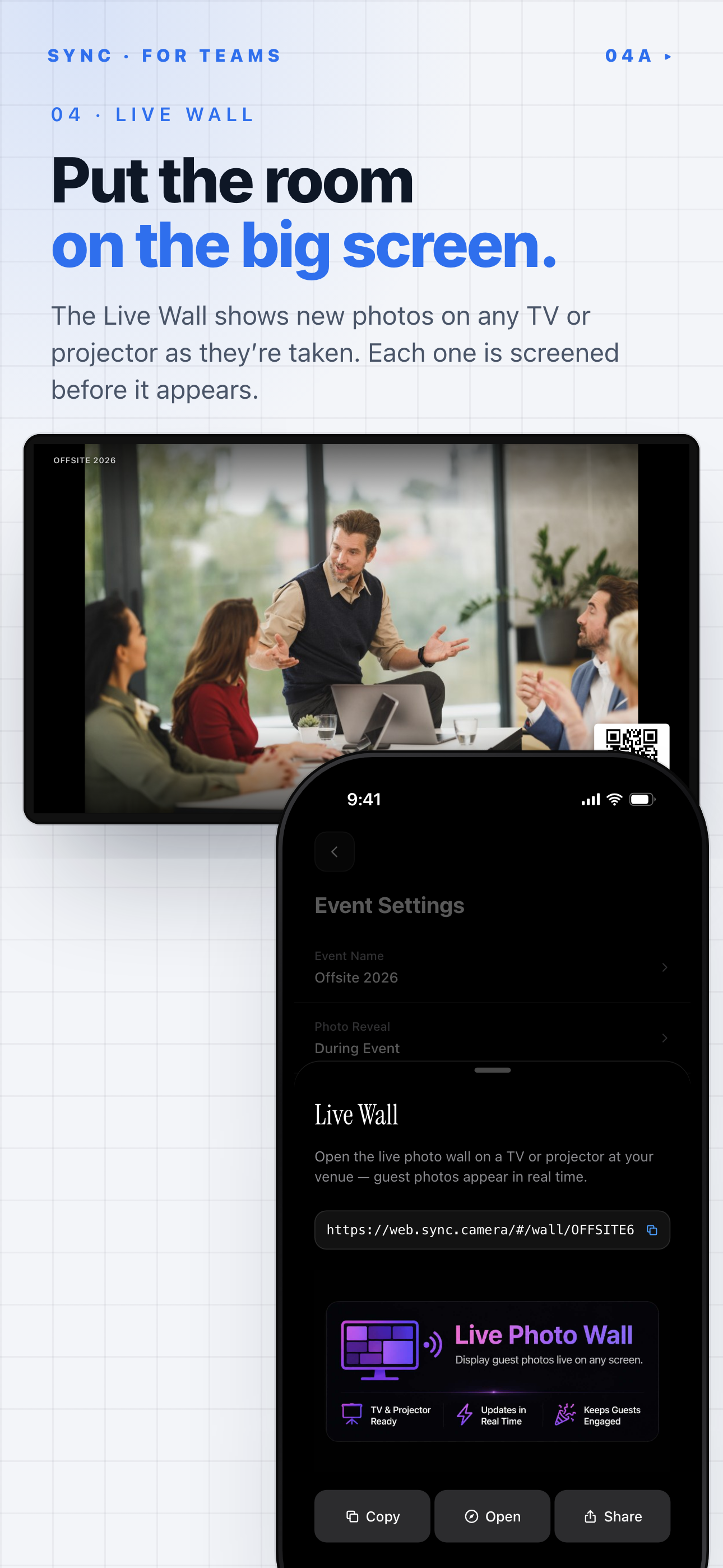
SYNC's Live Wall shows new guest photos on a TV or projector as they are taken.
Family trips: sharing with relatives who aren't tech-savvy
Family trips need low friction.
A QR code join flow helps because it avoids typing links, creating new social accounts, or explaining folder permissions. Someone can scan once and see the album. That is easier for grandparents, cousins, and guests who do not want another app login.
No-account-required access can be useful here. It should still be controlled. A private QR code at the event is different from a public link posted online.
If the group already uses Google Photos or iCloud Shared Albums, those may be enough. If not, use the tool that creates the least setup work for the least technical person in the group.
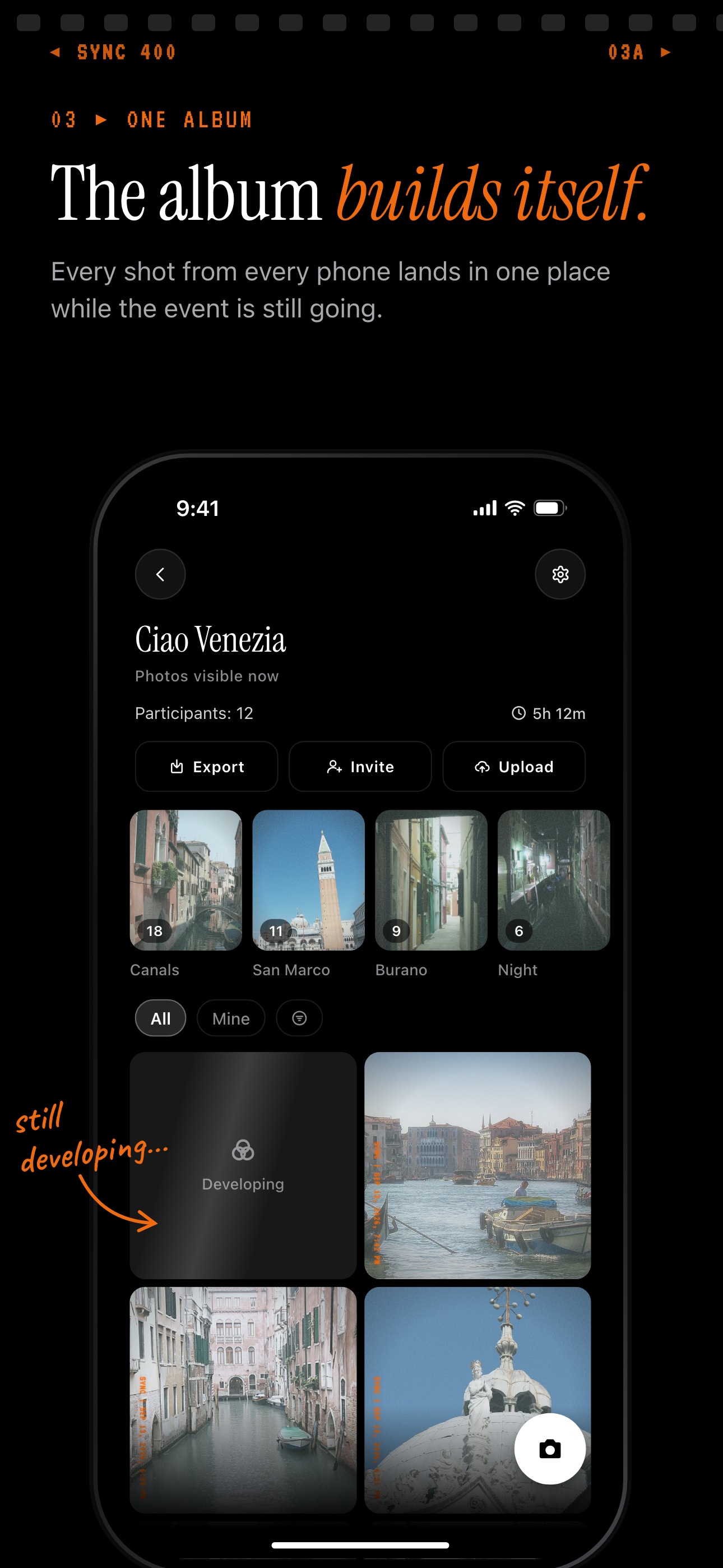
On a group trip, every shot from every phone lands in one album while the trip is still going.
Sports and school events: fast turnaround matters
Sports and school events reward speed.
Parents want quick access. Coaches may want photos for same-day updates. Schools may need more control over who sees images of children.
In this case, near-zero compression and reliable upload matter more than filters, likes, or social features. The same is true for dance recitals, theater nights, and award ceremonies.
Avoid posting public albums unless you have permission. A closed album with invited parents or guardians is a safer default. Also check school policy before sharing identifiable photos of students.
Professional shoots: client preview in real time
Professional shoots have different needs.
A client may want to see selects during the session. The photographer may want to share previews without handing over final files. Privacy and download control matter here.
Look for features such as view-only galleries, watermarking, link expiry, and controlled downloads. These reduce confusion about what is a preview and what is final delivery.
For paid work, do not rely on a casual chat thread. It is too easy for files to be compressed, forwarded, or separated from usage terms.
Privacy and Control: What to Look For
Photo sharing is not only a speed problem. It is a consent problem and a control problem.
The best real-time setup answers three questions before anyone uploads:
- Who can see the photos?
- Who can download them?
- What happens after the event ends?
Who can see your photos after the event ends
A public link means anyone with the URL can access the album. That may be fine for a brand event. It is usually wrong for a private family gathering.
A closed album limits access. It may require an invite, approval, QR code, passcode, or account login. Each method has a trade-off.
A login-gated album gives stronger identity control. It can also stop less technical guests from joining. A no-account QR code flow is easier. It needs other controls, such as event expiry or restricted sharing, to protect privacy.
Also check platform terms. Some platforms process uploaded photos for product features, safety, personalization, advertising, or service improvement. The details vary. Read the current terms and privacy policy before using any service for sensitive events.
Download permissions and link expiry
Download control matters when photos include children, clients, private venues, or guests who did not expect broad sharing.
Useful controls include:
- View-only mode.
- Download on or off.
- Watermarked previews.
- Album expiry after the event.
- Deactivation of old links.
Link expiry is underrated. An album that closes after a set period protects privacy by default. It also reduces the chance that an old link keeps circulating months later.
For more detail, see privacy settings for shared albums.
No-account-required access vs. login-gated albums
No-account access is great for live events. It removes the biggest barrier: sign-up.
But access without an account should still be intentional. A QR code on a wedding table is meant for guests in the room. A link pasted into a public post is not private anymore.
Login-gated albums are better when identity matters. They are useful for client galleries, schools, and private organizations. They are less convenient for casual events.
There is also a legal layer. If you share photos of other people at an event, consent matters. GDPR and CCPA can apply depending on where people are, who is collecting data, and how the images are used. For a family album, common sense and respect go a long way. For schools, businesses, and public events, get clear permission and follow policy.
Tips for Getting the Best Real-Time Sharing Experience
A good app helps. A good setup helps more.
Most real-time sharing problems come from weak networks, huge files, unclear permissions, or too many unfiltered uploads.
Network setup at venues
Ask the venue about Wi-Fi before the event.
Do not assume the guest Wi-Fi can handle hundreds of people uploading photos and videos while others stream, browse, and post. A dedicated event Wi-Fi network can improve reliability because photo uploads are not competing with every other guest activity.
There is no single bandwidth figure that fits every event. A few people uploading still photos need far less than dozens of guests uploading long videos. Ask for tested upload speed at the actual event space, not just the lobby.
Also plan a cellular fallback. If the app allows it, enable upload on cellular so photos do not stall when Wi-Fi drops. Tell contributors if large uploads may use mobile data.
Camera settings that speed up uploads
File size affects upload speed.
HEIC/HEIF files are often smaller than JPEG files at similar visual quality on Apple devices. That can make uploads faster and reduce storage pressure. The trade-off is compatibility. Some non-Apple devices, older software, or editing tools may prefer JPEG.
If the album is for casual viewing, smaller files may be fine. If the album is for printing, client delivery, or press use, keep quality higher and accept slower uploads.
Avoid sending screenshots of photos through chat apps when quality matters. Share the original file or use an album that preserves the version you need.
Managing storage when many people contribute
A live album can get messy fast.
Ask contributors to favorite or flag their best shots. This makes the album easier to review later. It also helps the host find the real keepers without scrolling through every duplicate, blink, and blurry dance-floor frame.
For large events, decide who can remove duplicates or hide poor shots. Moderation is not about control for its own sake. It keeps the album useful.
Also decide how long the album should stay open. One week may be enough for a birthday. A wedding may need longer. A client preview may need a clear review window and then expiry.
Real-time photo sharing works best when the tool matches the moment. Use AirDrop for nearby one-off transfers. Use messaging for quick casual sharing. Use Google Photos Shared Albums or iCloud Shared Albums when your group already lives in those ecosystems. Use a dedicated event app such as sync.camera when you need a private, shared, live album that people can join quickly with a QR code.
The goal is simple: the right people see the photos while the moment still feels alive, without turning a private event into a public feed.