
When you upload a photo to Google Photos, you're not just backing it up — you're contributing to a training dataset. Google's privacy policy states that content you upload to its services may be used to improve and develop its products, including machine learning models. For many users, that tradeoff is invisible until they go looking for it. This page exists to make it visible.
Sync.camera and Google Photos occupy the same category — family photo backup and sharing — but they make fundamentally different choices about what your photos are for. Google Photos is deeply integrated into the Google ecosystem: free storage up to 15 GB (shared across Gmail, Drive, and Photos), tight Android/Pixel integration, and AI features powered in part by the content its users upload. Sync.camera is built around the opposite premise: your photos are your memories, not a model input.
This comparison covers the four dimensions that matter most when you're choosing between them: privacy and AI training practices, storage limits and what you'll actually pay, how well each platform handles cross-platform sharing between iOS and Android users, and what the default settings reveal about each product's values. If you're a family that mixes iPhones and Android phones, or a user who wants explicit control over whether your photos are used to train algorithms, the differences here are decisive.
| Feature | sync.camera | Google Photos | |
|---|---|---|---|
| Photos not used for AI/ML training | ✓ | ✗ — Google Photos uses uploaded content to improve services and train ML models per Google's privacy policy | Verifiable from Google's published privacy policy and Photos terms of service. |
| Free storage allowance | See sync.camera pricing page | 15 GB shared across Gmail, Drive, and Photos — not Photos-only | The 15 GB limit is shared with Gmail and Google Drive, a commonly misunderstood restriction. |
| Entry paid tier | See sync.camera pricing page | Google One: $1.99/month for 100 GB (still shared with Gmail and Drive) | Verifiable from Google One published pricing page. |
| Cross-platform shared albums (iOS ↔ Android, full parity) | ✓ | Partial — Android-to-iOS sharing has documented feature limits | Verifiable from Google Photos support documentation on cross-platform sharing. |
| Face grouping off by default | See sync.camera defaults | ✗ — face grouping is enabled by default for accounts where the feature is available | Verifiable from Google Photos face grouping settings documentation. |
Privacy and AI training: the difference that brought you here
The most consequential difference between these two platforms isn't a feature — it's a policy. Google's privacy policy states that when you upload content to Google services, Google may use that content to improve and develop its products and services, including machine learning models. Google Photos is not exempted from this. The face recognition that groups your child's photos across ten years, the scene detection that labels your vacation album "Beach," the search that finds every photo where someone is blowing out birthday candles — these capabilities are developed, in part, using content uploaded by users like you.
The default is participation
This isn't a bug or an oversight. It's Google's stated model: free, powerful AI features in exchange for contributing to the data that trains them. Google does offer some controls — you can turn off face grouping, and Google has published documentation about how your data is used — but the default is participation, and the opt-out does not retroactively remove data that has already been used in training.
Where sync.camera differs
Sync.camera's position is the structural opposite: your photos are not used to train models. This isn't a marketing claim that requires careful reading of footnotes — it reflects a different product architecture where the company's revenue comes from subscriptions rather than from building AI products that benefit from your content. The practical implication for families is straightforward: a photo of your kids at a school play stays a photo of your kids at a school play. It doesn't become a labeled training example for object recognition or facial landmark detection.
The question worth asking
For privacy-conscious users, the question isn't whether Google's AI features are good — many of them are excellent. The question is whether you were asked before your uploads became training data, and whether the default answer was yes or no. On both counts, Google Photos answers in ways that favor Google's product roadmap. Sync.camera is built to answer in ways that favor the person holding the camera. See the sync.camera privacy page for specifics on data handling.
Storage and pricing: what 15 GB actually means
Google Photos' free tier is frequently cited as one of its biggest advantages, and 15 GB sounds substantial until you understand what it covers. That 15 GB is not a Photos-specific allowance — it is a shared quota across your entire Google account: Gmail messages and attachments, Google Drive files, and Google Photos uploads all draw from the same pool. A user with years of Gmail history and working documents in Drive may find their effective Photos allowance is 3–4 GB before they've uploaded a single image. This is the most commonly misunderstood fact about Google's free tier, and it's worth stating plainly before comparing storage numbers.
What the paid tiers actually cost
Once you exceed 15 GB, Google One paid plans start at $1.99 per month for 100 GB — again, shared across Gmail, Drive, and Photos. If you're a heavy Gmail user managing a family's worth of school correspondence, that 100 GB fills faster than it appears on a pricing page. Moving up to 200 GB costs $2.99 per month; 2 TB runs $9.99 per month. Each tier is still shared storage, not Photos-dedicated capacity.
Dedicated storage versus shared
Sync.camera's storage tiers and exact pricing are documented on the sync.camera pricing page. The structural question to ask when comparing is whether storage is dedicated to photos or shared with your other cloud storage needs. For families who primarily want photo backup and sharing — not additional cloud storage for documents and email — a Photos-dedicated model avoids the situation where deleting old emails becomes a prerequisite for backing up last weekend's birthday party.
Counting the whole bill
When evaluating total cost, factor in what you're paying for: Google One's price includes benefits beyond Photos (additional Drive storage, VPN access on some plans, Google One member features), which may represent genuine value for deep Google ecosystem users, or may represent features you'll never use but are still subsidizing.
Cross-platform sharing: where mixed iOS/Android families run into limits
Family photo sharing is rarely a same-platform exercise. A household with one person on iPhone and another on Android is common, and the platform you choose for shared albums needs to work equally well on both sides of that divide. Google Photos' cross-platform support is real — the app runs on both iOS and Android — but the experience is not fully symmetric. Google Photos' own support documentation acknowledges feature limits when sharing between Android and iOS users, particularly in collaborative album and sharing workflows that are more fully realized on Android.
Why the gap exists
This asymmetry reflects Google's roots: Photos was built around Android and the Pixel camera experience, and iOS support, while functional, has historically trailed in feature completeness. For families where the primary photo-taker uses an iPhone, or where album sharing needs to work equally well regardless of who's viewing or contributing, these documented limits are worth evaluating against your actual use case before committing to the platform.
Parity as a design requirement
Sync.camera's cross-platform shared albums are designed with full iOS-to-Android and Android-to-iOS parity as a core requirement — details on the specific shared album experience are on the sync.camera shared albums page. The families page covers how the sharing model is structured for multi-device households.
What to test before you commit
For families making this decision: the right question isn't "does Google Photos work on iPhone?" — it does. The question is whether every member of your family, on whatever device they use, has the same ability to view, contribute to, and interact with shared albums. If your family is uniform on Android, this dimension is largely a non-issue. If you're mixed, or primarily iPhone-based, it warrants hands-on testing of the specific workflows you'll actually use day to day.
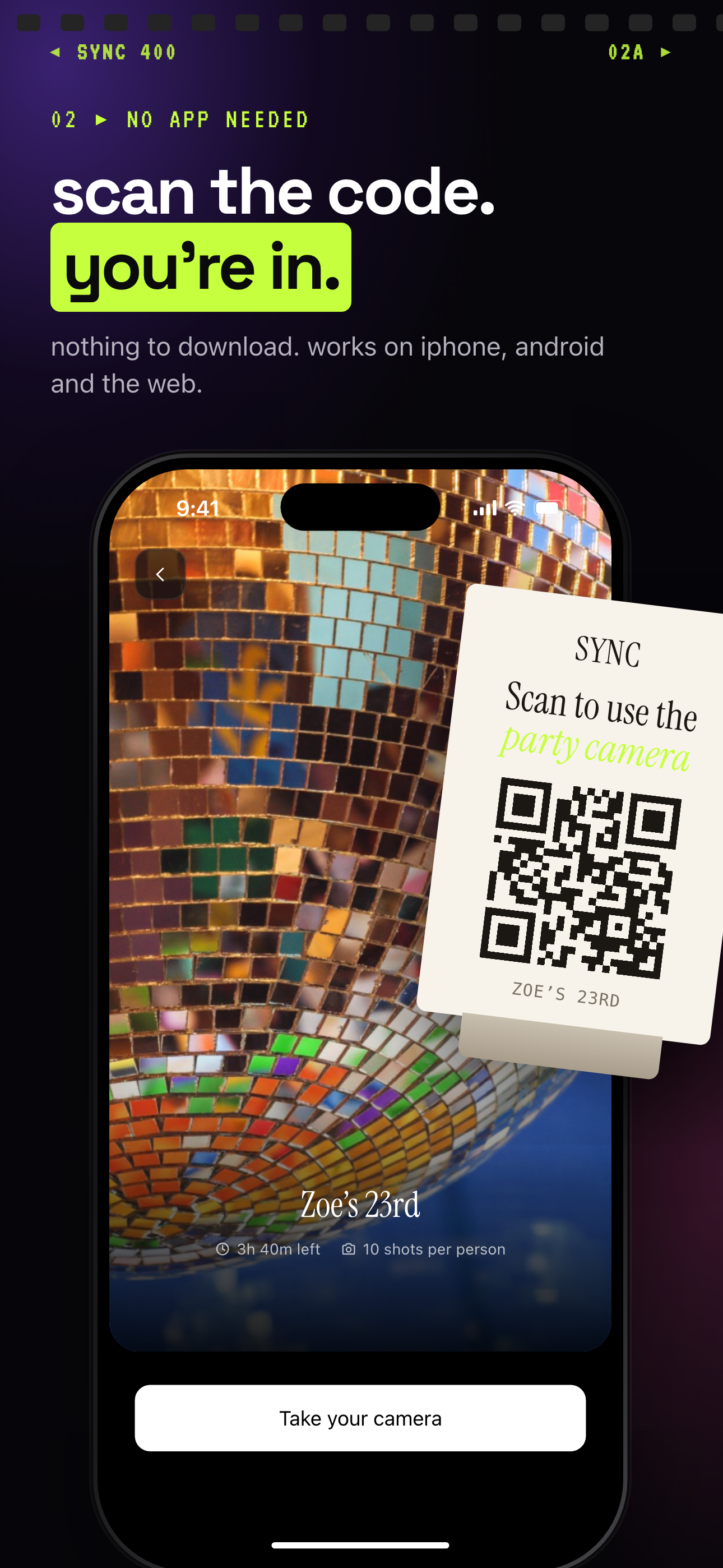
Guests join from a QR code on iPhone, Android or the web.
Default settings and consent: what's on when you first open the app
Default settings are a product's most honest statement of values. They reveal what the product team expects most users to want — or, less charitably, what behaviors benefit the platform regardless of user preference. On this dimension, Google Photos and sync.camera make notably different choices.
Face grouping is on unless you turn it off
Google Photos enables face grouping by default in accounts where the feature is available. Face grouping is the capability that recognizes individual people across your photo library, clusters images by person, and enables person-specific search. It is genuinely useful. It is also, by default, turned on — meaning Google begins building a biometric model of the faces in your photos without requiring an affirmative choice from you. You can turn it off in Photos settings, but the default is participation.
What opting out does and does not undo
Face grouping's relationship to AI training is worth understanding clearly: the models that power it are developed from data Google collects across its user base, and your photos, once uploaded, may contribute to that development per Google's privacy policy. Opting out of face grouping in your own account does not necessarily mean your photos were never used to improve the underlying models.
Opt-in as the default posture
Sync.camera's defaults are documented on the product itself — see the features and privacy page for specifics on what is and isn't enabled at first launch. The principle underlying the sync.camera approach to defaults is that privacy-sensitive features should require an opt-in, not an opt-out. For families who are thoughtful about the data their devices generate — particularly around biometric data like facial recognition — what a product does before you change any settings is a meaningful signal about whose interests the product is designed to serve.
Verdict
Choose Google Photos if: You're embedded in the Google ecosystem — using a Pixel device, paying for Google One, relying on Gmail and Drive daily — and you've made a considered decision that the AI features and convenience are worth the data tradeoff Google's privacy policy describes. Google Photos is a genuinely capable product with excellent search, strong Android integration, and a price point that's hard to argue with if you're already paying for Google One storage. Deep Google ecosystem users who've accepted the terms and want the functionality should use Google Photos without hesitation.
Choose sync.camera if: Your photos are family memories first and you want them to stay that way — not training inputs, not labeled datasets, not biometric samples processed by default. If your household mixes iPhones and Android devices and you need shared albums that work with full parity on both sides, or if you want an app whose default settings assume you haven't consented to things you haven't been explicitly asked about, sync.camera is built for that use case. The privacy difference here isn't a vague marketing claim: it's traceable to specific, published policies and default behaviors documented on Google's own support pages.