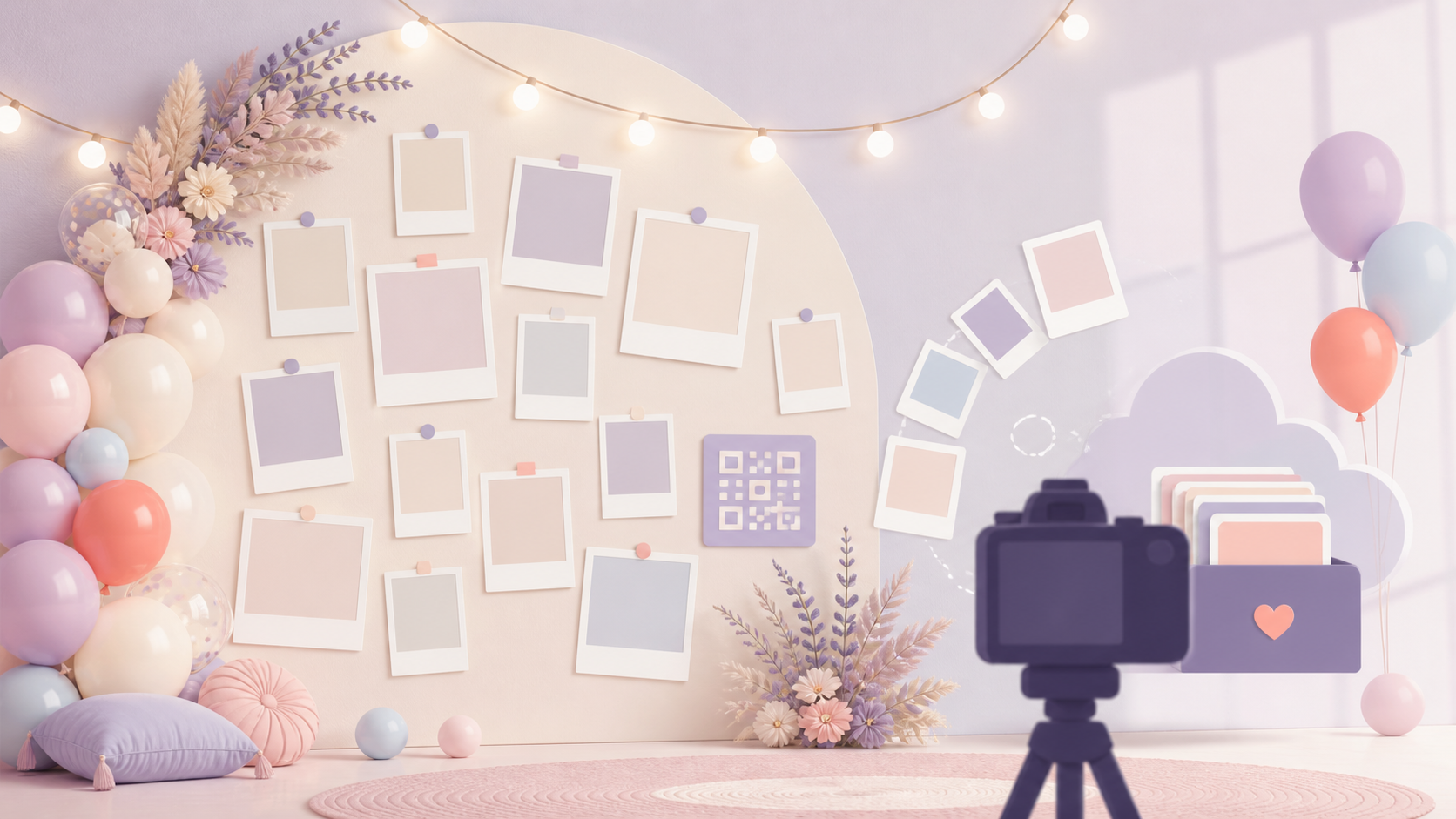
A birthday photo wall should do more than fill an empty wall. It should help guests take better photos. It should make the room feel intentional. It should also help you save the pictures people take during the party.
This guide covers physical birthday photo wall ideas and a simple digital workflow. You can use printed photos, balloons, lights, a TV gallery, or a QR code upload sign. The goal is the same: make a photo spot people notice, use, and remember.
What Makes a Good Birthday Photo Wall
A good birthday photo wall has one job first. Pick that job before buying decor. It can be a selfie backdrop, a memory display, a live guest photo wall, or a cake-table feature.
A clear focal point
A birthday photo wall can mean a few things. It can be a decorated birthday photo backdrop for portraits. It can be a live digital photo display on a TV. It can also be a wall of printed memories from childhood, family events, school years, trips, or past birthdays.
The best setup often does all three jobs in a simple way. It works as decor. It gives guests a clean place to take photos. It helps you collect memories after the party.
Choose one focal point. Use a number, name, cake table, chair, printed timeline, or QR code sign. Then keep the rest quiet. Faces should be the main subject.
Good lighting and guest flow
A plain wall near natural light is often better than a crowded corner. Look for a wall close to the main party area, a TV, or the cake table. Guests should be able to step in, take a photo, and move away without blocking food, gifts, or the entrance.
Avoid strong backlighting. Avoid dim corners. Avoid shiny material that reflects flash. Take one phone photo from guest eye level before you decorate the whole space. Stand where guests will stand. If the test photo looks dark, cluttered, or awkward, move the wall.
A plan for saving the photos
The wall is only part of the memory. The finished album usually matters more.
If you want every guest's pictures, do not rely on a group chat. People forget. Files get compressed. Photos stay scattered across phones. A shared album gives guests one place to add photos and gives the host one place to find them later.
SYNC is built around private event albums. A host can create an event, share access by QR code or six-character invite, and collect guest photos in one place. You can point guests to Get the app or explain the flow in your invite.
Easy DIY Photo Wall Ideas for Any Birthday
You do not need a rental backdrop to make a birthday photo wall work. Start with a clean wall, simple materials, and enough space for two or three people to stand together.
Printed memory wall
A printed memory wall is the easiest idea to make personal. Use childhood photos, recent photos, and past birthday moments. Arrange them in a clean grid with even spacing.
For a 1st birthday, mix baby milestones with family photos. For a 16th or 18th birthday, use school, sports, friends, and travel photos. For a 30th, 40th, 50th, or 60th birthday, build a timeline from different life stages.
Keep print sizes consistent. Square prints are easy to align. Leave white space between rows. Add one sign with the age or name, then stop. Too many captions can make the wall hard to scan.
Balloon and photo backdrop
A balloon garland can frame a photo wall well. Add a few clipped prints to one side, or place the prints below the balloons in a neat row. This gives the wall texture without hiding the people in the photo.
Use fewer colors than you think you need. Two or three colors usually look cleaner than six. Avoid mixing balloons, streamers, foil curtains, signs, props, and photo clips all in the same frame. Too much decor pulls attention away from faces.
String-light photo garland
A string-light or clothesline display works well for home parties, apartments, and small venues. Clip printed photos to lightweight string. Let the line run across a blank wall, window frame, shelf area, or dessert table.
Use warm lights if the room is dim. Keep the lights behind or beside guests, not directly in their eyes. If the photos are only decor, they can sit higher. If guests will stand in front of them, keep the main line near shoulder height.
Number-shaped photo collage
A number-shaped collage is useful for milestone birthdays. Build a large 1, 16, 18, 21, 30, 40, 50, or 60 from printed square photos. Use the number as the focal point, then leave the surrounding wall simple.
Before printing, trace the number size on paper or tape it lightly on the wall. Count how many photos fit in your actual space. The right quantity depends on the number shape, print size, spacing, and wall width.
For wall-safe setup, use removable tape, painter's tape, command strips, clips, or lightweight string. Test one hidden area first if the venue has delicate paint or rental rules. Keep heavier frames off temporary party walls unless the venue approves them.
Digital Photo Wall Ideas Guests Can Add To
A digital birthday photo wall lets guests add photos during the event. This can be simple. The host creates an event, shares a QR code or invite, and guests add photos from their phones.
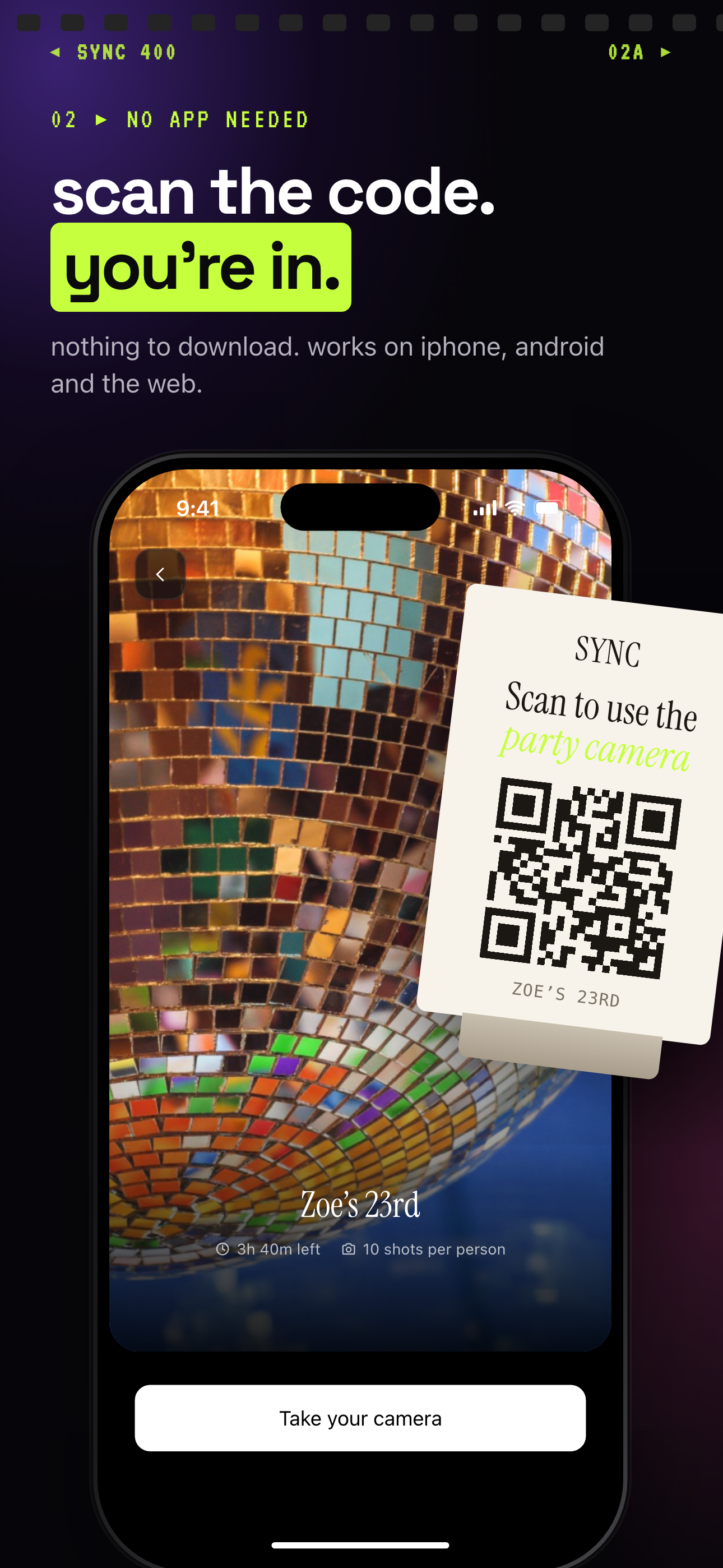 Guests scan the party's QR code and land on the event's join screen, ready to add photos.
QR code upload wall
Print a small sign with the event QR code. Place it near the photo wall. Add a short line such as: Scan to add your birthday photos.
With SYNC, guests can join from a modern phone browser through an invite link. The iOS and Android app experience gives better camera controls and notifications. Hosts can share access with a QR code or a six-character invite, also called a SyncPass, according to the SYNC home page at https://sync.camera/.
This is useful because the host does not have to ask every guest to text photos later. The shared album becomes the collection point.
Live gallery on a TV
If the party has a TV or projector, you can use it as a live digital photo wall. Put the QR code near the screen and near the cake table. Guests scan, add photos, and see the gallery build.
Use this when the group is comfortable with public sharing. It works well for adult birthdays, milestone parties, and casual home events. It can also make a large venue feel more connected.
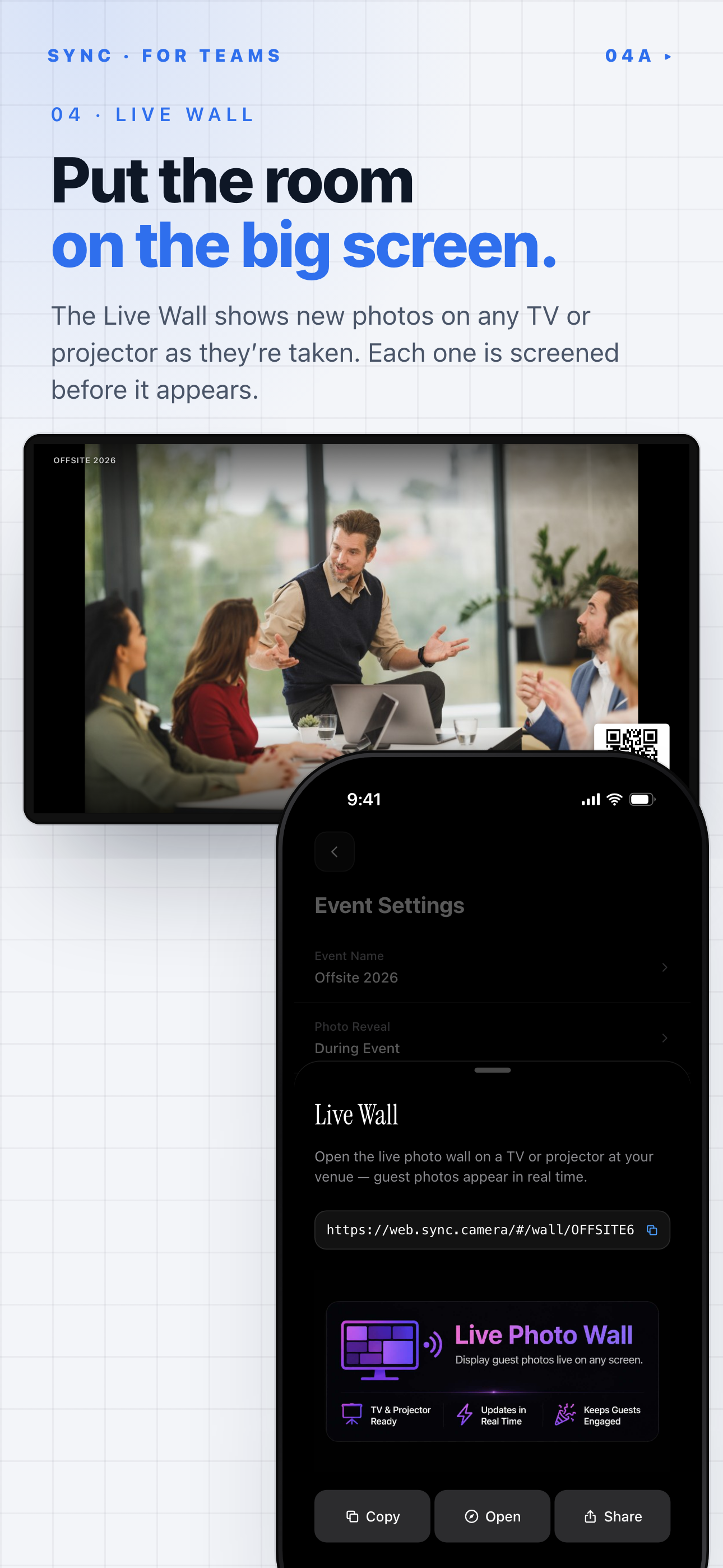
SYNC's Live Wall puts guest photos on a TV or projector as they are taken.
Delayed reveal after the party
Not every event needs a live wall. For children's parties, surprise parties, or mixed groups, a delayed reveal can feel better. Guests still add photos during the event. The host shares the album after the party ends.
This gives the host more control. It also avoids putting every upload on a public screen. For more product details, point guests to How it works before the event.
Photo Wall Ideas by Birthday Type
Different birthdays need different levels of polish, privacy, and structure. Keep the backdrop matched to the guest list.
Kids' birthdays
For kids' birthdays, use a colorful but simple backdrop. A 1st birthday wall can use soft colors, one large number, and a few family photos. Keep the QR code parent-friendly. Put it at adult eye level near the welcome table.
Be careful with public screens. Tell parents where photos will appear before they upload. If you use a live display, keep it in a supervised area.
Milestone birthdays
Milestone birthdays are perfect for a timeline wall. Use photos from different life stages. A 16th birthday might show childhood, hobbies, friends, and school moments. An 18th can lean into graduation, family, and the start of adulthood. A 21st can use a cleaner backdrop with strong lighting and a shared album for party photos.
For 30th, 40th, 50th, and 60th birthdays, mix older prints with new guest uploads. The printed wall tells the story so far. The digital shared album captures the night itself.
Surprise parties
For a surprise party, keep the photo wall away from the entrance until after the reveal. The first job is protecting the surprise. After the reveal, use the wall for reaction shots, hugs, cake photos, and group portraits.
A QR code works well here because guests may take photos before the guest of honor arrives. They can add those photos to the event without sending them around in a chat.
Teen and adult parties
Teen and adult parties usually look better with a cleaner backdrop. Use good lighting, a simple palette, and fewer props. Put the QR code near the bar, food table, cake table, or photo booth area.
For teens, make sharing optional and clear. For adults, keep the upload path short. A visible sign works better than a long explanation.
How to Set Up a Birthday Photo Wall Step by Step
Set up the wall in a clear order. Choose the wall first. Then build the backdrop. Then add the QR code and test the full flow.
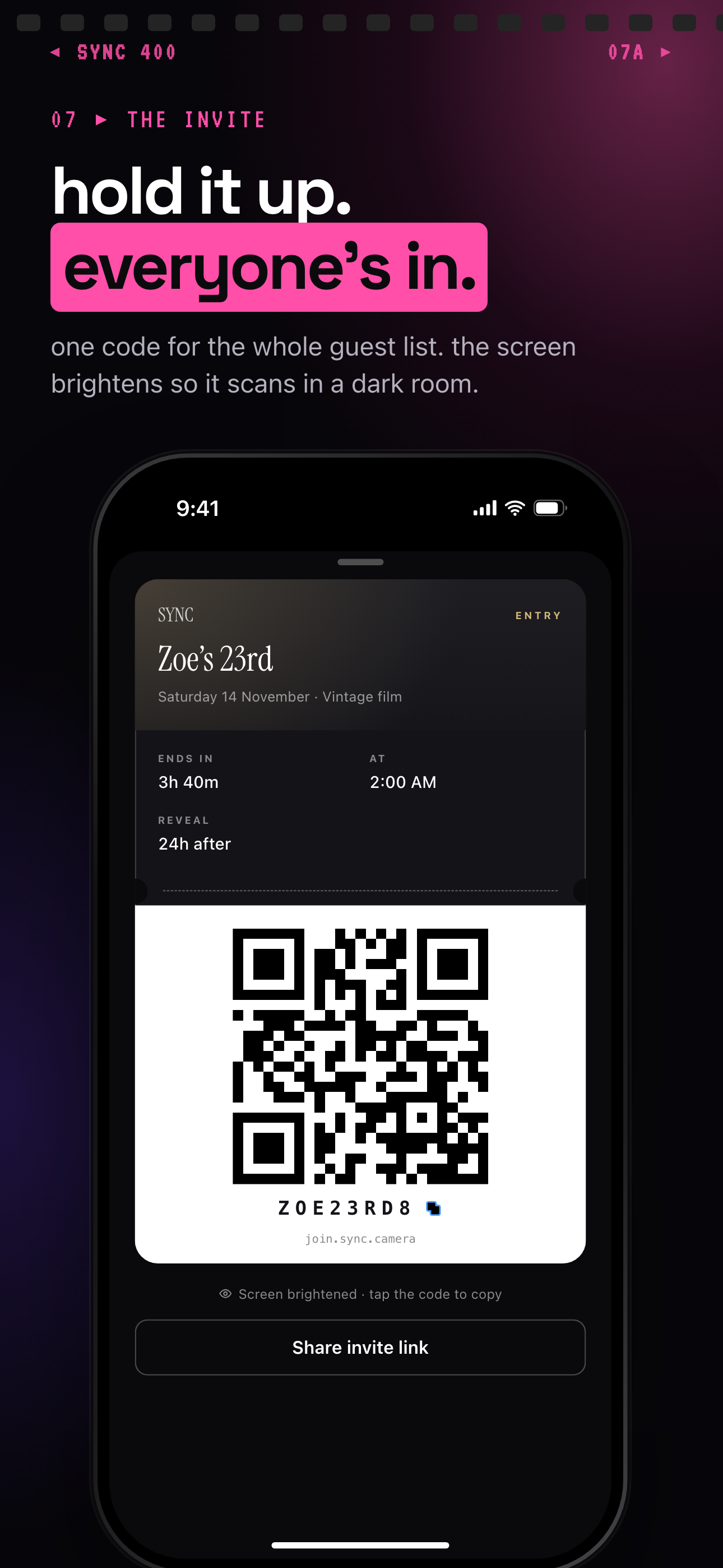 The event's invite pass shows a QR code to print or hold up, plus a join code guests can type instead.
Choose the wall
Pick a well-lit wall near the main party area. Natural light is useful during daytime parties. For evening parties, add a lamp, ring light, or soft side light.
Mark the camera line. Stand where guests will stand. Make sure the background fills the frame without cutting off the top of the decor.
Build the backdrop
Choose a theme or palette. Add one focal element. This might be the age number, name, printed grid, balloon arch, or cake table.
Then keep the rest simple. The backdrop should frame people, not compete with them.
Add the QR code
Create the event in SYNC with a name and end time. Share it by QR code or six-character invite. Print the QR code on a sign and place it in at least two high-traffic spots. Good spots include the welcome table, cake table, bar, food table, and photo wall.
Use simple wording:
- Scan to add your birthday photos.
- Photos stay in the private event album.
- Ask the host if you do not want a photo displayed.
You can also link guests to Support if they need help joining.
Test before guests arrive
Do one full test before the party starts. Scan the QR code. Join the event. Take a photo from guest distance. Check the lighting. Check whether the QR sign is readable. If you are using a TV or projector, test that too.
Supplies checklist:
- Backdrop or printed photos
- Removable tape, hooks, clips, or lightweight string
- Lighting
- QR code sign
- Phone tripod if needed
- TV or projector if using a live display
Privacy and Guest Comfort Tips
A photo wall should feel easy, not pushy. Tell guests what will happen with their photos before they upload.
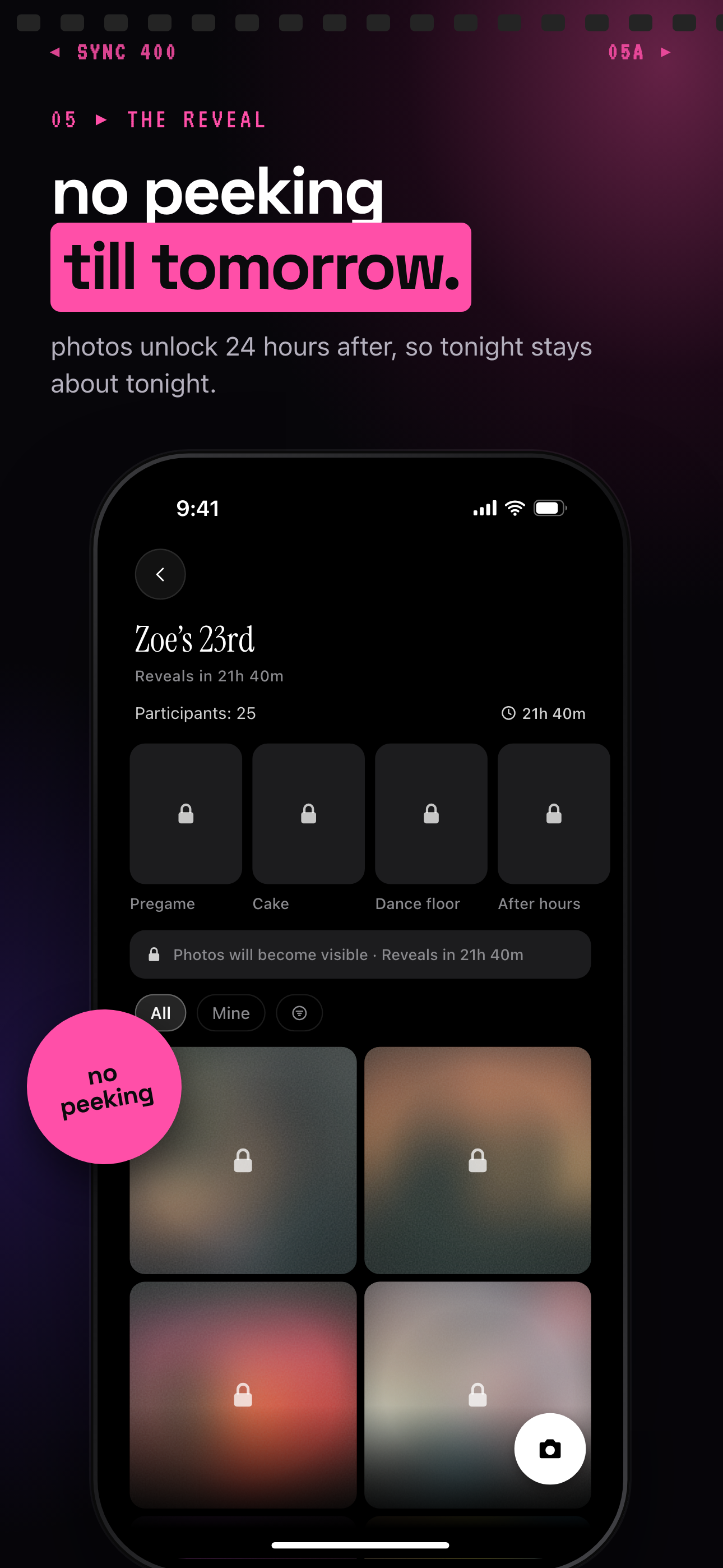 With a delayed reveal, guests keep uploading but nobody sees the album until the time the host chose.
Ask before displaying photos live
Not every birthday party needs a public live display. Some hosts should collect photos privately and reveal the gallery later. This is often better for children's parties, surprise parties, and events where guests may not know each other well.
If photos will appear on a screen, say so on the QR sign. Keep the language plain. Guests should know whether uploads are live, delayed, or private to the host until the event ends.
Keep guest uploads event-specific
SYNC describes its product as privacy-forward. The SYNC site and privacy policy describe private event albums, event-scoped access, no ads, and no third-party tracking. The privacy policy also references privacy rights and frameworks such as GDPR, CCPA/CPRA, and the Digital Personal Data Protection Act 2023 at https://join.sync.camera/privacy.
Keep the birthday album focused on the event. Do not ask guests to post publicly just to share with the host. Do not mix the birthday album with unrelated family or school photos.
Make sharing optional
Some guests do not want to be photographed. Some parents do not want children's photos shown on a screen. Make sharing optional. Give people a simple way to say no.
For children's parties, take extra care with public screens and online sharing. This is practical comfort guidance, not legal advice. When in doubt, keep the gallery private and share it only with invited guests after the party.
Common Birthday Photo Wall Mistakes to Avoid
Most photo wall problems come from clutter, poor light, or no collection plan. Fix those before you spend more money.
Too much decor
Too many colors, shiny materials, and props can distract from faces. A birthday photo backdrop should support the people in the photo. It should not become the subject of every picture.
Choose one focal point. Use a limited palette. Leave space around heads and shoulders.
Bad lighting
Backlighting, dim corners, and harsh overhead light can make a photo wall look worse in pictures. Test with a phone before guests arrive. If faces look shadowed, add soft light from the front or side.
Avoid placing the wall directly in front of a bright window unless you can control the exposure.
No upload plan
A group chat is easy to start and hard to finish. Guests forget to send photos. Some people send only one or two. Others send files days later.
A live wall or shared album works best when the QR code is visible and the host reminds guests once or twice. Put the QR code where people already pause.
No post-party album
Do not stop at the decor. The wall comes down after the party. The album lasts.
Before the event, decide how photos will be collected, who can see them, and when the gallery will be revealed. A private shared album gives the birthday host one place to keep the day. That is often more valuable than the wall decor itself.