What Is a Digital Album?
A digital album is a collection of media stored and viewed on a phone, computer, tablet, or online service. It is not limited to print. It is not limited to a CD, vinyl record, or other physical format.
Simple definition
In plain terms, a digital album is a grouped set of photos, videos, or music files. You can open it on a device. You can often organize it, share it, download it, or add to it later.
A digital photo album might hold pictures from a vacation, a school year, a wedding, or a family event. A digital music album is different. It is a collection of songs released or sold online through services such as Spotify, Apple Music, Bandcamp, or Amazon Music.
Photo albums vs. music albums
The phrase can mean two common things:
- A digital photo album, which is a shared or private collection of photos and videos.
- A digital music album, which is a set of audio tracks available online.
This guide answers both meanings. Then it focuses on photo albums, because SYNC is built for shared event photo albums.
A digital photo album can be private. It can be shared by link, invitation, QR code, or app access. It can let other people add photos. It may allow downloads. It may also become the source collection for a printed album later.
For event hosts, the important question is not only “where do the photos live?” It is also “who can see them, who can upload, and when do photos become visible?”
How Digital Photo Albums Work
Most digital photo albums follow a simple flow. You create the album, add photos, organize them, and invite people to view or contribute.
 QR access gives guests a simple way to join an event album without a long setup process.
Creating the album
First, someone creates the album. That person is usually the owner or host. They may name it after an event, place, date, group, or project.
For example, a host might create a SYNC event album for a birthday party. They can share a QR code at the venue. Guests scan it and join the album from their phones.
Other apps work in similar ways, but the setup details vary. Apple Photos has iCloud Shared Albums for shared photo collections. Google Photos also supports shared albums through Google Photos. The exact controls depend on the service.
Adding and organizing photos
After the album exists, photos can be uploaded or synced. Some albums are owner-only. Others are collaborative. In a collaborative album, more than one person can add photos.
Common organization features include dates, event names, folders, captions, favorites, filters, and photographer-based views. These features help when an album has many contributors.
For an event, this matters. The host may want to see photos by guest, time, or moment. A wedding photo album might include ceremony photos, reception photos, dance floor photos, and candid guest photos. Filters and sorting make that easier after the event.
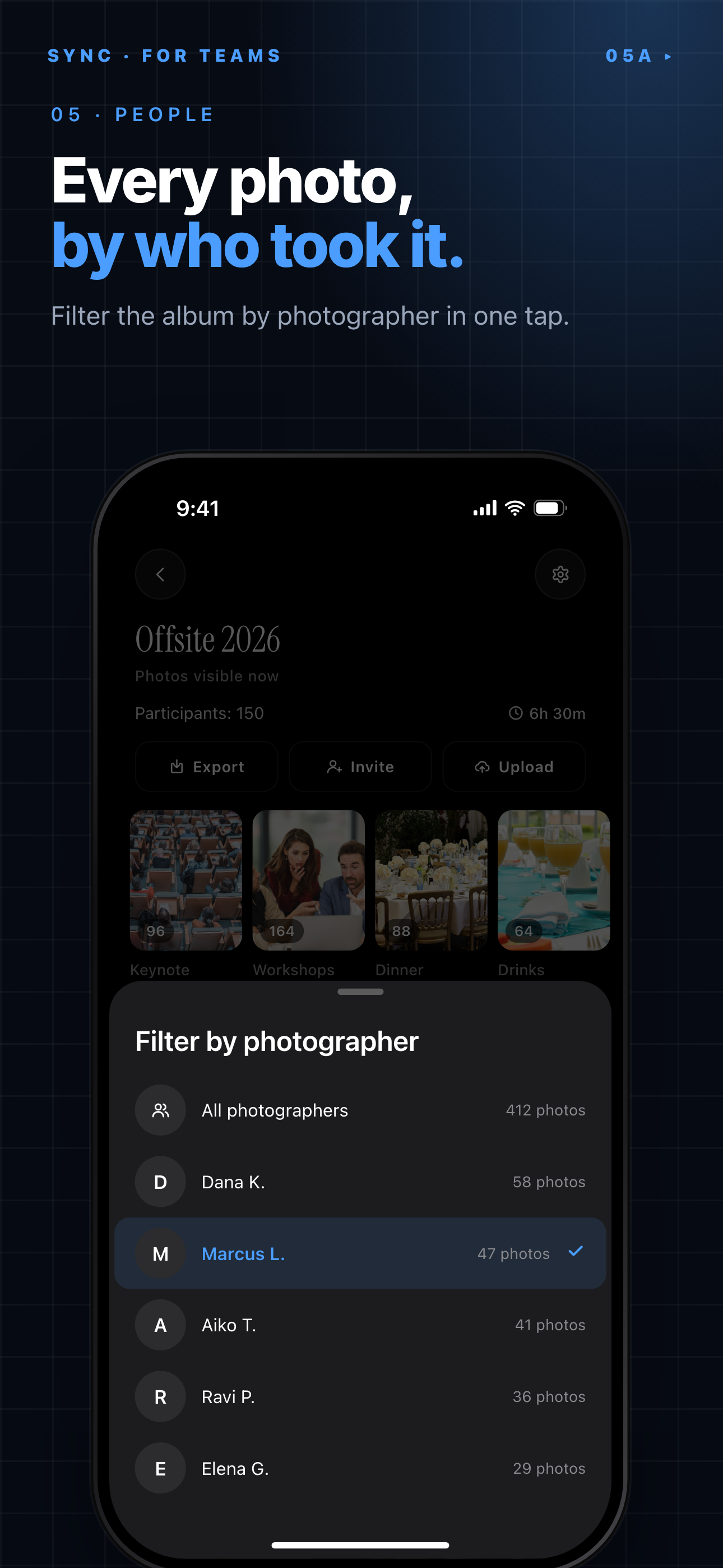
Filter by photographer lets the host see one contributor's photos at a time.
Sharing access
Digital albums can be shared in several ways. Some use private invitations. Some use share links. Some use QR codes. Some require app-based access.
Access settings matter. A shared album is not automatically public. The owner should check who can view the album, who can upload photos, who can download photos, and whether guests can share access onward.
A link can be convenient. A QR code can be easier at a live event. An invitation can be more controlled. The best choice depends on the setting.
Digital Album Examples
Digital albums are used in everyday life, at events, and in music. The same phrase can describe different formats, so context matters.
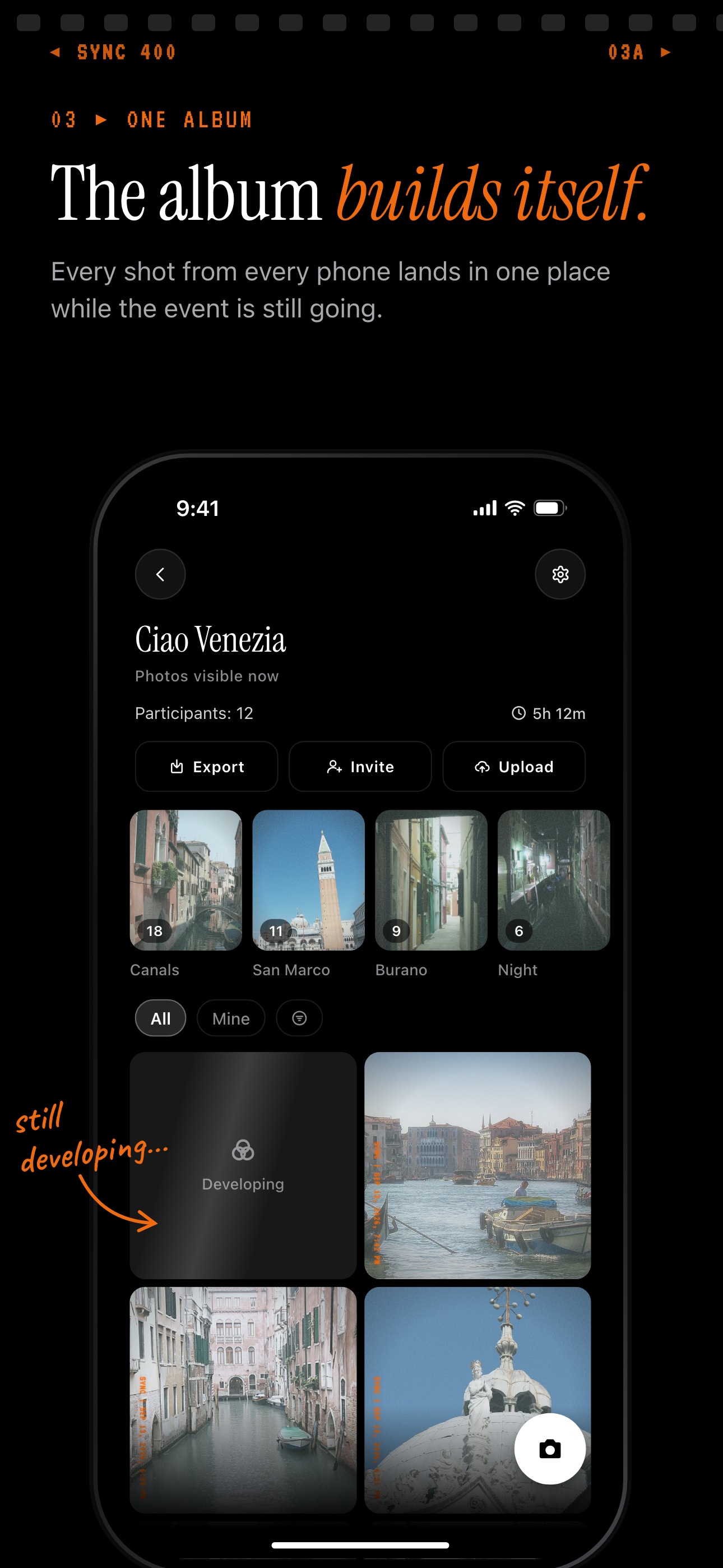 A shared trip album shows how one digital photo album can collect many people's photos in one place.
Everyday photo albums
Everyday digital photo albums are common. You might create one for a family vacation, baby photos, travel, school memories, a sports team, or a work project.
These albums help people keep related photos together. They also reduce the need to send the same images through separate messages.
A travel album might include photos from each day of a trip. A school album might collect pictures from a class event. A team album might hold photos from games, practices, and celebrations.
Event and wedding albums
Event albums are one of the clearest uses for digital photo albums. Examples include a wedding digital album, birthday album, conference gallery, reunion album, or party photo collection.
At events, many people take photos. The challenge is collecting them. Without a shared flow, pictures often end up in group chats, private camera rolls, scattered links, and lost attachments.
A shared event photo album gives guests one place to contribute. With SYNC, a host can create an event album, share a QR code, let guests upload photos, and choose when the gallery is revealed.
Digital music albums
A digital music album is a set of audio tracks released online. People can stream or buy it through services such as Spotify, Apple Music, Bandcamp, or Amazon Music.
Music services use albums to group songs from an artist or release. Bandcamp can also support paid downloads, depending on how the artist offers the release.
That is a real meaning of the phrase. But the rest of this article focuses on digital photo albums, not music distribution.
Benefits of a Digital Album
Digital albums are useful because they make media easier to collect, update, and share.
Easy sharing
A digital album is faster to share than a printed album. Guests can open it from a phone. The owner can update it without printing new pages.
For a small family album, a private link may be enough. For an event, a QR code may be easier. People can scan it while they are already together.
Digital albums also make it easier to reach people who are not in the same place. A grandparent, teammate, client, or friend can view the album without waiting for a physical copy.
Collaboration
Collaborative uploads are a major benefit. Multiple people can add photos from their own phones or cameras.
This creates a fuller view of an event. One person may capture the ceremony. Another may capture the table decorations. Another may capture candid moments on the dance floor.
A collaborative album does not replace a professional photographer. It adds another layer. It helps hosts collect the guest perspective too.
Less manual collecting
After an event, hosts often have to ask people for photos. That can mean texts, emails, group chats, cloud links, and reminders.
A simple upload flow reduces that work. Guests can add photos while the event is still fresh. Hosts do not have to chase every person later.
Digital albums can also reduce duplicate group chats, scattered links, and lost attachments. The album becomes the central place for the collection.
Privacy and Access Matter
Privacy is not automatic. A digital album is only as private as its access settings.
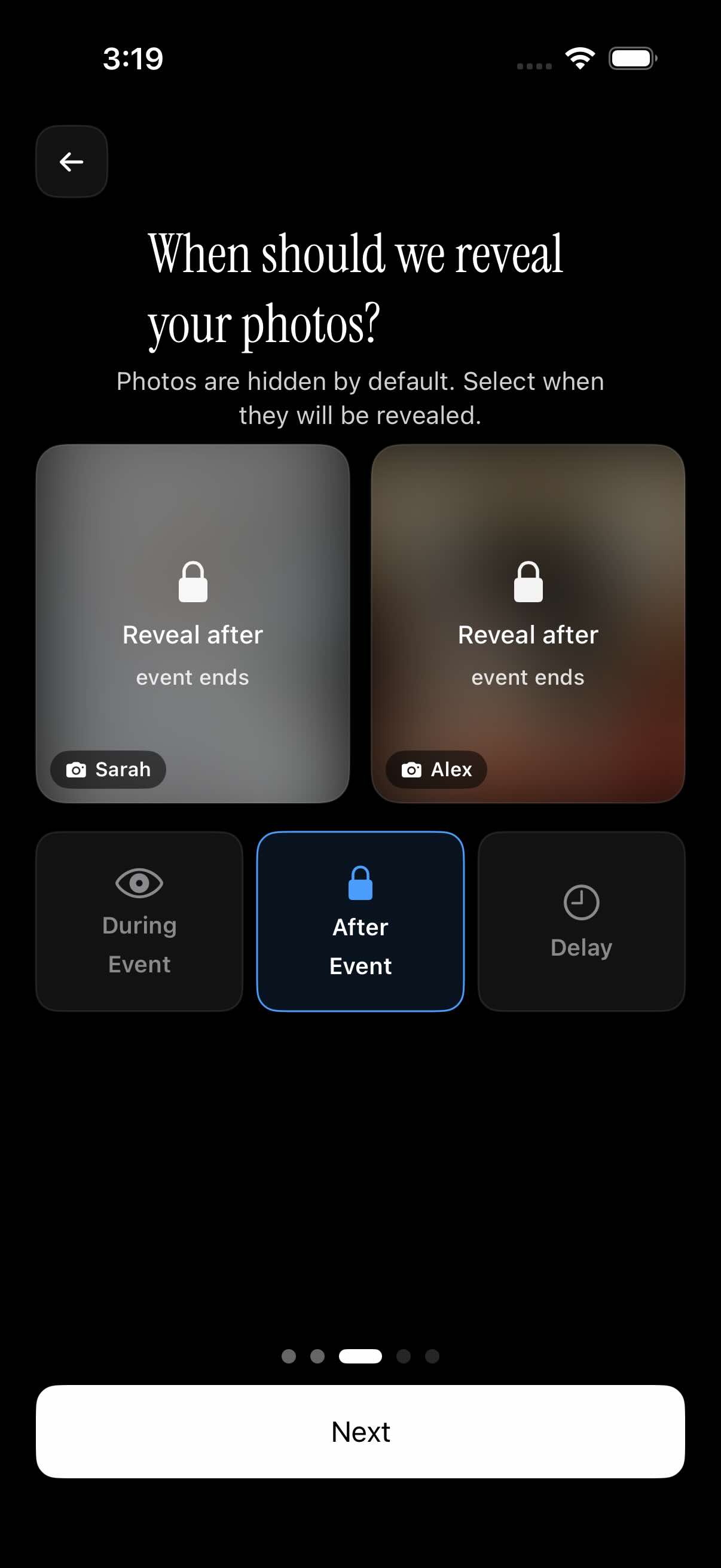 Reveal timing can keep an event album hidden until the event ends.
Who can view the album
Before sharing a digital album, check who can open it. Some albums are private to invited people. Some are open to anyone with a link. Some require an account or app access.
This matters for family photos, children’s events, weddings, schools, and workplace gatherings. A convenient link can still be too broad if it is forwarded beyond the intended group.
The owner should decide whether access belongs to a small group, all event guests, or anyone who receives the link.
Who can upload photos
Viewing and uploading are different permissions. A person may be allowed to see photos but not add them. Or they may be allowed to contribute photos too.
For event albums, hosts should decide who can upload. They may want every guest to add photos. They may want only invited contributors. They may also want a way to review uploads before wider sharing, depending on the app.
Download permissions also matter. Some albums let viewers save images. Others limit downloads. Check this before sharing widely.
When photos become visible
Some event albums may let hosts control visibility timing. Photos might be visible immediately, hidden until the event ends, or revealed after a delay.
This is useful when the host wants guests to stay present during the event. It can also help when the host wants to review the album before everyone sees it.
Use this quick checklist before sharing a digital album:
- Choose who can join.
- Decide who can upload.
- Decide whether photos are visible immediately.
- Check download permissions.
- Review the album before sharing it widely.
These choices are part of privacy. They also shape the guest experience.
Digital Album vs. Printed Album
Digital albums and printed albums solve different problems. One is better for fast access and sharing. The other is better as a physical keepsake.
Best use cases for each
A digital album is easier to share, update, search, and back up. It works well when people want quick access from phones or computers.
A printed album is better for display, gifting, and long-term physical keepsakes. It can sit on a table. It can become a wedding gift. It does not require an app to open.
Print is not obsolete. It is just different. The better choice depends on the goal: sharing, collecting, preserving, or gifting.
| Factor | Digital album | Printed album |
|---|---|---|
| Access | Phone, computer, tablet, or online service | Physical copy |
| Sharing | Easy to share by link, invitation, QR code, or app | Shared by handing over the album or ordering copies |
| Cost | Often depends on storage, app, or service plan | Depends on printing, paper, size, and copies |
| Editing | Easy to update or reorganize | Hard to change after printing |
| Storage | Stored on a device or cloud service | Stored physically |
| Durability | Depends on backups and service access | Depends on materials, care, and physical damage risk |
Why many people use both
Many people use both formats. The digital album becomes the working collection. Then the owner chooses favorites for print.
This is common for weddings and family events. Guests add photos to the event photo album. The host sorts, filters, and picks the best images. Later, those photos can become a printed wedding photo album or gift album.
That workflow keeps collecting simple. It also makes the printed result more thoughtful.
How to Choose a Digital Album App
The best digital album app depends on what you need the album to do.
Questions to ask
Before choosing an app, ask practical questions:
- Can the album be shared privately?
- Can guests upload photos?
- Can people join with a QR code?
- Can photos and videos be downloaded?
- Are there storage limits?
- Does the app support video?
- Does it preserve image quality well enough for your needs?
- What does it cost?
- Can you export the album later?
Also check whether guests need an account. That can affect participation. If the process is too long, people may not upload.
Check whether the app compresses photos. Compression may be fine for casual sharing. It may be a problem if you want to print later.
Check how long the album remains available. This matters for weddings, schools, and business events where people may come back to the photos months later.
Features that matter for events
Events have different needs from private camera-roll albums. Look for QR joining, guest uploads, upload permissions, reveal timing, guest limits, and filters or sorting after the event.
For example, a host using SYNC can create a shared event photo album, share a QR code, let guests add photos, and control when the gallery is revealed. That makes SYNC a natural option for event photo albums when the host wants guest uploads and more control over visibility.
You can learn more from the SYNC homepage, browse related guides on the SYNC blog, or get the SYNC mobile app. There is no web signup step needed here.
Quick Answer
A digital album is an online or device-based collection of photos, videos, or music that people can view, organize, and share.
One-sentence definition
For photos, a digital album is a private or shared collection that lives on a device or online service instead of only in print.
For music, a digital album is a group of audio tracks released through online stores or streaming services such as Spotify, Apple Music, Bandcamp, or Amazon Music.
When to use one
Use a digital photo album when you want quick sharing, simple organization, and easy collecting from more than one person.
For events, a digital album works best when guests can add photos easily and the host can control access and visibility. SYNC is built for that kind of shared event album through its mobile app.