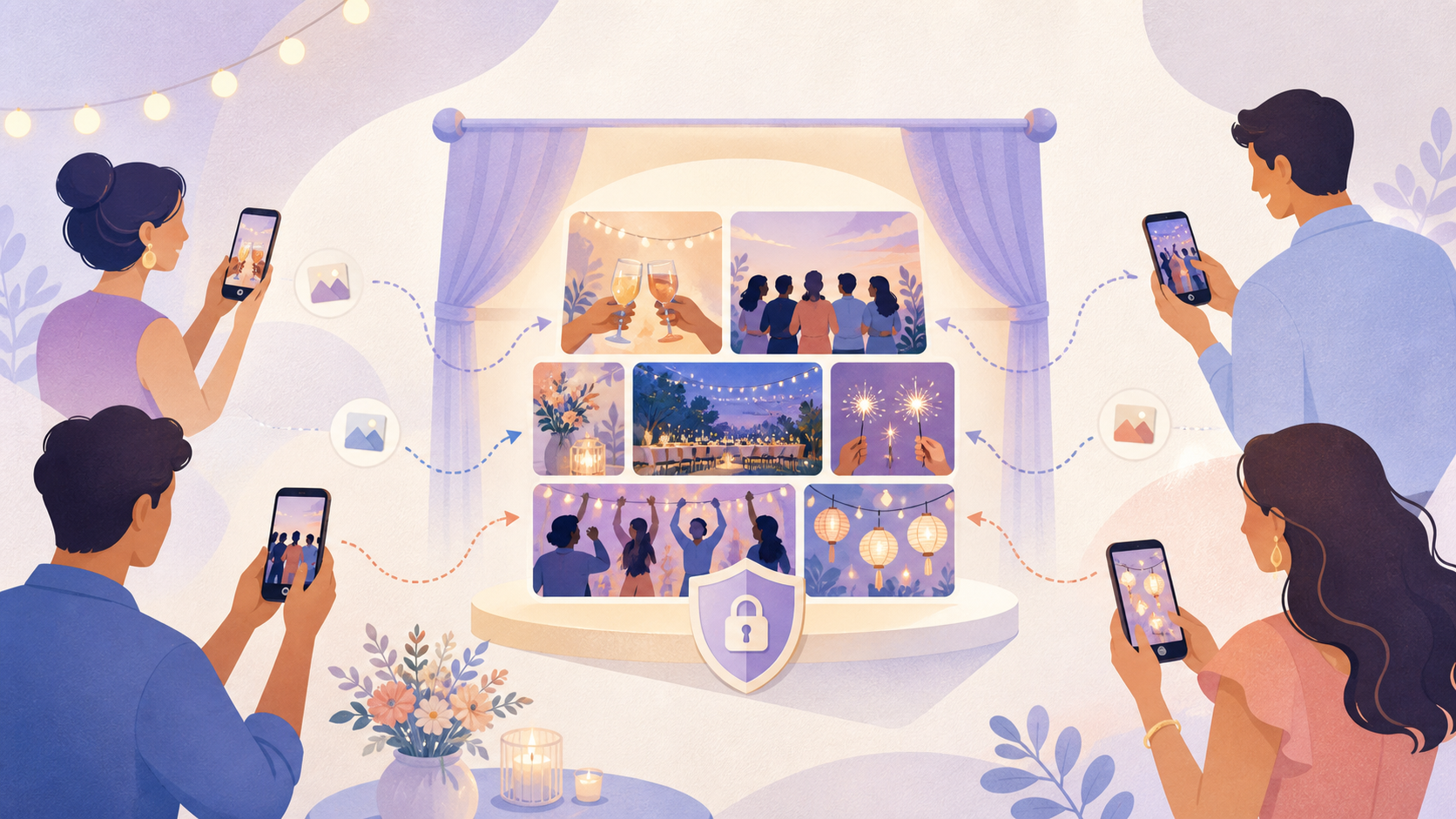
A moments app helps people collect photos from a shared event. It gives guests one place to add photos. It gives the host one place to manage them.
People may use the phrase Moments app in different ways. Some mean a wedding photo app. Some mean an event photo sharing app. Some mean a private shared gallery for a trip, party, reunion, or family event.
SYNC is one example of this category. It is a mobile app for shared event photo collection. It is not a web signup product. Hosts create events in the app, invite guests, and collect photos in one private event gallery.
What is a moments app?
A moments app is a mobile app used to collect, organize, and share photos from a shared event or experience. The moment might be a wedding. It might be a birthday. It might be a weekend trip, college event, reunion, or private party.
A plain-English definition
Think of a moments app as an event album with structure.
Instead of asking every guest to text photos later, the host creates one event. Guests join that event. Then they upload the photos they took. The result is a shared gallery built from many phones, not just one camera roll.
This matters because every guest sees a different part of the day. One person catches the welcome drinks. Another catches the dance floor. Someone else takes the candid table photos. A moments app brings those pieces together.
People use several names for this idea. They may search for a Moments app, an event photo sharing app, shared albums, a wedding photo app, or a private group gallery. The names differ. The goal is the same. Bring event photos into one place.
How it differs from a camera roll, cloud album, or group chat
A camera roll is personal. It keeps photos on one person’s phone.
A cloud album is more collaborative. Apple Photos shared albums and Google Photos shared albums can work well for small groups. They are familiar tools. They are useful when everyone already uses the same photo ecosystem.
A group chat is fast. WhatsApp, iMessage, and Instagram can be enough for casual sharing. But chats get messy. Photos sit between messages, reactions, and side conversations. They can be hard to find later.
A moments app is built around the event itself. The host creates the event first. Then the photos belong to that event gallery. That makes it easier to invite guests, control access, collect uploads, and decide when the gallery is visible.
For SYNC, the focus is shared event photo collection from a mobile app. A host can create an event, invite guests, and keep the gallery tied to that event rather than scattered across chats.
How a moments app usually works
Most moments apps follow a simple flow. The host creates an event. Guests join. Guests upload photos. The gallery becomes the shared memory.
 QR joining gives guests a simple way into the event gallery without turning photo collection into a chat thread.
The host creates an event
The host starts by creating an event in the app. In SYNC, that event is the container for the photos. It can be used for a wedding, party, trip, or private gathering.
This setup matters. Without an event, photos often move through whatever channel is easiest in the moment. That might be WhatsApp. It might be iMessage. It might be Instagram close friends. It might be several separate chats.
An event gives the host a clear home for the photos before guests start taking them.
Guests join and upload photos
Guests usually join through an invite link, QR code, or shared event access flow. QR code joining is useful at in-person events because it is quick. A guest can scan, join, and add photos without asking the host where to send files.
This is less awkward than asking guests to download files manually after the event. It is also cleaner than asking everyone to send photos in chats.
A good moments app should reduce friction for guests while keeping the host in control. Guests need a simple path to join. Hosts need clear settings for who can access the gallery and how uploads work.
SYNC’s QR-based guest flow is a practical example. It lets the host invite people into one event gallery, rather than collecting photos from many places later.
The gallery becomes the shared memory
After guests upload photos, the event gallery becomes the shared memory of the day. It is not only the host’s view of the event. It includes what guests saw too.
That is the real value of a moments app. It turns scattered photos into one shared gallery. The host can keep the event organized. Guests can contribute without managing a separate album process.
What people use moments apps for
People use moments apps when they want the photos from a real-world event to end up in one place. This is common for weddings, birthdays, family events, group trips, college events, reunions, and private parties.
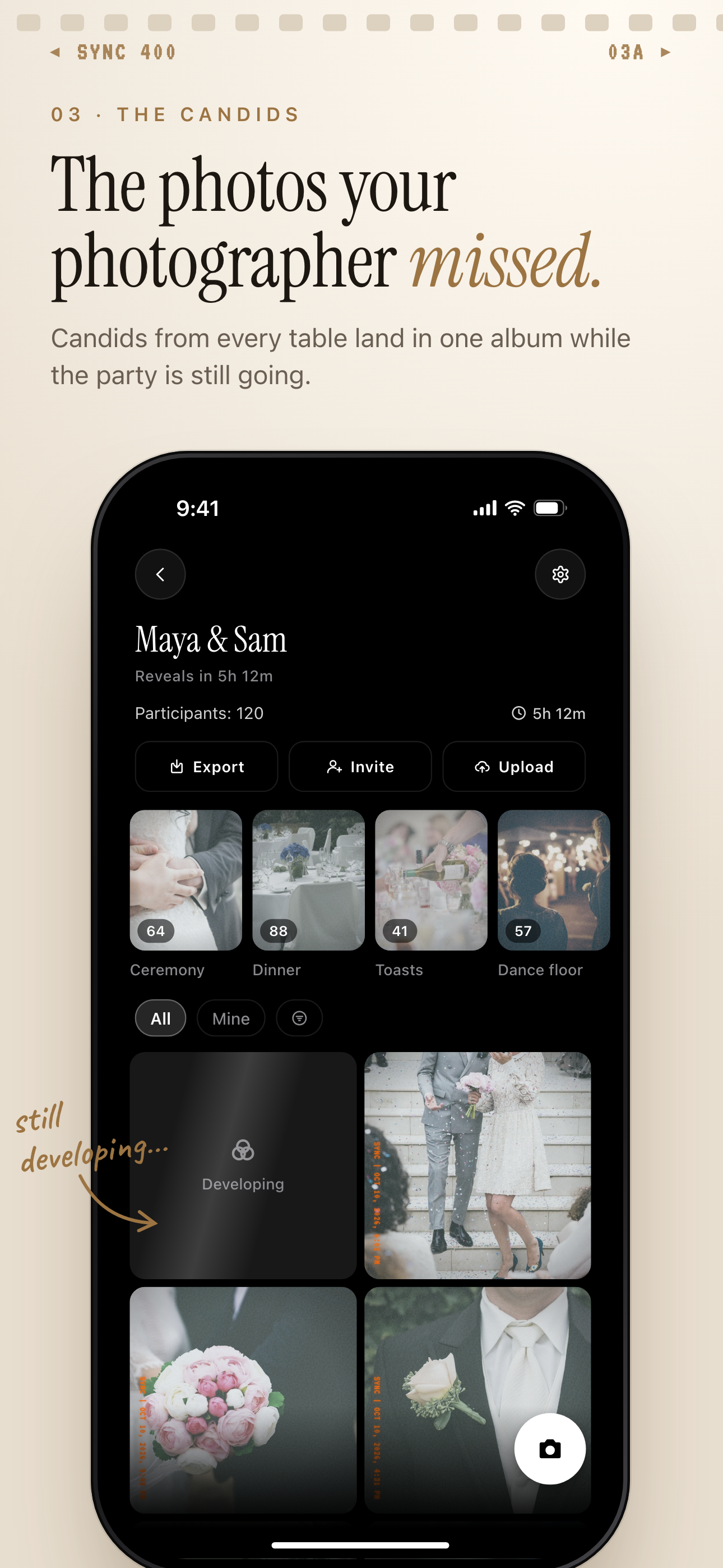 Guest candids from the ceremony, dinner and dance floor land in one wedding album.
Weddings and private events
Weddings are a clear fit. A couple may have a professional photographer, but guests still capture moments the photographer may miss. Those guest photos can be personal, candid, and immediate.
The problem is collection. After the wedding, photos may sit across phones, chats, and social posts. Some guests send them. Some forget. Some send only a few.
A wedding photo app gives the host a more organized option. The host creates one private event gallery. Guests join through the invite flow. Then guest photos have a clear place to go.
For example, a wedding host may want candid guest photos from the ceremony, dinner, and dance floor. They do not want to create separate WhatsApp groups for each side of the family. They also do not want to chase guests later. A moments app solves the collection problem before it starts.
Birthdays, trips, reunions, and parties
The same problem appears at smaller events.
At a birthday, one person gets the cake photo. Another gets the group photo. Someone else captures the late-night candid photos. On a group trip, every person documents a different part of the day. At a reunion, photos may be spread across many family members and age groups.
A shared gallery keeps those photos together. It also gives the event a cleaner archive after the day ends.
A moments app does not need to replace every casual sharing habit. Guests can still text a favorite photo or post to Instagram if they want. The app’s role is different. It gives the host one reliable event gallery.
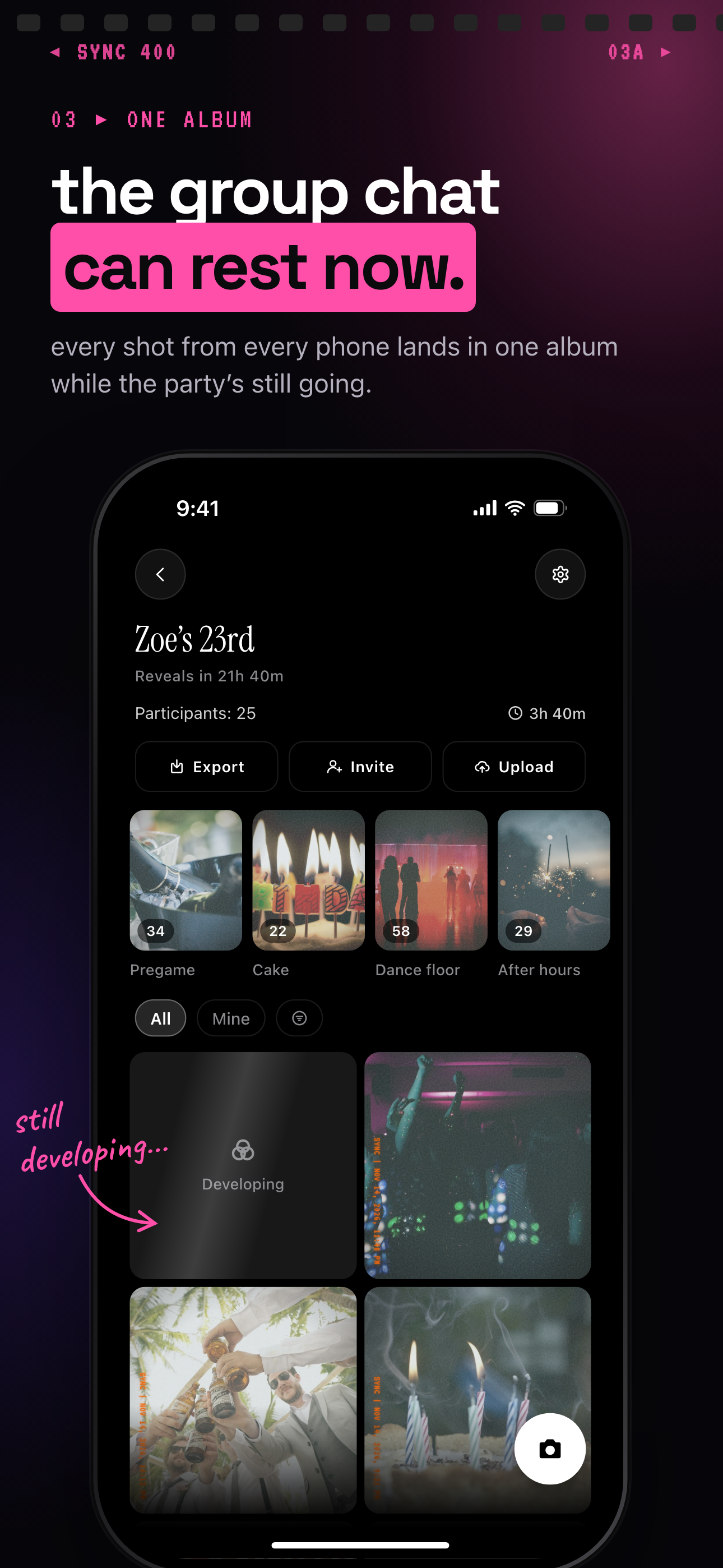
At a birthday, every guest's shots land in one album instead of the group chat.
Key features to look for in a moments app
The best moments app for your event is the one guests will actually use and the host can actually control. Look for simple invites, clear privacy settings, upload rules, guest limits, and reveal timing.
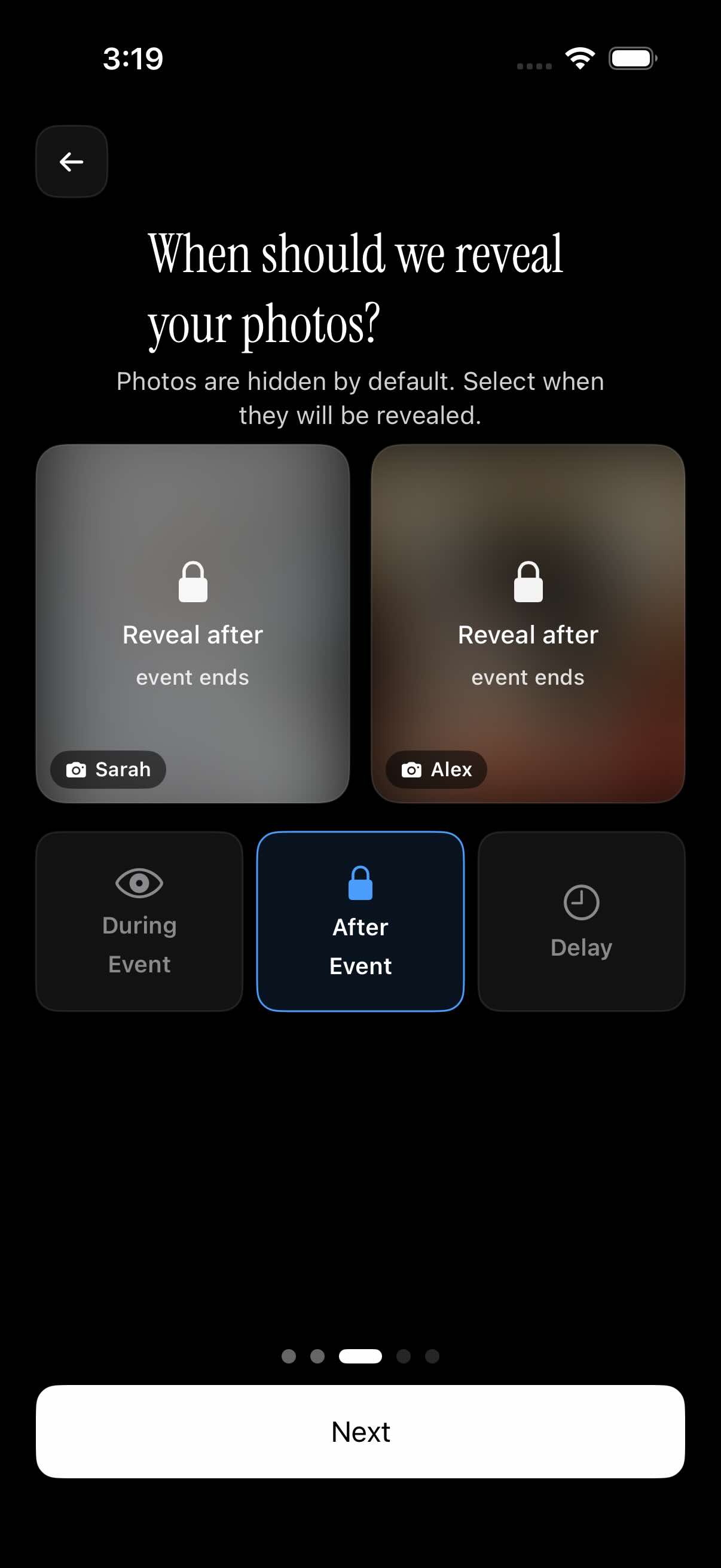 Reveal timing lets the host keep the gallery hidden until the event ends.
Easy guest invites
Guest joining should be simple. QR codes and shared invites are useful because they meet people where they are. At an event, guests should not need a long explanation.
A QR code works especially well at weddings and parties. It can be shown on a sign, card, or host phone. Guests scan it and join the event. That is easier than asking everyone to remember an upload link later.
For SYNC, this guest invite flow is central. The mobile app creates the event. Guests use the invite path to join the shared gallery.
Privacy and host controls
Private events need clear boundaries. Privacy should not be vague. It should answer simple questions.
Who can join? Who can upload? Who can view the photos? When do photos become visible?
For a small birthday, the host may want all guests to see the gallery during the event. For a wedding, the host may want uploads collected first and shown later. For a private family event, the host may want tighter control over who has access.
This is where a purpose-built event app can be helpful. It lets the event, not the chat thread, define the photo space.
Upload limits and gallery settings
Upload rules and guest limits matter because events vary. A dinner with six friends is not the same as a wedding with 120 guests.
Some event photo apps offer free events with limits and paid options for larger events or extra controls. Do not assume those limits stay the same. Check the current SYNC mobile app listing before planning an event around a specific guest count, price, or paid event term.
Gallery reveal timing is another useful setting. A host may want photos visible during the event. They may want the gallery revealed after the event. Or they may want a selected delay.
That timing can change the feel of the event. During-event reveal can make sharing feel live. After-event reveal can keep attention on the moment and give the host more control.
Is a moments app private?
A moments app can support private sharing, but privacy depends on the app’s actual settings and policies. The simple test is this: can you understand who has access, what they can do, and when photos are visible?
What privacy should mean in this context
For event photo sharing, privacy should be practical. It should not be a vague promise.
Ask four questions.
- Who can join the event?
- Who can upload photos?
- Who can view the shared gallery?
- When are uploaded photos visible?
If those answers are clear, the host can make better choices. If they are unclear, pause before inviting guests.
SYNC is positioned here as a privacy-forward mobile app for shared event photo collection. In practice, that means the product example should be judged by its event controls, guest access flow, upload rules, and reveal timing.
Questions to ask before inviting guests
Before using any photo-sharing app, check the app’s current privacy policy and app store listing. This is true for SYNC, Apple Photos, Google Photos, Instagram, WhatsApp, iMessage, and any other sharing tool.
Look for plain answers about account requirements, access, retention, sharing, and controls. Also check the current platform availability and pricing in the official app store listing. App terms can change.
The goal is not to be fearful. The goal is to be clear. Private events deserve tools that make access and visibility easy to understand.
Moments app vs shared albums and group chats
Shared albums and group chats are useful. A moments app is not always necessary. The right choice depends on the event, the group, and how much the final gallery matters.
Where shared albums work well
Apple Photos shared albums can work well when many guests use Apple devices and already know the Photos app. Apple Support explains how Shared Albums let people share photos and videos with selected people. See Apple’s Shared Albums support documentation: https://support.apple.com/en-us/108314.
Google Photos shared albums can also work well for smaller groups, especially when guests already use Google Photos. Google Photos Help explains album and sharing features for photos and videos. See Google Photos sharing help: https://support.google.com/photos/answer/6131416.
For casual sharing, WhatsApp and iMessage are often enough. They are fast. People already use them. Instagram close friends can also work when the goal is light social sharing rather than a complete event gallery.
Where event photo apps work better
Dedicated event photo apps work better when the host wants more structure.
Use a group chat for casual sharing. Use Apple Photos shared albums or Google Photos shared albums when the group is small and the album setup is enough. Use a moments app when the event gallery matters.
That usually means the host wants event setup, guest joining, upload organization, and reveal controls. It may also mean the host wants a QR code at the venue, a cleaner shared gallery, and fewer follow-up messages after the event.
SYNC is purpose-built for events. That does not mean it replaces every photo app. It means it fits the moment when the event itself needs a clear photo collection flow.
Should you use SYNC as your moments app?
SYNC is a fit for hosts who want one private event gallery and an easy guest invite flow from a mobile app. It is especially relevant when guests will be taking photos from many angles and the host wants those photos collected in one place.
Who it is a fit for
Choose SYNC when you want to create an event, invite guests with a simple flow, collect uploads, and manage when the gallery is visible.
It can fit weddings, birthdays, family events, group trips, college events, reunions, and private parties. It is also a good fit when you want QR code joining instead of asking people to send photos through WhatsApp, iMessage, or Instagram.
If you are planning an event, start with the sync.camera homepage. Then use the SYNC mobile app to create the event and invite guests.
When to choose something simpler
A simple shared album may be enough for very small, informal groups. If four friends went to dinner and everyone already uses the same photo app, Apple Photos shared albums or Google Photos shared albums may be fine.
A group chat may also be enough when the photos are casual and the gallery does not matter later.
Use a moments app when you want the event photos to feel organized from the start. Use SYNC when you want that workflow inside a privacy-forward mobile app with guest invites, event controls, and reveal timing.
Before you decide, check the current SYNC app store listing for today’s guest limits, paid event options, platform availability, and terms. Then use the SYNC app download CTA to get the mobile app and set up your event.