
After every event, the same coordination tax kicks in: someone makes a Google Drive folder nobody opens, another person drops 60 photos in a group chat that buries everything, and the friend with the best candids hasn't gotten around to AirDropping them to anyone. Weeks later, half the photos are still locked in a single camera roll no one else can reach.
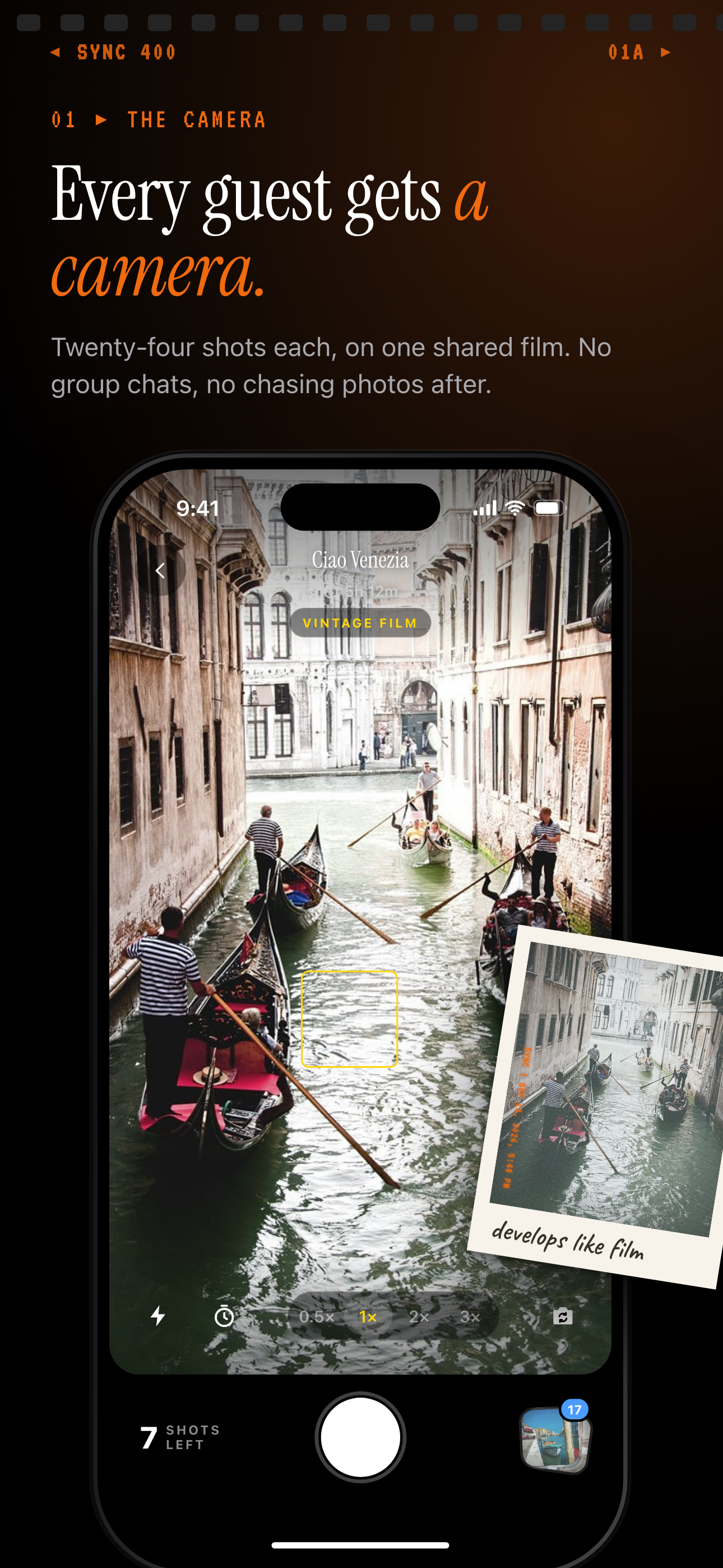
SYNC replaces that chaos with one QR code printed on a table card or shown on a screen. Guests scan it, a camera opens in their browser, and every shot lands directly in a shared event album — no app download, no account, no group-text coordination required. The host controls when the gallery reveals, so the surprise stays intact until the exact moment they choose. It is the disposable camera experience without the film, the drugstore trip, or the decade of waiting to see how the photos turned out.
How the digital disposable camera works
Creating the event and joining as a guest
The host creates an event in the SYNC app and sets a time window — only photos taken between the event's start and end date are eligible to upload. That single rule keeps the album honest: no throwback shots from last year, no accidental uploads from a different occasion, just photos from the actual event.
Guests join by scanning the host's QR code. A camera opens directly in their mobile browser — no App Store visit, no account creation, no friction before the first photo. Everything they shoot is uploaded in real time to the shared event gallery, collecting in one place regardless of which phone it came from.
Reveal modes and browsing the gallery
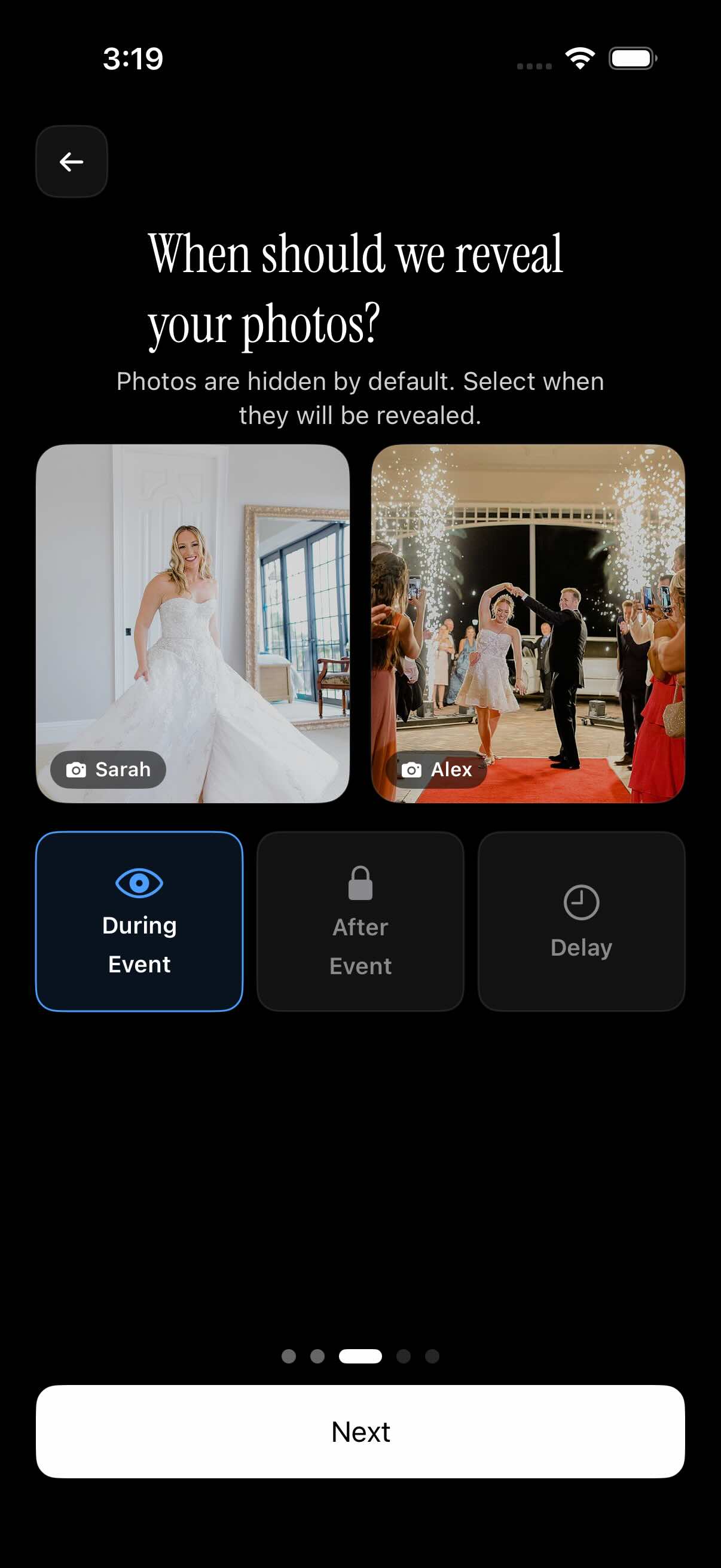
The host decides when guests can see what has been shot. SYNC offers three reveal modes: photos visible in real time during the event for live-sharing energy, the gallery unlocking the moment the event ends, or a custom delay the host sets in advance. When reveal is deferred, guests shoot without stopping to curate or check what others have posted — the same uninhibited behavior that made physical disposable cameras so reliable at capturing candid moments.
Once the gallery opens, guests can browse the full album or filter by a specific photographer to find every shot from one contributor. The album stays accessible after the event ends so no one has to scramble to save favorites before a deadline.

Gallery reveal: the digital darkroom moment
Recreating the disposable-camera reveal
Physical disposable cameras had one superpower: nobody could see the photos until the roll came back from the lab. That collective suspense — and the joy of seeing everything at once — is something live social sharing largely killed. SYNC's gallery reveal modes bring it back on your terms.
Choose 'during event' and photos appear the moment they are taken, creating a live wall that works well for conferences, activations, or any event where real-time energy matters. Choose 'after event' and the gallery stays dark until the event officially closes, then everything drops at once. Or set a custom delay — reveal the album at the after-party, the next morning, or on a specific date you set when creating the event.
Because guests cannot see photos mid-event when reveal is deferred, they shoot without performing for the feed. The result is a more honest, candid album — closer to a real roll of film than a curated grid. When the gallery opens, everyone can filter by photographer to find specific contributors' shots alongside the full group view. See the full breakdown of timing options on the gallery reveal page.
Who it is for
Wedding couples
Set reveal to 'after event' so guests shoot candidly all night without peeking at each other's photos — the full gallery drops together at the end like a roll of film coming back from the lab. One QR code on each table card covers every guest, from tech-savvy bridesmaids to grandparents who have never used a shared album.
Birthday party hosts
Print one QR on a table card; friends and family of all ages scan and shoot without downloading anything, and the birthday person gets every candid in one place instead of scattered across text threads. Events with up to 7 guest contributors are completely free, so smaller celebrations cost nothing.
Corporate event planners
Collect team photos from an offsite or conference across departments and sessions, then filter by photographer afterward to pull every shot from a specific session lead or team. The event time window ensures only photos from the actual offsite dates make it into the album.
Bachelorette or bachelor trip organizers
Lock the gallery until the event ends so the group reviews everything together at the after-party — same reveal excitement as a physical disposable camera, zero film cost, and every shot already digital and ready to save to camera roll.
Features
QR-code guest join
Guests scan once and they're in — no app store visit, no account creation, no friction before the first photo.
Event time window
Only photos taken within the event's scheduled window are eligible, so the album stays on-topic and spam-free.
Gallery reveal timing
Pick 'during event', 'after event', or a custom delay — you control exactly when the gallery becomes visible to guests.
Filter by photographer
Guests can browse the whole album or narrow to a single contributor's shots to find their favorites fast.
Free tier up to 7 guests
Small gatherings — dinner parties, family reunions, intimate weddings — are free with up to 7 guest contributors and no time limit.
Unlimited uploads on paid events
Larger events unlock unlimited photo uploads so no guest has to hold back or hit a cap mid-party.
Frequently asked questions
Do guests need to download an app or create an account?
No — guests join through a web link or by scanning the host's QR code and can shoot photos without installing anything or signing up for an account. The camera opens directly in their mobile browser. Only the host needs the SYNC app to create and manage the event; everything else is frictionless for guests from the moment they scan.
How does the gallery reveal work — can guests see photos as they're taken?
It depends on the reveal mode the host chooses at event creation. SYNC offers three options: photos visible in real time during the event, the gallery unlocking immediately when the event ends, or a custom delay the host configures in advance. When a deferred reveal is active, guests cannot see any uploaded photos until the reveal window opens — so everyone shoots freely without stopping to check what others have posted, just like a real disposable camera.
Is there a free plan, and how many guests does it support?
Yes — events with up to 7 guest contributors are free with no time limit and no credit card required to create one. Larger events that need unlimited contributors and photo uploads require a paid event pass. Visit the pricing page for current pass options and what each tier includes.
What happens to photos taken outside the event window?
SYNC only accepts uploads from photos taken between the event's start and end date. Photos shot before or after that window — including old camera roll photos from unrelated occasions — are not eligible for upload. This keeps the album authentic to the actual event and prevents anyone from adding content that was not captured that day.
Can I download all photos after the event?
Yes — both the host and guests can save individual photos to their camera roll directly from the gallery at any time after the reveal. The shared album stays accessible after the event ends, so there is no deadline to save favorites before everything disappears. SYNC does not force-expire completed event galleries.