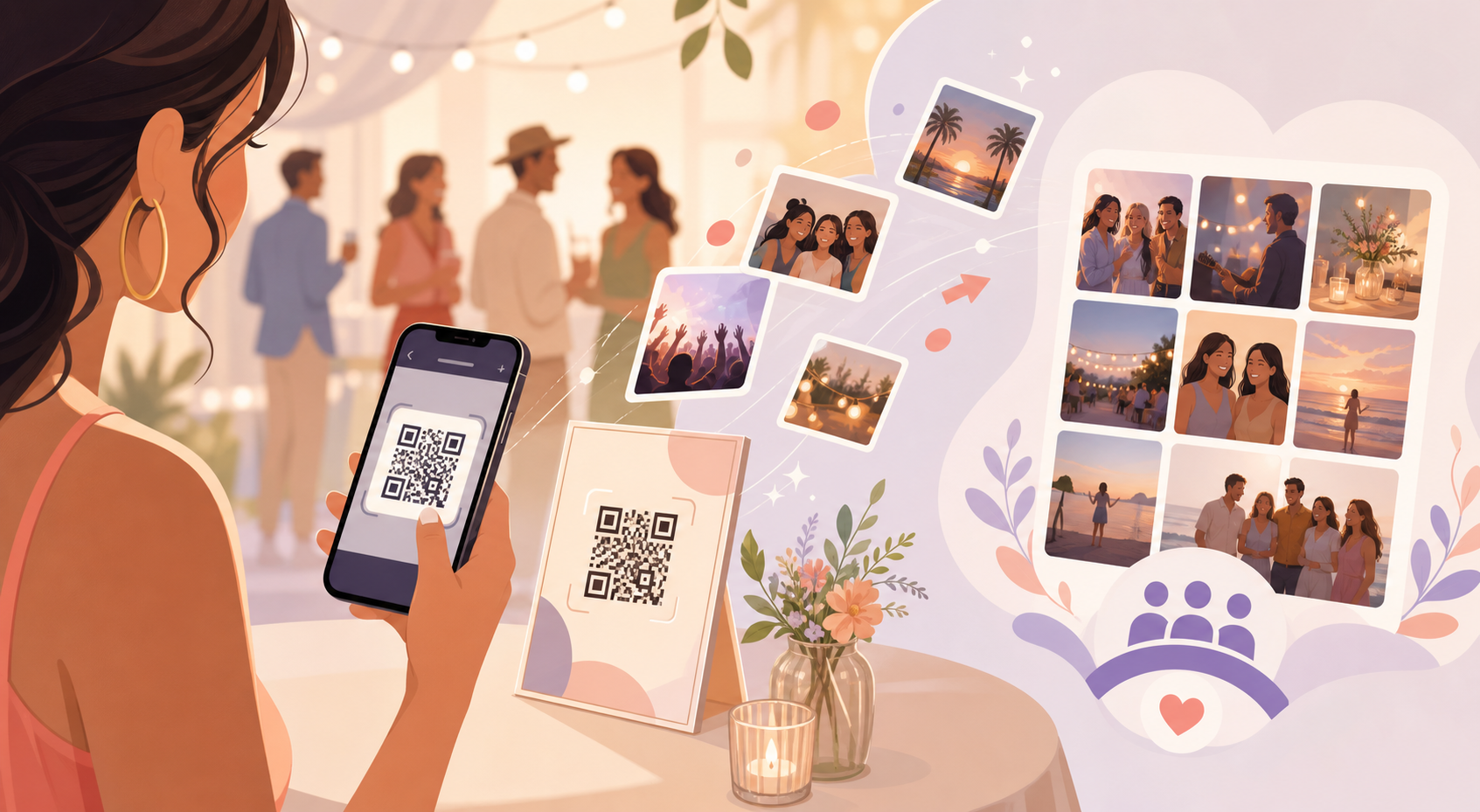
After a wedding, birthday, or offsite, the best photos are usually scattered across a dozen guests' phones — buried in random group texts, lost in disappearing messages, or just never leaving someone's camera roll. The host is left piecing the night together from screenshots and hoping nobody forgets to send over the good ones.
Guest Upload gives every guest a direct path into the event's shared gallery instead. Guests scan a QR code, join the event, and their photos land in the same gallery as everyone else's — no separate invite links to send, and no chasing people for their camera roll after the fact.
How guests join and upload photos
The host creates the event and sets its date range on the event creation screen, defining the window during which uploaded photos will actually count.
Instead of sending individual invite links to every guest, the host shares one QR code — printed on a table card, displayed on a screen, or dropped into a single group message.
Guests scan that QR code to join the event, then upload photos straight into the shared gallery from their own phones — no separate app download or invite flow required.
Free events include up to 7 guest uploaders, which covers most small get-togethers. Paid events (see pricing) remove that cap entirely, so weddings and larger parties can open uploads to every guest.

Controlling which photos count and when they're seen
Guest Upload only accepts photos taken within the event's set date range — from the event's creation date through its end date — so old camera-roll photos or shots from unrelated days don't end up mixed into the gallery.
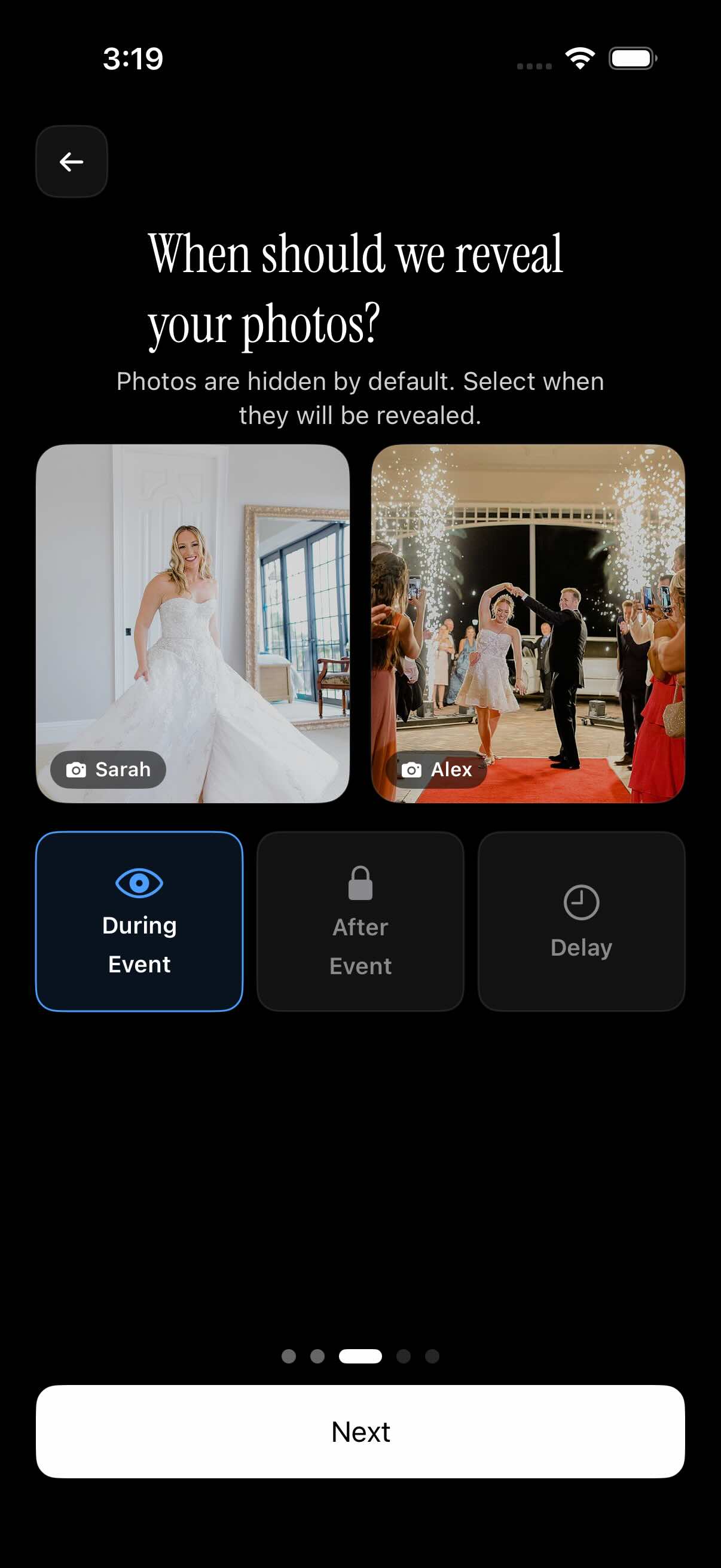
Hosts also control when uploaded photos become visible to the group, choosing one of three reveal options per event: visible immediately as guests upload during the event, held back until after the event ends, or released after a set delay the host defines.
That last option is handy for keeping a surprise party or reveal-style event spoiler-free until the host is ready to share everything at once.
Once uploads are in, the shared gallery can be filtered by photographer, so anyone can pull up just the hired photographer's shots or just one guest's contributions instead of scrolling the whole feed.
Who it is for
Wedding guests and family
At the reception, guests scan the wedding's QR code and upload their own candid shots throughout the night — filling in moments the hired photographer missed, and easy to browse separately since the gallery can be filtered by photographer.
Birthday party hosts
A parent sets up a birthday event with a QR code so every relative's phone photos land in one shared gallery instead of getting scattered across a dozen separate text threads — a natural fit for family events.
Corporate event organizers
An offsite organizer sets the event's date range so only photos from the actual event days get uploaded, then chooses to reveal the gallery to attendees only after the event wraps.
Photographers running paid events
A wedding photographer runs the event as a paid event so every guest can upload unlimited photos alongside the professional shots, with the gallery still filterable by who took each photo.
Features
QR code join
Guests join an event by scanning a QR code the host shares — no separate invite flow to manage.
Guest capacity tiers
Free events include up to 7 guest uploaders; paid events (see pricing) allow unlimited guests.
Event date range
Only photos taken between the event's start and end date are eligible for upload.
Gallery reveal control
Hosts pick when uploads become visible: during the event, right after it ends, or after a chosen delay.
Filter by photographer
Browse the shared gallery filtered by who took each photo.
Frequently asked questions
How many guests can upload photos for free?
Free events support up to 7 guest uploaders, which is enough for most small gatherings. If you need more, paid events remove that limit entirely, letting an unlimited number of guests upload their own photos to the shared gallery. You can compare free and paid options on the pricing page.
Which photos count as eligible for guest upload?
Guest Upload only accepts photos taken within the event's set date range — from the event's creation date through its end date. Photos taken outside that window, including older camera-roll shots, won't be accepted into the shared gallery, which keeps the gallery focused on the actual event.
When do guests see uploaded photos?
Hosts choose one of three gallery reveal options per event: photos can be visible to everyone as they're uploaded during the event, held back until after the event ends, or released after a set delay the host defines. That flexibility works for both live-sharing events and surprise or reveal-style occasions.
Do invitees need a sync.camera account?
Guests join an event by scanning the host's QR code, which is designed to be a quick, low-friction way into the shared gallery. The exact account requirements for guests at the point of upload aren't fully documented yet, so we're confirming the details with our product team before publishing anything definitive here.
Is there a free tier?
Yes — every event includes a free tier that supports up to 7 guest uploaders. For weddings and larger gatherings that need more contributors, paid events lift that cap so an unlimited number of guests can upload their own photos.