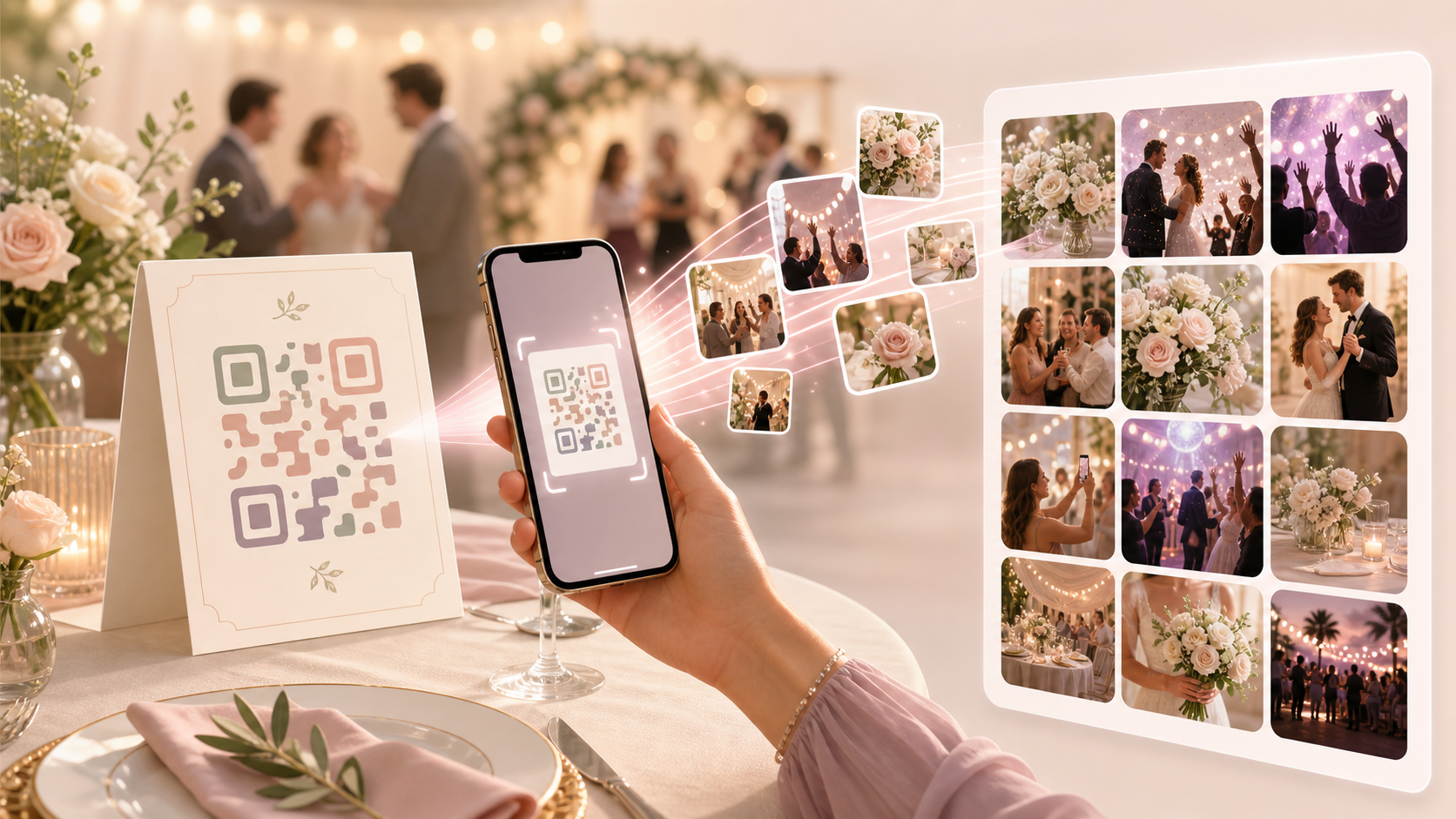
Wedding photos often end up scattered across phones, family chats, and separate guest albums. A QR code photo album gives guests one clear place to join the wedding event and contribute their photos to the same gallery.
With sync.camera, the host shares an event QR code, guests scan it, and uploads collect in the wedding event gallery. You can also plan when photos become visible, set event timing, and choose the guest count that fits the wedding.
How the QR code photo album works
The host starts by creating a wedding event in sync.camera. That event becomes the shared place where guest photos can be collected for the ceremony, reception, and candid moments around the day.
Once the event is ready, the host shares the event QR code with guests. The QR code can be placed where guests will see it, such as at the venue, on printed materials, or wherever the couple chooses to point people toward the event.
Guests scan the QR code to join the wedding event and contribute photos to the event gallery. This keeps the upload path simple: one wedding event, one QR invite, and one shared gallery for guest contributions.

How wedding gallery visibility works
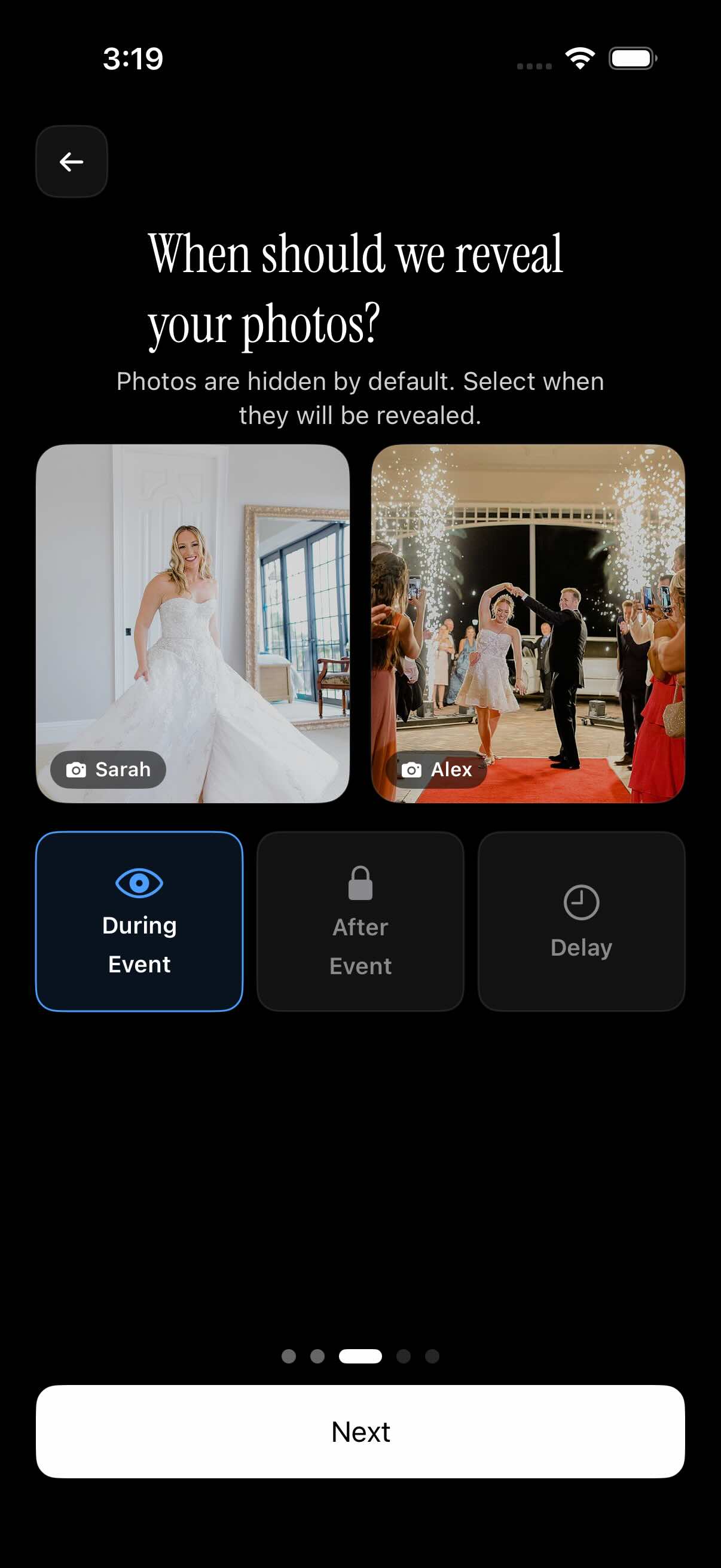
The host can choose when photos become visible in the wedding gallery. The documented reveal options are during the event, after the event, or after a selected delay.
That timing control helps couples decide how they want the gallery to feel on the day. Some weddings may show photos as the event happens, while others may wait until after the celebration so the shared gallery becomes something guests revisit later.
Event setup also includes schedule controls. Uploads can be limited to photos taken between the event creation date and the selected event end date, which helps keep the wedding gallery focused on the event window.
Who it is for
Couples
Collect ceremony, reception, and candid guest photos in one wedding event gallery.
Wedding guests
Scan the wedding QR code at the venue instead of waiting for a link in a group chat.
Families
Look back at guest photos from the wedding in one shared place after the event.
Wedding planners
Share one QR code at the venue so guests know exactly where to contribute photos.
Features
QR event invite
Hosts can invite guests by sharing a QR code for the wedding event.
Event gallery
Guest uploads are collected in an event gallery, with a wedding example shown in the screenshot library.
Gallery reveal timing
Hosts can choose to reveal photos during the event, after the event, or after a selected delay.
Guest limits
Event setup includes guest count selection, with up to 7 guests documented as free.
Event schedule controls
Uploads can be limited to photos taken between the event creation date and selected event end date.
Filter by photographer
The gallery includes an option to filter photos by photographer.
Frequently asked questions
How do guests join the wedding photo album?
The verified flow is QR-based. The host shares an event QR code for the wedding, and guests scan that code to join the event and contribute photos to the shared gallery.
Can guests upload unlimited wedding photos?
The library documents paid events where guests can upload unlimited photos. Plan limits should be checked before publishing pricing-specific claims or planning a larger wedding around a specific tier.
Can we hide photos until after the wedding?
Yes. The documented gallery reveal options let the host show photos during the event, after the event, or after a selected delay, so couples can control when the gallery becomes visible.
Is there a free option for small weddings?
The library documents free events for up to 7 guests. For anything beyond that guest count, confirm the current plan limits before publishing or relying on pricing details.