
Hosts do not always want every guest photo visible the moment it is taken. Reveal timing gives you control over when the shared event gallery becomes visible, so the photo experience can match the tone and schedule of the event.
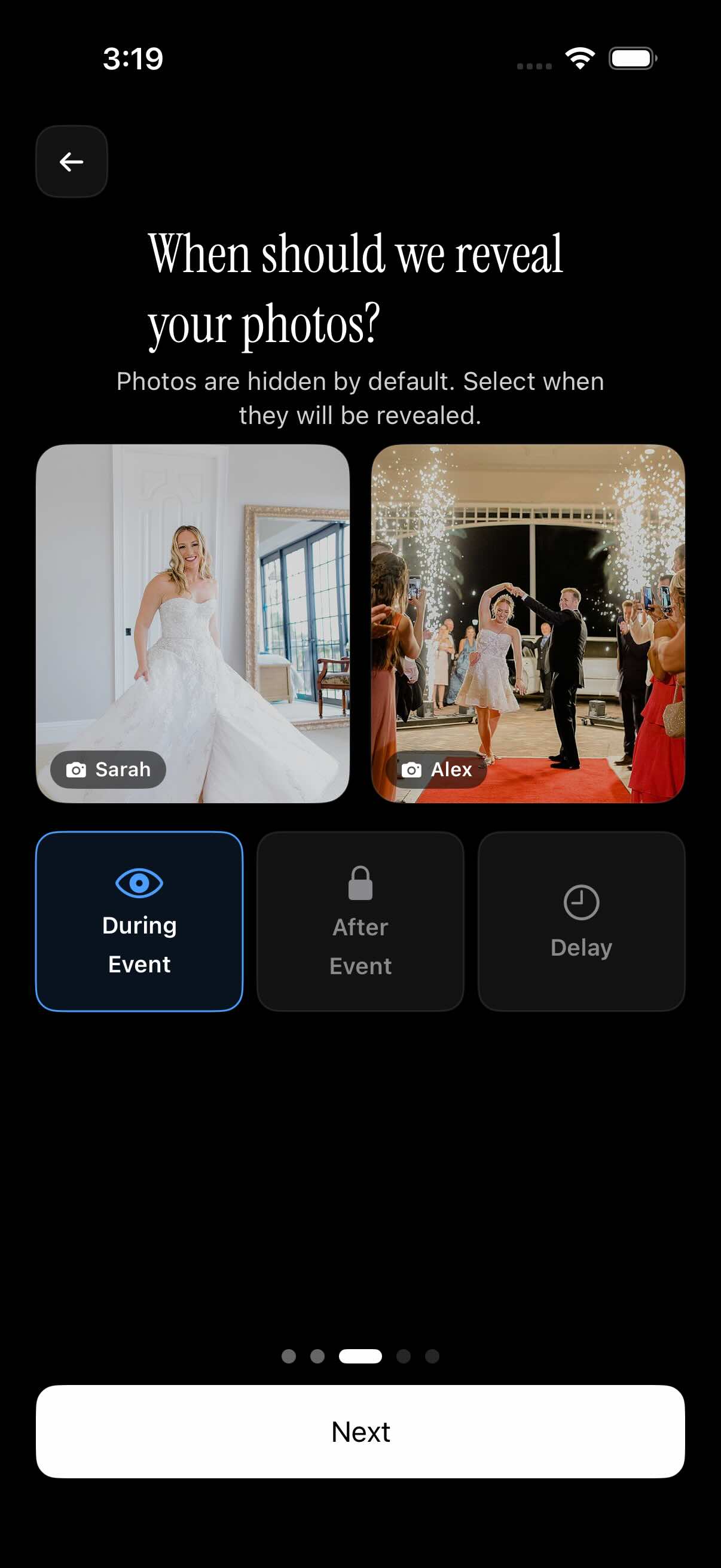
Choose whether photos appear during the event, after the event ends, or after a selected delay. It is a simple way to keep the event gallery open at the right moment without changing how guests contribute photos.
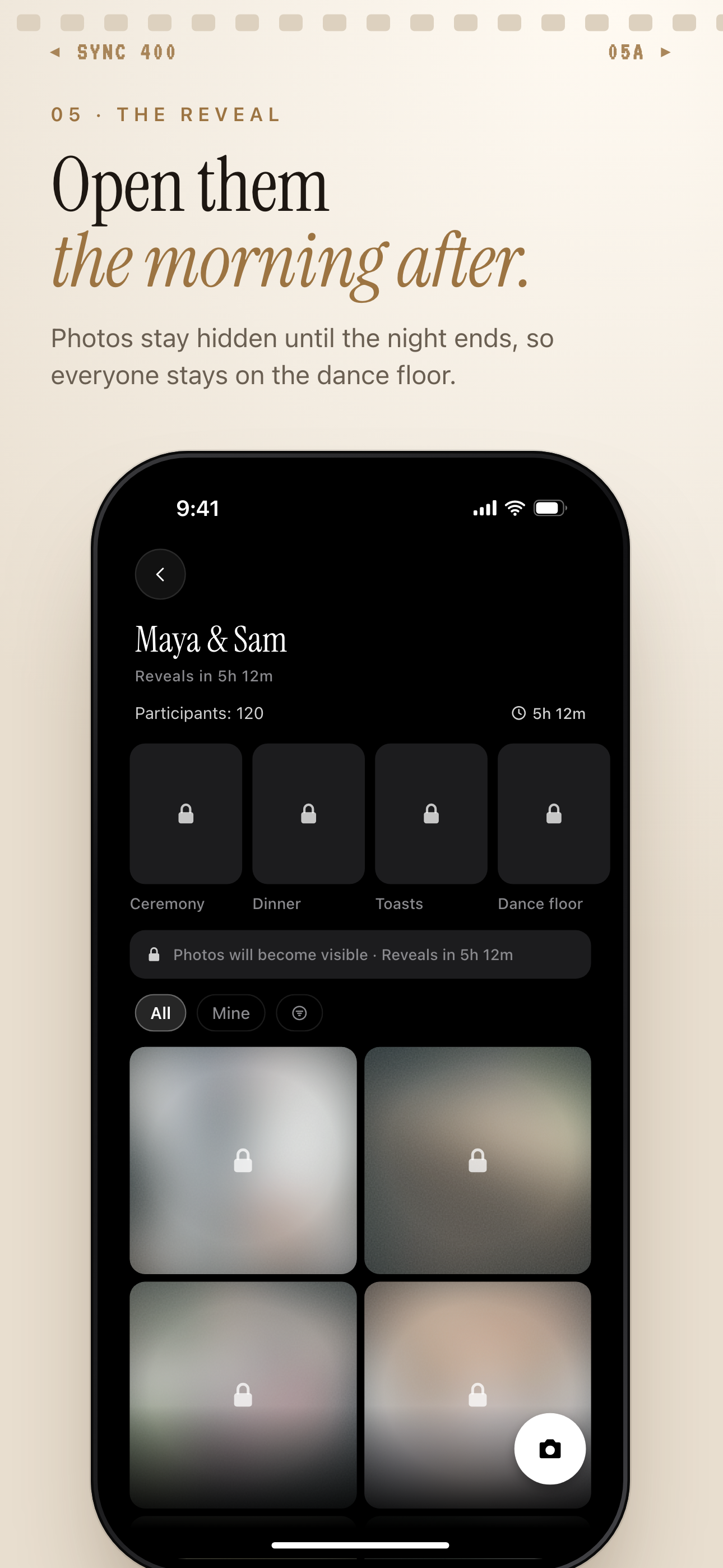
The gallery can stay hidden until after the event ends.
How reveal timing works
Start by creating an event and setting the event schedule. The schedule gives sync.camera the event window that reveal timing depends on, including when the event ends.
Next, choose one reveal option for the gallery. You can make photos visible during the event, keep them hidden until after the event, or select a delay after the event before the gallery opens.
Guests can keep contributing photos while the host’s reveal setting controls gallery visibility. That means the photo collection can build throughout the event, even if the gallery itself is not visible yet.
For hosts, the benefit is timing control. A wedding gallery can stay private until the reception ends, a party gallery can open after everyone is done celebrating, and a reunion gallery can wait until people have had time to add their photos.
Who it is for
Wedding hosts
Keep the guest photo gallery hidden until the reception is over, then reveal everyone’s photos together.
Birthday families
Let guests take photos throughout the party, then show the full gallery after the event ends.
Reunion organizers
Use a delayed reveal so the group album opens after everyone has had time to upload.
Features
During-event reveal
Let the event gallery be visible while the event is still happening.
After-event reveal
Keep photos hidden until the event finishes.
Delayed reveal
Choose a delay after the event before photos become visible.
Event schedule context
Use the event schedule to define the event window that reveal timing depends on.
Frequently asked questions
What is reveal timing?
Reveal timing controls when the event gallery becomes visible. Hosts can choose to show photos during the event, after the event, or after a selected delay.
Can guests see photos during the event?
It depends on the host’s selected reveal option. If the host chooses during-event reveal, the gallery can be visible while the event is happening.
Can I hide photos until the event is over?
Yes. The documented reveal options include keeping the gallery hidden until after the event ends, so photos are not visible in the shared gallery during the event.
Can I delay the gallery reveal after the event?
Yes. sync.camera includes an option to reveal the gallery after a selected delay following the event, so hosts can give guests more time before the gallery appears.