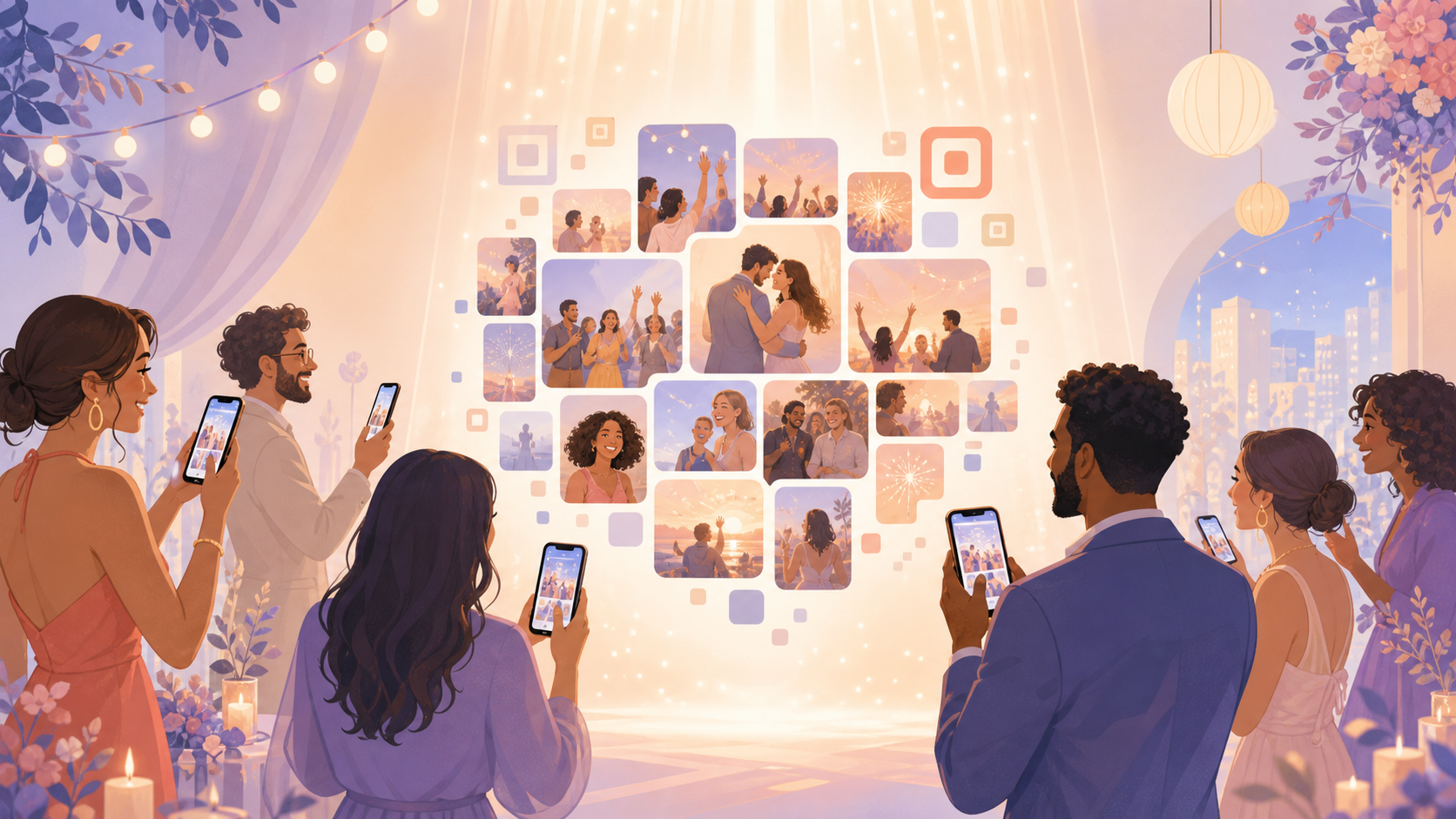
After a wedding, birthday, or reunion, the best photos of the day are usually scattered across guests' phones. Each person has snapshots the host never sees, and pulling them together usually means texting a dozen people and waiting for replies that trickle in over the following weeks. By the time everything is collected, the moment has already faded.
Shared event albums give every guest one place to add their photos while the event is still happening. The host creates the event and sets the schedule, guests join by scanning the event QR code, and everyone's photos land in a single gallery instead of a fixed shared folder with no start or end point. The host decides when that gallery becomes visible, so the reveal can match the occasion instead of appearing all at once.
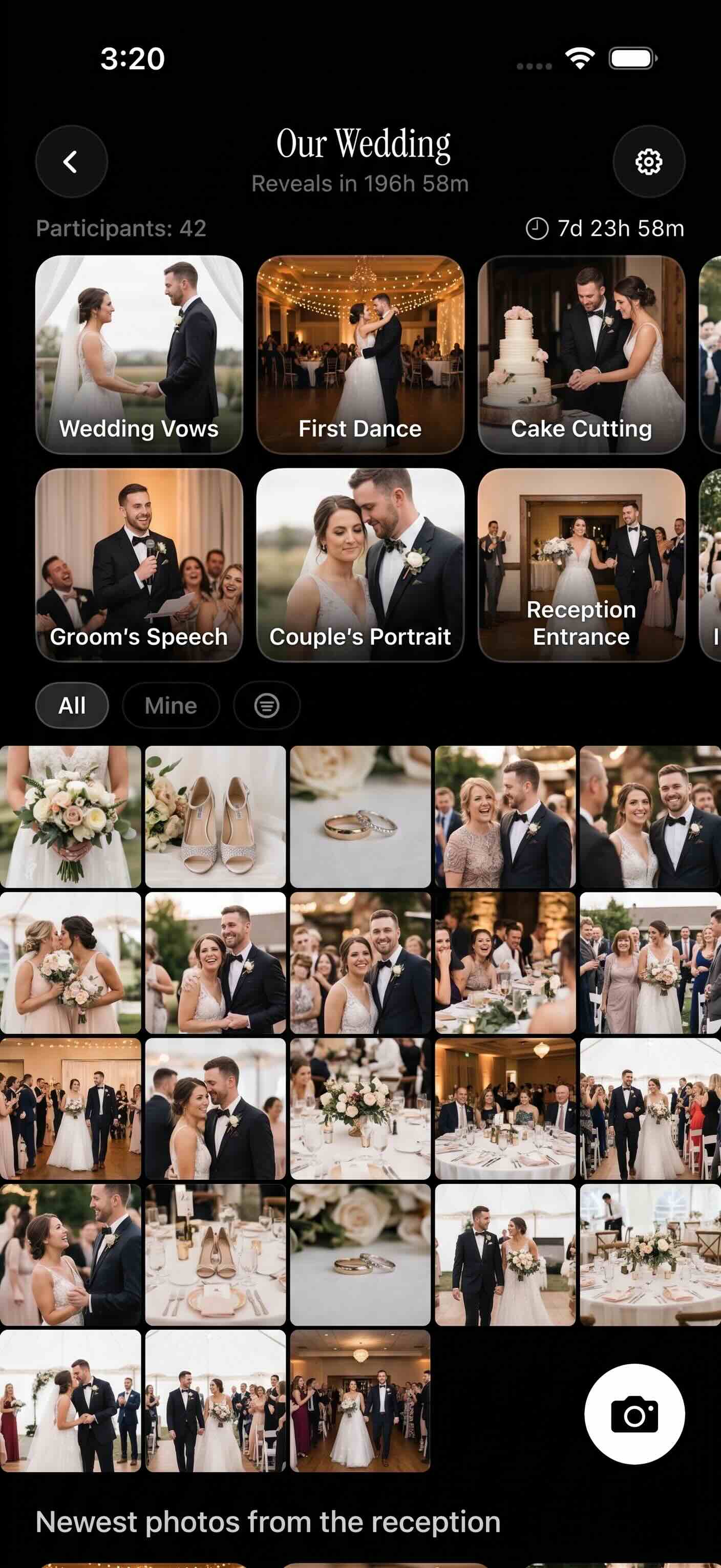
Guests' photos from the whole event collect in a single gallery.
How shared event albums works
Setting up a shared event album starts with the host. They create the event in sync.camera and set the event schedule, which determines the window during which photos can be uploaded.
Guests join by scanning the event QR code, which takes them straight into the event album so they can start adding photos.
Once a guest is in, they upload their photos from the event. Every guest's photos land in the same gallery, organized around the single event rather than split across separate phones or chat threads.
What guests can see next depends on the gallery reveal setting the host chose. That control is covered in more detail below.

Control when the album becomes visible
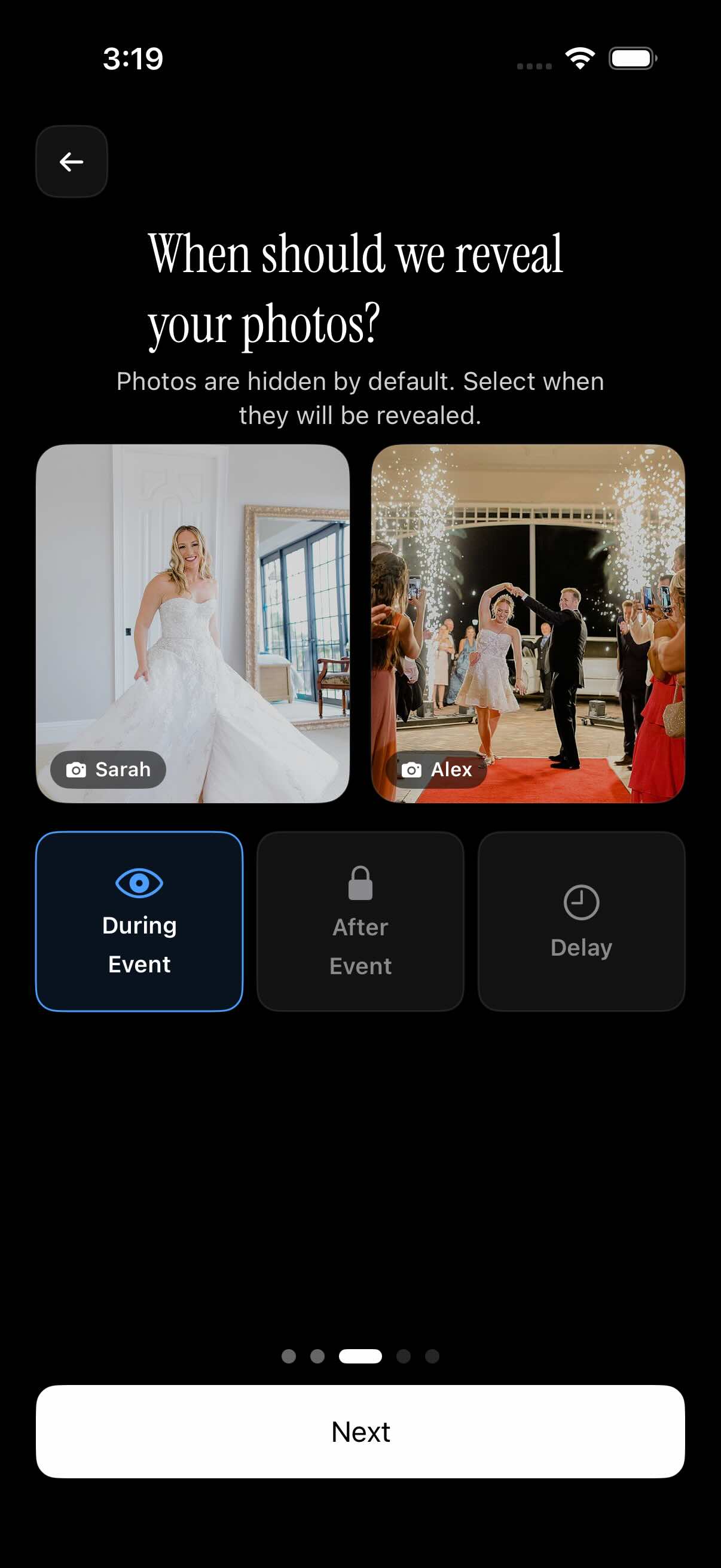
Not every host wants the gallery visible right away. Shared event albums let the host choose when guests can see the full set of photos, separate from when they can upload.
Photos can be visible during the event, so guests can watch the gallery fill up in real time as everyone contributes. This works well for casual gatherings where seeing the gallery build is part of the fun.
Alternatively, the host can hide photos until the event finishes, so the gallery unfolds as one full reveal once the celebration is over. That fits weddings and formal occasions better, where a single reveal matches the mood.
A third option adds a selected delay after the event before the gallery opens, giving the host a buffer before guests see the finished album.
Who it is for
Wedding hosts
During a wedding, the best candid shots come from guests, not just the photographer. Wedding hosts can share the event QR code with their wedding guest list so photos from the tables, the dance floor, and quiet moments in between all land in one gallery instead of being asked for later.
Families
For a birthday, reunion, or holiday gathering, relatives can join the same event album by scanning the QR code, even if they only see each other once a year. It gives families one shared gallery for the day instead of everyone posting separately to different group chats.
Party organizers
Party organizers can let guests add photos throughout the night while keeping the full gallery hidden until the party wraps up. Guests keep contributing as they go, and the reveal happens once the event schedule closes the upload window.
Travel groups
A group traveling together can create one event album for the whole trip instead of swapping photos at every stop. Everyone in the group joins with the same QR code and adds photos from their own phone as the trip happens.
Features
QR guest invite
Hosts invite guests by sharing an event QR code. Guests scan it to join the album directly.
Event schedule
Hosts set the event dates that determine which photos are allowed for upload, keeping the album scoped to the actual event.
Gallery reveal controls
Hosts choose when the gallery becomes visible: during the event, after the event ends, or after a selected delay.
Guest limits and paid events
Events can be set by guest count. Free events are shown for up to 7 guests, and paid events support unlimited photo uploads.
Frequently asked questions
Do guests join with a QR code?
Yes. Hosts share an event QR code for the event, and guests scan it with their phone to join the album directly. Scanning the code takes guests straight into the shared gallery for that event, so they can start adding photos right away.
Can hosts hide photos until the event is over?
Yes. Hosts can choose to keep the gallery hidden during the event and reveal it once the event finishes, or add a selected delay after the event before photos become visible. This lets the reveal match the occasion, whether that's a live gallery guests can watch fill up or a single reveal at the end.
Is there a free tier for shared event albums?
Yes. Free events are shown for up to 7 guests, which covers smaller gatherings at no cost. Larger events move to a paid plan, which also unlocks unlimited photo uploads for guests.
Can guests upload unlimited photos?
Paid events support unlimited photo uploads, so guests aren't capped once an event is on a paid plan. Free events are scoped by guest count rather than unlimited uploads, so the paid tier is the option built for larger galleries.