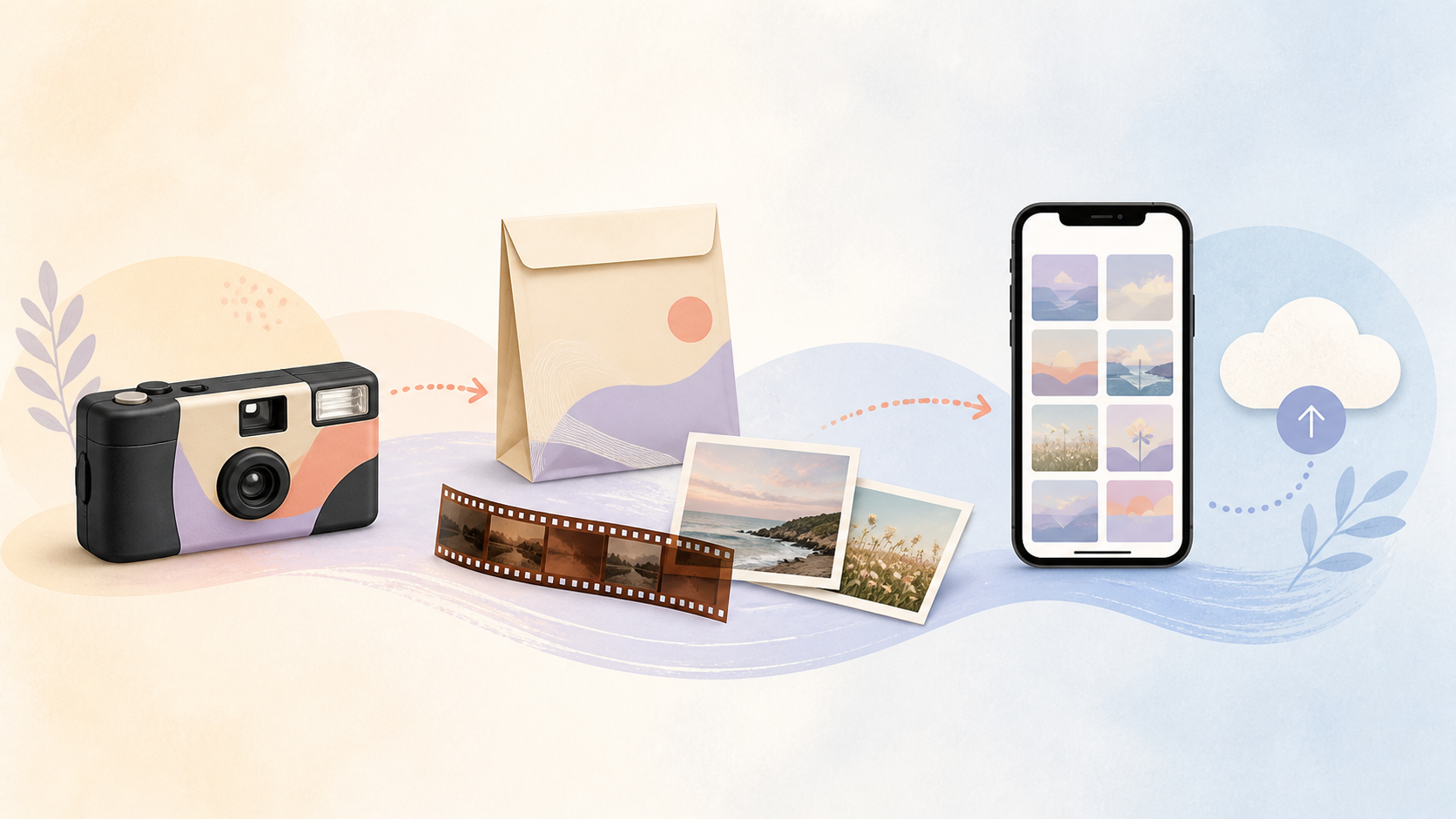
The short answer: take the whole camera to a film lab
A disposable camera is usually a single-use camera with undeveloped 35mm film inside. You cannot see the photos yet. The film has to be chemically developed first, often with standard C-41 processing for color negative film.
Do not open the camera
Do not open the camera in daylight. If the film has not been developed, light can ruin exposed frames.
This applies to common cameras like the Kodak FunSaver and Fujifilm QuickSnap. The steps are the same for most disposable cameras.
Finish the roll. Then bring or mail the entire camera to a photo lab. Let the lab remove the film in the right conditions.
Ask for digital scans when you drop it off
The easiest request is simple:
“I have a disposable camera. I want the film developed and digital scans sent to my phone or email.”
That one sentence tells the lab what you need. You do not only want prints. You want the photos as files.
Expect prints, scans, or both
Labs may offer prints, digital scans, or both. Digital scans are files made from the film negatives after development.
Depending on the lab, you may get the files through an email link, online gallery, app, CD, USB drive, or download page. Ask before you leave the counter.
How to get disposable camera photos on your phone
The best path depends on what you have now: the camera, the prints, or the negatives.
Option 1: request lab scans
If you still have the camera, request development plus digital scans. This is the easiest method. The lab develops the film, scans the negatives, and returns digital files.
Open the download link on your iPhone or Android phone. Save the images to your camera roll, iCloud Photos, Google Photos, or another cloud photo library.
For sharing online, standard scans are usually enough. For large prints, albums, or long-term backup, ask for higher-resolution scans.
Option 2: scan or photograph prints
If you only have printed photos, you can scan them with a flatbed scanner. You can also use a phone scanning app.
This is convenient. It is not always the best quality. A scan from a print is usually a copy of a copy. A scan from the negative can hold more detail.
Option 3: scan negatives for better quality
If you have film negatives, keep them safe. Negatives are the original source.
A dedicated film scanner or a professional scan service can usually produce better digital files than photographing prints. This matters if the photos are from a wedding, trip, family event, or archive.
Where to develop a disposable camera
You have three common options: a drugstore, a local camera shop, or a mail-in lab.
Drugstores and retail photo counters
CVS Photo says it accepts 35mm film and disposable cameras for processing. CVS also states that disposable camera and 35mm film prints are available in about 7 to 10 days: https://www.cvs.com/photo/film-processing.
Walgreens Photo lists film roll processing for film, negatives, and disposable cameras: https://photo.walgreens.com/store/film-processing. Check the current store page or local counter for price, pickup timing, scan options, and delivery method.
Drugstores are convenient. They may be the easiest choice if you want a nearby drop-off point.
Local camera shops and pro labs
Local camera shops and pro labs may give you clearer options. They may offer better scans, higher resolutions, and more direct answers about negatives.
Ask whether your negatives will be returned. This matters. Negatives let you rescan later at higher quality.
Mail-in film labs
Mail-in labs are useful if you do not have a good local option. The Darkroom says it processes single-use cameras and provides online uploads: https://thedarkroom.com/faq/.
Mail-in labs can be strong for scan quality and simple downloads. They also add shipping time. Check the lab’s current production times before you mail the camera.
What to ask for at the photo counter
A few clear questions can save you a second trip.
Development only vs. development plus scans
Say:
“I have a disposable camera. I want the film developed and digital scans sent to my phone or email.”
Then ask if scans are included or cost extra. Do not assume. Pricing changes by lab and location.
Scan resolution
Ask what scan size you are getting.
Small scans are fine for texting, Instagram, and quick sharing. Higher-resolution scans are better for albums, framed prints, and long-term backup.
If the photos matter, choose the better scan option. This is especially true for wedding, travel, or once-in-a-lifetime photos.
Prints, negatives, and delivery method
Ask these before you hand over the camera:
- Will I get digital scans?
- How will I receive the files?
- Will I get prints?
- Will I get my film negatives back?
- When should I expect delivery?
Write your contact info clearly on the envelope. Keep the claim ticket until you have the photos.
How long it takes and what it costs
There is no universal price or timeline.
Typical turnaround
Turnaround depends on the lab. CVS states 7 to 10 days for disposable camera and 35mm film prints: https://www.cvs.com/photo/film-processing.
For Walgreens Photo and The Darkroom, check the current pages before you decide. Their services may change by location, shipping path, workload, and selected scan package.
Price ranges
Do not choose only by the lowest price. Final cost can change based on development, scan resolution, prints, shipping, taxes, and whether negatives are returned.
If the photos are important, ask what is included. A cheap order that only returns small scans may not be the best value.
What changes the final cost
The main cost factors are:
- Development
- Digital scans
- Higher-resolution scans
- Prints
- Shipping
- Rush service
- Negative return
Mail-in labs may process quickly, but shipping adds time on both ends.
If your disposable camera photos came out dark, blurry, or blank
Disposable camera results can be uneven. That is part of the look, but some issues are preventable.
Common causes
Common problems include no flash indoors, a subject too far from the flash, a finger over the lens, camera shake, expired film, heat damage, water damage, or accidental light exposure.
Kodak lists the Kodak Fun Saver as ISO 800 with 27 exposures and a manual flash range of 4 to 11.5 feet: https://kodakprofessional.com/photographers/film/single-use-cameras.
Fujifilm QuickSnap models vary by region and model. Many QuickSnap product listings describe 27-exposure cameras, with flash range around 1 to 3 meters depending on the model. Check the exact package or regional Fujifilm product page before relying on those numbers.
What can still be saved
A lab may still be able to scan thin, underexposed, or lightly damaged negatives. The files may look grainy or flat, but they can still be meaningful.
Totally blank frames may not be recoverable. If the film was exposed to bright light before development, some frames may be lost.
How to avoid it next time
Use flash indoors. Keep people close. Shoot in bright light when you can. Hold the camera steady. Keep unused cameras away from heat.
At events, place cameras where guests can see them. Add a small note to use the flash indoors and stand close.
For events, there is an easier way to collect everyone's photos next time
Disposable cameras are popular at parties and weddings for good reasons. They create surprise. They slow people down. They limit over-editing. Guests often take more intentional photos.
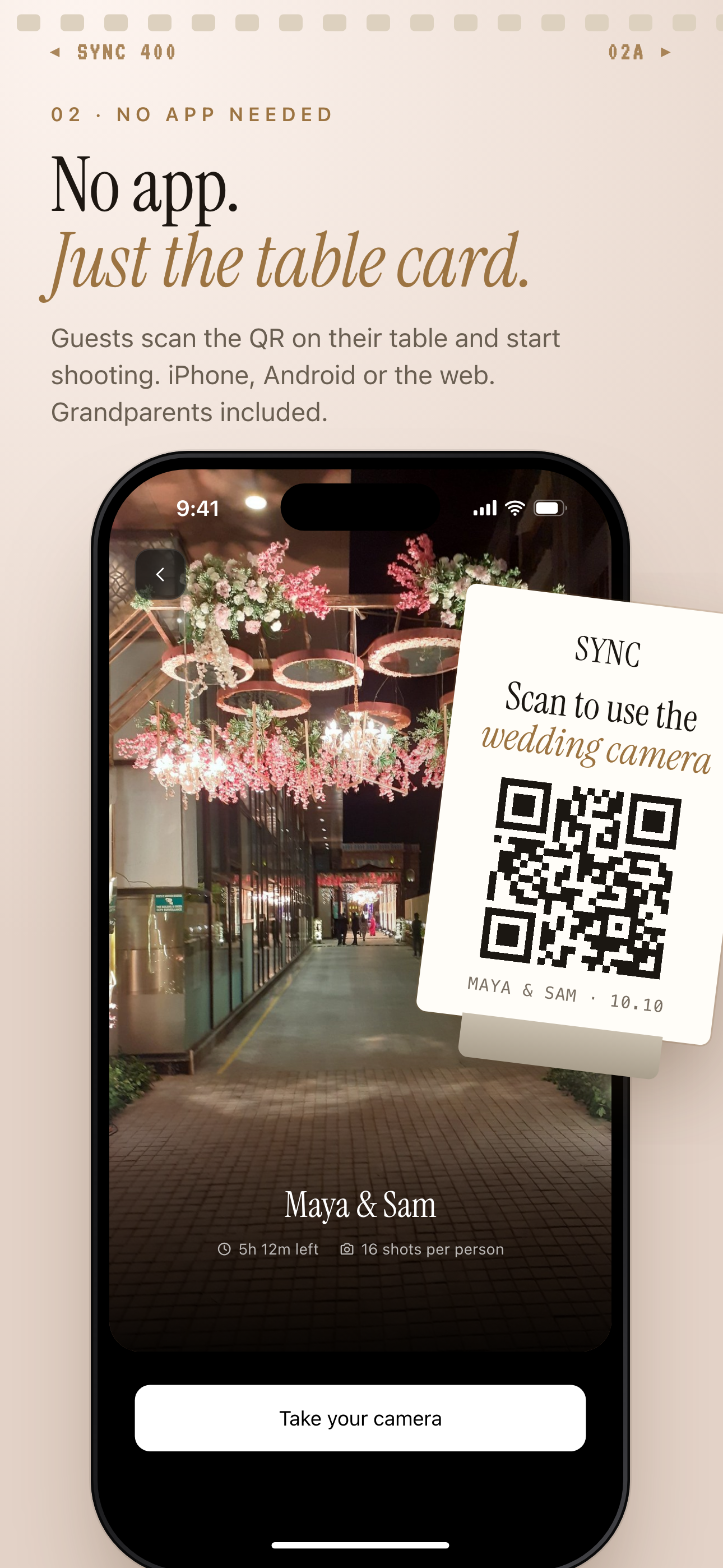 An event QR flow keeps the shared-photo feeling without collecting cameras after the party.
They also create work. Hosts have to buy cameras, place them on tables, collect them, pay for development, wait for scans, and sort photos later.
SYNC is a mobile-first event photo sharing option for future events. It does not develop an already-shot disposable camera. It helps hosts collect guest photos without film processing.
A host can set up an event, share an invite link or QR code, and let guests join from a phone browser. Installing the app gives better camera controls and push notifications, according to the SYNC homepage: https://sync.camera/.
For a wedding or party, the workflow is familiar. Disposable cameras sit on tables. With SYNC event photo sharing, guests scan a QR code instead and contribute to one shared event gallery. A SyncPass can help guests join the right event flow.
For setup details, use the SYNC mobile app CTA, SYNC Support, or the SYNC homepage.
How to organize and share the photos once you get them
Once the lab sends the files, save them before you start posting.
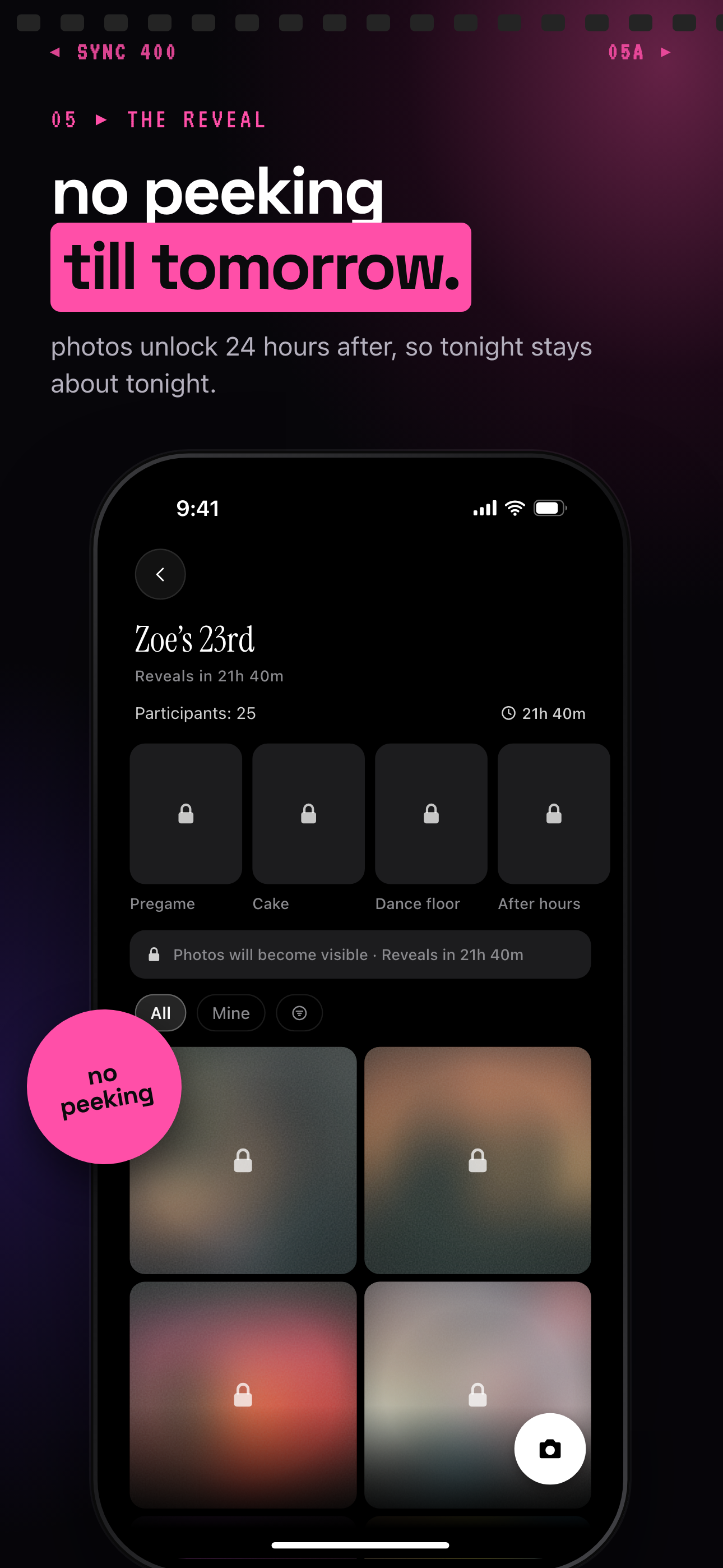 Reveal controls can bring back the delayed-gratification feel without waiting for film development.
Back up the scans in at least two places. For example, save them to your phone and to cloud storage. Or save them to cloud storage and an external drive.
Create a folder before sharing widely. Name it with the event and date, such as “Maya Birthday 2026” or “Italy Trip June 2026.” This makes the photos easier to find later.
For event photos, think about privacy. Ask before posting sensitive, private, or unflattering guest photos publicly.
SYNC describes itself as privacy-forward. The homepage says it has no ads, no third-party tracking, encrypted in transit, and event-scoped access: https://sync.camera/. For hosts, SYNC privacy-forward event albums can help keep sharing tied to the event instead of a public feed.
Controlled reveal timing can also recreate the best part of disposable cameras. Guests still get the surprise. Hosts do not have to wait on film development to see every photo.