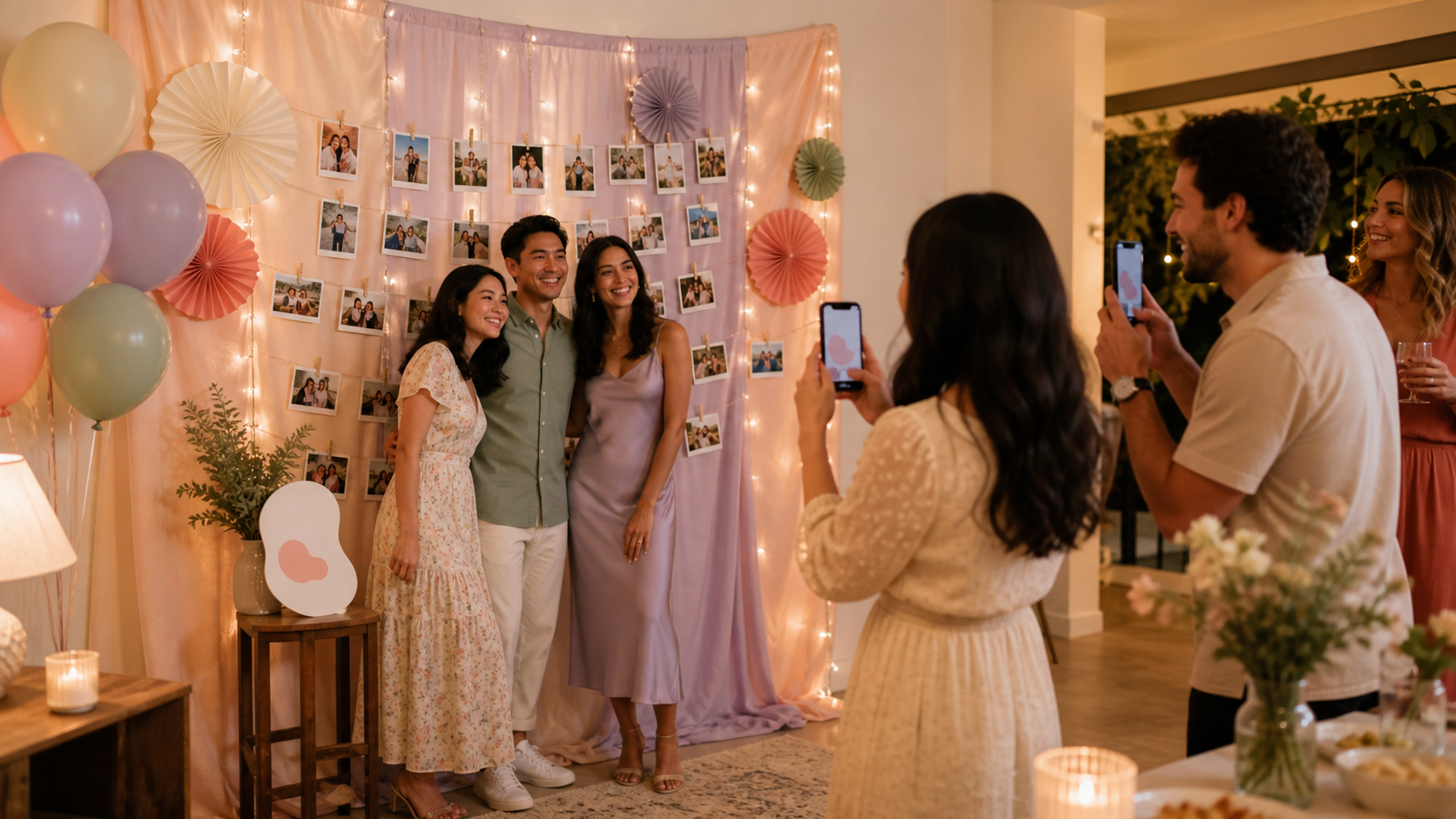
A good photo wall does more than fill an empty corner. It gives guests a clear place to pose. It can show memories. It can also help everyone share the photos they take.
That last part matters. After most parties, the best photos sit on separate phones. Some get buried in group chats. Some never reach the host at all.
Use the photo wall as both a backdrop and a simple photo collection station. Add a QR code. Point guests to the SYNC mobile app. Then the wall becomes part of the party flow, not just decor.
Start With the Job of the Photo Wall
Before you buy balloons, prints, or lights, choose the main job of the photo wall. The setup changes when the wall is for posing, memory display, or guest photo collection.
Photo backdrop vs. memory wall vs. guest photo collection station
A party photo wall usually means one of three things.
It can be a photo booth backdrop. Guests stand in front of it for portraits, group shots, and outfit photos. This works well at a birthday party, engagement party, holiday party, office party, or wedding reception.
It can be a memory wall. This uses printed photos to tell a story. Think childhood photos at a graduation party. Or family photos at a baby shower. Or a couple timeline at a bridal shower or wedding.
It can also be a photo collection station. Guests scan a QR code, join the event, and upload their own photos from the party. This is useful when you want one shared gallery after the event.
You can combine these. But pick one primary job first. It keeps the wall from getting crowded.
How the party type changes the setup
A birthday backdrop can be bold and simple. One color, one number balloon, and good light may be enough.
A graduation party may need more story. Use school colors, old photos, and a space for friends to add notes.
A wedding reception needs a cleaner flow. Guests may be dressed up, holding drinks, or moving between dinner and dancing. The wall should be easy to find and easy to use.
A corporate event gallery needs a different tone. Keep branding tidy. Avoid blocking the room. Make the QR code clear.
The best photo walls are easy to spot, easy to use, and placed where guests naturally gather.
Easy Photo Wall Ideas for Small Parties
Small parties do not need a big build. A clean background, soft light, and one strong focal point will often photograph better than a crowded wall.
Simple wall-friendly materials
Start with renter-friendly supplies:
- Removable adhesive hooks
- Painter-safe tape
- String lights
- Cloth backdrops
- Garlands
- Printed photos
- Instant camera prints
- Polaroid-style prints
- A small QR sign
Keep the wall light. Avoid nails if you rent or if the venue limits wall damage. Test adhesives first in a hidden spot. Follow the product maker's instructions and weight limits. For example, 3M's Command guidance tells users to follow package directions for surfaces and weight ratings: Command how-to-use guidance.
Do not hang heavy frames from temporary hooks unless the package says that setup is allowed. If the wall is painted, textured, damp, or recently painted, be extra careful.
Low-cost layouts that still photograph well
Try a Polaroid-style memory grid. Print small photos. Clip them in rows. Leave space between each print so the wall does not look messy on camera.
Use fairy-light photo clips for a warm corner. Keep the lights behind or beside faces, not directly in front of eyes.
Make a color-block paper backdrop with two or three paper colors. This is cheap and clean. It also gives phone cameras contrast.
Build a curtain-and-balloon corner. Hang a cloth curtain. Add balloons to one side, not all around the frame. Guests need space to stand.
Create a framed childhood photo timeline for birthdays, graduations, baby showers, or bridal showers. Use lightweight prints instead of heavy frames when possible.
For small rooms, less is usually better. Pick one focal point. Leave clean space around it. Phones need light, contrast, and room to frame people.
Photo Wall Ideas for Big Events
Large events need a photo area that can handle traffic. The wall should invite people in without slowing the whole room down.
High-traffic layouts
Place the photo wall near a natural stop. Good options include the entrance, bar, dessert table, dance floor edge, or guest book area.
Avoid narrow walkways. Do not place the wall where people must pass through a queue to reach food, restrooms, or seating.
For bigger groups, use a wider backdrop than you would at home. Test it with two, four, and six people before guests arrive. There is no single universal size that fits every event, so verify the backdrop size with your venue, photographer, or rental provider before ordering.
Useful big-event ideas include:
- A step-and-repeat style wall for office parties or sponsor events
- A floral or greenery wall for showers and receptions
- A neon sign wall with a short phrase or name
- A milestone timeline for graduations, birthdays, or anniversaries
- A seating-chart photo wall at a wedding reception
- A branded office event wall with a QR sign beside it
How to keep the photo area from blocking the room
Large events need stronger lighting, a clear standing spot, and space for a line. Guests should be able to step in, take a photo, scan the QR code, and move away.
Put props on a small table to the side. Keep the QR sign at eye level or table height. Leave room for guests who use mobility aids or who need more space to stand.
If the event has a photographer, ask where the wall will work best. If there is no photographer, take test shots on a phone from several angles. Check the background for exit signs, trash bins, cables, or clutter.
Add a QR Code So Guests Can Share Photos
A QR code turns the photo wall into a collection point, not just a backdrop. Guests can scan the event QR, join from their phones, and upload photos during the party.
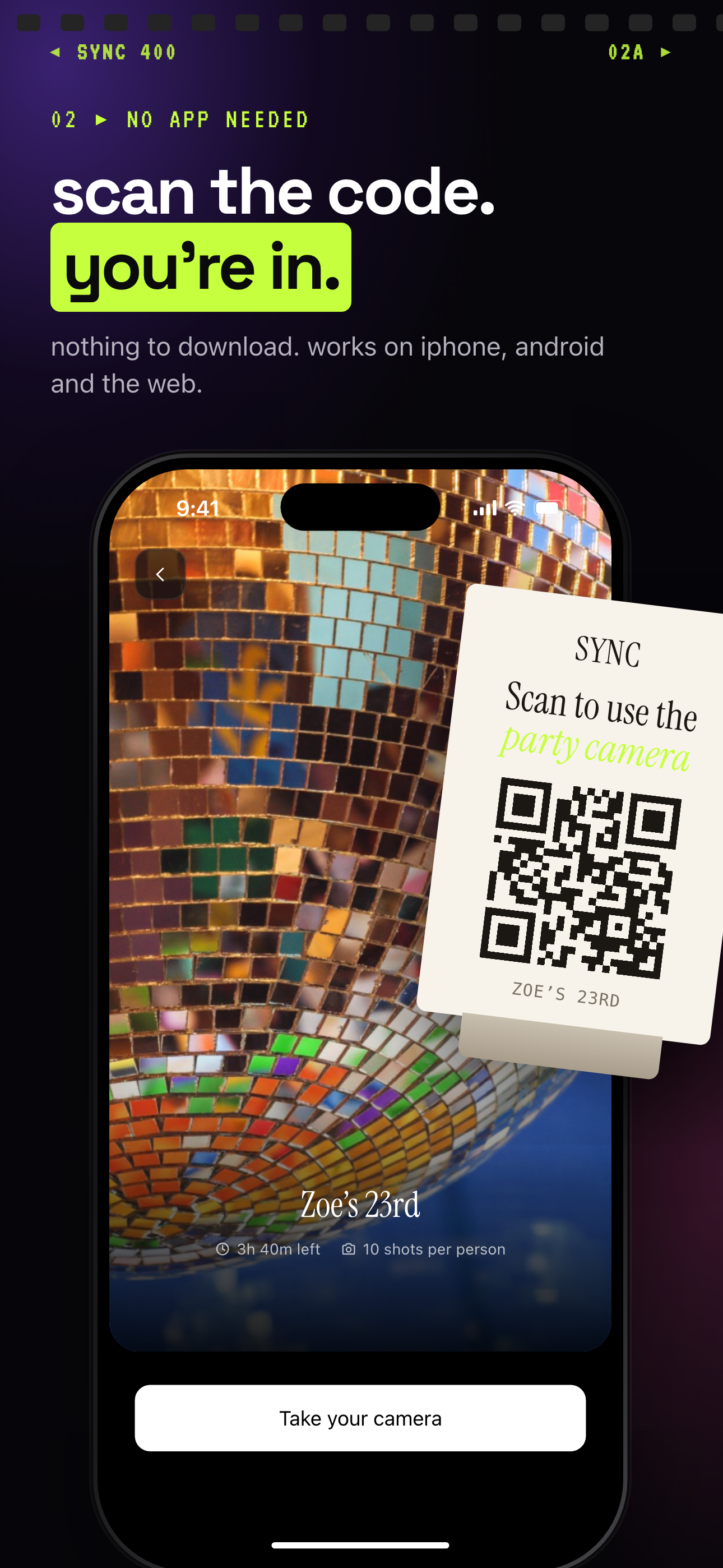 Scanning the event QR code takes guests to the join screen, then straight to adding photos.
Why QR works better than chasing photos later
Without a QR code, the host often has to ask for photos one by one. That means texts, group chats, compressed images, and missed moments.
With a shared event flow, the request happens while guests are already taking photos. The wall reminds them what to do. The QR code gives them the next step.
Most recent iPhones can scan QR codes with the Camera app, according to Apple Support: scan a QR code with iPhone. Many Android phones also support QR scanning through the camera or Google Lens, with Google documenting Lens access in its Android help: search with Google Lens.
For SYNC, direct guests to the app experience. Use a simple sign. For example: “Scan to join our event gallery in SYNC.” Link the sign or party materials to the SYNC event photo sharing app, not a web signup flow.
Where to place the QR code
Use more than one sign if the party is larger than a small dinner.
Place a QR sign beside the photo wall. Add another near the entrance. Put smaller signs near tables, the bar, or the guest book.
Keep the sign simple. Use large text. Leave white space around the QR code. Test it before guests arrive. Test it again from the distance guests will actually scan.
Make the Photo Wall More Private
Public hashtags are easy. They are not private. They also scatter party photos across social platforms, where the host has less control over where images appear.
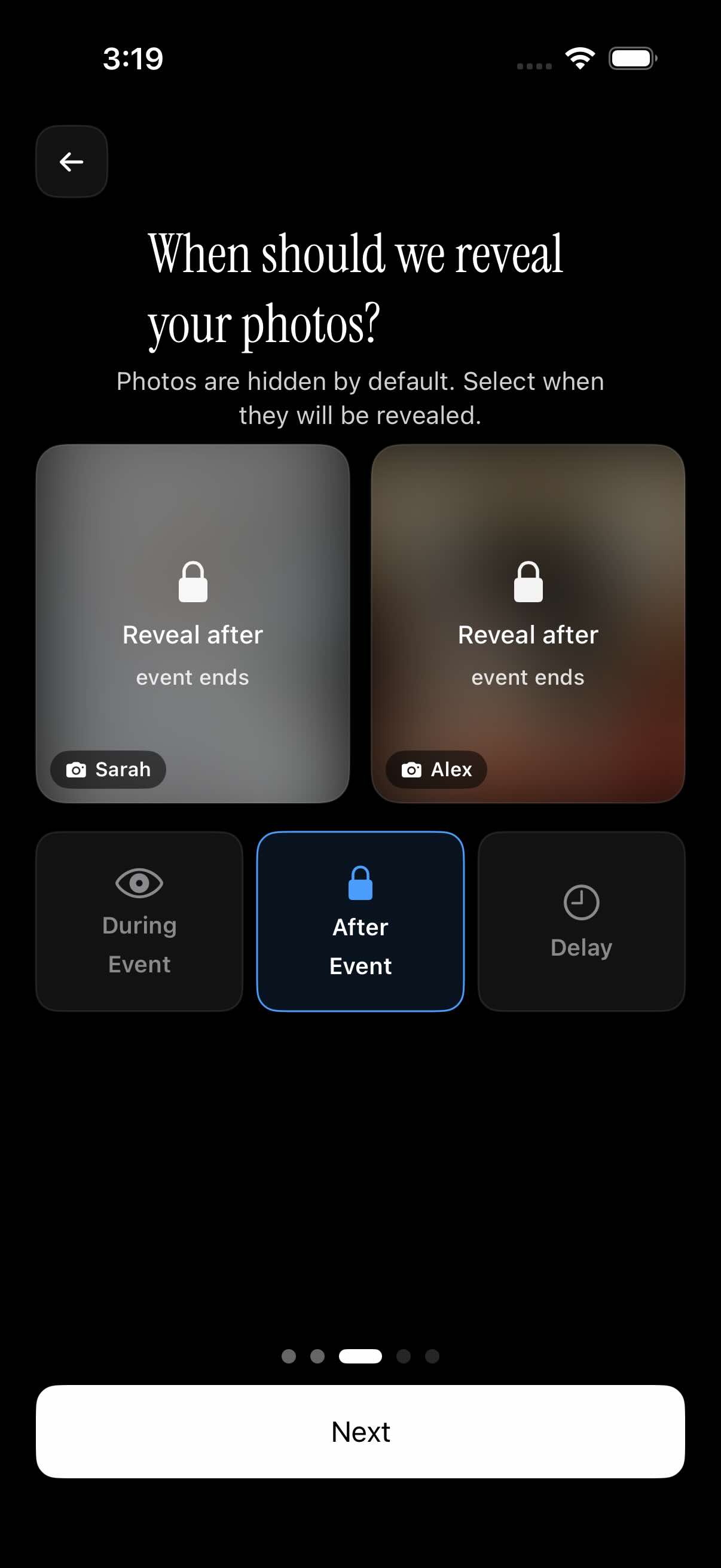 With After Event selected, uploads stay hidden until the event is over.
Avoid public hashtags for private parties
A private shared event gallery is a cleaner option for weddings, kids' birthdays, family parties, and workplace events. It keeps the photo collection focused on the event instead of sending guests to post publicly.
This is especially useful when children, coworkers, clients, or extended family are involved. Not every moment needs to become social content.
SYNC can support this kind of flow by giving the host an event photo gallery for guest uploads. Keep the promise practical. A private gallery is about a more controlled sharing space. It does not mean every privacy or security concern disappears.
Choose when guests can see the gallery
Some hosts want guests to see photos during the event. That can make the gallery feel live and social.
Other hosts prefer to hide photos until the event is over. This can help at weddings, kids' parties, and office events where the host wants to review the gallery first.
SYNC also supports reveal timing after a selected delay. That gives hosts another option when they want the event to breathe before photos appear.
Use the setting that matches the party. A birthday party may be casual. A wedding reception may need more review. An office party may need the most care.
Lighting and Setup Tips That Improve Every Photo
Decor helps. Lighting matters more. A simple wall with good light will usually beat an expensive wall in a dark corner.
Light faces, not just the wall
Use soft front lighting when possible. A lamp, ring light, window, or bright room light can help. Aim the light toward faces, not only toward the backdrop.
Avoid strong backlighting. If a window or neon sign is much brighter than the people in front of it, phones may expose for the background and leave faces dark.
Shiny foil, mirrors, and glossy signs can also cause glare. They may look good in person and still photograph badly. Test them first.
Keep the background clean on camera
Take test photos from guest height. Do not only check the wall while standing close to it. Step back. Try vertical and horizontal phone shots. Test from the left and right.
Use this quick check before the party starts:
- Clear clutter from the frame
- Mark the standing spot if needed
- Check shadows across faces
- Keep props nearby, not underfoot
- Leave room for group shots
- Make sure the QR code scans
- Check that the wall is visible from the room
If something looks off, simplify. Remove one prop. Move one light. Give guests a clearer place to stand.
Photo Wall Themes by Party Type
The best theme is easy to understand at a glance. Guests should know where to stand and what the wall is celebrating.
Birthday, graduation, and shower ideas
For a birthday party, try an age-number balloon wall. Use one large number and a favorite-color backdrop. Add a year-in-review photo grid with small prints from the last year.
For milestone birthdays, build a childhood-to-now timeline. Keep the photos in order. Add short labels only where needed.
For a graduation party, use school colors, diploma props, and a memory timeline. Add future-plans cards if guests want to write notes or predictions.
For a baby shower, use a soft fabric backdrop, family photo display, and advice cards. Keep props gentle and easy to hold.
For a bridal shower, use a floral corner, couple photos, and note cards for guests. Instant camera prints can become part of the display as the party goes on.
Wedding, holiday, and office party ideas
For a wedding reception, use a clean backdrop with the couple's names, a floral edge, or a timeline of the relationship. Put the QR sign near the guest book or seating chart if the photo wall is nearby.
For holiday parties, use color and texture. A curtain, string lights, ornaments, and a simple sign can be enough. Leave space for coats, drinks, and group photos.
For an office party, keep the setup practical. Use a branded backdrop, a step-and-repeat style wall, or a simple company-color background. Avoid props that could make guests uncomfortable. Make the shared gallery instructions clear.
For house parties, use what the room already gives you. A blank wall, lamp, small table, and a few prints can work well.
How to Collect and Sort Photos After the Party
The photo wall gets people taking pictures. The shared gallery helps you keep them. This solves the common post-party problem: photos stay on separate phones, and group chats compress or bury them.
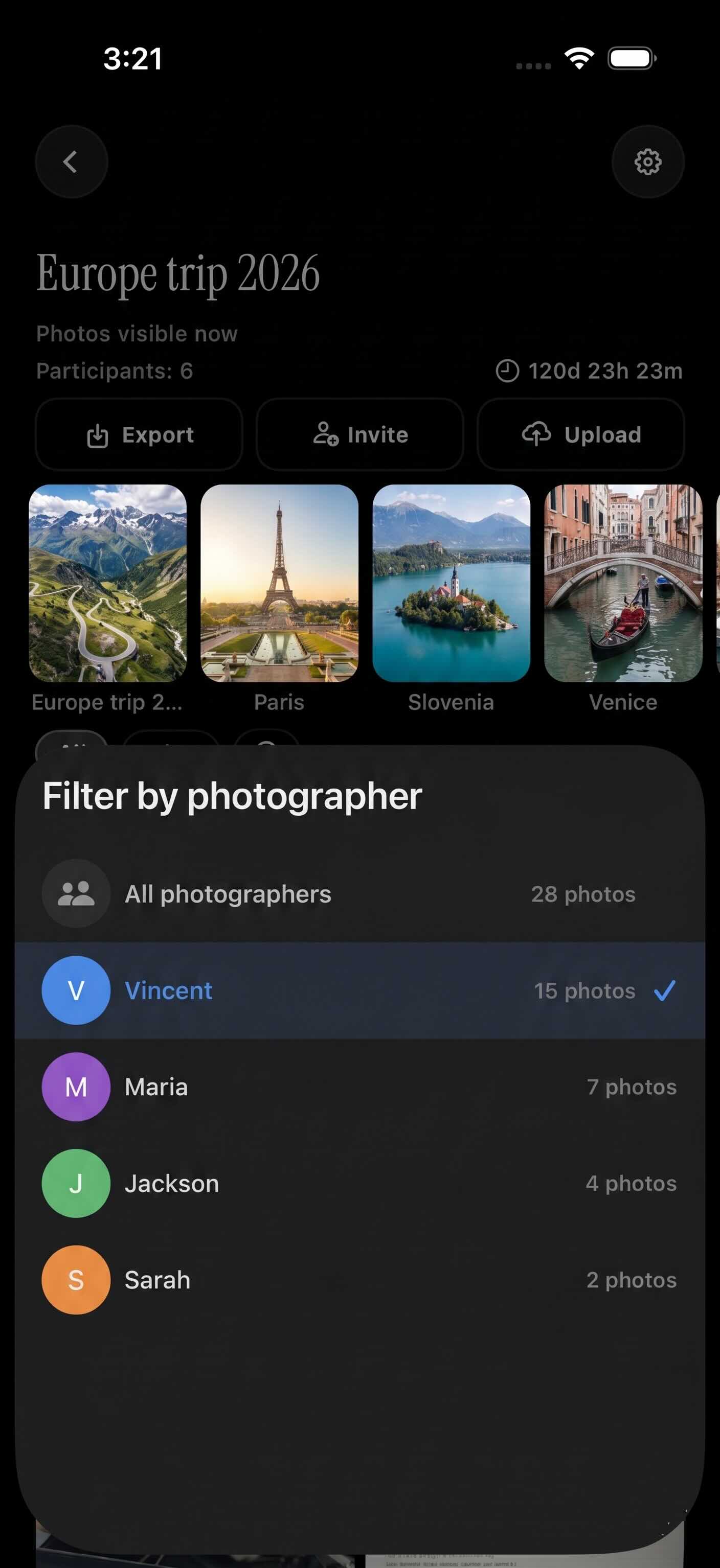 Filtering by photographer can help hosts browse uploads by guest after the event.
Use one shared gallery
Use one event photo gallery for guest uploads. This keeps the collection in one place. It also gives guests one clear instruction.
A first-party example is simple. Place a SYNC QR sign beside the photo wall. Guests scan it, join the event from their phones, and upload photos while the party is still happening.
You can also point guests to the sync.camera homepage from planning materials if they need to learn what SYNC is before the event.
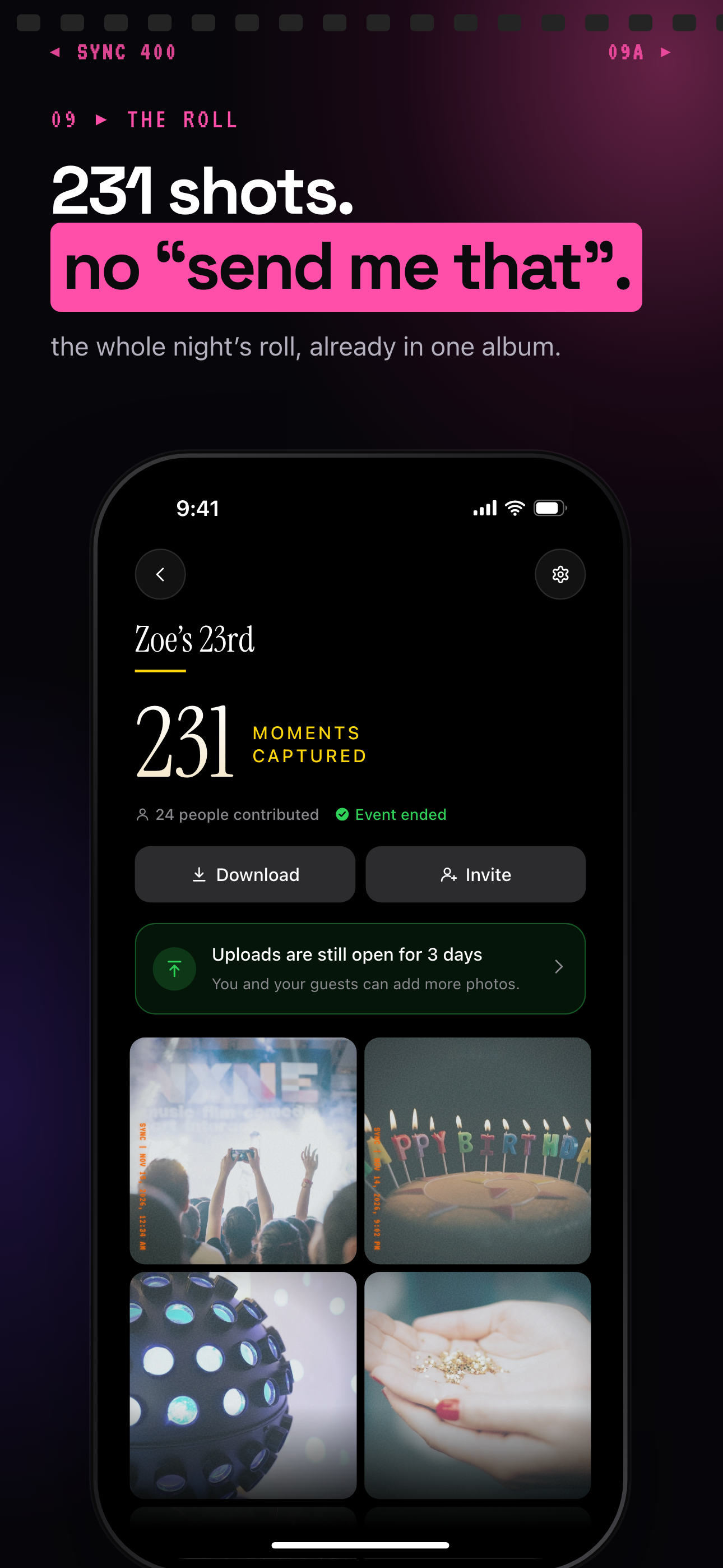
After the event ends, the album shows everything captured and keeps uploads open for 3 more days.
Make it easy to find who took what
After the party, sorting matters. SYNC includes a filter by photographer option. That can help hosts browse uploads by guest when looking for a specific angle, table, or moment.
Use this simple post-party workflow:
- Share the QR code before guests leave
- Leave uploads open for a short window after the event
- Review the event gallery
- Filter by photographer if you are looking for a guest's photos
- Download or share favorites
This is easier than asking every guest to text their top ten photos later.
Quick Shopping and Setup Checklist
A useful photo wall does not need many supplies. It needs the right supplies ready before guests arrive.
Supplies to prepare
Gather these items:
- Backdrop material
- Removable adhesive hooks or painter-safe tape
- String lights or a small lamp
- Printed photos
- Instant camera or instant camera prints
- Props
- QR sign
- Phone charger
- Small table if needed
- Scissors, clips, and backup tape
Check wall rules before setup. Follow adhesive instructions. Keep heavy items off temporary walls unless the product is rated for that use.
Final checks before guests arrive
Use this 30-minute setup checklist:
- Hang the backdrop
- Add the main focal point
- Place printed photos or garland
- Set up lights
- Clear clutter from the camera frame
- Put props on a side table
- Place the QR sign beside the photo wall
- Add QR signs at the entrance or tables
- Test the QR code on more than one phone
- Take test photos from guest height
- Check group-shot spacing
- Charge the host phone
Then leave it alone. Guests use clear setups more than complicated ones.
For a simple private event photo gallery, create the event in SYNC, print the QR sign, and place it where people already gather. Use the SYNC app CTA in your party materials so guests know to join through the app.