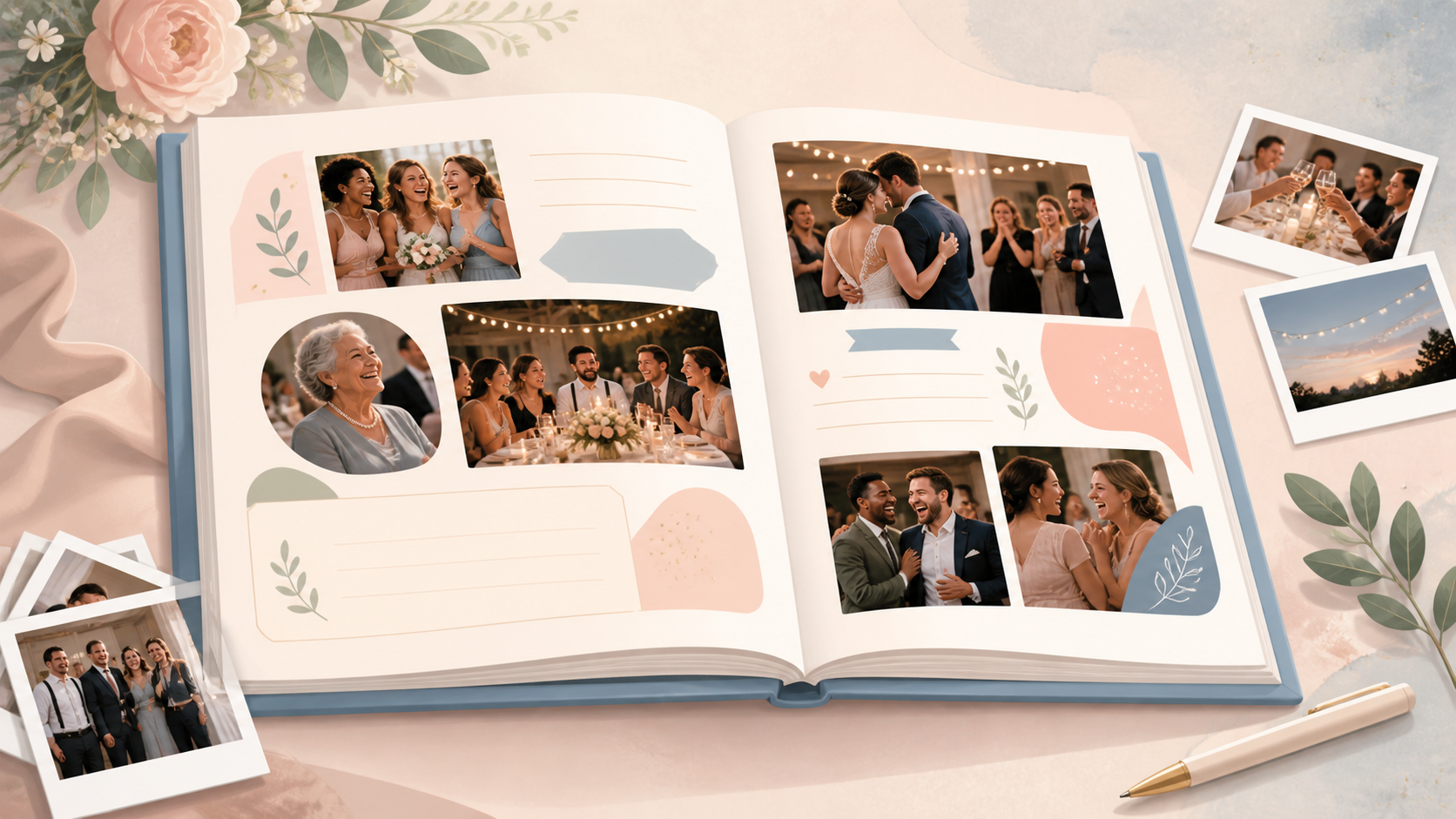
A traditional wedding guest book records who attended. A photo book can preserve much more. It can hold candid pictures, personal messages, table jokes, family reunions, and moments the couple never saw.
The key is to plan the full workflow. Guests need an easy way to contribute during the wedding. The couple also needs a private place to review, organize, and select those contributions afterward.
Here is how to build a wedding guest book photo book without creating extra work for guests or exposing private memories online.
Why a Photo Book Makes a Better Wedding Guest Book
A wedding guest book photo book is a printed keepsake made from guest photos, short messages, prompts, and candid moments from the event. Instead of collecting signatures on mostly empty pages, it connects each message to a person, place, or memory.
How it captures guest memories, not just names
The main value is emotional context. You can see who attended, what they noticed, and how the day felt from their side of the room.
A guest might photograph a grandparent laughing during cocktail hour. A cousin may capture children watching the first dance. Friends at the back of the ceremony may record reactions the couple could not see. These small moments give the finished book its character.
Guest photos should complement professional wedding photography. They are not a replacement. A professional photographer brings planning, consistent quality, and complete coverage. Guest contributions add informal viewpoints and unexpected details.
When a photo book works better than a traditional signing book
Choose a photo book when you want the guest book to tell a story. It works especially well for weddings with several events, close family groups, destination travel, or guests who enjoy taking phone photos.
It can also suit couples who prefer a compact keepsake. One edited volume is easier to revisit than a stack of loose cards and digital files.
What guests need to participate easily
Plan photo collection before the wedding. Asking everyone for files afterward creates delays and scattered replies.
Guests need three things: one clear instruction, a mobile-friendly guest photo upload, and access at the moment they are already taking pictures. Put those pieces in place before invitations or signs go to print.
Set Up a Simple Guest Photo Collection System
A simple collection system reduces confusion. It also keeps photos in one place from the start.
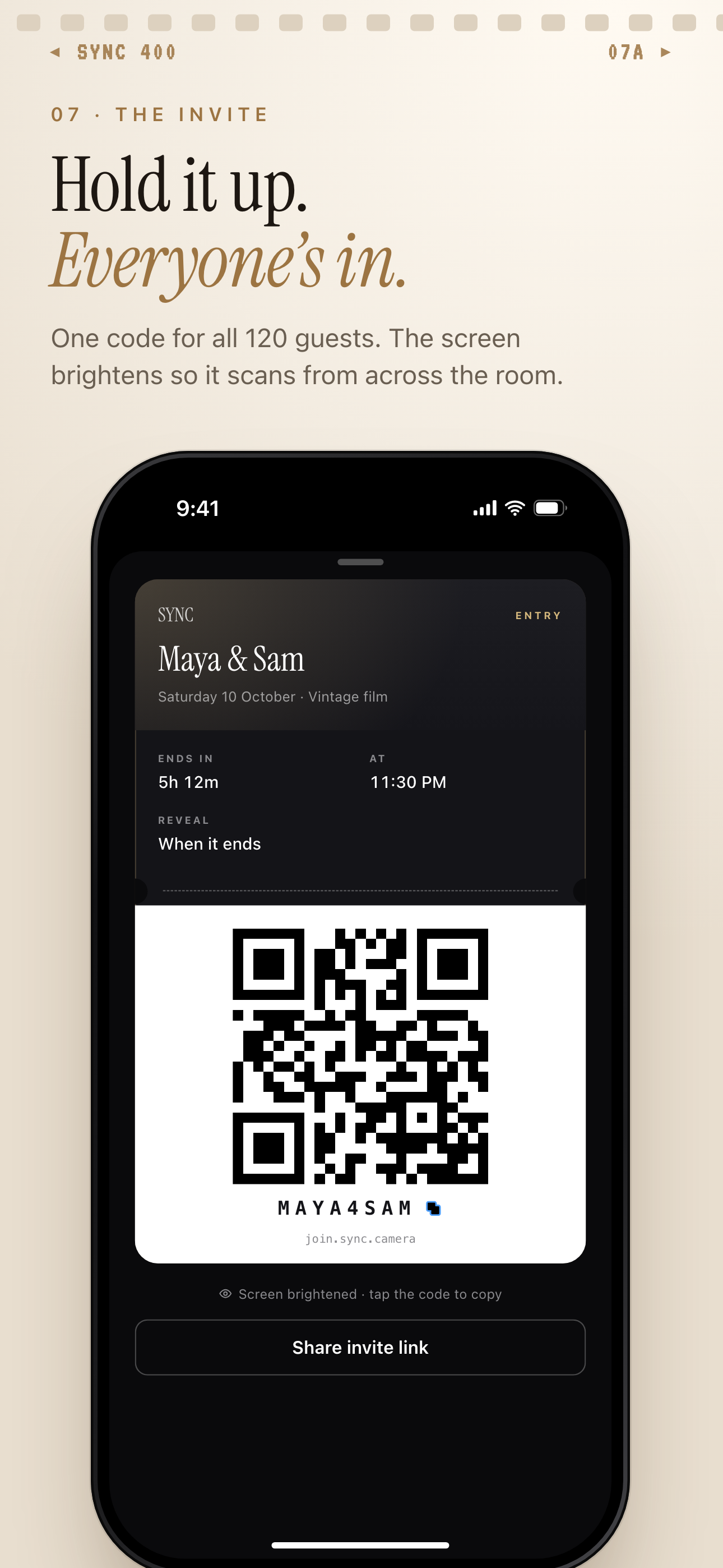 The wedding's invite pass gives guests one QR code, or a join code to type, to reach the event collection.
Use a QR code instead of asking guests to text photos
Use a QR code that opens the wedding collection on a phone. This avoids long shared-drive links, message threads, and several versions of the same folder.
A wedding photo sharing app can provide a more focused flow than public social media. For example, SYNC from Sync Camera uses event QR codes to help invited guests reach a shared event space. The SYNC mobile app and the Sync Camera home page can be linked from the couple's digital instructions.
Keep the wording beside the code direct: “Scan to add your wedding photos.” Add a second line explaining whether guests can view the gallery immediately or only contribute.
Place the QR code where guests naturally pause
Use several small placements instead of one large sign. Good locations include:
- The welcome table for arrivals
- The ceremony program for quiet setup time
- The bar during cocktail hour
- Dinner tables during the reception
- The photo booth area
- Thank-you signage near the dance floor or exit
A practical placement plan could use the program during the ceremony, cocktail napkin cards at the bar, table cards at dinner, and a final sign beside the dance floor. This keeps the option visible as the day changes.
See QR code photo sharing for weddings for more placement ideas.
Make uploads feel low-effort
Use short instructions. Test the QR code on more than one phone. Ask a friend who has not seen the setup to try it before the wedding.
Guests are usually standing, talking, or moving between activities. Fewer steps make participation more likely. Keep optional questions short and avoid asking people to create a complicated folder structure.
Skip public hashtags if you want tighter control over viewing and contributions. A private event photo gallery is a better fit for private venues, family gatherings, and events involving children.
Photo Book Ideas by Wedding Moment
Once photos arrive in one gallery, you can shape them into sections rather than treating the upload folder as the finished story.
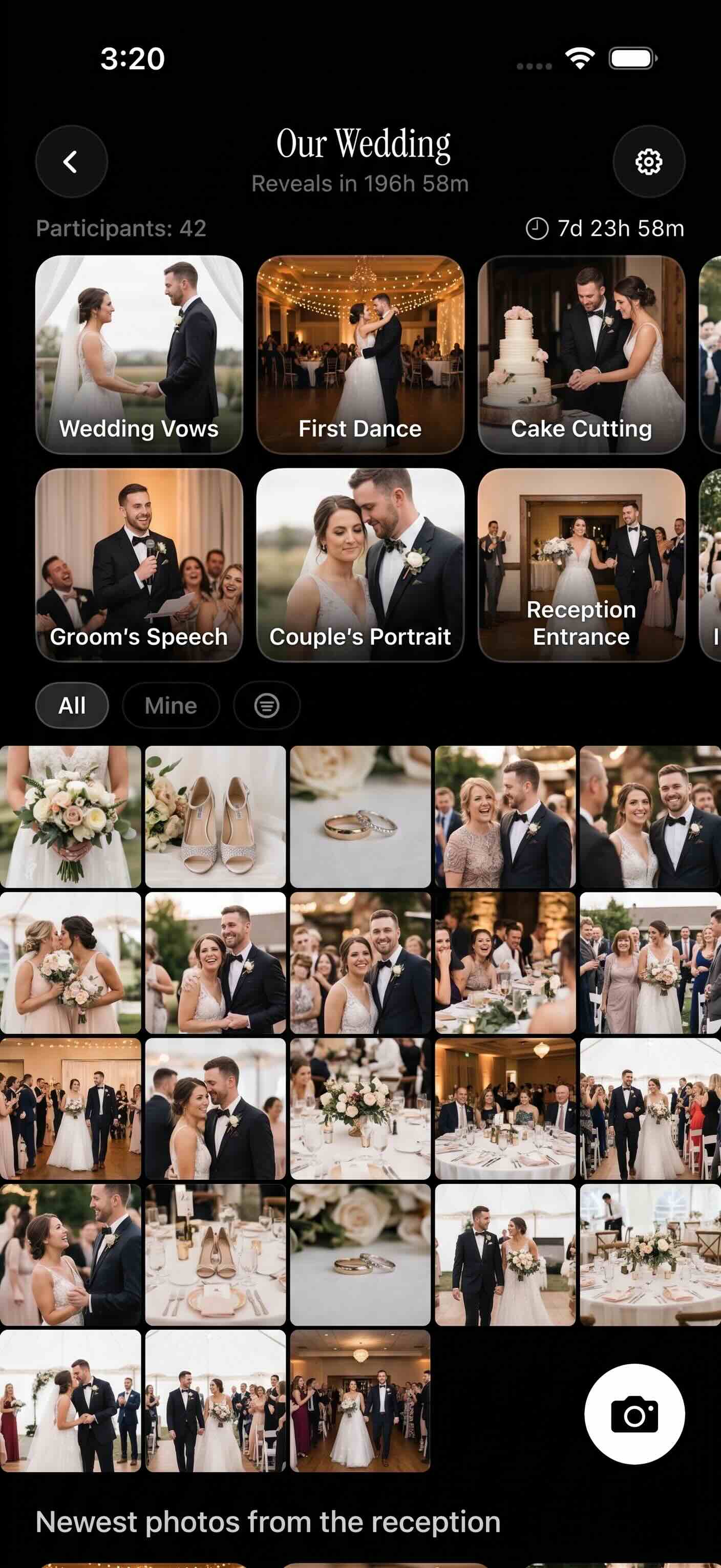 A shared gallery becomes easier to edit when guest photos are grouped into clear parts of the wedding day.
Getting ready and pre-ceremony pages
Start with the anticipation. Include getting-ready details, outfit close-ups, bouquets, breakfast, venue setup, guest arrivals, and people greeting one another.
These pages can mix polished detail shots with casual phone photos. A full-page image of the venue can act as an anchor. Smaller pictures can show shoes, handwritten notes, travel moments, and reunions outside the ceremony space.
Ceremony reactions and candid guest views
Build a spread around what guests saw. Include family reactions, the processional from the audience, children becoming restless, friends exchanging smiles, and applause after the ceremony.
Guest photos are useful when one moment was visible from many angles. Select viewpoints that add new information instead of printing ten near-identical frames.
Reception, dance floor, and late-night pages
Create sections for cocktail hour, table groups, family reunions, speeches, cake cutting, the first dance, open dancing, the send-off, and after-party moments.
A chronological structure creates a classic event record. Grouping by people can feel more emotional. You might create chapters for childhood friends, work friends, each side of the family, and guests who traveled together.
Before printing, remove blurry duplicates, screenshots, accidental uploads, and overly private moments. More files do not automatically make a better book. Strong editing gives each selected image room to matter.
Add Guest Book Prompts That Make the Photo Book Personal
Photos show what happened. Short prompts preserve what guests thought and felt.
Short message prompts for guests
Use prompts that can be answered in one sentence:
- “Your favorite memory with us”
- “Marriage advice in one sentence”
- “Where should we travel next?”
- “A song that reminds you of tonight”
- “What made you laugh today?”
Short prompts work better than long forms in this setting. Guests are often standing, socializing, or typing quickly on a phone. One focused question is enough.
Caption ideas for each photo book spread
Pair messages with related pictures. Place table advice beside a table group photo. Add a sibling's memory to a family spread. Put a song suggestion near dance-floor images.
Captions can also mark time and place: “Ten minutes before the ceremony,” “Table seven's verdict on the cake,” or “The last song of the night.” Keep captions specific. Avoid explaining details the photo already makes obvious.
Ways to include people who are camera-shy
Not everyone wants a close-up. Offer other ways to participate.
Collect handwritten notes or printable table cards. Turn a submitted voice note into a short caption with permission. Use a group photo with one shared quote. A camera-shy guest can also contribute a photograph of the venue, meal, flowers, or another meaningful detail.
Choose a Photo Book Layout Style
Choose the layout after reviewing the available material. The right format depends on the wedding, the guests, and the balance between photos and messages.
Classic chronological album
Follow the day from preparation to the final exit. This style suits formal weddings and events with a clear schedule. Use one or two strong anchor images for each major transition.
Polaroid-style guest book pages
Place one photo beside a short handwritten-style message or caption. This works well for casual weddings, backyard celebrations, and books built around individual guests or table groups.
Magazine-style candid recap
Use bold opening spreads, varied image sizes, short pull captions, and plenty of white space. This suits couples who prefer an editorial look. It is especially useful when the collection includes strong candid images and visual details.
Family-and-friends chapter layout
Organize the book by relationships instead of time. Create sections for each family, friend group, or travel party. This can make a large family wedding or destination wedding easier to navigate.
Do not crowd every spread. White space improves readability and separates messages from pictures.
Before designing, compare the chosen printer's current specifications. Review its common wedding album size categories, exact dimensions, layflat photo book options, matte and glossy paper choices, file requirements, and page-count limits. These details depend on the vendor and product. Confirm them on the vendor's own specification page before finalizing the layout.
Protect Guest Privacy Before You Print
Privacy belongs in the plan from the beginning. Wedding galleries may include children, private venues, travel details, emotional family moments, and guests who do not use public social media.
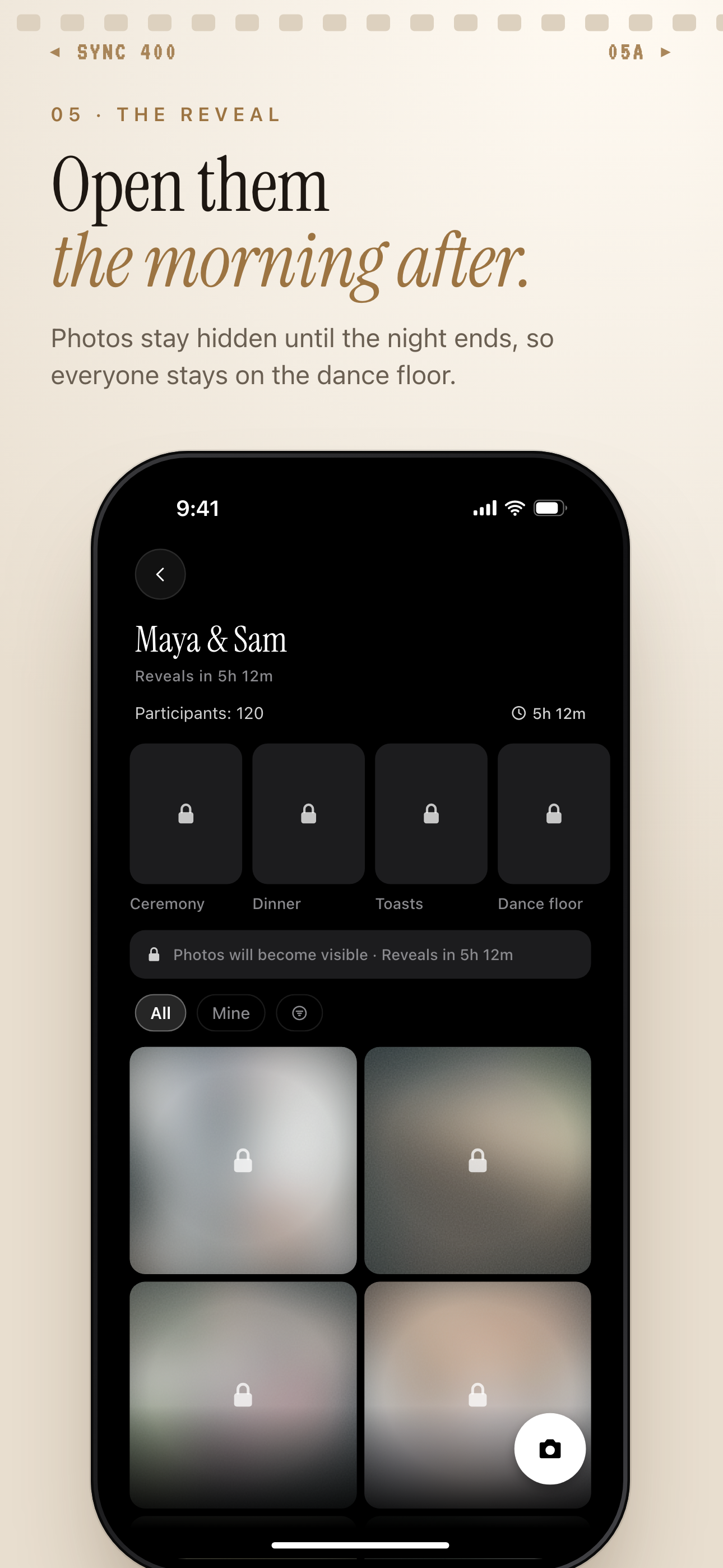 Photos stay locked until the reveal time, so the couple can look first before guests browse.
Decide who can upload and view photos
Limit access to invited guests when the wedding is private. Share the QR code through event materials and signs rather than a public post.
Also decide whether every contributor should see every upload. Upload access and viewing access do not always need to happen at the same time.
Delay gallery reveal if needed
A gallery reveal delay gives the couple time to review photos before the collection becomes visible to guests. The SYNC example shown here illustrates how reveal settings can support that workflow.
A delayed reveal is useful when guests may upload screenshots, duplicates, test pictures, or images of people who prefer not to be shown widely.
Review sensitive images before printing
Review the final selection with privacy in mind. Ask before printing or sharing sensitive pictures, especially close-ups of children, wardrobe mishaps, medical situations, visible addresses, or vulnerable emotional moments.
Consent matters even when a photo was uploaded willingly. Contributing to a wedding gallery does not necessarily mean agreeing to every later use.
Turn the Guest Gallery Into a Finished Photo Book
Treat the gallery as source material. A short editing process will turn it into a coherent keepsake.
Sort photos by photographer, moment, or table
Use this order:
- Finish collecting uploads.
- Remove accidental files and obvious duplicates.
- Group photos by moment, table, family, or friend group.
- Choose anchor images for the main sections.
- Add short captions and guest messages.
- Design and proof the printed book.
If the gallery provides photographer or uploader filters, use them to find contributions from a specific table, family member, or group of friends. This can surface useful pictures that would be missed in a single large feed.
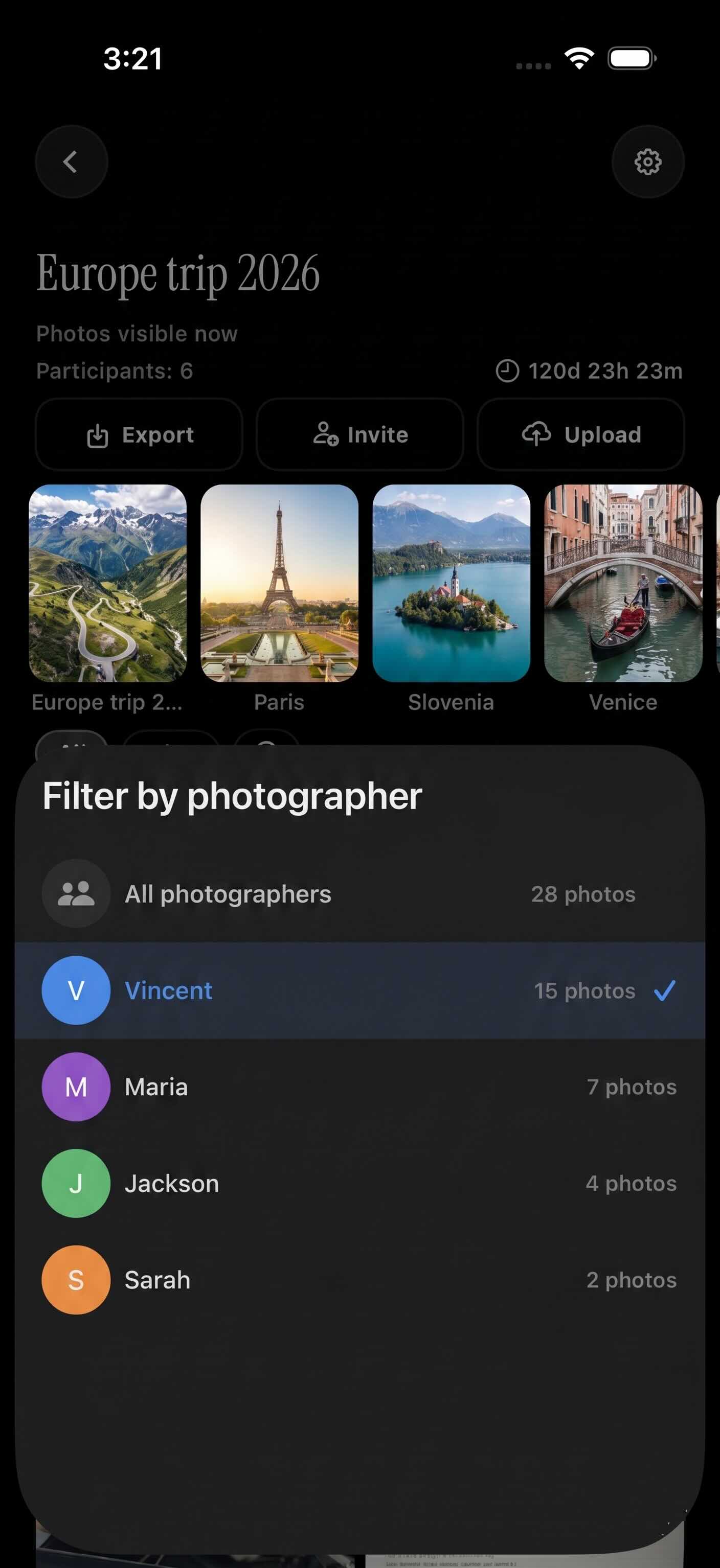
Filter by photographer pulls up every photo one guest contributed.
Pick the strongest images
Choose images for meaning as well as technical quality. A slightly imperfect photograph may deserve a page if it captures a unique reaction. A sharp image can still be left out if it repeats a stronger frame.
Check crops carefully. Avoid cutting through hands, faces, or important background details. Keep a consistent approach to color where possible, but do not over-edit casual guest pictures until they lose their character.
Export and design the book
Export the final selection into a clearly named folder. Keep a backup before uploading anything to a print vendor. Save the caption text separately too.
For long-term care of physical prints and photographic materials, consult the Library of Congress guidance on caring for photographs. Follow the book printer's handling and storage instructions for the finished product as well.
Order one proof copy when the vendor offers that option. Check names, dates, image crops, page order, and dark photographs before considering extra family copies.
Wedding Guest Book Photo Book Ideas by Couple Type
The same collection workflow can support very different books. Adapt the editing and layout to the people involved.
Minimalist couples
Use a restrained color palette, generous white space, and one short caption per spread. Black-and-white images can create a consistent look, but keep color when it carries meaning, such as flowers, cultural clothing, or venue details.
Destination weddings
Build a travel diary. Include arrival photos, maps or location captions, welcome drinks, excursions, local meals, the ceremony, and the journey home. Invite guests to answer, “What will you remember about this place?”
Large family weddings
Create family-tree-style chapters or sections for each branch of the family. Add table numbers and relationship labels during sorting. Clear upload instructions matter more as the guest count grows because photo volume can increase quickly. Strong curation will keep the final book readable.
DIY and budget-conscious weddings
Print simple prompt cards at home and place them beside the QR code. Collect digital guest photos first. Design a smaller book after the wedding when the budget is clearer.
Another option is to order one premium copy for the couple before deciding whether to create simpler family copies. The lasting value comes from thoughtful selection and context, not from printing the largest possible album.
A successful wedding guest book photo book starts before the wedding and finishes with careful editing. Make contribution easy. Keep access controlled. Ask useful questions. Then choose the moments that bring the people and atmosphere back to life.