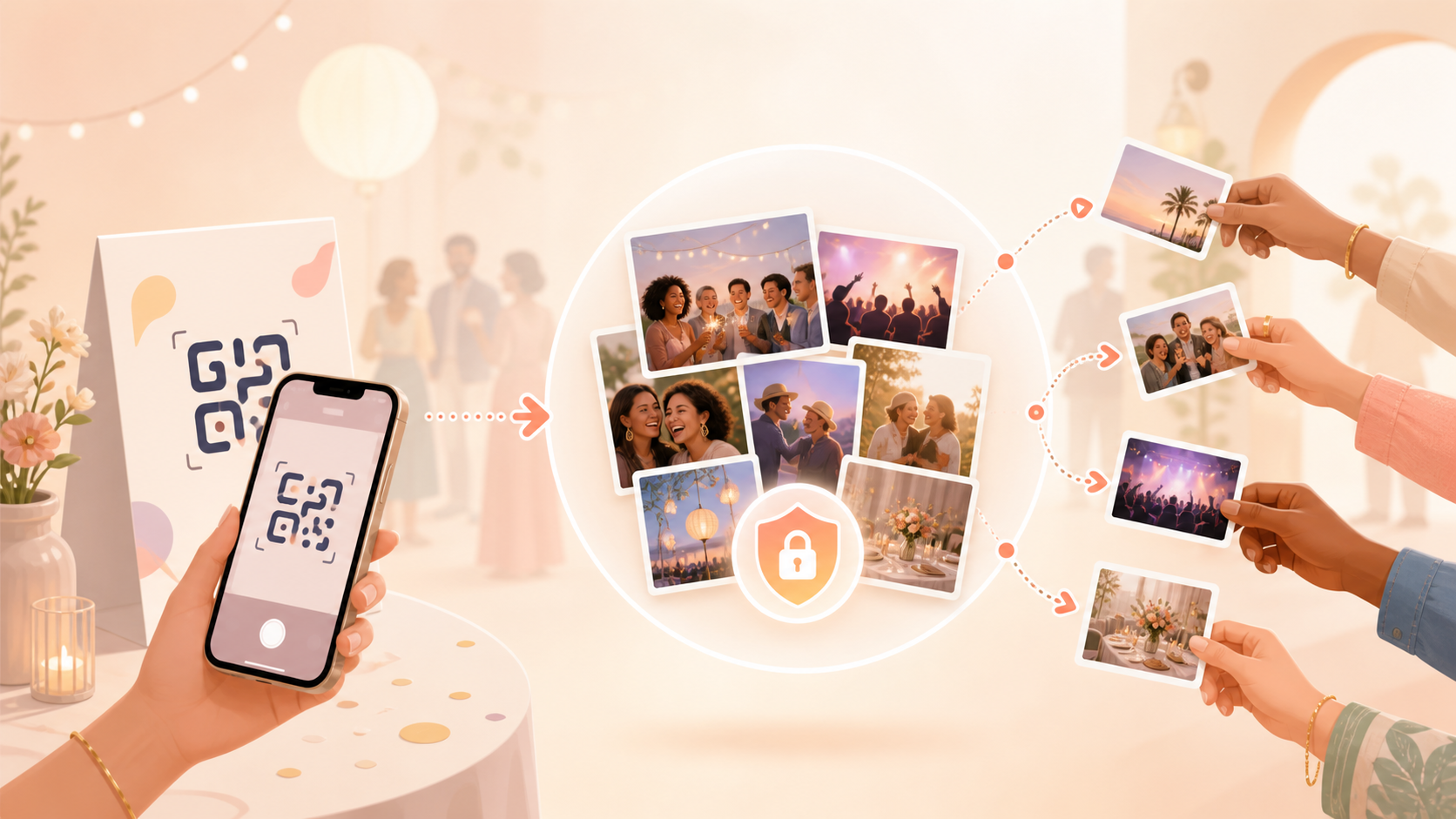
After a wedding, birthday, or group trip, photos end up scattered across dozens of phones, text threads, and social feeds — and someone always ends up chasing guests for "the good ones" weeks later. Private photo sharing on sync.camera turns that scramble into one shared event gallery from the start.
Hosts create an event, share a QR code, and every guest who scans it can add their own photos straight into that gallery. It works well for wedding hosts collecting candids from the whole reception, and it pairs with sync.camera's QR code photo sharing and event photo sharing tools for the rest of the event.
How private photo sharing works
Private photo sharing starts with the host. From sync.camera, a host creates an event and gets a QR code tied to that event's gallery.
Guests join by scanning the QR code — no searching for a link or a shared folder, just point a phone camera at the code shown at the event. Once scanned, guests land directly in that event's gallery.
From there, guests upload their own photos into the shared gallery. The event's upload window controls which photos are accepted: it's tied to the event schedule, so uploads line up with when the event is actually happening rather than staying open indefinitely.
The result is one gallery per event, filled in by everyone who was there, instead of photos staying scattered across individual phones and separate chat threads.

Control when the gallery is revealed
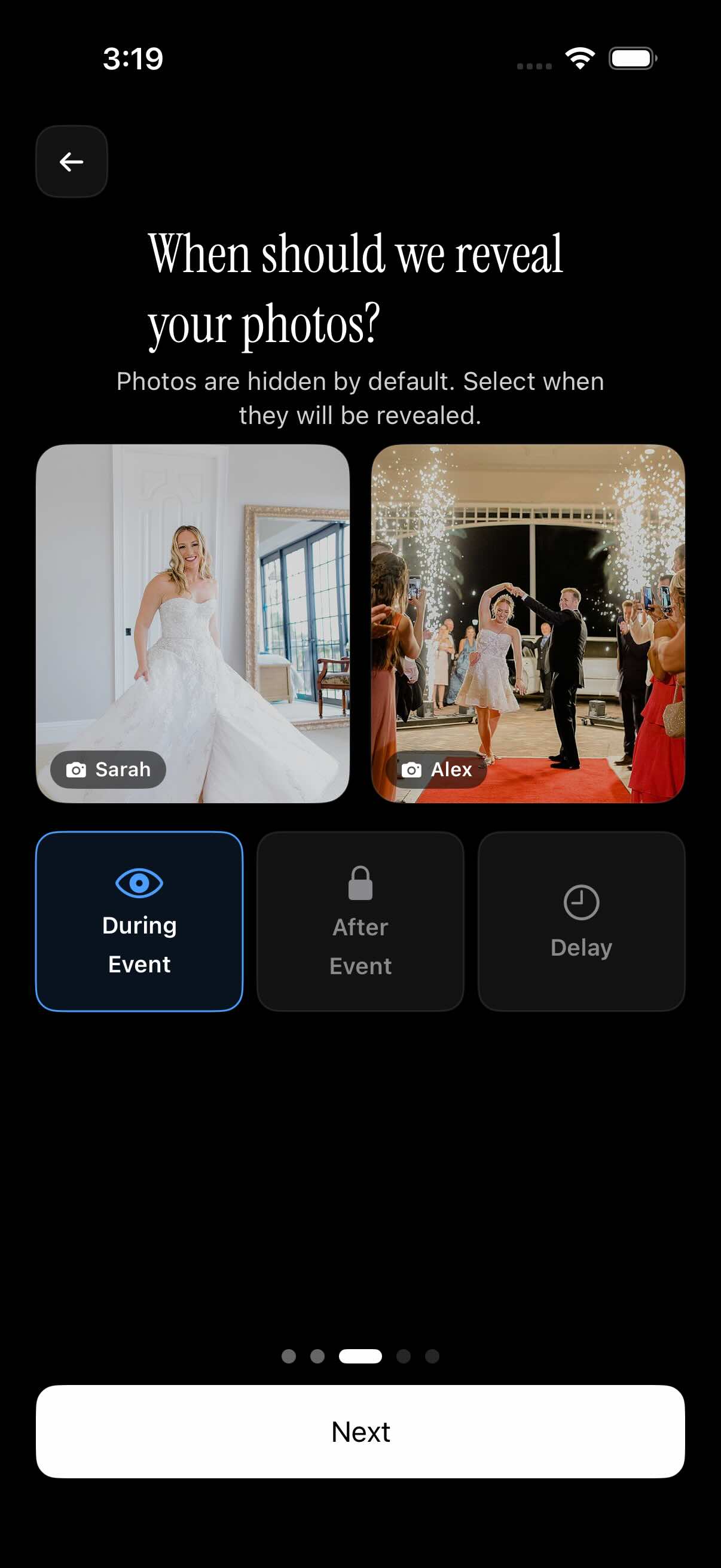
Not every host wants photos visible the moment they're uploaded. sync.camera gives hosts control over when the event gallery becomes visible to guests.
One option is to let photos appear during the event, so guests can see the gallery fill up in real time as everyone uploads.
Another option hides the gallery until after the event ends, keeping photos out of view until the event is officially over.
Hosts can also set a selected delay after the event before the gallery reveals — useful for building anticipation before everyone sees the full set of photos together.
Who it is for
Wedding hosts
Instead of a bride and groom messaging thirty guests after the reception asking who has photos, they share the event QR code before the ceremony. By the next morning, candids from the ceremony, the toasts, and the dance floor are already sitting in one gallery.
Families
A relative hosting a family reunion or milestone birthday hands out one QR code at the door. People who don't use the same social apps, or don't want to, can still drop their photos into a single gallery everyone can browse together.
Travel groups
A group of friends on a multi-day trip creates one event for the whole trip. Instead of five separate camera rolls or an on-and-off group chat, everyone's shots from the same days end up in the same gallery.
Features
QR guest invites
Hosts share an event QR code so guests can scan it and join the event gallery.
Event upload window
The event schedule controls which photos are allowed for upload, keeping uploads tied to when the event is actually happening.
Gallery reveal options
Hosts choose whether photos appear during the event, after the event ends, or after a selected delay.
Filter by photographer
Guests can browse the event gallery filtered by the person who took each photo.
Frequently asked questions
Do guests join with a QR code?
Yes. Each event has its own QR code, shown by the host at the event, and guests scan it to join that event's gallery. This is the primary way sync.camera brings guests into a private event gallery — there's no separate app search or manual invite list to manage.
Can hosts hide photos until the event is over?
Yes. Hosts can choose when the event gallery becomes visible to guests. Photos can appear as they're uploaded during the event, stay hidden until after the event ends, or reveal after a selected delay chosen by the host. This gives hosts control over whether sharing happens live or as a reveal later on.
Is there a free tier?
Events with up to 7 guests are shown as free. That covers many smaller gatherings, like a family dinner or a small group trip, without needing to look at paid options first.