
Wedding and party photos usually end up in one of two bad places: scattered across a dozen group chats where half the guests never see the full set, or sitting behind a public share link that anyone who finds it can open — even people who were never invited. Tools built around shareable links treat 'private' as a setting you can turn off by accident. That's not private, that's just unlisted.
Private shared albums on sync.camera fix this at the root: there is no public link to begin with. Every album is invite-only by design, and the only way in is scanning the host's QR code. Guests upload from their phone's browser the moment they scan — no app install, no account, no waiting on anyone to accept a request. It's the shortest possible path from 'I took a photo' to 'it's in the shared album,' with nothing for a stranger to stumble into.
How private shared albums work on sync.camera
Start by creating an event in the sync.camera app — a wedding, a birthday party, a reunion, anything with a guest list. When you create the album, sync.camera does not generate a public URL for it. There's no link to copy, no link to accidentally post in the wrong group chat, no link a stranger could guess or crawl. That's a structural choice, not a checkbox you have to remember to enable.
Instead, the app gives you a QR code tied to that specific album. Print it, put it on a table card, project it during a toast — whatever fits the event — and guests scan it with their phone's camera to land straight in the album. Scanning is the only entry point sync.camera supports for a private album, so the QR code itself is the access control, not an afterthought layered on top of a link.
Once a guest scans in, they can start uploading immediately from their phone's browser. There's no account to create and no app to install just to contribute — the friction that normally stops half a guest list from bothering to share their photos simply isn't there.

Control what guests can see, and when
Privacy isn't only about who can get in — it's also about controlling what shows up and when. Every sync.camera event has a start and end date, and only photos taken inside that window are accepted into the album. A guest testing their camera the week before, or uploading old photos from their camera roll after the fact, won't end up mixed into the event gallery.
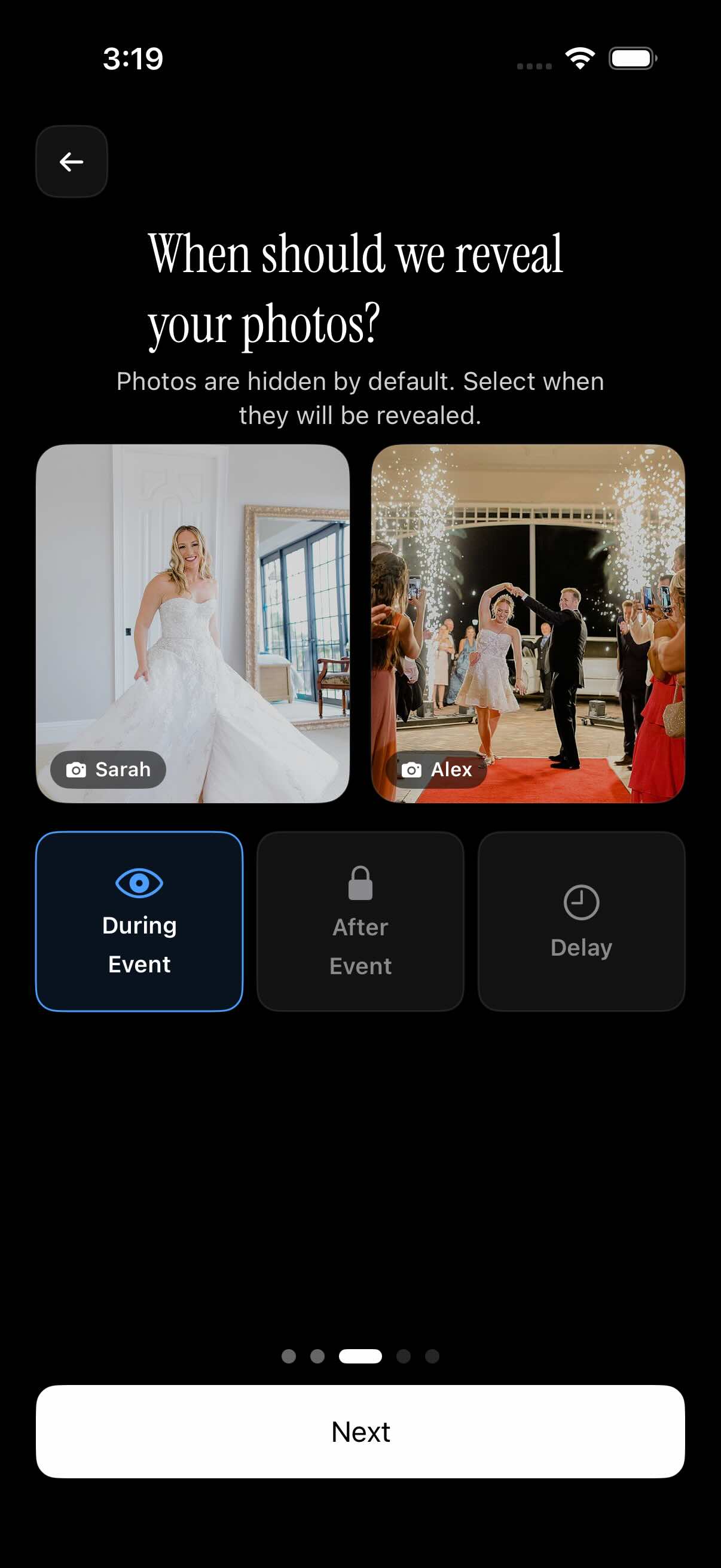
Hosts also control when the gallery itself becomes visible. You can let guests see photos as they're uploaded throughout the event, hold the whole gallery back until the event officially ends, or set a delay so it opens some time after — a proposal reveal, a cake cutting, or a gender reveal stays a surprise even if a guest is uploading photos from the next room. Nobody sees anything until the host decides they should.
Once the event wraps, the finished album can be filtered by photographer, so a host can pull up exactly what one guest — or one side of the wedding party — captured, instead of scrolling the whole gallery to find their shots.
Who it is for
Wedding couples
The wedding party scans a QR code at the venue to join one private album — no public link ever goes out to a guest list of 150. The couple keeps the gallery hidden until after the ceremony, so first-look and vow photos stay a surprise. See how sync.camera fits [wedding photo sharing](https://sync.camera/for/wedding-pic-app).
Families hosting a birthday party
Grandparents and close family scan the host's QR code at the party and join the same private album — no group chat, no public link floating between phones. Everyone's photos land in one place sync.camera keeps just for the family.
Small friend groups on a trip
A group of up to seven friends joins a free private album by QR code and starts uploading trip photos as they happen. Nobody has to create an account first — they scan, and they're in.
Hosts with larger guest lists
A host running a bigger event — a large wedding, a company party — upgrades to a paid event to lift the free seven-guest cap, so everyone at the party can join the same private album and upload as many photos as they want.
Features
QR-code-only invites
The only way into a private album is scanning the host's QR code — there's no shareable public link to leak.
No guest accounts
Invitees upload from their phone's browser right away; nobody has to sign up to join a private album.
Guest cap on free events
Free private albums support up to 7 guests; paid events remove the cap for unlimited guests and uploads.
Timed gallery reveal
Hide the album during the event, until it ends, or for a set delay after — the host decides when photos become visible.
Upload window by event date
Only photos taken between the event's start and end dates are accepted into the album.
Frequently asked questions
Do guests need a sync.camera account to join a private shared album?
No. Guests join by scanning the host's QR code and can start uploading right away from their phone's browser. There's no app to install and no account to create just to contribute photos.
Can anyone with a link find or join my private album?
No — sync.camera doesn't generate a public link for the album, so there's nothing to find or leak in the first place. The QR code is the only way in, which means only people the host actually invites can see or add photos.
How many guests can join a private shared album for free?
Free events support up to 7 guests. If you need more, you can upgrade to a paid event for unlimited guests and unlimited photo uploads, with the same QR-code-only privacy.
Can I stop guests from seeing the gallery until the event is over?
Yes. Hosts choose whether the gallery is visible during the event, only after it ends, or after a set delay you define. That makes it easy to keep a proposal, cake reveal, or other surprise hidden until the right moment.
What happens to photos guests try to upload from outside the event dates?
Only photos taken within the event's set start and end dates are accepted into the album. Anything taken before the event starts or after it ends is filtered out automatically, so the gallery only reflects the actual event.