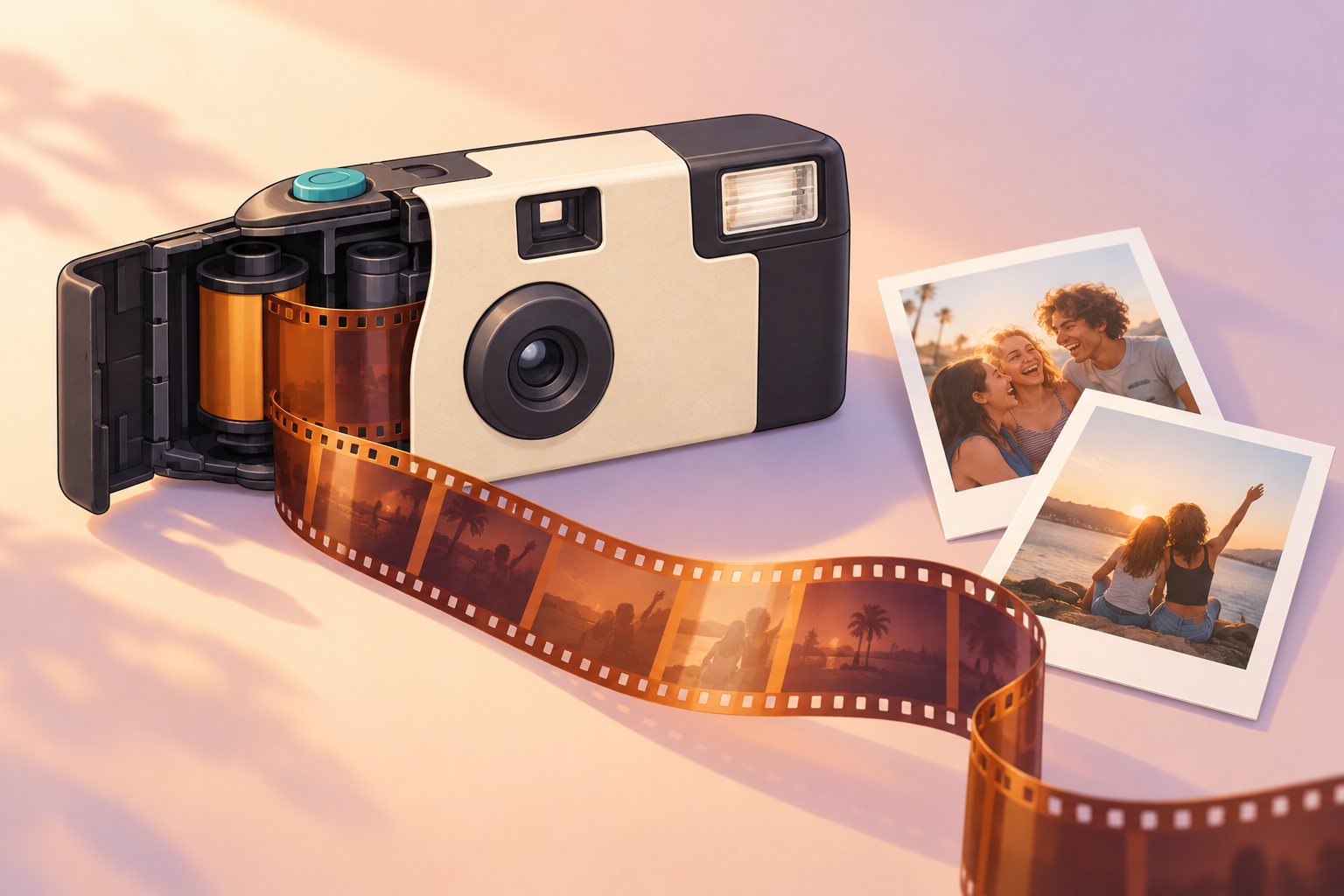
A disposable camera looks simple. It is simple. But a lot happens between pressing the button and holding a print. This guide follows one photo from press to print, in order. Then it looks at why the idea still appeals, and how a shared phone camera can carry it over.
What a disposable camera actually is
A disposable camera is a simple, pre-loaded, single-use film camera. You cannot change its settings. You cannot load new film. You shoot the roll, then hand it in.
A film camera in a cardboard shell
The core idea fits in one short paragraph. Light hits film. The film records it. Later, a lab turns the film into prints. Everything else in the camera exists to make that happen with as little fuss as possible.
Most disposables use 35mm film, sealed inside a plastic body with a paper or cardboard wrap. There is no screen, no menu and no zoom.
Why "disposable" is a bit of a misnomer
You throw away very little. In general, the photo lab opens the camera to get the film out, and many labs recycle the body and parts. Treat that as a general rule, not a promise. Practices vary by lab and by brand. "Single-use camera" is the more accurate name.
What is inside: the parts that matter
You only need to know four parts. Each one is as basic as it can be.
Lens and fixed aperture
The lens is a simple plastic fixed-focus lens. Fixed focus and a fixed aperture mean there is nothing to adjust. Everything beyond a short distance comes out reasonably sharp. Very close subjects do not. That is why the photos look soft.
Shutter
The shutter is a small mechanical door in front of the film. It has a single speed. When you press the button, it opens briefly, then closes. That short opening is the exposure.
Film roll and winding wheel
The film comes pre-loaded on a spool. A thumb wheel moves it forward one frame at a time. A counter shows how many shots remain. When the counter hits zero, the roll is finished.
Flash and battery (on flash models)
Flash models carry a small battery. The battery charges a capacitor, which stores energy for a quick burst of light. When the shutter opens, the flash fires. You usually charge it with a button or switch and wait for a light to show it is ready. We have left out voltage and timing numbers, because they vary by model and we have not verified them.
What happens when you press the button, step by step
Here is one photo, from start to finish.
- Wind. Turn the wheel until it stops.
- Aim. Frame the shot through the small viewfinder.
- Press. Push the button.
- Expose. The shutter opens and closes in a blink.
- Hold. The exposed frame stays put until you wind again.
Wind, aim, press
Winding comes first, every time. On most models, winding does two jobs. It cocks the shutter, and it moves fresh film into place. If you skip it, you may press the button and get nothing. Or you may expose the same frame twice, which gives a double exposure. Either can ruin the shot.
Light hits the film
Film is coated with light-sensitive chemicals. When light passes through the lens during the exposure, those chemicals react. The result is not a picture yet. It is an invisible latent image. It only turns into a visible photo once the film is developed.
The frame is locked in and the wheel resets
After the shutter closes, that frame is done. The next wind pushes it out of the way and brings fresh film forward. The counter ticks down by one.
This is also why there is no screen. Nothing on the camera can show you the image, because there is no image to show yet. You find out later.
From last frame to prints: how the photos develop
When the counter reaches zero, the roll is full. You cannot see any of it. The photos only exist as latent images until a lab does its work.
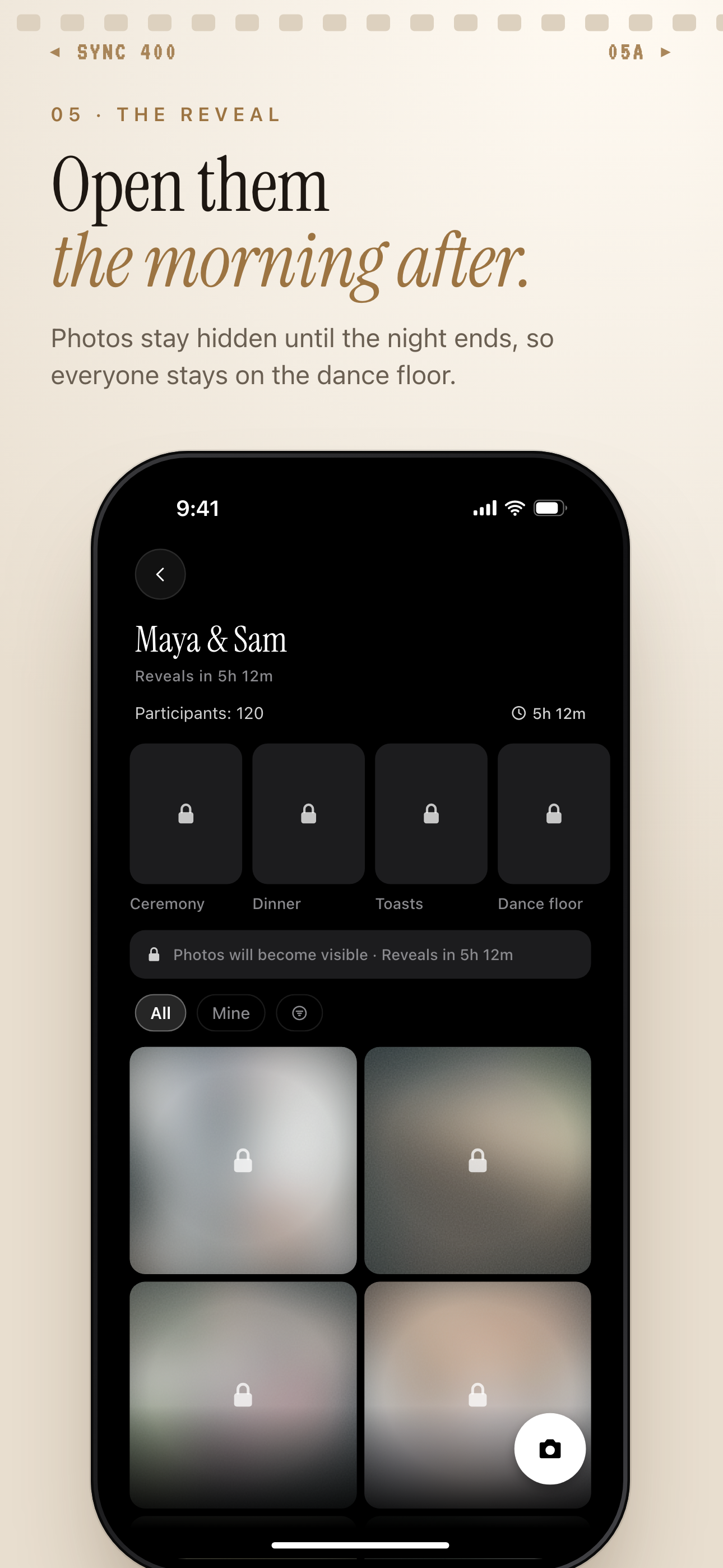 A SYNC wedding album with locked, blurred photos and a countdown banner: the same "you can't see them yet" feeling as waiting on a roll of film.
Winding to the end
Wind until the wheel stops. Do not try to open the camera yourself. Opening it would expose the film to light and ruin the shots.
Handing it to a lab
A lab opens the camera and removes the film. It develops the film with chemicals, then scans or prints it. Only then can you see a single photo. That is why people talk about "developing" a disposable. We have not quoted turnaround times or prices here, as they differ from lab to lab.
Why the wait is part of the charm
The prints have a typical look. Colours run warm. Focus is soft. There is grain. Indoor flash can look harsh. Now and then you will see a light leak or another small imperfection. These come from the simple lens and the film, not from a fault in your camera. For many people, that is the whole appeal.
How to use a disposable camera well
A few habits help. Keep them short and simple.
Light and distance
Shoot in good light. Stay at a sensible distance from your subject. For indoor shots, stay close enough for the flash to reach. Check the packaging for the range on your model. We do not give a figure here because it differs between cameras.
Flash tips
Charge the flash and wait for the ready light. Do not point it straight at shiny surfaces. Expect harsh results at close range.
Holding still and winding every time
Hold the camera steady. Keep your fingers off the lens. Wind after every shot.
Be honest about the limits. There is no zoom. There are no retakes. There is no review. Expect a few misses. That is part of the deal.
Why the disposable idea still works for parties and weddings
Hosts have long left disposable cameras on tables. The reasons are simple.
Everyone gets a camera
Many cameras sit at many tables. Guests catch candid moments a hired photographer will miss. Nobody can be everywhere. A table of friends can.
A limited number of shots
A roll runs out. That limit makes people think before they press the button. It also makes each shot feel a bit more special.
Photos from every angle, not just the official ones
The pictures come from where guests stand, not from where the photographer stands. That mix is the point.
The downsides are real, too. Hosts have to buy the cameras and collect them at the end. Guests forget them. Lab costs add up. And the wait for scans can feel long. We describe these in general terms only, since costs and times vary.
So here is the pivot. The same idea can run on guests' own phones.
The digital version: a shared disposable-style camera on phones
SYNC (sync.camera) is a shared camera for events. It is a phone-based way to get the disposable-camera feel. It is not a replacement for film grain, and we do not claim it recreates film exactly.
Here is how an event works from start to finish. The host creates an event, names it and picks an end time. Guests join from a QR code or an eight-character invite. Photos then appear according to the reveal mode the host chose.
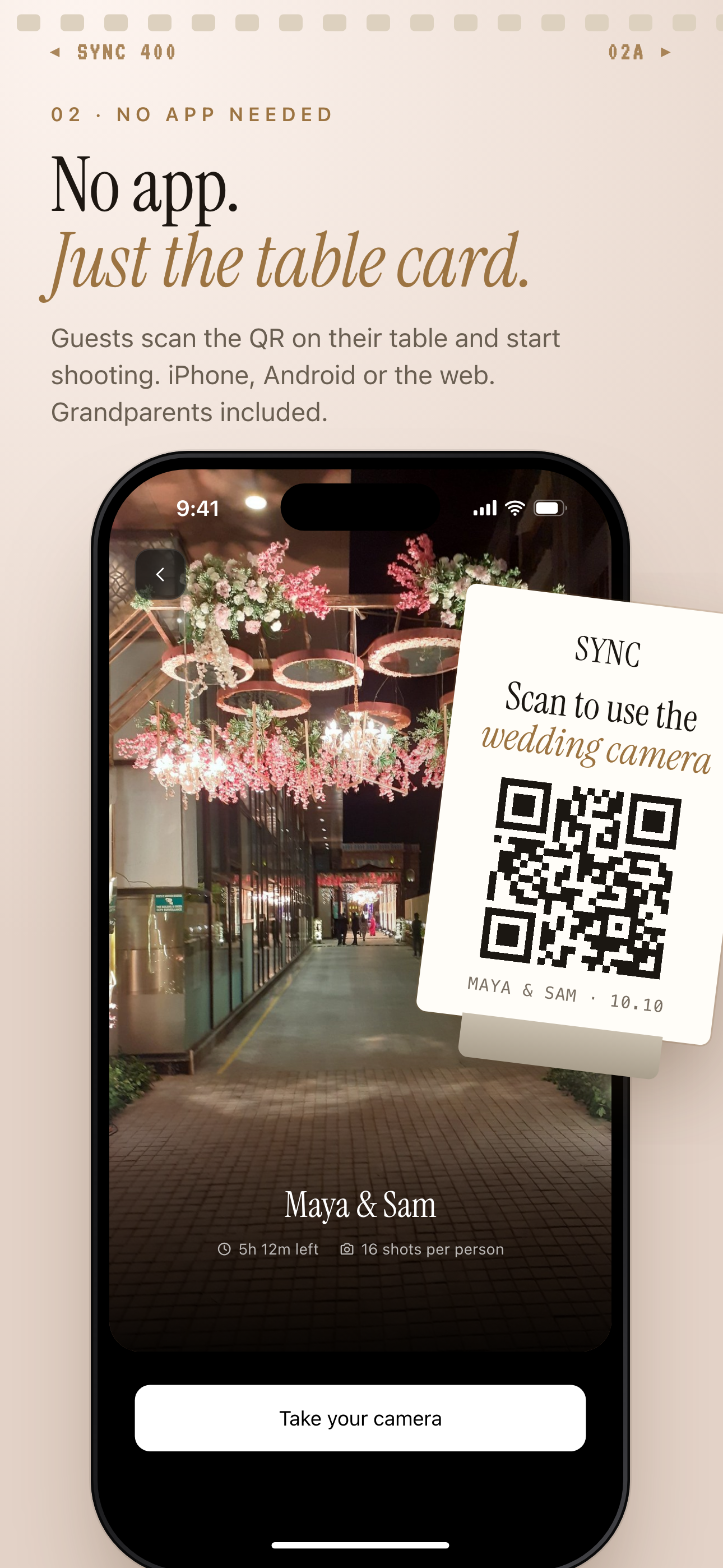 A QR table card and the matching SYNC join screen: scanning the card is the phone version of picking up a disposable from the table.
Guests join with a QR code, no account
No account is required. Guests can join from any modern phone browser through the invite link. Installing the iOS or Android app is optional. It adds better camera controls and push notifications for new photos. You can see how joining works on the SYNC homepage.
Shared album that builds itself
Every guest's photos go into the same event album. Nobody has to collect cameras or wait on a lab. For the full setup, see collecting guest photos with a QR code.
Keep the "wait to see" feeling with reveal modes
SYNC has three reveal modes:
- During: guests see photos live as they are taken.
- After the event: the gallery unlocks when the event ends.
- Additional delay: the gallery unlocks a set number of hours after the event ends.
The second and third modes bring back the feeling of waiting to see your photos. For more on that idea, see how reveal modes work.
Longer events can use Moments. A host can split an event into stages, such as ceremony, reception and after-party. Each stage has its own QR code and its own reveal timing. Guests move between them without switching apps.
On price, SYNC is free to start, and you upgrade per event. The free tier allows up to 7 guest uploaders per event. SYNC PRO is a one-time purchase, not a subscription. It expands the guest and photo limits for a single event. You upgrade again only when you create a larger event. We do not list prices here.
On privacy, the line is short: "We don't sell your photos or your data. No ads. No cross-app tracking." The details are in the privacy policy at join.sync.camera/privacy.
Film camera or shared phone camera: which should you pick?
Both can work well. The right pick depends on what you care about. Here is a short side-by-side in prose.
Look and feel: film gives grain, warm colour and happy accidents. A phone camera gives the clean look of a phone, with the disposable idea of shared, limited, delayed photos.
Effort for the host: with film, you buy and hand out cameras, then collect them. With a shared phone camera, you share a QR code.
How quickly photos arrive: film arrives after a lab visit. With SYNC, photos arrive according to the reveal mode you pick.
How photos get collected: film means gathering physical cameras. SYNC puts every guest's photos in one place.
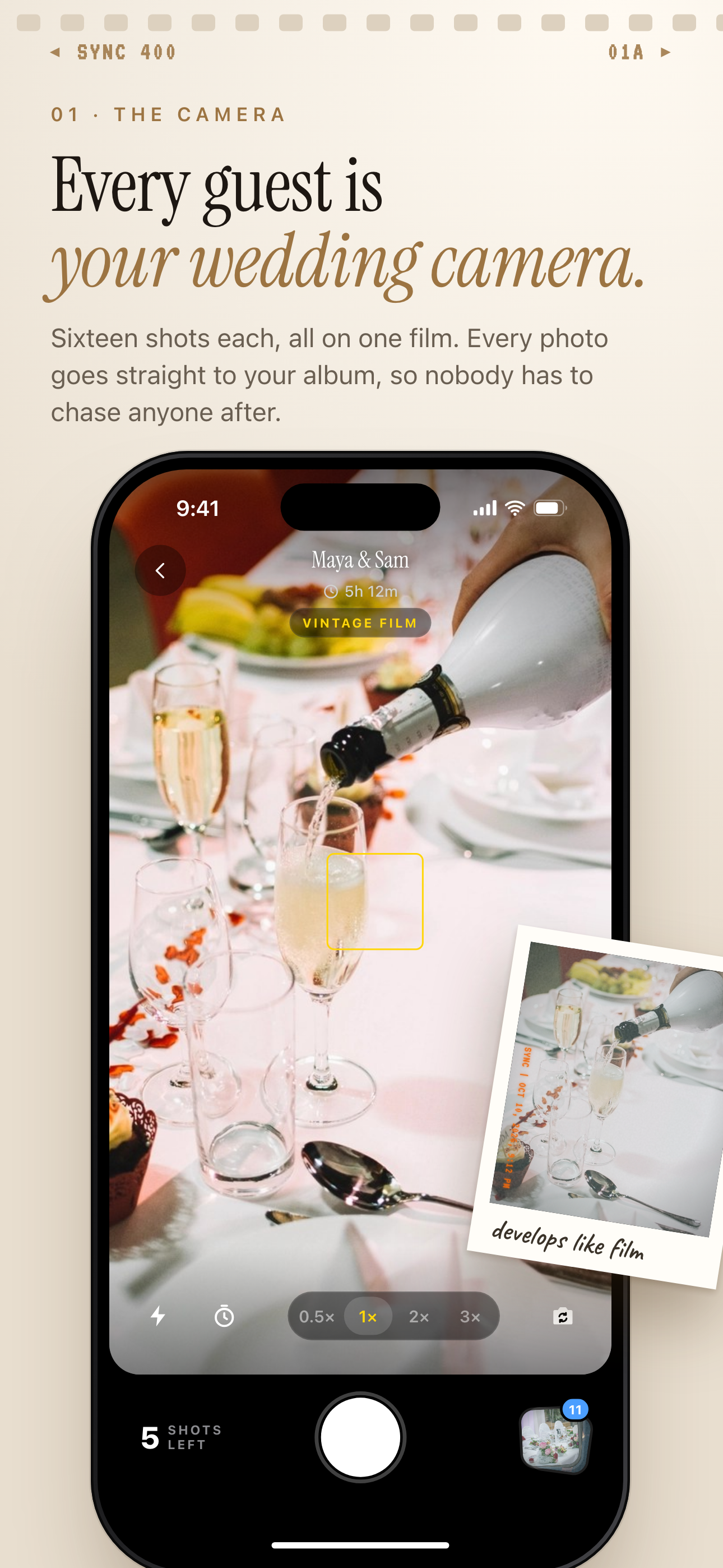 The SYNC in-app camera at a wedding, with a shots-left counter on screen.
Pick film if
You love the physical, imperfect look. You enjoy the ritual of winding, shooting and waiting. You do not mind the cost and the chore of collecting cameras.
Pick a shared phone camera if
You want every guest's photos in one place, without collecting cameras. You can export your favorites. You can also narrow the album to one contributor's shots with Filter by photographer.
If you are weighing the two for a wedding, our guide to wedding disposable camera alternatives goes deeper.
Ready to try the phone version? Start at the SYNC homepage.