
Planning an office party is easy to overthink. You need games that are quick to explain, fun for quiet people and safe for work. This guide groups ten games by room type and effort. Each one has plain steps you can follow without extra research.
How to pick an office party game
A good office party game has one job. It gets people talking without making anyone uncomfortable. Start with the room, not the game list.
Know your room
Think about who will be there. A team of eight who work together daily is not the same as forty people from five departments. Mixed seniority matters. Mixed comfort levels matter too.
Avoid anything that forces personal sharing or physical contact. Skip games that make people reveal salaries, health or family details. Skip anything that needs touching, lifting or close contact.
Keep it optional
Pick games people can join in under a minute. Just as important, people should be able to leave without awkwardness. Let guests watch, judge or keep score instead of playing. A game that works for both players and watchers is a safe choice.
Match effort to time
Plan three types for a typical party:
- One low-prep game. Something you can start with no props.
- One active game. People move around or work in small groups.
- One team game. It gives groups a shared goal and a simple score.
That mix covers shy and loud guests, and it fills about an hour.
Quick icebreaker games (5 to 10 minutes)
Icebreakers work best at the start. They need no props, or only things already in the office. Keep topics light and work-safe. Ask about favorite snacks, not family history.
Two truths and a lie
Each person says three statements about themselves. Two are true and one is false. The group guesses the lie. Tell people to pick harmless facts, like a food they dislike or a city they have visited. Go around the room, or play in groups of five if the party is large.
Desk-object scavenger round
The host calls out a category, such as "something blue" or "something older than your phone." Everyone has one minute to find a matching object at their desk. Players hold it up and the group votes on the best find. It needs nothing but what is already in the office. Remote colleagues can join with objects from their own homes.
Would you rather: office edition
The host reads a two-option question. Players pick a side of the room, or raise one or two fingers. Keep questions silly and work-safe. "Would you rather always have a loud keyboard or a squeaky chair?" works. Questions about bosses or pay do not. Prepare ten in advance and stop when energy dips.
Team games for bigger groups
Once the room has warmed up, move to team play. Teams give shy people cover and give extroverts a stage.
To split a group, count off by number: "one, two, three, four," then all the ones form a team. This mixes departments better than letting people choose. Aim for four to six people per team. Keep score on a whiteboard or shared screen. One point per correct answer is plenty.
Office trivia
Write 15 to 20 questions. Choose topics that include remote or newer colleagues. Ask about the company, its products or general knowledge, not inside history that only veterans know. A question like "Which city is our second office in?" is fair. "What did we do at the 2019 offsite?" is not. Read each question twice. Teams write answers on paper and swap to mark them.
Pictionary or charades by team
Prepare a bowl of slips with words and phrases. Office terms like "conference call" or "stand-up meeting" are funny and familiar. One player from each team draws or acts while teammates guess. Give each round 60 seconds. Rotate the performer so nobody feels singled out. Let people pass on a slip they dislike.
Bingo with office in-jokes
Make bingo cards with squares like "someone says 'you're on mute'" or "a printer jams." Mark squares during the party as they happen. The first person with a row calls out the win. Use shared annoyances, not jokes aimed at one person.
What to prepare in advance:
- A list of trivia questions with answers
- Pens, paper and a whiteboard
- A bowl of charades slips
- Printed or shared bingo cards
- A timer on a phone
- A simple prize or two
Photo hunt: a game that leaves you with party photos
Every other game on this list ends when the party does. A photo hunt is different. It gives you pictures of the party as a side effect. It also gets people moving around the office and talking to colleagues they rarely see.
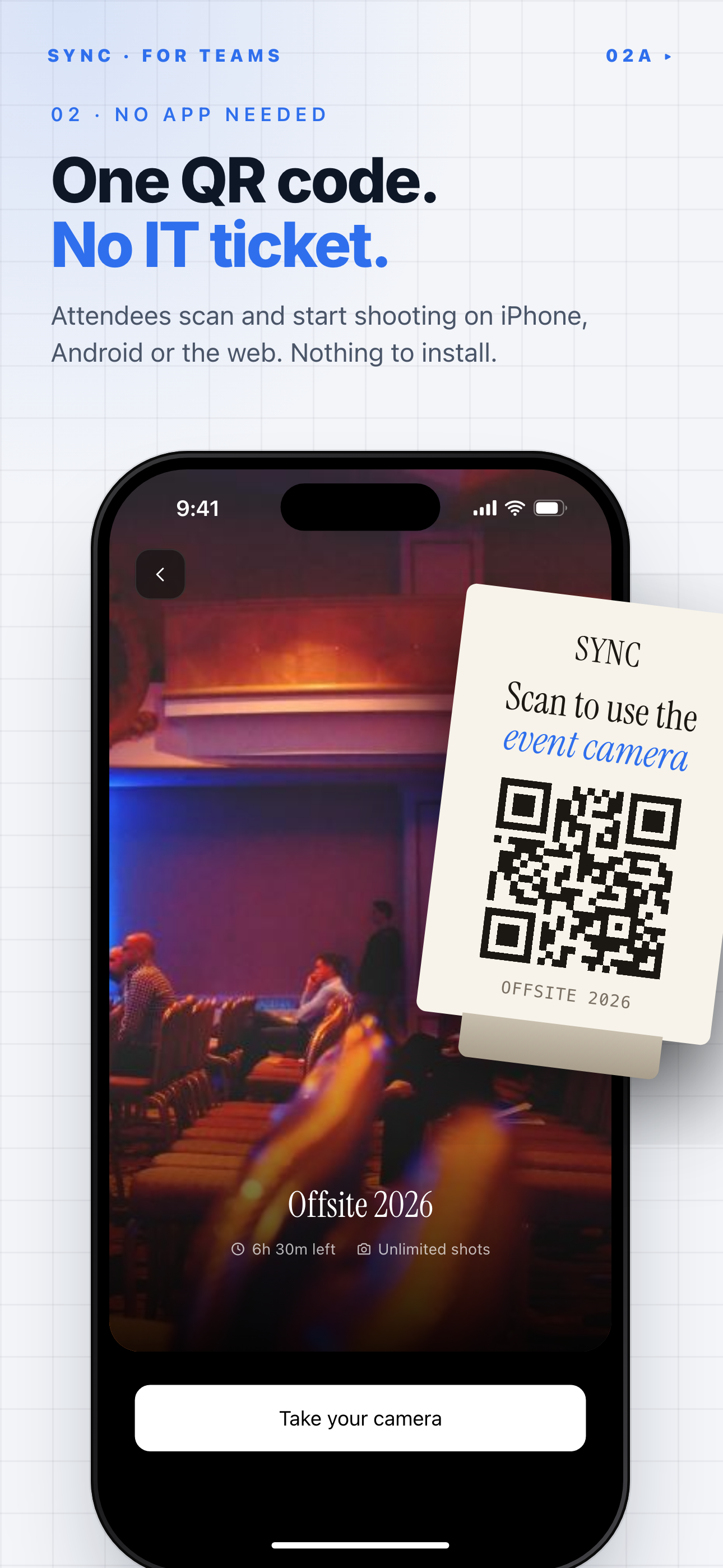 Coworkers join a photo hunt by scanning a QR code, so setup takes seconds instead of an app-install queue.
How a photo hunt works
Teams or individuals get a list of photo challenges. They take pictures during the party. At the end, the group looks at the photos and votes on the best ones. Keep the list to eight or ten prompts so the game stays short.
Sample challenge list
- The best group pose
- The silliest desk-chair shot
- A team in matching colors
- Someone holding the oldest gadget in the office
- A toast with whatever drinks are on hand
- The tidiest desk, and the messiest one
- A human pyramid of three, with no one lifted off the floor (make this one optional)
Keep prompts light. Avoid anything that puts a person on the spot.
Running it with a shared album
You need one place where everyone's photos land. SYNC is one practical option. The host creates an event, names it and picks an end time. Guests join from a QR code or an eight-character invite. No account is required. Guests can join from any modern phone browser through the invite link. Installing the iOS or Android app is optional.
The free tier supports up to 7 guest uploaders per event, and no credit card is needed. That is small for many office parties. A bigger party may need SYNC PRO, a one-time purchase that expands the guest and photo limits for a single event. It is not a subscription. You can upgrade again only when you create a larger event.
Reveal modes let the host choose when photos appear. They can show during the event, after it ends or after an additional delay. A delayed reveal suits a surprise photo vote. Afterward, the album can be narrowed to one contributor's shots with Filter by photographer, and favorites can be exported.
On privacy: SYNC says it does not sell your photos or your data. There are no ads and no cross-app tracking. For more on how it fits company events, see SYNC for corporate events.
Holiday and seasonal office party games
For a holiday party, adapt the earlier games to a theme. Do not add more complexity. People are busy in December, and simple wins.
Holiday trivia
Reuse the trivia format with seasonal questions. Ask about holiday traditions in different countries, winter foods or famous songs. Keep it inclusive. Not everyone celebrates the same holiday, so mix in general winter and year-end topics.
Gift exchange variations
Set a clear budget and tell people up front. Let people opt out with no explanation. Three common formats work well:
- Secret gift swap. Names are drawn in advance and gifts are anonymous.
- Steal-style swap. Guests pick wrapped gifts and may take one from another player.
- Group donation. The team pools the budget for a charity instead of gifts.
The donation option suits teams where gift swaps feel like pressure.
Decorate-a-desk contest
Give people 15 minutes before the party to decorate their own desks, or a shared team table. Use what is on hand: paper, tape, lights if allowed. Walk around and vote with sticky notes. Remote staff can share a photo of their workspace.
A photo hunt fits a holiday party well. It gives guests a reason to mingle, and you end up with festive pictures. Take the SYNC homepage as a starting point to see how events and invites work.
Running the party: timing, prizes and inclusion
A short schedule keeps energy up and stops the party from dragging.
Sample 60-minute schedule
- 0:00 to 0:10: Welcome and one icebreaker, such as two truths and a lie
- 0:10 to 0:40: One team game, such as trivia or charades
- 0:40 to 0:55: Photo hunt, with the challenge list shared at the start of the party and photos taken throughout
- 0:55 to 1:00: Announce winners and share the album
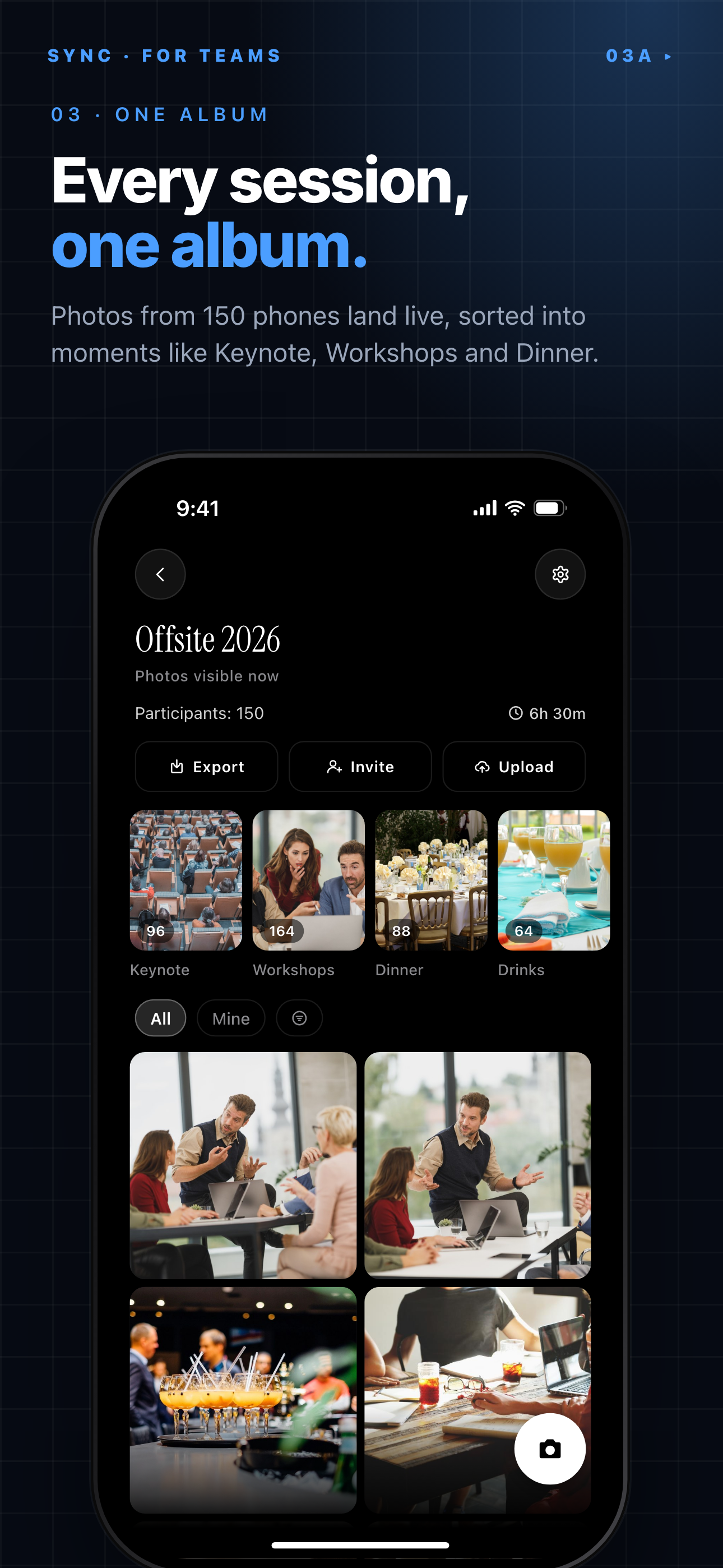 A shared album fills up fast once many people contribute, and moments split an event into stages like Keynote, Workshops and Dinner.
Moments split an event into stages, each with its own QR code and reveal timing. That helps for a longer offsite, though a one-hour party rarely needs it.
Low-cost prizes
Prizes can be small. Bragging rights count. A trophy that moves from desk to desk until the next party is a cheap tradition people enjoy. A coffee voucher, an extra long lunch or first pick of the next snack run also work. Keep prizes modest so the games stay fun and the competition stays friendly.
Making it work for remote and hybrid teams
Remote and hybrid colleagues can join most of these games on video. Trivia, would you rather and the desk-object round all work on a call. Photo hunts work well because remote colleagues contribute pictures from their own phones through the invite link. Use a shared album so everyone sees the same photos.
A short wrap-up helps. After the event, the host can export favorite photos and send them to the team. That gives everyone a record of the party, including people who joined from home.
Final thoughts
Pick three games, not ten. Mix a low-prep icebreaker, a team game and a photo hunt. Keep everything optional and work-safe. People remember a relaxed hour far more than a packed schedule.