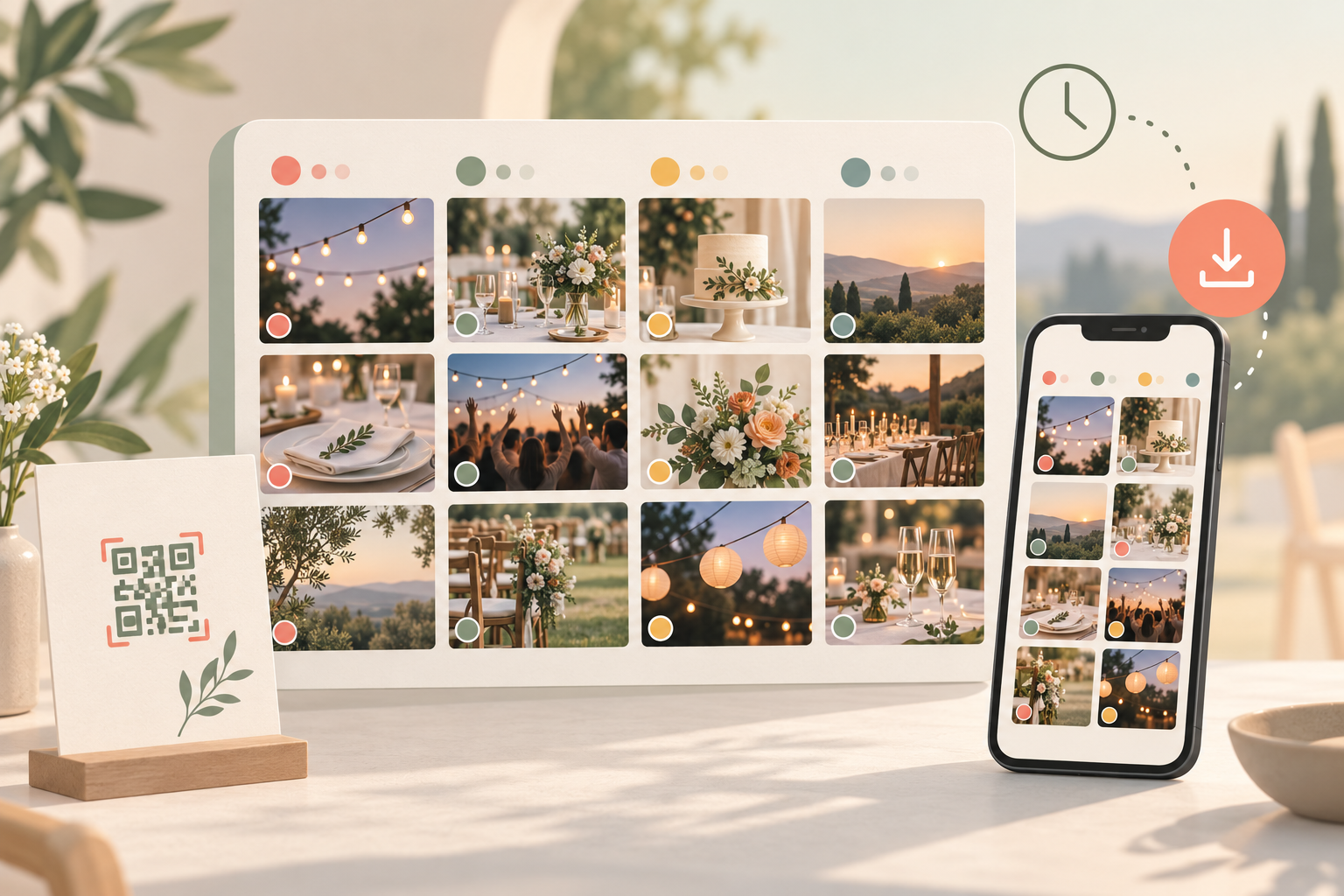
After a wedding, birthday, or family reunion, the good photos never live in one place. They're split across a dozen phones, a group chat that compresses every file, and a handful of texts nobody can find again three weeks later. Chasing down the shots your photographer took, the ones your cousin caught, and the ones you snapped yourself usually means asking a dozen people to send files one at a time — and some of them never do.
A QR code album fixes the collection problem at the source. Every guest scans the same QR code photo-sharing link to join the event, and whatever they upload during the date range you set lands in one shared album automatically — no forwarding, no separate group chat, no compressed exports. It's built to be privacy-forward too: sync.camera doesn't run ads or cross-app tracking, and it doesn't sell photos or data, so the album stays about the event, not about mining it.
How the album fills up
Joining the album starts with the same QR code the host shares with every guest — printed on a table card, posted in the group chat, or shown on a screen at the entrance. Guests scan it once, and their phone connects straight to the event's shared album with no separate account setup required to start uploading.
From there, organization happens automatically. Any photo taken within the event's set date range — the ceremony, the reception, or the after-party the next morning — lands in that single album as guests upload it. There's no folder to create, no manual merge step, and no chasing down individual phones after everyone's gone home. By the time the event wraps, the whole day is already sitting in one place.

Organizing and browsing the album
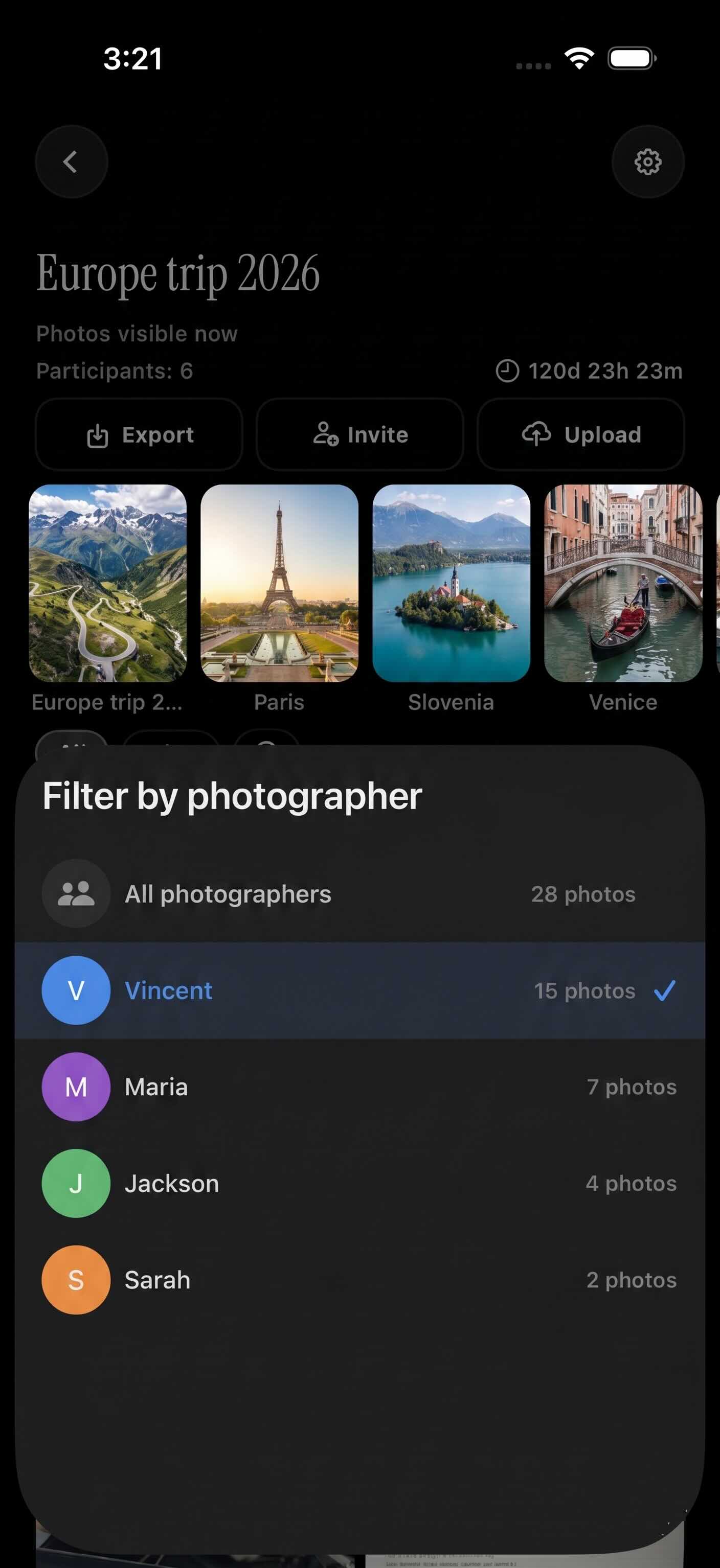
Once photos start coming in, two controls keep the album usable instead of overwhelming. Filter by photographer narrows the shared album down to just the shots one guest took — handy for pulling out a hired photographer's full set, or one relative's candids, without scrolling past everyone else's photos first.
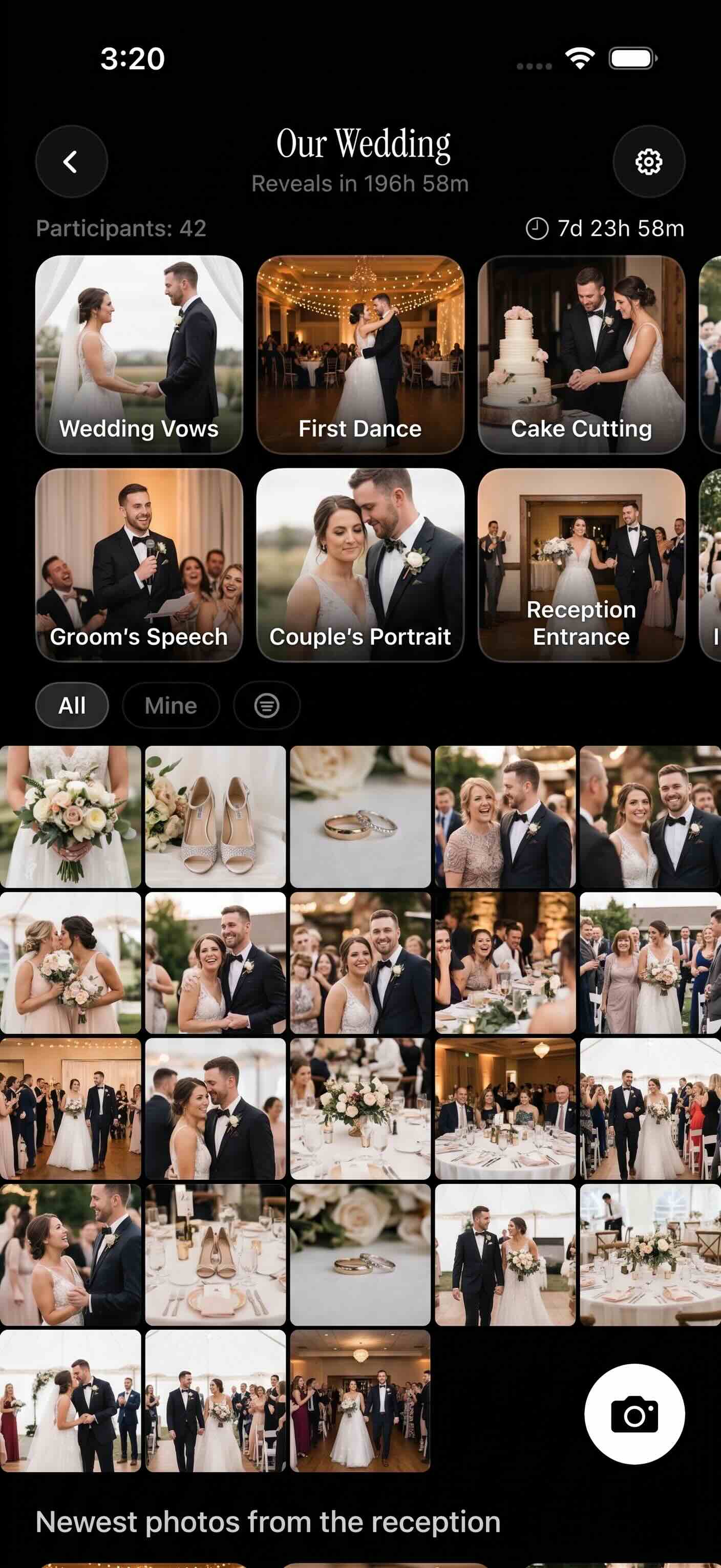
The other control is reveal timing: hosts choose whether the album is visible live as photos come in, hidden until the event officially ends, or released after a set delay. That makes it possible to keep a surprise party's photos under wraps until the reveal, or hold a gallery back until the right moment, then open it to every guest at once.
Downloading the album
Getting the photos out uses the same gallery guests already browsed, not a separate export tool. You can save individual photos one at a time, or use full album download to pull every photo from the event in one action.
That means the guest who wants just their own shots and the host who wants a complete archive of the day are both served by the same screen — no waiting on a separate file, and no asking someone else to zip everything up and send it over later.
Who it is for
Wedding couples
After the wedding, the couple filters the shared album by photographer to separate the hired photographer's shots from guest candids, then downloads the full album as a keepsake.
Birthday party hosts
A host sets the reveal timing so the surprise photos stay hidden until the party is over, then everyone browses the same album together the next morning.
Family reunion organizers
The organizer waits until uploads stop, then downloads the whole event album so relatives who couldn't travel still get every photo in one place.
Features
Auto-organized by event
Photos guests upload during the event window land in one shared album automatically — no manual sorting.
Filter by photographer
Narrow the album down to just the photos one guest took.
Reveal timing
Show the album live, after the event ends, or on a delay you choose.
Full album download
Save single photos or the entire event's album at once.
Frequently asked questions
How does the album get organized as guests upload photos?
Every photo taken within the event's set date range lands in the one shared album automatically as guests upload it. There's no manual merging of photos from different phones after the fact — the album is already organized by the time the event is over.
Can I find one person's photos inside the album?
Yes. The filter by photographer option narrows the shared album down to just the shots a specific guest took, which is useful for pulling out a hired photographer's full set or one family member's candids without scrolling through everyone else's photos.
Can I control when guests see the full album?
Yes. Reveal timing lets the host choose whether the album is visible live during the event, only after it ends, or after a chosen delay. That keeps surprises hidden until the right moment instead of guests seeing photos as soon as they're uploaded.
Is there a free tier for creating a QR code album?
Yes. The free tier supports up to 7 guest uploaders per event, which covers most smaller gatherings. Larger events can add more guest uploaders on a paid plan without changing how the album itself works — filtering, reveal timing, and downloads stay the same.
Can I download the whole album, not just single photos?
Yes. The album supports saving individual photos one at a time or downloading the full event album at once, from the same gallery guests already browsed and filtered — there's no separate export step.