Want guest photos to share a vintage look, with everyone seeing the album at a time you choose? sync.camera's vintage disposable camera is a digital experience on guests' phones. Choose Vintage during event setup to give your event photos a shared look.
The look and the reveal time are separate choices. Let guests see photos during the celebration, open the gallery when the event ends or add a delay for a later viewing together. Guests join from their phones without an account, and installing an app is optional.
How the vintage disposable camera works
Create an event, give it a name and choose an end time. This gives your guests one event to join and contribute photos to.
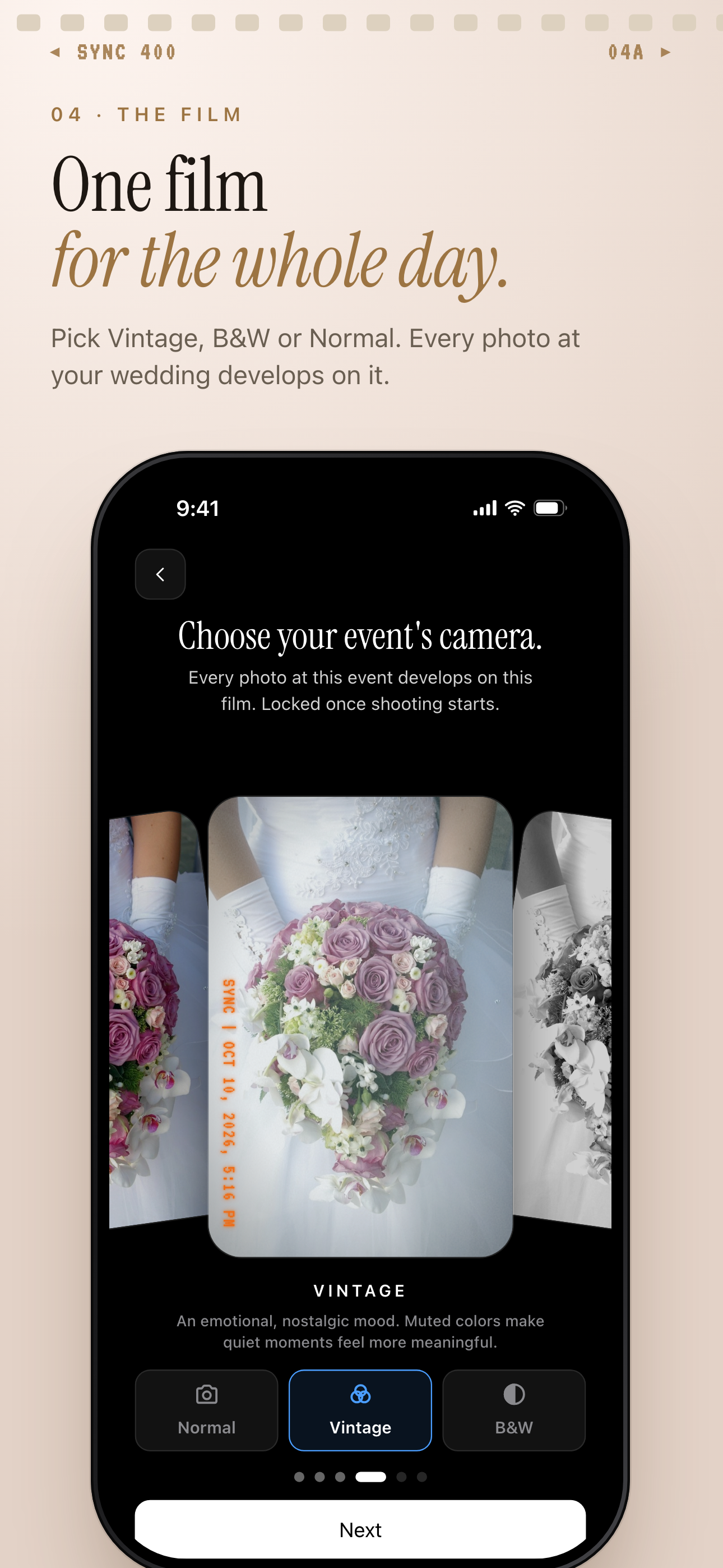
Select Vintage in the event camera picker, alongside Normal and B&W. Use the preview shown in the supplied picker screenshot to judge the look before choosing it for your event.
Choose your film before anyone starts shooting. The film is locked once shooting begins, so make this decision during setup.
Share the event QR code or eight-character invite. Guests can open the invite link in any modern phone browser without an account. The optional iOS and Android apps add better camera controls and push notifications for new photos. Learn more about QR code invites.
Choose when guests see the photos
During: Guests see photos live as they are taken. Choose this for a group trip or gathering where browsing each other's photos is part of the event.
After the event: The gallery unlocks when the event ends. This suits wedding couples or party hosts who want everyone to discover the shared album after the celebration.
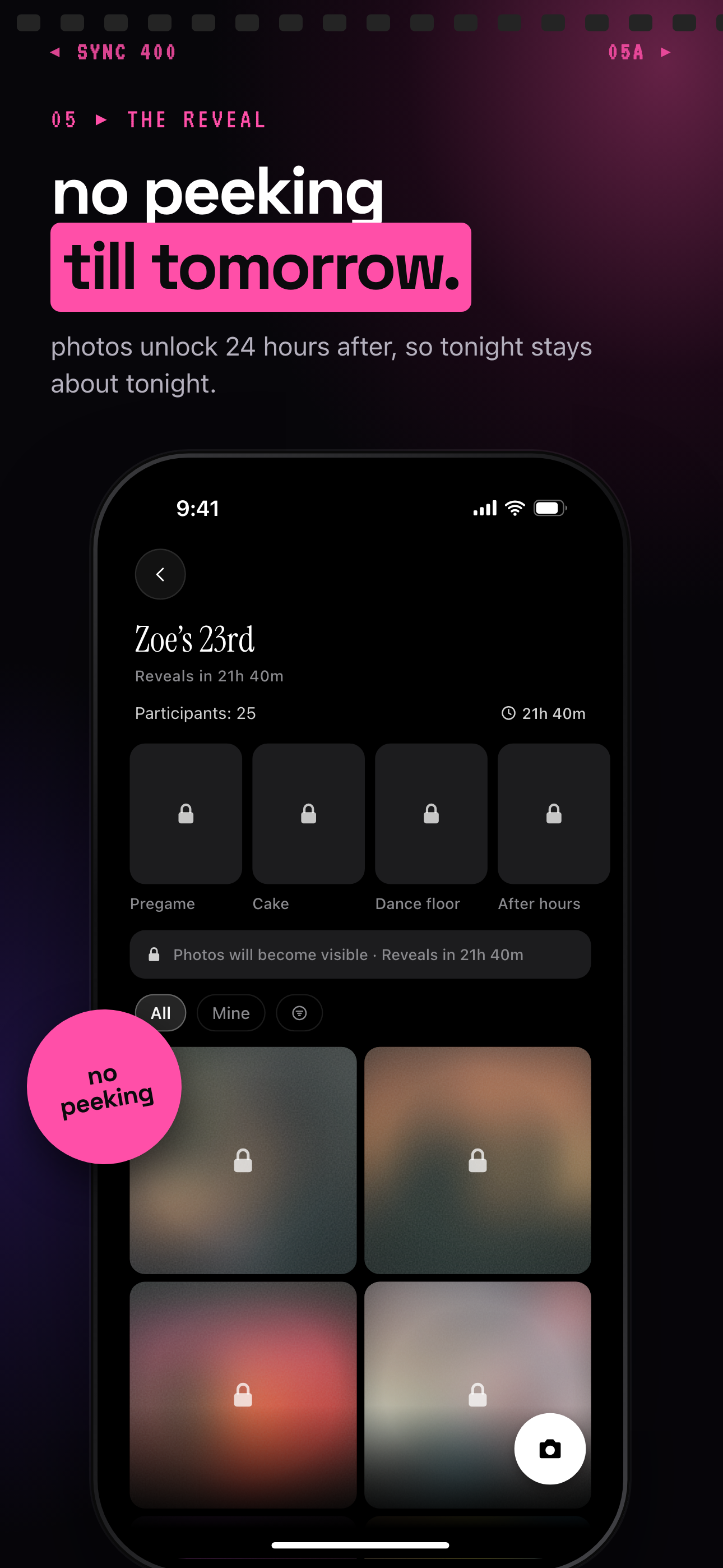
Additional delay: The gallery unlocks a set number of hours after the event ends. Choose this if you want a later viewing, such as opening birthday photos together the next day. The locked birthday album screenshot illustrates this option; its countdown is an example event setting, not a plan entitlement.
These reveal modes control when photos become visible, independently of the Vintage look. Once the gallery opens, browse the shared album, filter by photographer and export your favorites.
Who it is for
Couples planning a wedding
Choose Vintage for guest photos and reveal the gallery when the wedding ends. Use Moments to separate the ceremony, reception and after-party, each with its own QR code and reveal timing.
Birthday party hosts
Share the event QR code at the party and choose an additional reveal delay. Arrange to open the birthday photos together once the gallery unlocks.
Friends organizing a group trip
Choose a shared Vintage look before the trip's shooting begins. Use During mode to see photos throughout the event, then export favorites from the group album.
Features
Vintage event camera
Preview Vintage alongside Normal and B&W during setup. Choose before shooting begins, when the film locks.
QR code and invite access
Guests join with a QR code or eight-character invite. No account required, and app installation is optional.
Three reveal modes
Show photos during the event, when it ends or a set number of hours afterward.
Moments
Split an event into stages, each with its own QR code and reveal timing. Guests move between stages without switching apps.
Find and export favorites
Narrow the album to one photographer's shots and export your favorites.
Privacy commitments
sync.camera does not sell your photos or data. No ads. No cross-app tracking.
Frequently asked questions
Is this a physical vintage disposable camera?
This is sync.camera's digital event camera experience on guests' phones. Hosts choose the Vintage look during event setup, and guests contribute photos to a shared event album.
Can I preview or change the vintage look?
The event camera picker previews Vintage alongside Normal and B&W, so you can compare the options during setup. Choose before shooting starts: the film is locked once shooting begins.
Do guests need an account or an app?
No account is required, and guests can join through the invite link in any modern phone browser. The optional iOS and Android apps add better camera controls and push notifications for new photos.
Do photos have to stay hidden until the event ends?
No. During mode shows photos live as they are taken. Hosts can instead reveal the gallery when the event ends or a set number of hours afterward; choosing Vintage does not require a delayed reveal.
Is there a free tier?
The free tier supports up to 7 guest uploaders per event. SYNC PRO is a one-time purchase, not a subscription, that expands the guest and photo limits for a single event. Upgrade again only when you create a larger event.
Can I save the event photos?
Once photos are visible, you can browse the shared album and export your favorites. You can also filter by photographer to find one contributor's shots.
How does sync.camera handle privacy?
sync.camera does not sell your photos or data, runs no ads and does no cross-app tracking; photos are encrypted in transit and access is enforced per event, as described on the sync.camera homepage. It uses pseudonymous product analytics through PostHog, a third-party crash reporter and Firebase Cloud Messaging for Android push.