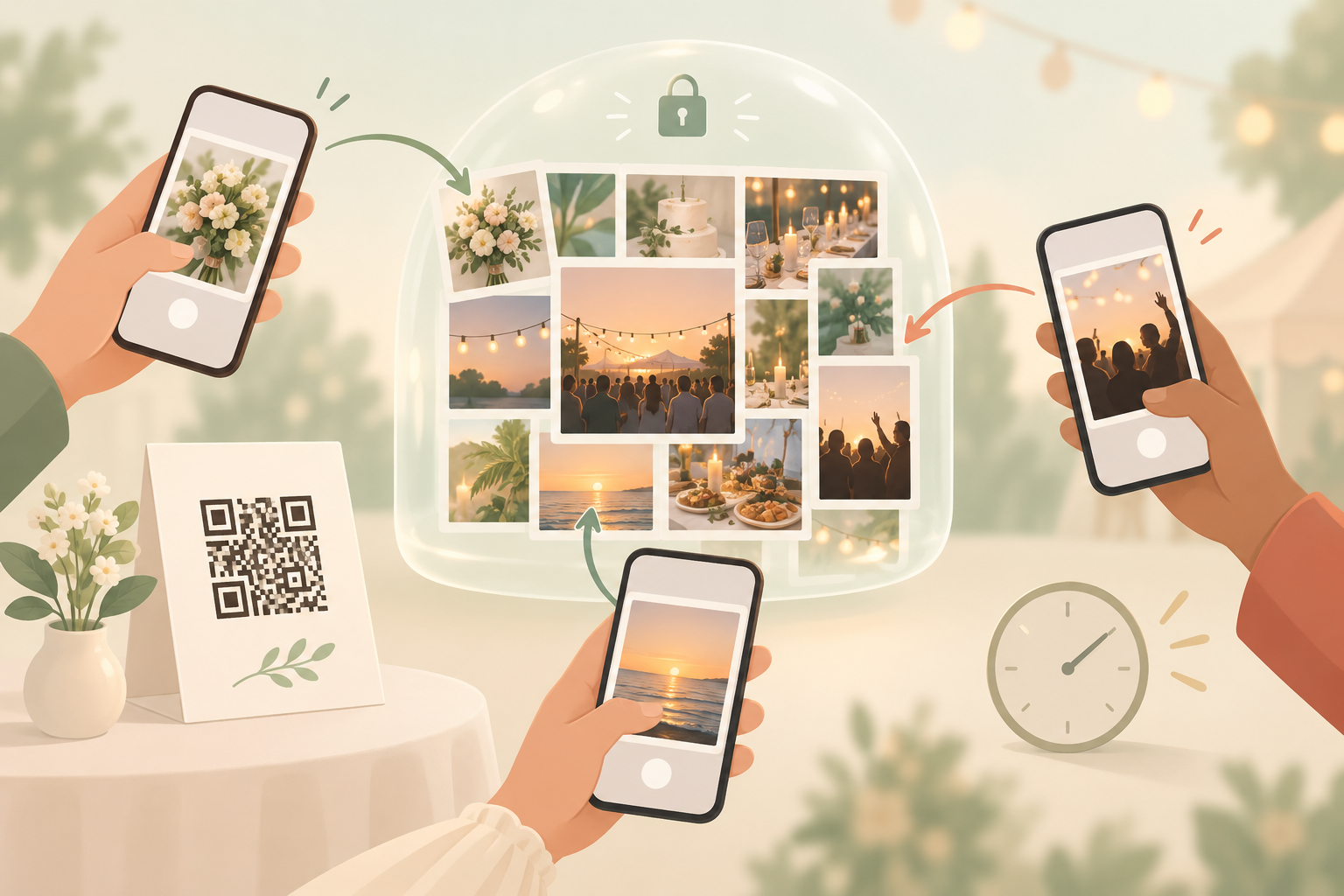
After a great night, the group chat fills up with "send me that one" and "can you AirDrop the dance floor ones?" The best photos are stuck on other people's phones, and you only ever see a fraction of what your guests captured.
A shared album app fixes this by giving the event one place to put everything. With sync.camera, you create an event, share a QR code, and every guest's photos go into the same private album. Guests do not need an account to join. If you want the wider picture, see how shared event albums work, or read about guest upload.
How you start a shared album: create the event, share the code
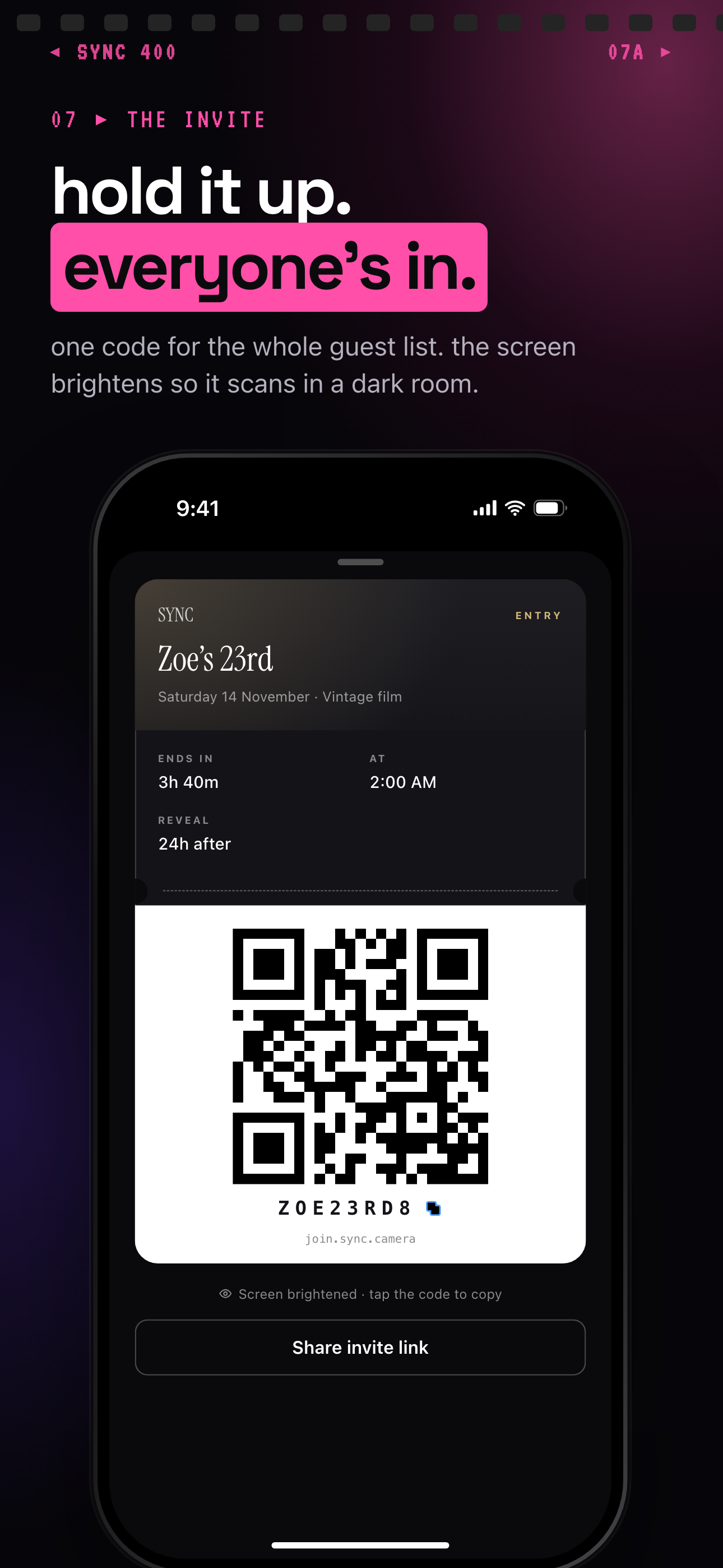
The host creates an event, names it and picks an end time. That is the whole setup. From there, the event has a QR code and an eight-character invite you can share however you like: print the QR code on table cards, or drop the invite in the group chat.
Guests join from the QR code or the eight-character invite, and no account is required. Any modern phone browser works via the invite link, so nobody has to install anything to take part. Installing the iOS or Android app is optional; it adds better camera controls and push notifications for new photos. Read more about QR code invites.
Once guests are in, every photo goes into the same event album, so nobody has to chase anyone for "that one picture". You can split the event into Moments such as ceremony, reception and after-party. Each Moment has its own QR code and reveal timing, and guests move between them without switching apps. You can also filter by photographer to narrow the album to one contributor's shots, and export your favorites when you want to take the photos you love out of the album.
You also choose when guests see the photos. During: guests see photos live as they are taken. After the event: the gallery unlocks when the event ends. Additional delay: the gallery unlocks a set number of hours after the event ends. See reveal modes for the details.
Who it is for
Wedding couples
Put a QR code on the table cards so guests add their candids to one album, with ceremony, dinner and dance floor as separate Moments, and keep the gallery locked until the event ends. See [shared photo albums for weddings](https://sync.camera/for/shared-photo-album-for-wedding).
Birthday party hosts
Share one invite in the group chat so everyone's shots from the night end up in one place instead of scattered across phones.
Friends on a group trip
Everyone adds their photos to one trip album, and a friend can filter by photographer to find a specific person's shots.
Corporate event organizers
Attendees join with a QR code and no account, and the organizer splits the day into Moments for keynote, workshops and dinner.
Features
QR code or invite join
Guests join from a QR code or an eight-character invite. No account required.
Works from the browser
Any modern phone browser works via the invite link; the iOS and Android apps are optional and add better camera controls and push notifications for new photos.
Three reveal modes
During, after the event, or after an additional delay in hours.
Moments
Split an event into stages, each with its own QR code and reveal timing.
Filter by photographer
Narrow the album to one contributor's shots.
Export your favorites
Take the photos you love out of the album.
Privacy by design
No selling of photos or data, no ads, no cross-app tracking. Photos are encrypted in transit, stored in event-scoped buckets, and protected by per-event row-level security.
Frequently asked questions
Do guests need an account to join a shared album?
No. Guests join from a QR code or an eight-character invite, and no account is required. Any modern phone browser works via the invite link, and the iOS or Android app is optional.
Is the shared album app free?
It is free to start: the free tier allows up to 7 guest uploaders per event. SYNC PRO is a one-time purchase, not a subscription, that expands the guest and photo limits for a single event. You upgrade again only when you create a larger event.
Can I hide the photos until the event is over?
Yes. Pick one of three reveal modes: During, After the event, or Additional delay, which unlocks the gallery a set number of hours after the event ends.
Who can see the photos in the album?
Access is enforced by per-event row-level security, and photos are encrypted in transit and stored in event-scoped buckets. sync.camera does not sell photos or data and has no ads or cross-app tracking.
Does sync.camera collect any analytics?
It uses pseudonymous product analytics (PostHog), a third-party crash reporter, and Firebase Cloud Messaging for Android push. It collects no advertising identifiers and embeds no third-party advertising or marketing SDKs.
What happens to the photos if I delete my account?
Deleting an account removes the profile, the events it owns and their photos within 30 days.