
You're deep in the search for an app that will let your wedding guests share photos, but every option you've compared so far assumes everyone will actually install it. Your real guest list includes grandparents who don't do app downloads, out-of-town friends who'll have shaky signal at the venue, and cousins who won't create one more account for one more app. What you want is simple: every candid from the ceremony, the reception, and the after-party landing in one private place, without you having to chase anyone down for their camera roll and without those photos turning up anywhere outside your own guest list.
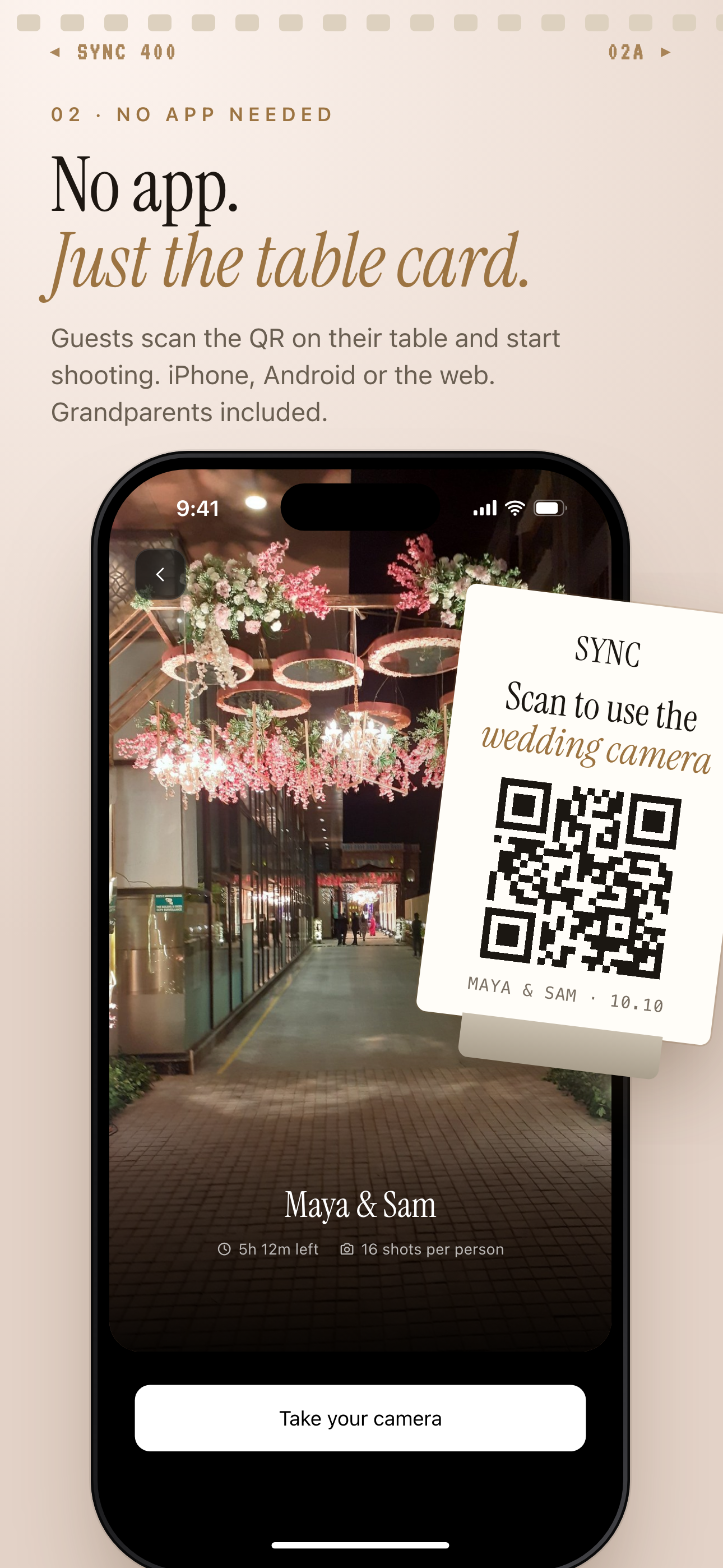
Guests scan the QR code on the table card to join, with no account required.
What is hard right now
- We compared apps for wedding guests to share photos and most require guests to download the app and sign up before they can upload anything — half our guest list won't bother, and we'll lose the candid shots from people who never got the app open.
- My grandparents don't do app downloads, and my out-of-town friends will have weak signal at the venue — whatever we pick has to work the moment someone holds up their phone, not after ten minutes of setup.
- We don't want our wedding photos scraped for ads or sold — we want them kept just for our people, with no ads and no cross-app tracking.
Scenarios
The ceremony and cocktail hour
The moment your guests sit down, they scan a QR code printed right on the program or a table card. There's no app to find in an app store and no login screen standing between them and the ceremony — they just point their camera at the code and they're in. That's what makes this work across your whole guest list: your aunts and uncles, the ring bearer's parents, even guests who normally struggle with new apps are already uploading candids of the walk down the aisle through sync.camera's guest-upload link before you've finished your vows.
Because nobody had to create an account first, the people who care most about capturing the day in real time don't miss the window. Their phones are already connected before the processional starts, so the shots you'd otherwise never see end up in your gallery instead of buried in someone else's camera roll.
The reception dance floor
By the time the dance floor fills up, nobody wants to stop and set up a new app between songs. That's fine, because your guests are already using the same link they scanned at check-in — there's nothing new to open, download, or log into. Someone catches the first dance, someone else gets the bouquet toss, and a dozen more catch whatever happens after 10pm, and all of it uploads through the same guest-upload link they already have.
Each of those blurry, joyful shots syncs straight into your shared gallery automatically as guests upload them, instead of scattering across dozens of separate phones you'll never get access to. You get to actually be on the dance floor instead of working the room asking people to text you their photos.
The week after, from out-of-town guests
Grandma flew in for the weekend and didn't get to upload everything during the reception — she was a little busy dancing. Because the upload link stays open after the wedding, she and your other out-of-town guests can keep adding photos days later: from the next-day brunch, from the airport goodbye, from whatever they caught on the drive home.
That means you're not stuck combing through a dozen text threads and group chats trying to reassemble everyone's camera roll after the honeymoon. The photos guests take on their own phones keep landing in the same private gallery whether they upload the night of or a week after, so the collection keeps filling in without you having to chase anyone down.
Features that make this work
Guest upload
Guests join by tapping a link — no app download, no account creation — so even the guests who never open an app store still get their photos into your gallery.
QR code invites
Print the code on a table card or program; any guest with a phone camera can scan it and start uploading in seconds, from the flower girl's parents to guests who barely text.
Auto-sync
Photos guests take on their own phones flow into your shared gallery automatically, so nobody has to remember to email or text you their camera roll after the honeymoon.
Privacy controls
Your gallery is visible only to the people you invite. No ads, no cross-app tracking, and sync.camera doesn't sell your photos or data.