
You're not the couple — you're a guest, and all you actually want is to hand over the pictures on your phone without it turning into a project. You didn't plan this wedding, and you're not signing up to manage an app for it either. You just want a fast way to drop your photos somewhere the couple will actually find them, then get back to the reception.
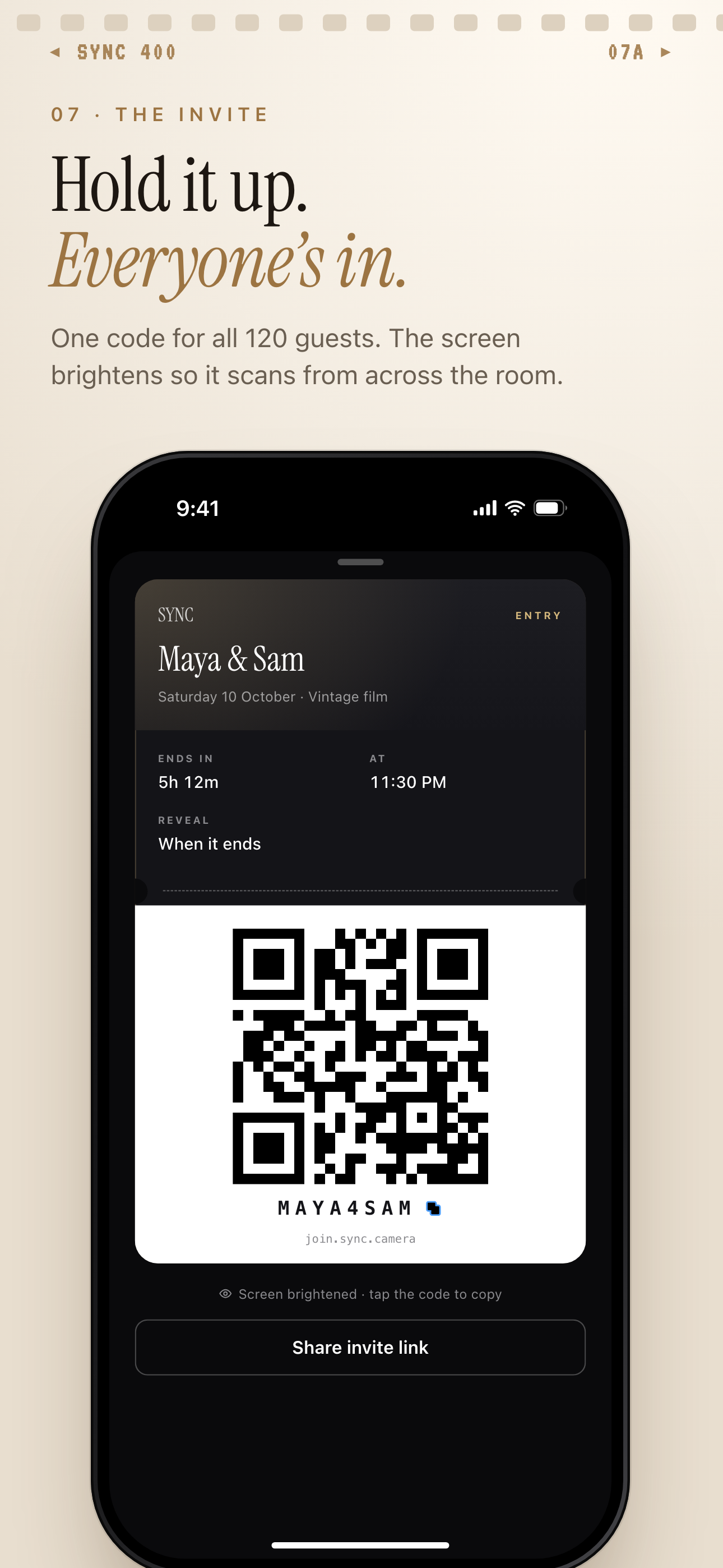
Guests join by scanning the QR code, entering the invite code or opening the shared link.
What is hard right now
- I don't want to download some couple's wedding app just to add a few pictures.
- My phone's an Android and half my table is on iPhone, so our photos never end up in the same place.
- I always mean to send the couple my photos after the wedding, and then I forget.
Scenarios
During the ceremony
You're seated a few rows back, and just as the couple turns to face each other, you catch their reaction from an angle the hired photographer doesn't have. It's the kind of shot the couple would actually want to see, but it's easy for it to get buried in your camera roll along with fifty other photos from the day.
Before the ceremony starts, you scan the QR code printed on the program. There's no app to download and no account to set up — the code takes you straight to the shared album, and every photo you take during the ceremony can go into the same collection everyone else at the wedding is already adding to.
That's the whole step. You don't have to do anything with the photo afterward — it's already sitting where the couple will look for it.
At your reception table
Half your table pulls out an iPhone for a group photo and the other half has Android, and normally that means two separate group texts with two separate sets of photos that never actually merge. Someone always says "send that to me later," and it usually doesn't happen.
Here, it doesn't matter whose phone is out. Everyone at the table scans the same code on the table card and adds directly to the same shared album, so your photos land next to the ones from across the table instead of getting split across group chats.
Your phone brand stops being part of the equation — it doesn't decide whether the couple ever sees what you took.
On the drive home
You always tell yourself you'll go through your camera roll once things calm down and text the couple your favorite shots. Then a week passes, then a month, and the photos are still sitting on your phone.
With sync.camera there's no follow-up step to put off. The photos you took at the ceremony and the reception already landed in the couple's shared album the moment you took them, so there's nothing left to send once you're in the car.
You get to just be a guest at the wedding, instead of the person who owes someone photos for the next month.
Features that make this work
QR code invites
Scan the code on the program or table card with your phone's own camera. No app-store search and no account to set up — you're already in the shared album, and the code stays valid for the whole event so there's no rush to scan in before some cutoff.
Guest upload
Your photos land in the exact same gallery everyone else at the wedding is adding to, with no separate invite link and no login screen to get through first.
Cross-platform
iPhone and Android guests contribute into the same album — not a copy or a parallel feed. Your phone brand doesn't decide which group chat your photos are stuck in.
Reveal modes
If the couple sets the gallery to unlock after the reception, you can still upload the whole time — reveal timing only controls when guests can look at the album, not when you're allowed to add to it.