
You're hosting a party — a birthday, a graduation, an engagement celebration, a retirement send-off, whatever the occasion is — and you want more to remember it by than just what's on your own camera roll. Your guests are taking dozens of candid shots you'll never see unless you track each of them down afterward, and even then most people forget, or their photos get buried in a group chat nobody reopens. What you actually want is simple: one place where every guest's photos land automatically, without you having to ask.
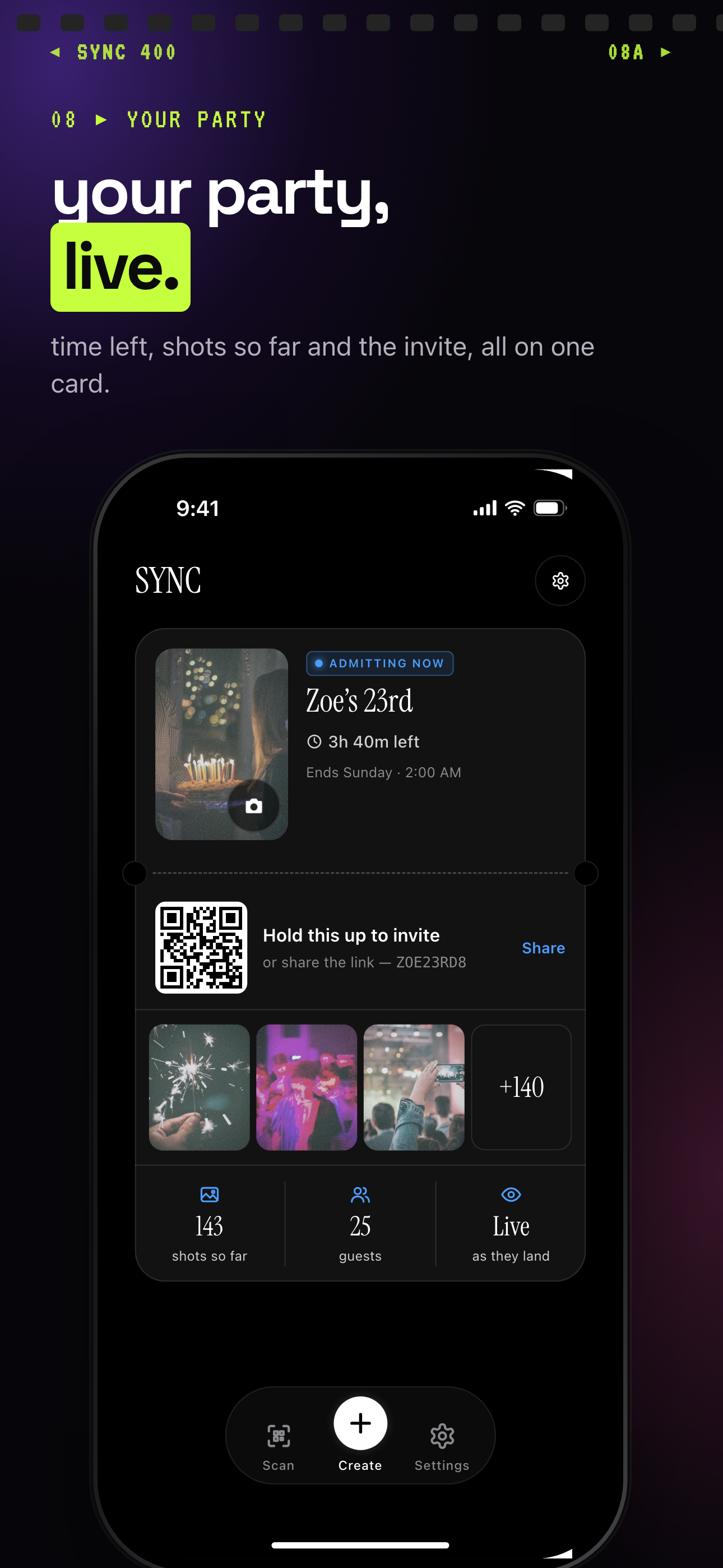
The host's event card shows the invite QR and photos arriving live.
What is hard right now
- The best candid shots of your party live on your guests' phones, and they never leave those camera rolls unless you personally ask each person for them.
- Your group chat is where photos go to die — a few guests post right away, most never bother, and you're left piecing the night together from a handful of shots.
- Chasing down twenty-plus guests for their photos the week after the party turns into a part-time job you don't have time for.
- Half your guests are on iPhone and half on Android, so AirDrop and iMessage sharing only ever works for part of the group.
Scenarios
During the party
You tape a QR code to the drinks table, prop it against the cake stand, or just drop it into the party group chat before anyone arrives. There's nothing to sign up for and nothing to install — guests scan it with the camera app already on their phone.
From there, the photos start landing in your shared album as the night goes on. Someone catches the surprise toast, someone else gets the candid dance-floor shot you'd never have thought to ask for — and instead of living on twenty different phones, all of it starts collecting in the one place you'll actually go back to.
The photos guests forget to send you
A week after the party, you're still missing the shots from the two or three guests who always take the best candids — the ones who never post in the group chat and never answer a "can you send me your photos?" text.
Because they scanned in and uploaded while they were actually at the party, those photos are already sitting in your shared album. You're not following up with anyone or waiting on a reply that may never come — the pictures were captured the same way everyone else's were, in the moment, without needing a reminder.
Keeping the big moment under wraps until you're ready
Maybe there's a surprise guest, a reveal, or an announcement you don't want spoiled by someone glancing at their phone mid-party. Instead of leaving the album live the whole time, you set it to reveal later — after the event wraps, or after whatever delay makes sense for your night.
Guests keep scanning in and snapping candids exactly the same way, so you're not losing any of the coverage. They just don't see any of it, including the moment you're protecting, until you decide it's time to open the album up.
Features that make this work
Guest Upload
Guests upload straight from their own phone — no app download required — so nobody skips it because it's a hassle.
QR Code Invites
One code on a table card or in your party group chat gets every guest straight into the shared album — no typed codes, no usernames.
Auto-sync
Every photo a guest takes or uploads lands in the shared album automatically, so you're not relying on anyone to remember to send it later.
Reveal Modes
Choose whether guest photos show up live during the party or stay hidden until after it ends — useful when you're planning a surprise or a big announcement.
Privacy Controls
You control who can get into the album via your event's QR code, how many guests can join, when the gallery reveals, and how long the upload window stays open. Keep in mind anyone holding the QR code can join — there's no separate password step on top of it.