After a great night, the photos are everywhere except in one place. Some are on the host's phone, some are on a dozen guests' phones, and the rest are buried in a group chat where someone has to chase people to send them. The best shots are usually the ones you never see.
A QR code fixes the first step. With sync.camera, every event gets a QR code that guests scan to join, and their photos go into one shared event album. No account is required, and the free tier covers up to 7 guest uploaders per event. If you want a closer look at the basics, see QR code photo sharing or how to make a QR code for free.
How the QR code works for photo sharing
It starts with the host. You create an event in sync.camera, give it a name and pick an end time. That is all the setup the event needs before you can invite people.
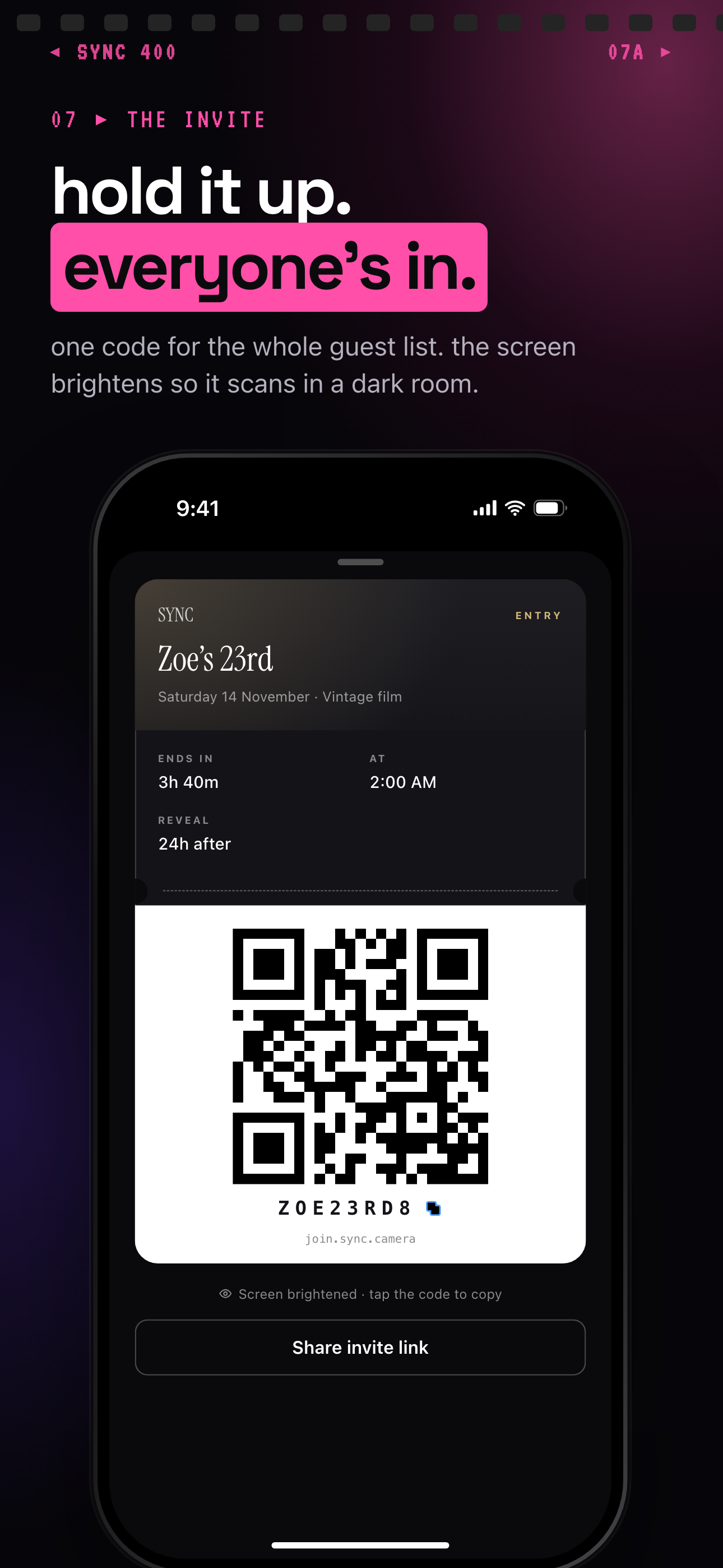
The invite pass then shows a large QR code and an eight-character join code, plus a Share invite link button. You can hold the pass up at the event, put it on a screen, or send the link ahead of time. See QR code invites and big QR codes for more on showing it.
Guests scan the QR code, or type the eight-character invite, and they join with no account required. From there they add photos to the shared event album, so nothing depends on someone remembering to send pictures later.
What guests need to join
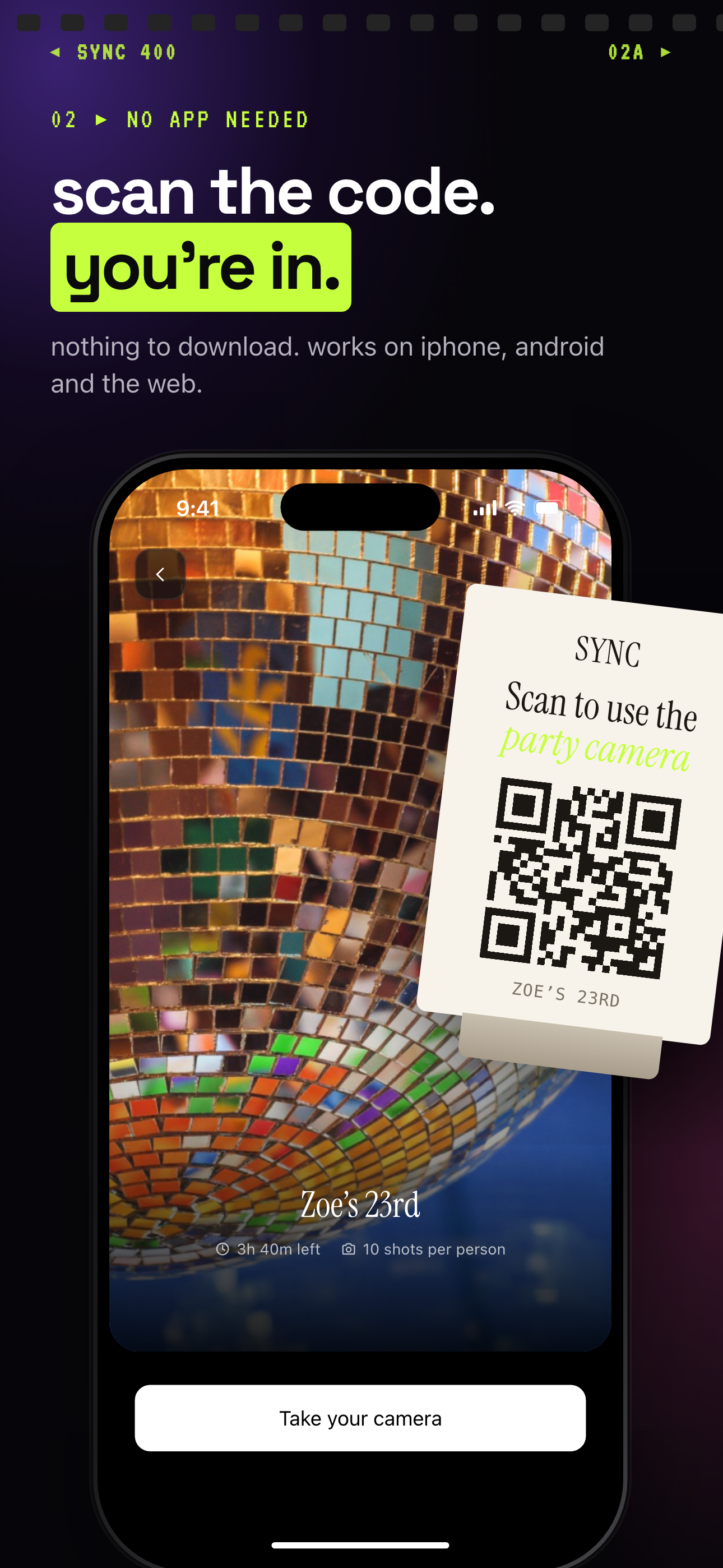
Guests do not need to install anything to take part. Any modern phone browser works through the invite link, so a guest can scan the code and be in the event within moments.
Installing the iOS or Android app is optional. The app adds better camera controls and push notifications for new photos, which is nice for people who want it, but it is never a requirement for joining.
The join screen shows a card reading 'Scan to use the party camera' next to the event cover, so guests can see they are in the right place. For more on how guests contribute, see guest upload.
What happens to the photos after guests scan
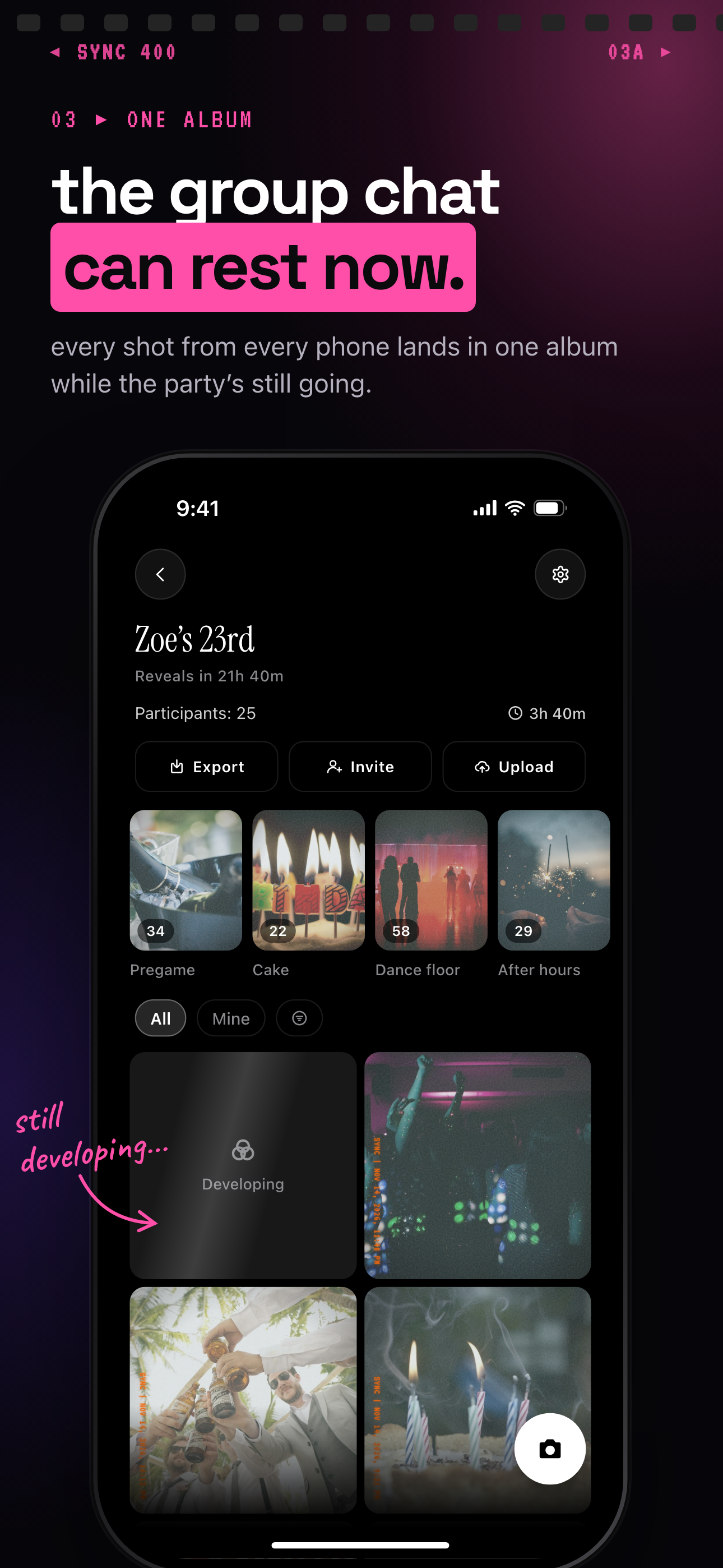
Photos land in one shared event album instead of staying scattered across phones. The host does not have to collect anything by hand afterwards.
The host also picks a reveal mode: During, After the event, or Additional delay. During lets guests see photos live as they are taken, After the event unlocks the gallery when the event ends, and Additional delay unlocks it a set number of hours after the event ends. Read more about reveal modes.
When the event is over, export your favorites, and filter the album by photographer to narrow it to one contributor's shots. Albums stay private to the event.
Who it is for
Wedding couples
Print the QR code on table cards so every guest adds photos without installing anything or making an account.
Birthday hosts
Hold up the invite pass at the party so everyone scans in and the night's photos end up in one album.
Corporate event organizers
Put one QR code on the screen at an offsite and let the whole team contribute, with moments for keynote, workshops and dinner.
Travel groups
Share one invite link before the trip so everyone's shots end up in a single album afterwards.
Features
QR or eight-character invite
Guests join by scanning the QR code or entering the invite. No account required.
Works in a phone browser
Guests can join from any modern phone browser via the invite link. The iOS and Android apps are optional.
Reveal modes
Choose During, After the event, or Additional delay for when the gallery unlocks.
Moments
Split an event into stages such as ceremony, reception and after-party, each with its own QR code and reveal timing.
Export and filter
Export your favorites and narrow the album to one photographer's shots.
Privacy-forward
We don't sell your photos or your data. No ads. No cross-app tracking. Photos are encrypted in transit and access is enforced per event.
Frequently asked questions
Is the QR code really free?
Yes, to start. The free tier covers up to 7 guest uploaders per event, so you can create an event and share its QR code without paying first. It is free to start, and you upgrade per event only if you need more.
Do guests need an account or the app?
No account is required. Guests join from a QR code or an eight-character invite in any modern phone browser. The iOS and Android apps are optional and add better camera controls and push notifications for new photos.
What if I need more than 7 guests?
SYNC PRO is a one-time purchase, not a subscription, that expands the guest and photo limits for a single event. You upgrade again only when you create a larger event.
Can I hide photos until the event is over?
Yes. Reveal modes are During, After the event, and Additional delay. After the event unlocks the gallery when the event ends, and Additional delay unlocks it a set number of hours after the event ends.
Do you sell my photos or track me?
We don't sell photos or data, show no ads and do no cross-app tracking. To be accurate, sync.camera does use product analytics and a crash reporter, but it does not collect advertising identifiers or embed third-party advertising SDKs.