An event countdown timer shows how much time is left until a set date and time, in days, hours, minutes and seconds. This free one runs in your browser: name the event, pick the date and start time, and it ticks down live, full screen if you like. You can also print a one-page "days to go" sign or save it as a PDF, with no sign-up.
Start your event countdown
How to use the event countdown timer
Name your event
Type the event name, up to 40 characters. A long name shrinks to fit one line on the countdown and wraps to two lines at most. Leave it blank and the panel says "Your event".
Pick the date and start time
Choose the day and the time the event starts. The timer uses your device's local time zone, so set the time as it will be where you are. Any date up to 9,999 days ahead works.
Click Start countdown
The panel shows the days, hours, minutes and seconds left and updates every second. Untick Show seconds for a calmer display, or pick the Dark or Celebration theme. Change anything and click Start countdown again to restart it.
Go full screen, or print a sign
Use Full screen for a TV or laptop at the venue, and press Esc to exit. Print sign and Download PDF make a one-page A4 or US Letter sign with the event name, the date and time, and a large "days to go" count as of the day you print it.
Ways to use a countdown
- Before a party starts: run it full screen on the TV at the venue while guests arrive, from a birthday party to a graduation party.
- Before a launch or offsite: put it on an office screen so the whole team can see the time left before a corporate event.
- On the fridge: print a "days to go" sign before a trip, a birthday or a graduation, and print a fresh one when the number has dropped.
- In a team chat: post a screenshot of the panel to build anticipation.
Planning a wedding? Pair the countdown with our free wedding bingo cards or couple trivia questions.
When the countdown ends, the photos start
The countdown gets everyone to the start time. SYNC handles what happens next: one shared album for the event. Hosts create an event, name it and pick an end time. Guests join via the invite link from any modern phone browser, with no account required; installing the iOS or Android app is optional.
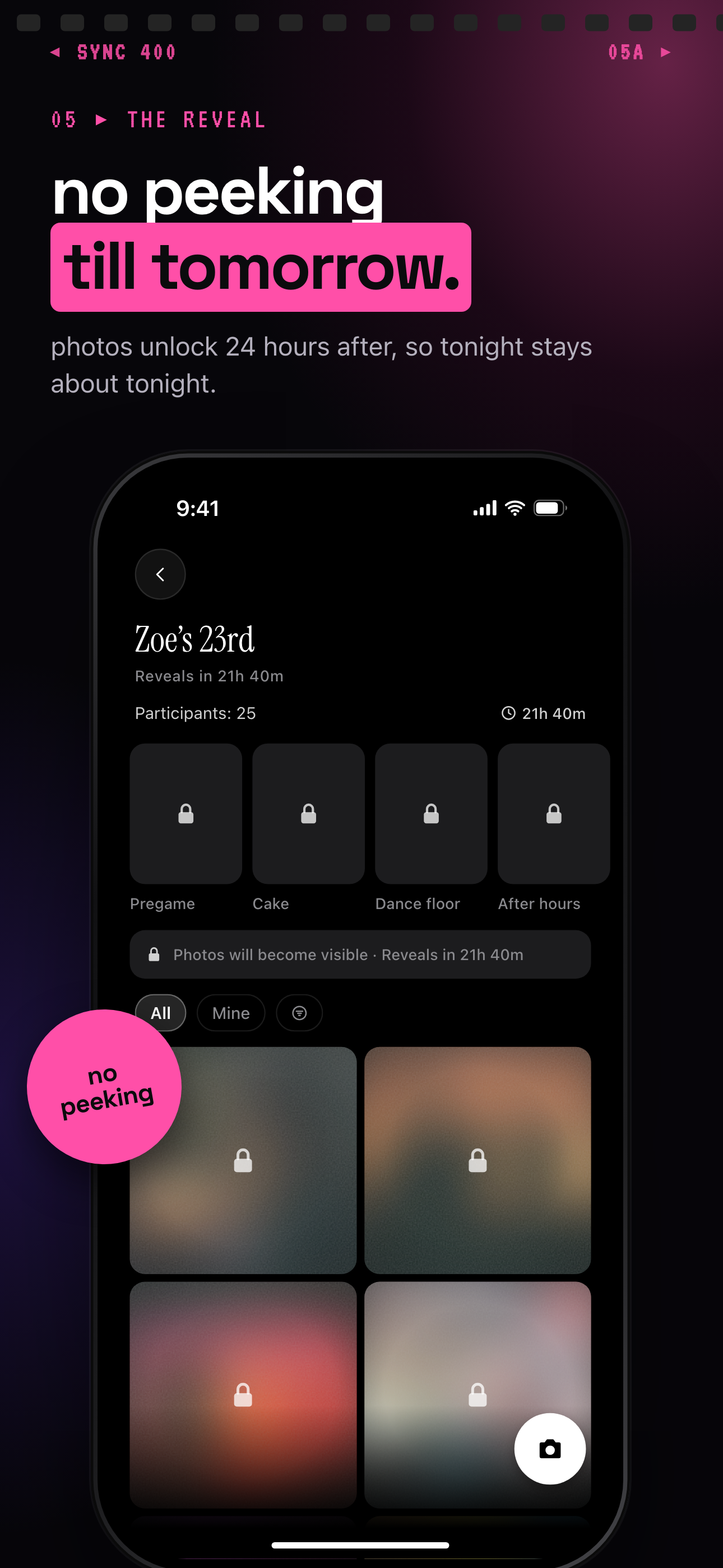
Three reveal modes decide when guests see the photos. During shows them live as they are taken, After the event unlocks the gallery when the event ends, and Additional delay unlocks it a set number of hours after the event ends. Pick After the event and the album is a countdown of its own (more on reveal timing).
SYNC is free to start, with up to 7 guest uploaders per event and no credit card needed. For a bigger event, upgrade that one event with SYNC PRO, a one-time purchase, not a subscription. "We don't sell your photos or your data. No ads. No cross-app tracking."
Pictured: a SYNC birthday album before its reveal, with locked, blurred photos and a reveal countdown banner. This is a feature of the SYNC app, not of the free timer above.
Frequently asked questions
Is this event countdown timer free?
Yes. It is free, runs in your browser, and needs no sign-up or download.
Which time zone does the countdown use?
Your device's local time zone. If someone in another time zone enters the same date and time, their countdown runs to that clock time where they are, so it can end at a different moment. Set the time as it will be where you are.
Will my countdown be saved?
No. Nothing is stored or sent anywhere, and reloading the page resets the timer to its defaults. To keep it, print the sign or save it as a PDF.
Can I show the countdown on a TV or projector?
Yes. Open the page on a laptop connected to the screen, start the countdown and click Full screen. Press Esc to exit. If your browser can't go full screen, the button doesn't appear.
What happens when the countdown reaches zero?
The tiles stop at zero and the panel says "It's here!". If you pick a date that has already passed, the panel says how many days ago the event started and counts the time since.
Can I count down to a time, not just a date?
Yes. Set the start time and the countdown is exact to the second. Untick Show seconds for a calmer display.
How far ahead can I count down?
Up to 9,999 days, a little over 27 years. For a date further out, the timer asks you to pick a date within 9,999 days.