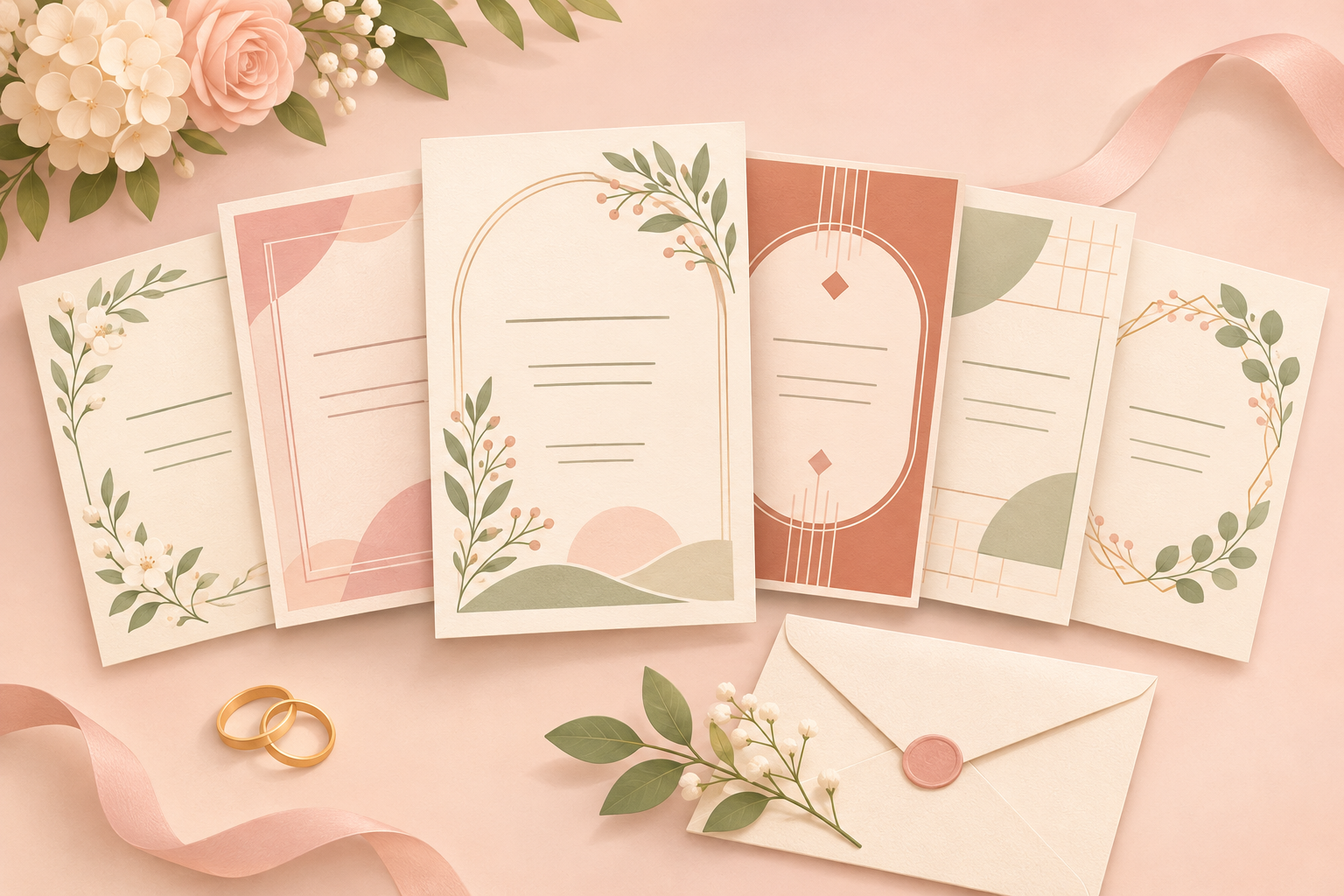
A wedding invitation maker lets you turn your names, date and venue into a finished, printable invitation without design software. This free tool lays out a standard 5x7 invitation in one of six designs and exports it as a print-ready PDF, entirely in your browser with no sign-up. It works as a wedding card maker too, with an Ornate Traditional design and wording for Indian wedding cards.
Make your wedding invitation
How to make your wedding invitations
Fill in the details
Enter the couple's names, the hosts line, the date, time and venue. Optional lines (hosts, reception, RSVP) disappear from the card when you leave them empty.
Pick a wording style and a design
Choose Formal, Casual or Traditional wording, one of six designs and an accent colour. The preview updates as you type.
Choose a print layout
Print one card per 5x7 page, or two cards per US Letter or A4 sheet to save card stock.
Make it, then download or print
Click Make my invitation, then download the PDF or print it. Print at 100% / Actual size on card stock so the card stays exactly 5x7.
Trim and send
If you printed two per sheet, trim along the crop marks with a paper cutter.
Invitation wording examples
Copy one of these, or pick the matching wording style in the tool and edit from there.
Formal: Together with their families / Olivia Bennett and James Carter / request the pleasure of your company at the celebration of their marriage / Saturday, the twelfth of June, 2027 / at four o'clock in the afternoon / The Orchard House.
Casual: Olivia Bennett & James Carter / invite you to celebrate their wedding / Saturday, June 12, 2027 / Dinner and dancing to follow.
Traditional (Indian wedding card): With the blessings of our families / cordially invite you to grace the wedding ceremony of / Olivia & James / Saturday, June 12, 2027. Edit the lines to name both families and each ceremony.
What every invitation should include: who is hosting, the couple's names, the date and time, the venue and address, and how to RSVP. Leave accommodation, registry and dress code for a separate details card or your wedding website.
Planning the reception too? Try our free wedding bingo cards and couple trivia questions.
The invitation gets them there. SYNC collects what they shoot.
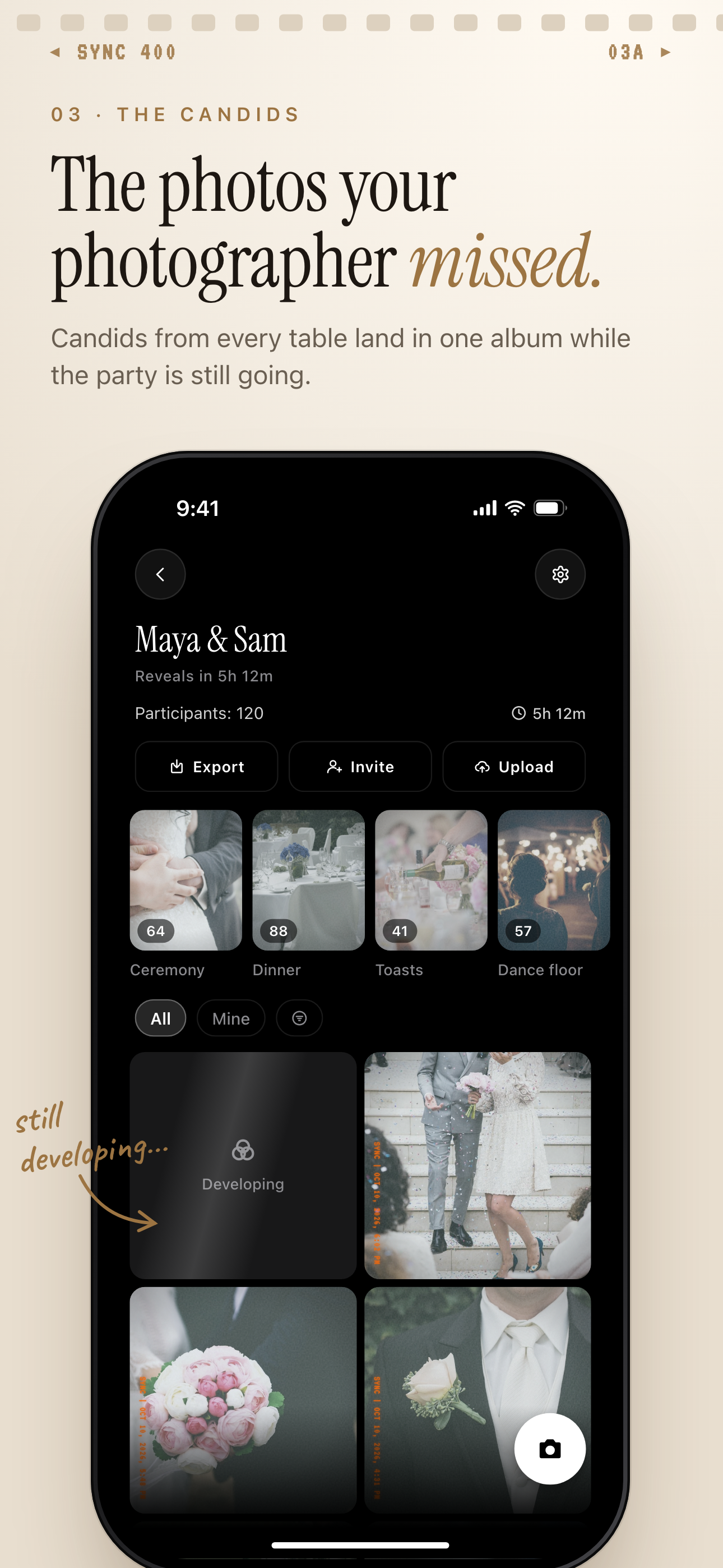
Once the invitations are out, think about the photos your guests will take on the day. SYNC gives your wedding one shared album for every guest's photos. Guests join from a QR code or an eight-character invite, with no account required.
- Reveal modes: photos show during the event, after the event ends, or after an additional delay you set.
- Moments: split the day into stages like the ceremony and reception, each with its own QR code and reveal timing.
- Pricing that fits one wedding: free to start with up to 7 guest uploaders, no credit card needed. Upgrade per event with SYNC PRO, a one-time purchase, not a subscription.
More ideas in how to collect wedding photos from guests without the chaos.
Frequently asked questions
Is this wedding invitation maker really free?
Yes. There is no sign-up and no watermark, and nothing is uploaded: the invitation is built and the PDF is generated in your browser. Nothing is saved after you leave the page, so download your PDF before closing it. Making invitations yourself is one of the easy savings in a cheap wedding that doesn't feel cheap.
What size is a standard wedding invitation?
5x7 inches (about 127 x 178 mm) is the most common size. The tool exports exactly that: one card per page, or two cards per US Letter or A4 sheet with crop marks.
How do I print wedding invitations at home?
Use heavy card stock your printer supports. In the print dialog choose 100% or Actual size, not Fit to page. Print a test on plain paper first, then trim along the crop marks with a paper cutter.
Can I use it as a wedding card maker for an Indian wedding?
Yes. Choose the Traditional wording style and the Ornate Traditional design, then edit the lines to name the families and the ceremonies. The PDF uses Latin fonts, so if you write in Hindi, Tamil or another script, use the Print button instead: it uses your device's fonts.
What should a wedding invitation say?
Who is hosting, the couple's names, the date and time, the venue and address, and how to RSVP. Extra details such as accommodation, registry and dress code usually go on a separate card or your wedding website.
When should wedding invitations be sent?
As general guidance, mail them about six to eight weeks before the wedding and set the RSVP date around three to four weeks before. Allow more time for a destination wedding. Our wedding planning checklist lays out the rest month by month.
Can I add a photo or QR code to the invitation?
Not in this version. The tool places text and drawn borders only, which keeps the PDF small and sharp. If you want to add one later, put it on a separate details card.