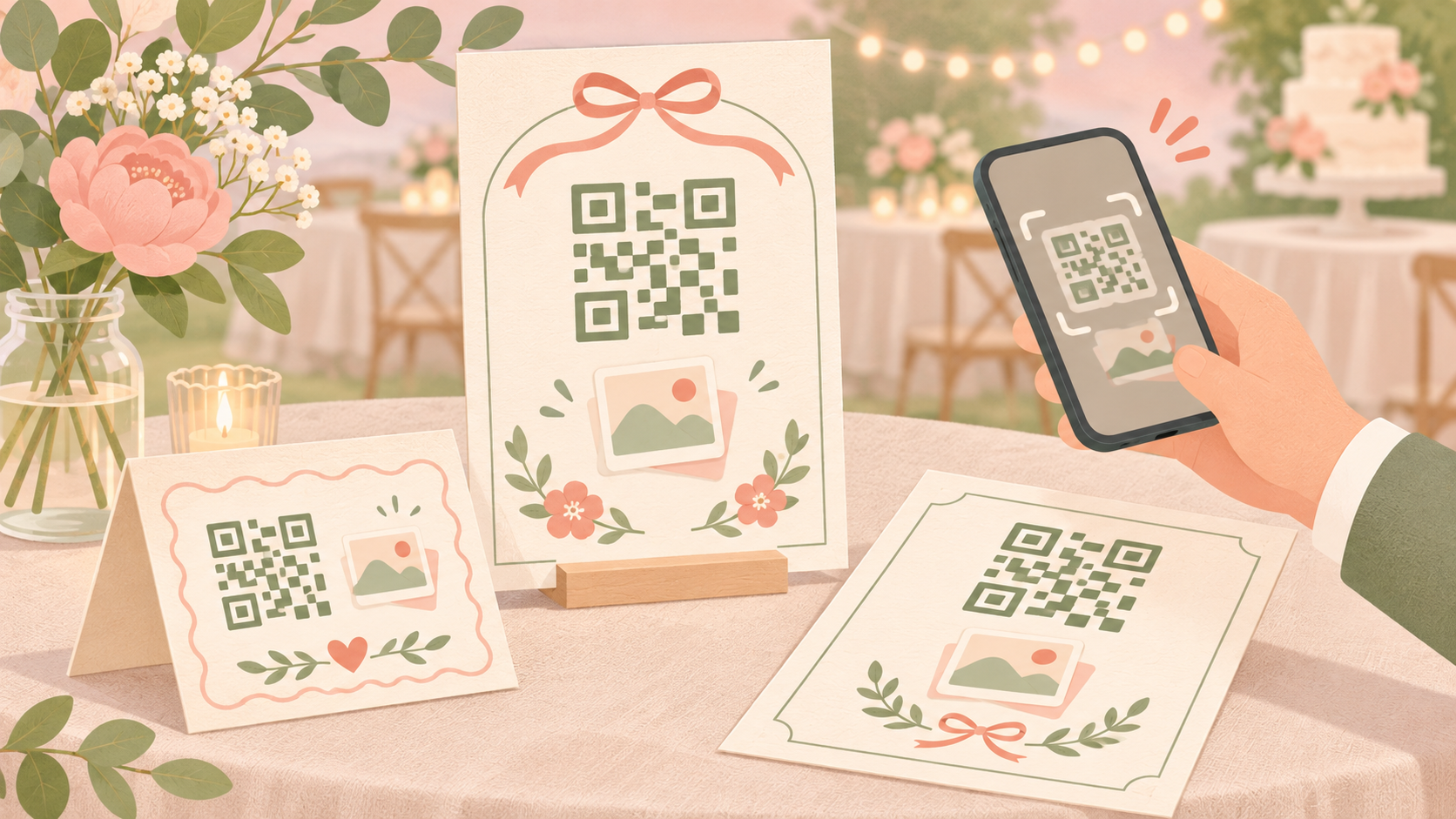
A wedding QR code sign is a small printed card or table sign with a QR code that guests scan with their phone camera to open a link, usually a shared photo album, so everyone's pictures end up in one place. This free maker turns your link into a print-ready 5 x 7 in sign, folded tent card or full-page sign, in your browser, with no sign-up. The code holds exactly the link you paste, and nothing you type is uploaded.
Make your wedding QR code sign
Wedding QR code sign wording ideas
These are the headline and message pairs built into the maker above, so this list and the tool always match. Click Next wording idea to cycle through them for your occasion, or copy one into the Headline and Message fields and make it yours. Whatever you pick, keep the whole card under about 20 words so guests can read it from their seats.
Wedding
- Help us capture our day — Scan the code to add your photos and videos to our shared album.
- Snap. Scan. Share. — Took a great photo? Scan here and add it to our wedding album.
- Be our photographer tonight — Scan to upload the moments you catch. We can't wait to see the day through your eyes.
- We'd love your view — Scan to share your photos with us. Every angle, every candid, all in one place.
- Share the love — Scan with your phone camera and add your photos to our album.
- Capture the love — Help us remember every moment. Scan to share what you shoot today.
- Your photos, our memories — Scan the code to send us your favorite shots from today.
- Don't keep the photos on your phone — Scan here and add them to our album before you head home.
Birthday
- Snap it. Share it. — Scan to add your photos from tonight to the party album.
- Party pics go here — Scan the code and drop in every photo you take tonight.
- Make the birthday album — Scan to share your best shots, blurry ones included.
- Caught a good one? — Scan here to add it to the birthday album.
- Every photo counts — Scan with your phone camera to share your pictures from the party.
- Help fill the album — Scan to upload your photos and videos from tonight.
Baby shower
- Oh baby! Share your photos — Scan to add your photos from today's shower to our album.
- Snap a pic for baby — Scan the code to share your photos from the shower.
- Little moments, big love — Scan to add the moments you capture today.
- Help us remember today — Scan here and share your photos with the parents-to-be.
- Picture this — Scan to add your shower photos to one album for the family.
- Share the joy — Scan with your phone camera to upload your photos.
Corporate event
- Share your event photos — Scan to upload your photos from today to the event album.
- Got a good shot? — Scan to add it to the event album.
- Help us capture today — Scan the code to share photos from the sessions, the dinner and everything in between.
- One album for everyone — Scan to add your photos so everyone at the event can find them.
- Photos from today go here — Scan with your phone camera to upload yours.
- Be the event photographer — Scan to share what you capture today.
Wi-Fi
- Connect to the Wi-Fi — Scan with your phone camera to join the network.
- Get online — Scan to join the Wi-Fi. No typing needed.
- Guest Wi-Fi — Point your phone camera at the code to connect.
How to make a wedding QR code table sign
Get the link the code should open
Open your shared album or guest photo app and copy its invite link from the Share button, so it starts with https. A wedding website or an event invite link works too.
Paste it and choose your wording
Paste the link into the tool, choose the occasion, pick a wording idea (or write your own) and add your names and an optional date or hashtag.
Pick a size, design and colour
Choose a 5 x 7 in table sign, a folded tent card or a full-page sign, then a Classic, Modern or Minimal design and an accent colour, and click Make my sign.
Test-scan the preview
Scan the on-screen preview with your own phone and check it opens the right page before you print anything.
Print, cut and set them out
Print at 100% (Actual size) on card stock, or download the PDF for a print shop. Cut on the marks, fold the tent cards, and set one on every table plus a full-page sign at the entrance.
Where to put your wedding photo QR code signs
One code on every sign means every photo lands in the same album, wherever a guest scans it.
- The welcome table or an easel at the entrance: a full-page sign, so guests see the code as they arrive.
- Every guest table: a 5 x 7 in sign in a frame, or a folded tent card that reads from both sides.
- The bar: guests waiting for a drink already have their phones out.
- The photo booth or dessert table: where the candid shots happen.
- The cake table: right where everyone gathers for the cutting.
Sizing: keep the code at least 2 cm (about 0.8 in) wide and go bigger for signs read from a distance. A common rule of thumb is a scan distance of about ten times the code's width, so the 100 mm code on the full-page sign reads from roughly a metre away, and the 64 mm code on a table sign from about 60 cm. Leave the white margin around the code clear, and test-scan one printed copy before you print the rest.
The maker works as a wedding photo table sign template and a set of printable QR code cards in one: change the wording, names, design and colour, and every copy prints the same. Making more for the day? Try the wedding table numbers, wedding welcome sign and wedding place cards makers, or browse more printable wedding signs.
Need an album for the code to open?
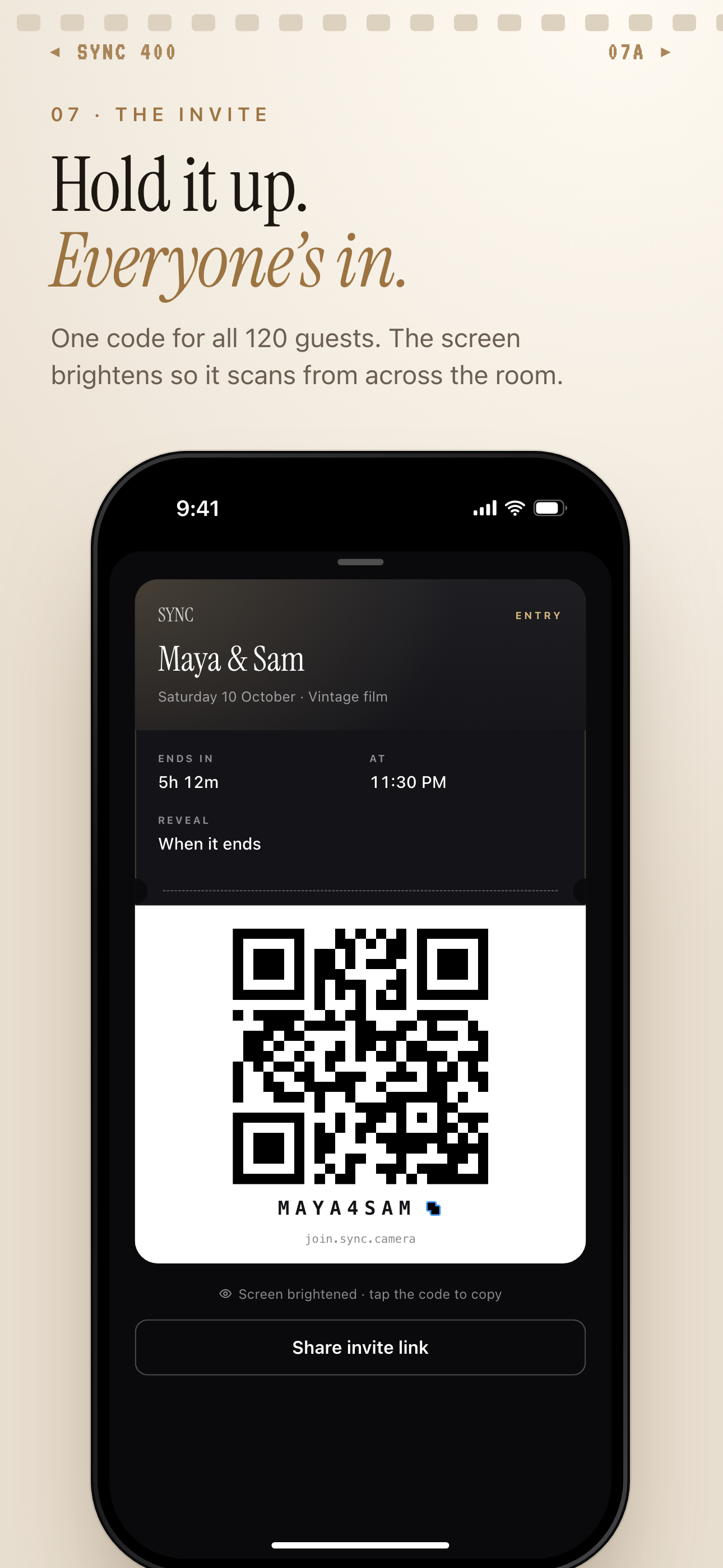
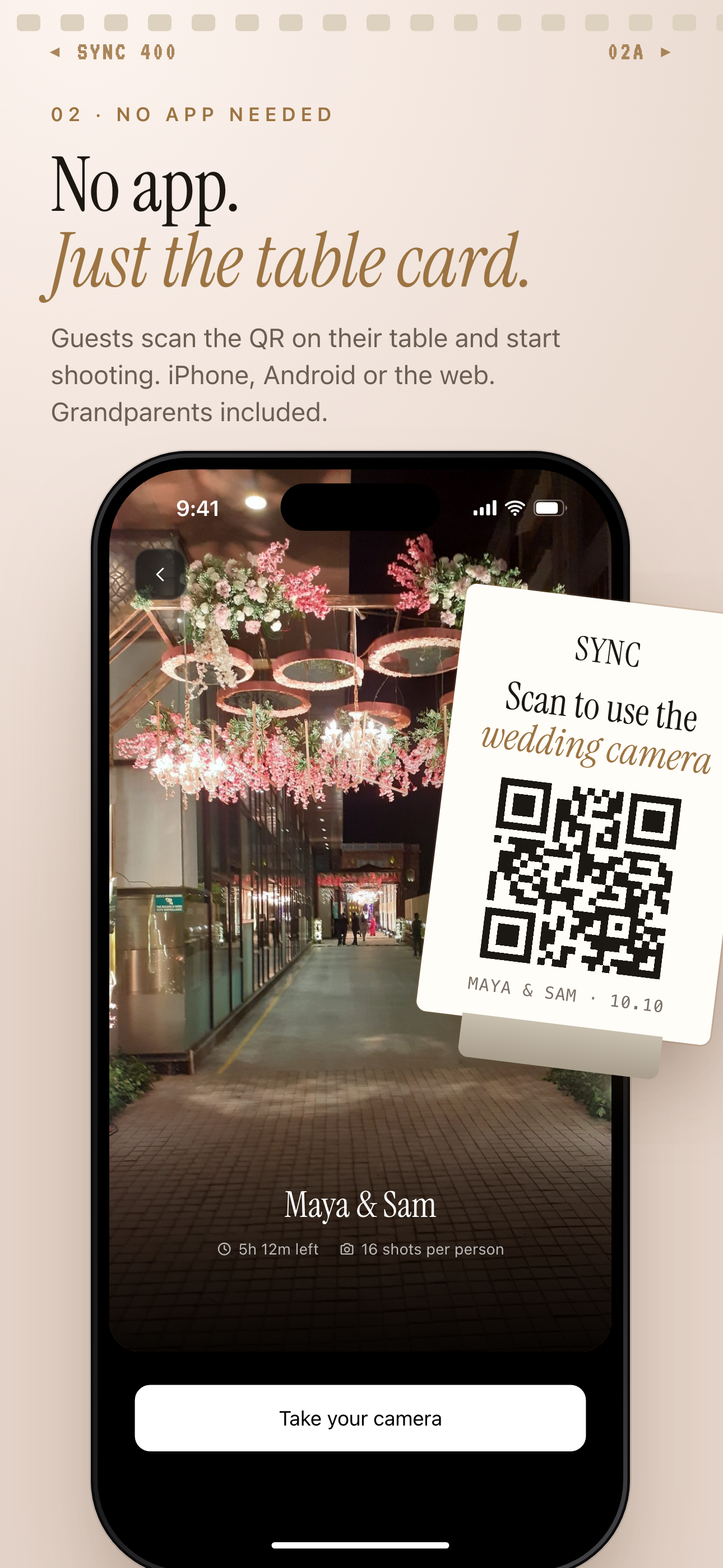
The sign works with any link. If you don't have one yet, a SYNC event gives you the link and its QR code. A host creates an event, names it and picks an end time. Guests join from a QR code or an eight-character invite, with no account required, from any modern phone browser; the iOS and Android app is optional.
- Reveal modes: guests see photos live as they are taken, the gallery unlocks when the event ends, or it unlocks a set number of hours after that. See how reveal modes work.
- Moments: split the day into stages such as the ceremony, reception and after-party. Each Moment has its own QR code, so each one can go on its own sign.
- Favorites: export your favorites once the day is done.
"We don't sell your photos or your data. No ads. No cross-app tracking."
It's free to start, with up to 7 guest uploaders per event and no credit card needed. SYNC PRO is a one-time purchase, not a subscription, for a larger event. Read more about QR code photo sharing with SYNC.
Wedding QR code sign FAQ
What should a wedding QR code sign say?
A short headline, one line that tells guests what happens when they scan (for example, add your photos to our album), and your names or date. The wording ideas above are a good place to start. Keep it under about 20 words so it reads from a seat.
What size should a QR code be on a wedding sign?
At least 2 cm (about 0.8 in) wide for a card read up close, and bigger for a sign read from across the room. This tool prints the code 64 mm wide on the 5 x 7 in sign, 44 mm on each tent card face and 100 mm on the full-page sign. Always test-scan a printed copy.
Does the QR code expire?
No. The code is static: it stores exactly the link you pasted, with no redirect, shortener or tracking added, so it works as long as that link works. If your album link changes, make a new sign.
Do guests need an app to scan it?
Most phone cameras read QR codes directly on iPhone and Android, so tell guests to open the camera and point it at the code. What happens next depends on the link: some albums open in the browser, others ask for an app.
Where do I get a link for guests to share wedding photos?
Any shared album or guest photo app gives you an invite or share link to paste here. With SYNC, a host creates an event, names it and picks an end time; guests join from a QR code or an eight-character invite, with no account required, from any modern phone browser. More on wedding photo QR codes for guests.
Can I make a Wi-Fi QR code sign for the reception?
Yes. Switch Code opens to Wi-Fi network and enter the network name, password and security type; phones that scan it offer to join. You can print the name and password on the sign or leave just the code.
Can I use it for baby shower table cards, a birthday or a work event?
Yes. The occasion presets swap in wording for birthdays, baby showers and corporate events, and every size and design works for any occasion. Planning a shower? See photo sharing for a baby shower.
Is my link uploaded or saved anywhere?
No. The code is drawn in your browser; the link and any Wi-Fi password are not uploaded or saved, and closing the page clears them.