A physical disposable camera means buying film, handing out cameras, waiting for the lab and hoping a few frames came out. The alternative is a group chat, where you spend the week after the party chasing people for the photos they took.
A digital disposable camera app removes both problems. Guests shoot with the phone they already carry, in a Vintage or B&W film look, and every photo develops into one shared album. To be clear, this is a digital camera app: there is no physical film, no developing and no scanning. On iPhone, guests can join from any modern phone browser through the invite link, and installing the iOS app is optional.
How a disposable camera app works on iPhone
The host creates an event, names it and picks an end time. The host also picks the film look for the whole event: Normal, Vintage or B&W. The look is locked once shooting starts, so every guest's photos share the same style.
Guests join by scanning the QR code or typing the eight-character invite. No account is required. This is what makes an online disposable camera practical for a crowd: nobody has to sign up before the first photo. See how QR code invites work for the full joining flow.
On iPhone, guests can join from any modern phone browser via the invite link. Installing the iOS or Android app is optional and adds better camera controls and push notifications for new photos.
Everyone then shoots through the event camera, and the photos develop into one shared album. There is no physical film, developing or scanning involved.
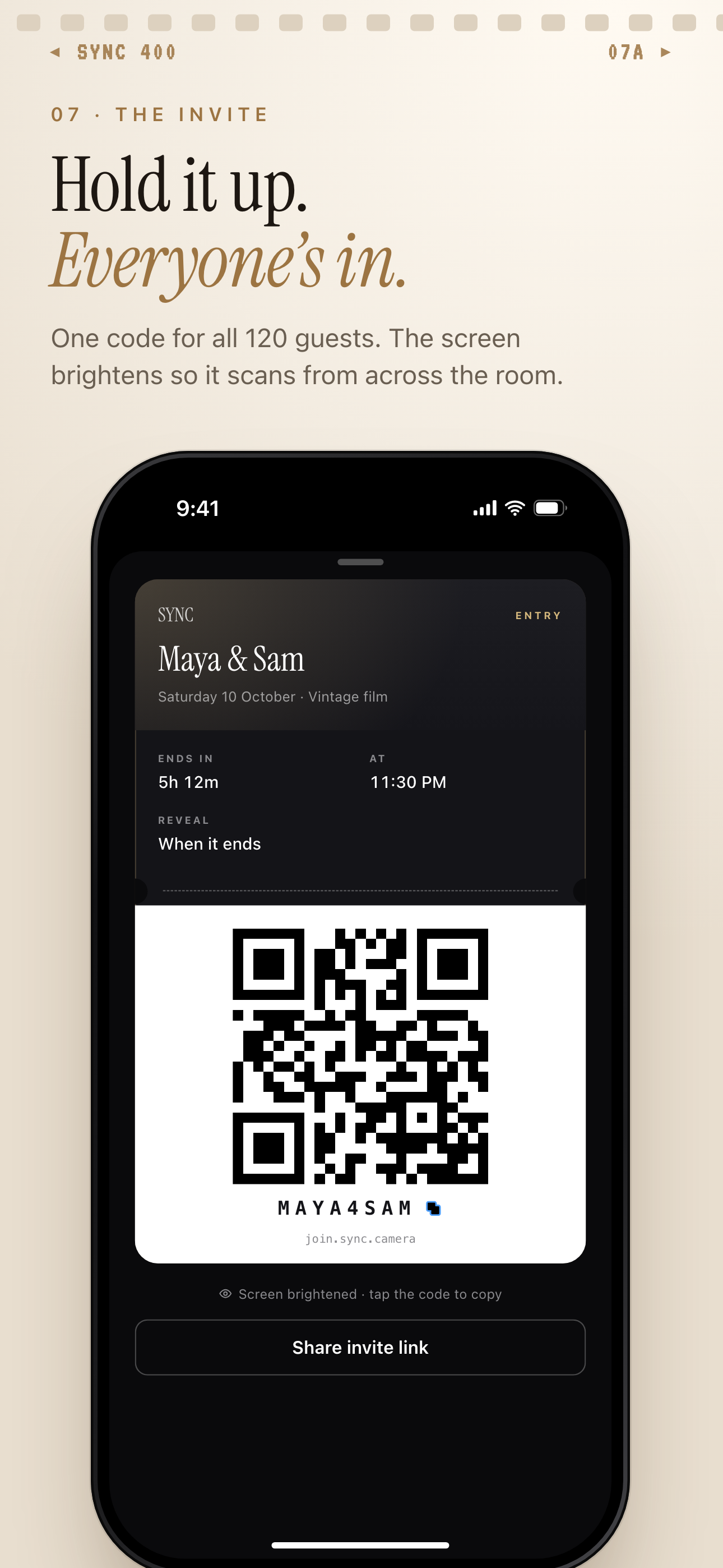
Pick when the photos are revealed
Hosts choose a reveal mode when they set up the event. There are three: During, where guests see photos live as they are taken; After the event, where the gallery unlocks when the event ends; and Additional delay, where it unlocks a set number of hours after the event ends.
Until the reveal, the album stays locked and blurred. That keeps the surprise that makes a disposable camera fun, without the wait for a lab. Read more about reveal modes to choose the right one for your event.
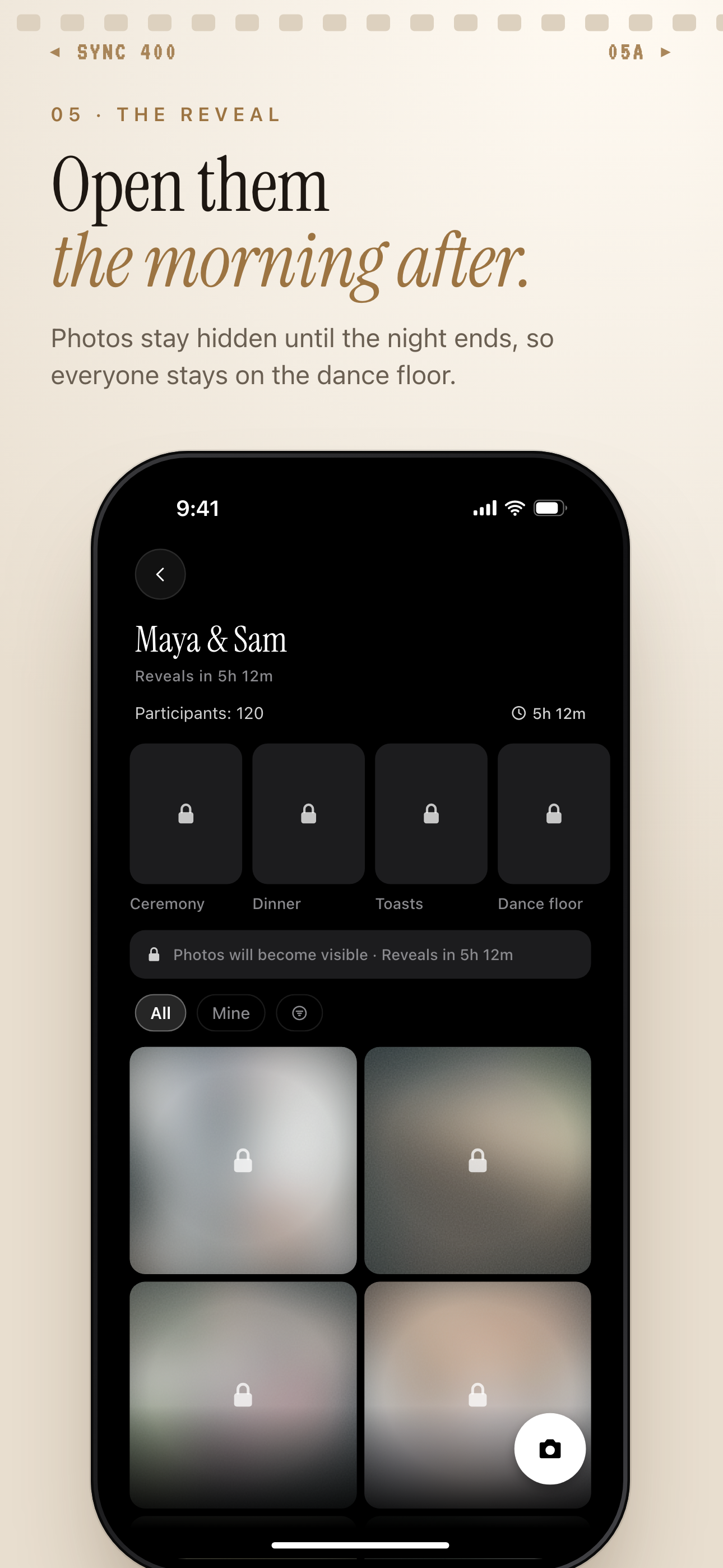
Film look, moments and one shared album
Vintage and B&W film looks give shots the date-stamped disposable-camera feel. If you want the retro style specifically, take a look at the vintage disposable camera look.
Moments split an event into stages such as ceremony, reception and after-party. Each moment has its own QR code and reveal timing, and guests move between them without switching apps.
When the album opens, you can filter it by photographer to see one contributor's shots, then export your favorites.
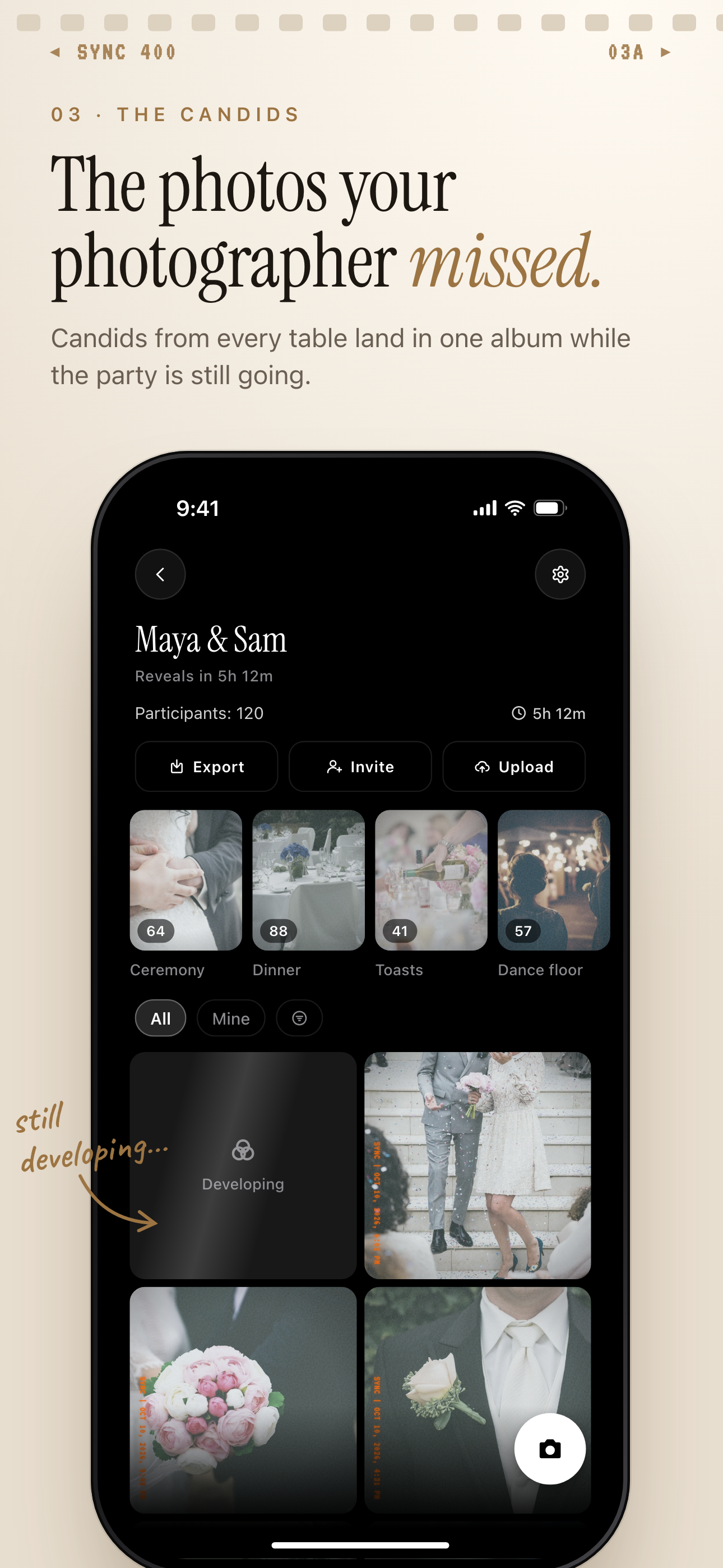
Who it is for
Wedding couples
Put a QR code on every table so guests' candids from the ceremony to the dance floor end up in one album, revealed the morning after.
Birthday hosts
Everyone at the party shoots with the same Vintage film look and the host opens the gallery the next day, with no 'send me that' in the group chat.
Travel groups
Friends on a trip join with the invite link, each contribute their own angles, and the host filters by photographer to find who took what.
Corporate event organizers
Attendees scan one QR code with no account, and Moments keep keynote, workshop and dinner photos in separate groups.
Features
QR or eight-character invite
Guests join by scanning a QR code or typing the invite. No account required.
Works in the phone browser
Any modern phone browser can join via the invite link; the iOS and Android apps are optional and add better camera controls and push notifications.
Three reveal modes
During, After the event, or Additional delay, so the gallery unlocks when you want it to.
Film looks
Choose Normal, Vintage or B&W for the whole event camera.
Moments
Split an event into stages, each with its own QR code and reveal timing.
Filter by photographer
Narrow the album to one contributor's shots.
Export your favorites
Pick the shots you want to keep and export them.
Frequently asked questions
Do my guests need to install an app or make an account?
No account is required. Guests join from a QR code or an eight-character invite, and any modern phone browser works via the invite link. Installing the iOS or Android app is optional; it adds better camera controls and push notifications for new photos.
Is there a free tier?
Yes. sync.camera is free to start, with up to 7 guest uploaders per event. For a larger event, SYNC PRO is a one-time purchase, not a subscription, that expands the guest and photo limits for that single event, so you upgrade again only when you create a larger event. See the free disposable camera app page for more.
Can I hide the photos until after the event?
Yes. Reveal modes are During, After the event, or Additional delay, which unlocks the gallery a set number of hours after the event ends. Until the reveal, the gallery stays locked.
Does it really work like a disposable camera?
Guests shoot through an in-app event camera with a Vintage or B&W film look, and the photos develop into the shared album. It is a digital camera app, so there is no physical film, developing or scanning.
What happens to my photos and data?
We don't sell your photos or your data, and there are no ads and no cross-app tracking. Photos are encrypted in transit and stored in event-scoped buckets, with access enforced by per-event row-level security. The app does use product analytics, a crash reporter and Firebase Cloud Messaging for Android push. Deleting an account removes the profile, the events it owns and their photos within 30 days. Details are on the privacy controls page.