An event schedule template is a one-page plan that lists every part of an event in order, with a start time, an activity and where it happens. Fill one in so hosts, helpers and vendors all work from the same timeline. The maker below works out every start and end time from your event's start time, then prints the schedule or saves it as a one-page PDF.
Make your event schedule
How to make an event schedule
Pick your event type
Choose Party, Wedding, Birthday, Conference or workshop, Corporate offsite or Blank to load a starter schedule, then set the start time.
Edit the activities
Rename activities, adjust durations in minutes and add a location or note. Reorder or delete rows as you go; every start and end time updates automatically.
Make it, then print or save it
Click Make my schedule, check the preview, then print it or download it as a one-page PDF on Letter or A4 paper.
What to put in your event schedule
Treat these as general planning guidance, then adjust them to your venue and your guests.
- Build in buffers. Leave 10 to 15 minutes between big moments, and more for room changes or large groups. Give the buffer its own Break row so it shows on the printout.
- Start arrivals early. Put arrival 30 minutes before anything that must start on time, such as a ceremony or a keynote.
- Give food its own block. A meal squeezed into the same slot as speeches or games tends to run over.
- Print extra copies. Hand one to each helper, one to the venue and one to anyone giving a toast.
Planning a wedding? The month-by-month wedding planning checklist covers the months before the day, and wedding reception games, wedding bingo cards or couple trivia questions can fill the quieter stretches of the reception.
Example schedules
These are the starter schedules the tool loads, before any edits. Change the start time and every row moves with it.
Party (5 h 20 min)
| Time | Activity |
|---|---|
| 6:00 PM – 6:30 PM | Guests arrive |
| 6:30 PM – 7:00 PM | Welcome drinks |
| 7:00 PM – 7:45 PM | Games and mingling |
| 7:45 PM – 8:45 PM | Dinner |
| 8:45 PM – 9:00 PM | Toasts |
| 9:00 PM – 9:20 PM | Cake |
| 9:20 PM – 10:50 PM | Dancing |
| 10:50 PM – 11:20 PM | Last call and goodbyes |
Wedding (6 h 35 min)
| Time | Activity |
|---|---|
| 4:00 PM – 4:30 PM | Guests arrive and seated |
| 4:30 PM – 5:00 PM | Ceremony |
| 5:00 PM – 6:00 PM | Cocktail hour |
| 6:00 PM – 6:10 PM | Grand entrance |
| 6:10 PM – 7:25 PM | Dinner |
| 7:25 PM – 7:55 PM | Toasts and speeches |
| 7:55 PM – 8:05 PM | First dance |
| 8:05 PM – 8:20 PM | Cake cutting |
| 8:20 PM – 10:20 PM | Open dancing |
| 10:20 PM – 10:35 PM | Send-off |
Birthday (3 h 40 min)
| Time | Activity |
|---|---|
| 3:00 PM – 3:30 PM | Arrivals |
| 3:30 PM – 4:00 PM | Snacks and drinks |
| 4:00 PM – 4:45 PM | Games |
| 4:45 PM – 5:30 PM | Food |
| 5:30 PM – 5:50 PM | Candles and cake |
| 5:50 PM – 6:20 PM | Presents |
| 6:20 PM – 6:40 PM | Goodbyes |
Conference or workshop (5 h 45 min)
| Time | Activity |
|---|---|
| 9:00 AM – 9:30 AM | Registration and coffee |
| 9:30 AM – 9:45 AM | Welcome and opening |
| 9:45 AM – 10:30 AM | Keynote |
| 10:30 AM – 10:45 AM | Break |
| 10:45 AM – 11:45 AM | Session 1 |
| 11:45 AM – 12:45 PM | Lunch |
| 12:45 PM – 1:45 PM | Session 2 |
| 1:45 PM – 2:30 PM | Panel and Q&A |
| 2:30 PM – 2:45 PM | Closing remarks |
Corporate offsite (8 h)
| Time | Activity |
|---|---|
| 9:00 AM – 9:45 AM | Arrival and breakfast |
| 9:45 AM – 10:15 AM | Kickoff |
| 10:15 AM – 11:45 AM | Workshop block |
| 11:45 AM – 12:45 PM | Lunch |
| 12:45 PM – 2:15 PM | Team activity |
| 2:15 PM – 2:30 PM | Break |
| 2:30 PM – 3:00 PM | Wrap-up |
| 3:00 PM – 5:00 PM | Dinner and drinks |
Give your event photos the same stages
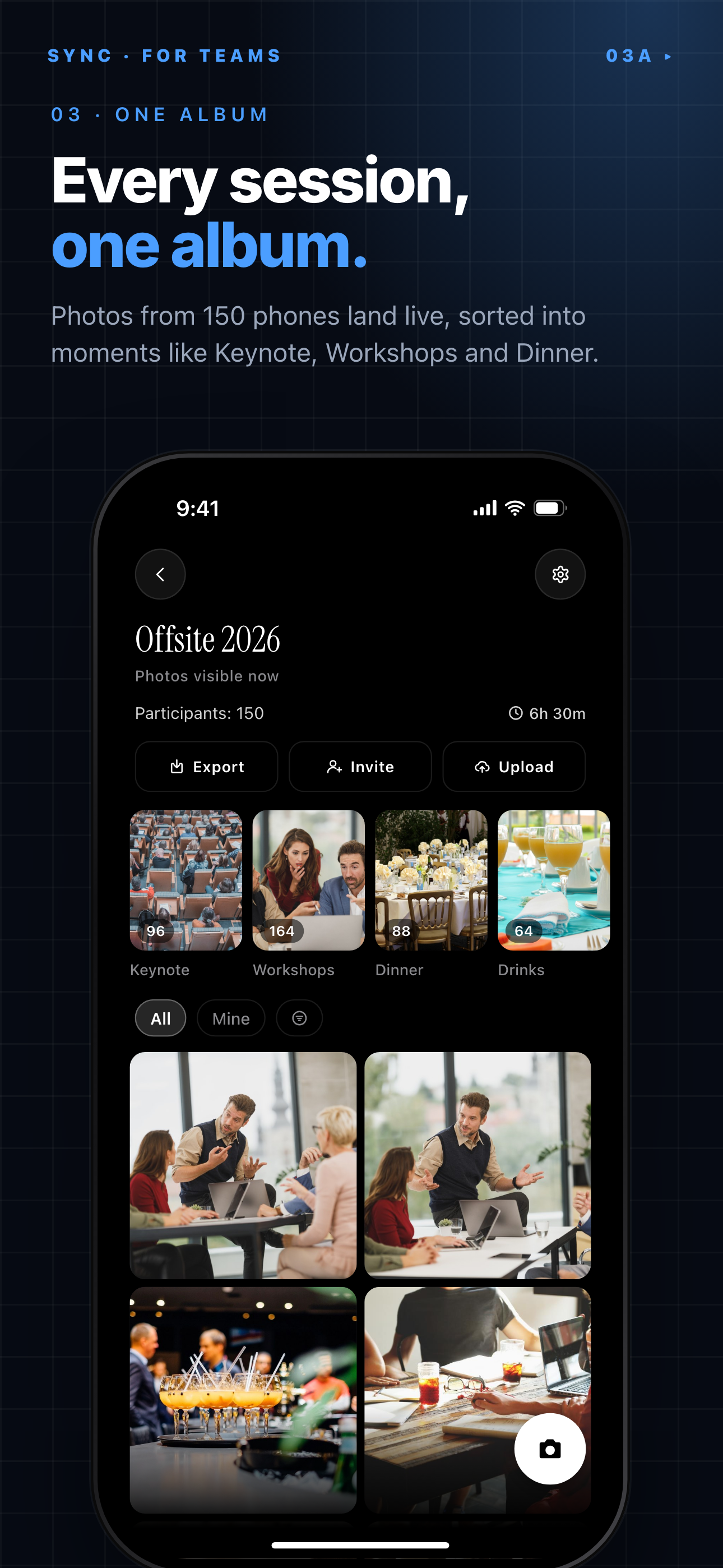
Your schedule already splits the day into parts. sync.camera Moments split the event's photos the same way: stages such as ceremony, reception and after-party, each with its own QR code and its own reveal timing. Guests move between moments without switching apps, so the shared album stays grouped the way your day ran.
Guests join from a QR code or an eight-character invite, with no account required. Any modern phone browser works, and installing the app is optional. Photos can appear live as they are taken, unlock when the event ends, or unlock a set number of hours after it.
The free tier covers up to 7 guest uploaders per event, and no credit card is needed. For a bigger event, upgrade that one event with SYNC PRO, a one-time purchase rather than a subscription. We don't sell your photos or your data. No ads. No cross-app tracking.
See how it works for a birthday party, a conference or a corporate event.
Frequently asked questions
What should an event schedule include?
A start time for every item, the activity, and where it happens, plus who leads it when that matters. Put the event title and date at the top, and the total length at the bottom so you can check it against your venue booking. This tool adds up the total for you.
How much buffer time should I add between activities?
A common rule of thumb is 10 to 15 minutes between major segments, and more for room changes or large groups. Add the buffer as its own Break row so it shows on the printout instead of hiding inside another activity.
Can I save my event schedule as a PDF?
Yes. Click Download PDF to save a one-page file, or click Print and choose Save as PDF in the print dialog. Letter and A4 are both supported.
Is this event schedule template free, and do I need an account?
It's free and there's no sign-up. The schedule is built entirely in your browser and nothing you type is uploaded or stored, so reloading the page clears your edits. Download the PDF to keep a copy.
What is the difference between an event schedule and a run of show?
An event schedule is the timeline that guests or the team follow. A run of show is a more detailed, minute-by-minute version for the crew. This tool works for both: use short durations (down to 5 minutes) and put cues or who is responsible in the note column.