
You're hosting something that matters — a big birthday, a graduation party, a family reunion, a retirement dinner, a memorial, a work event — and it isn't a wedding. You like the idea of a guest book, something guests actually leave their mark on, but every “digital guest book” product you've found online is built, worded, and priced around weddings. (If you are planning a wedding, sync.camera's wedding guest book is built specifically for that.) A paper guest book means guests write a line and move on, and it says nothing about what the room actually looked like. What you actually want is the photos your guests are already taking on their own phones, landing in one place, without turning the week after into a group-chat scavenger hunt. (New to the idea? Here's what a digital album actually is.)
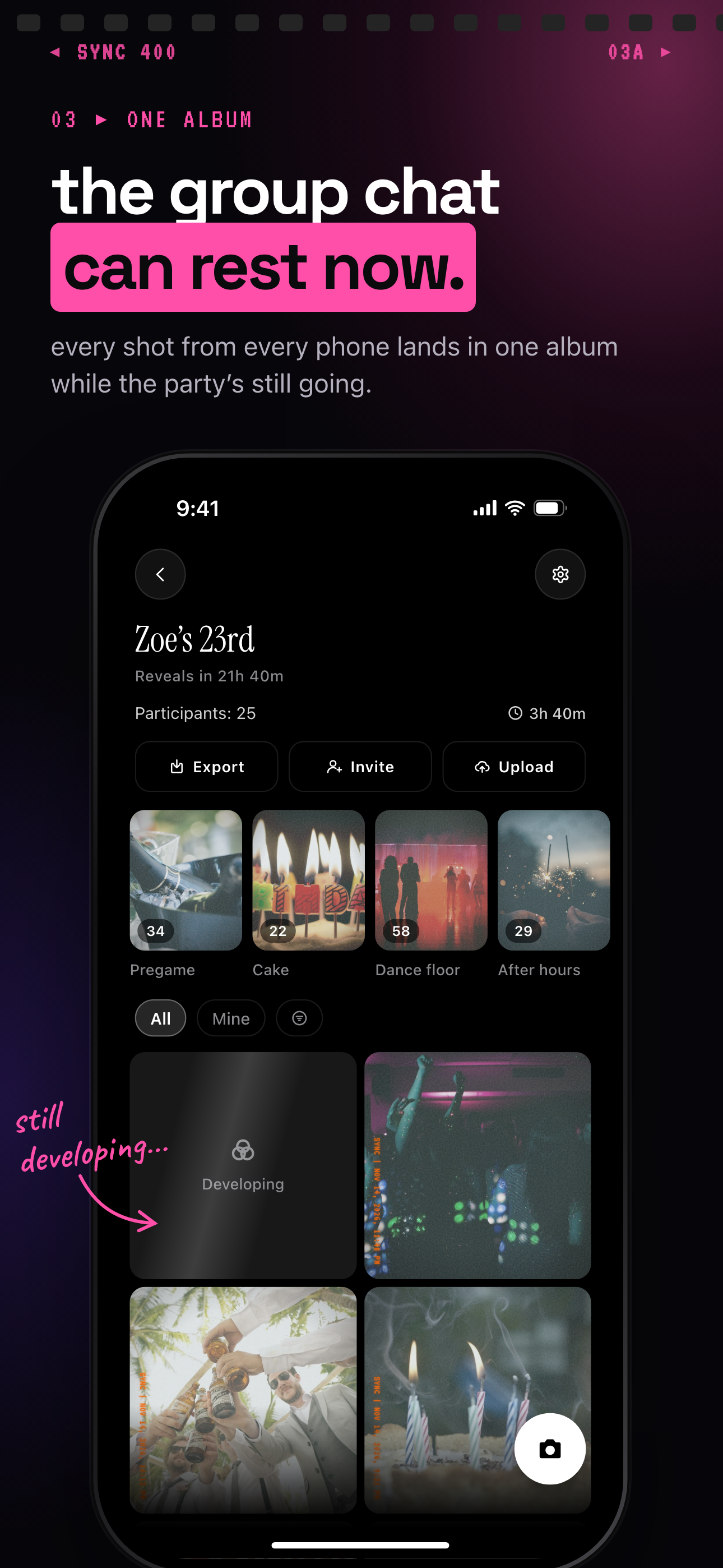
Every guest's photos land in one album while the party is still going.
What is hard right now
- Every “digital guest book” you can find online is built for weddings — the copy says “couple,” the pricing assumes a single wedding day, and your birthday party, reunion, or memorial doesn't fit the mold.
- A paper guest book only gets you a signature and a line or two — it doesn't show what the room actually looked like from every angle your guests were standing in.
- Guest photos end up scattered across group chats, camera rolls, and one relative's cloud album link that never actually gets sent.
- Half your guests are on iPhone and half on Android, so “just text me your photos after” means most of them never do it.
Scenarios
A milestone birthday party
It's a 60th birthday with guests scattered across a backyard, a couple of patio tables, and a corner nobody wants to leave. Instead of a card propped by the door, you put up a QR code on the cake table and the bar. Guests scan it with the camera app already open on their phone — no app to install, no account to create — and their shots start landing in one shared album while the party is still going.
The candid shot someone got mid-toast, the group photo by the pool, the blurry-but-perfect one of the birthday person laughing — it's all syncing into the same album instead of sitting on six different phones. If you'd rather keep it a surprise, sync.camera's reveal timing can hold the gallery back until the next morning instead of showing it live. For more on running one end to end, see our birthday party guide.
A family reunion or graduation cookout
Three generations show up — grandparents who don't want to download anything, cousins on Android, an aunt who only ever uses a browser. Nobody has to create an account or figure out whose phone works with what; everyone joins the same album from a single QR code, so the cookout ends with one shared set of photos instead of six private ones.
Bigger reunions mean more people taking pictures. sync.camera's free tier covers events with up to 7 guest uploaders and no account required; if your reunion or graduation party runs bigger than that, paid events support unlimited guests and uploads. Either way, see our guides for family reunions and graduation parties.
A memorial or celebration of life
Guests want to share photos of the person being honored, but signing a book feels wrong for the moment, and a group chat feels chaotic. A QR code on the program lets people add photos quietly as they arrive or as the gathering goes on, without anyone having to make an announcement about it.
Because this is one of the moments where timing matters most, sync.camera's reveal timing lets the family hold the gallery private until they've had a chance to look through it first, and privacy controls keep the album visible only to people who have the QR code or link — never public by default. Read more in our memorial guide.
A corporate event or team offsite
Attendees at a conference or offsite take plenty of photos on their own phones, but almost none of it reaches whoever is actually running the event afterward. A shared QR code at check-in means those photos land in one album the organizer gets to keep, instead of staying scattered across attendees' camera rolls.
Larger offsites and conferences often mean more than 7 people uploading, which is why paid events on sync.camera support unlimited guests and uploads rather than capping at the free tier. See our corporate event guide for more.
Features that make this work
QR code invites
Guests join the same way they'd sign a paper guest book — one scan at the door or on the program — except this one collects photos instead of a name, and no separate app or account is needed.
Auto-sync
The moment a guest's upload finishes, it's in the shared album for everyone — nobody has to remember to send anything after the birthday party, reunion, or offsite winds down.
Shared albums
All the photos from the party, reunion, or memorial end up in one album instead of split across six people's camera rolls and group chats.
Reveal timing
Open the gallery live during the event, after it wraps, or on a custom delay — useful for a memorial where the family wants first look, or a milestone birthday where the host wants a surprise recap the next morning.
Privacy controls
The album isn't public by default — only people with your QR code or link can see it, so a family reunion or memorial gallery doesn't end up visible to strangers. sync.camera keeps it simple on data too: no ads, no cross-app tracking, and it doesn't sell your photos or your data.