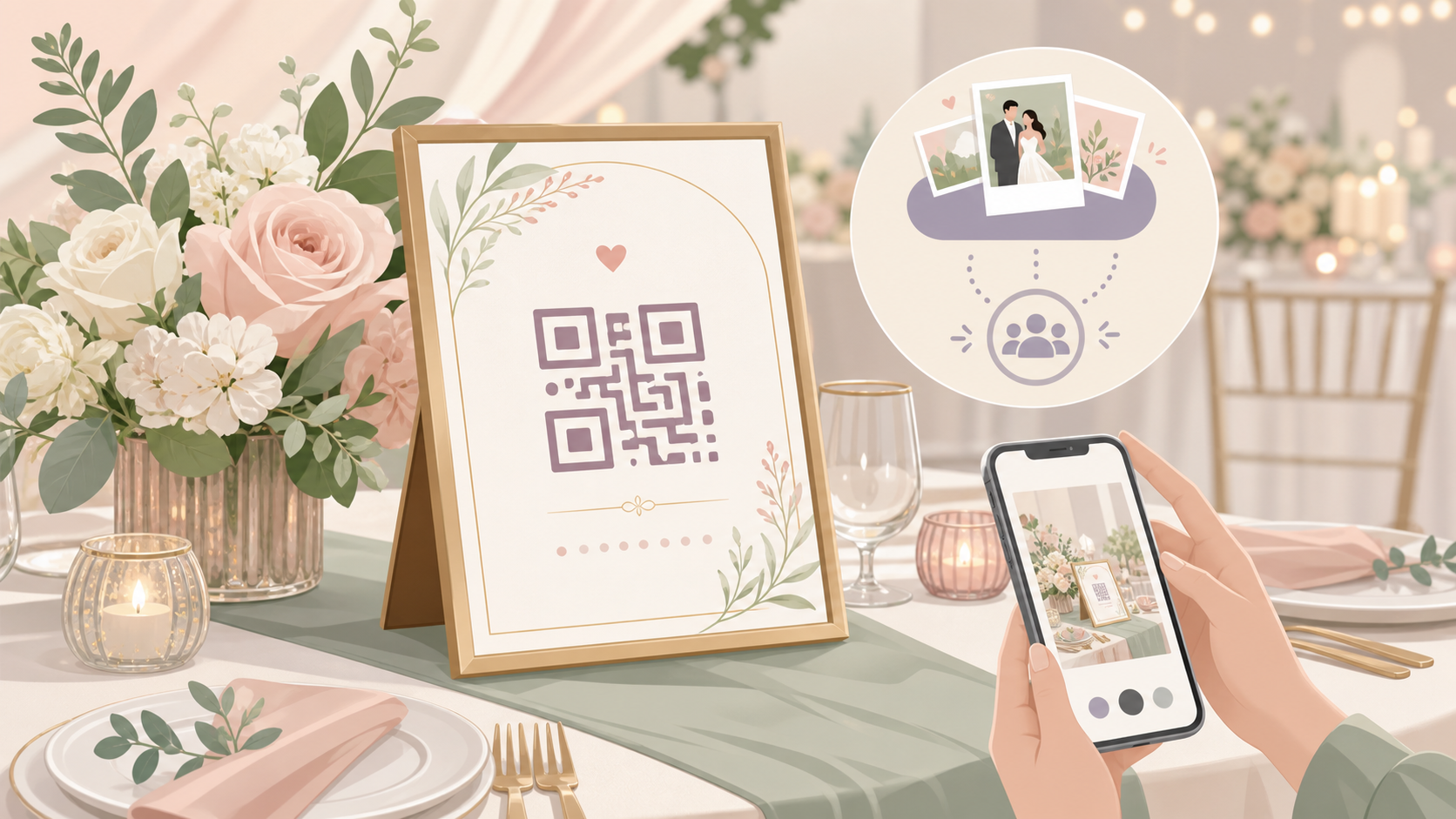
What Is an Online Wedding Photo Gallery?
An online wedding photo gallery is a shared digital space where couples and their guests can view wedding photos together. But that phrase covers two very different things — and knowing which type you need is the first decision to make.
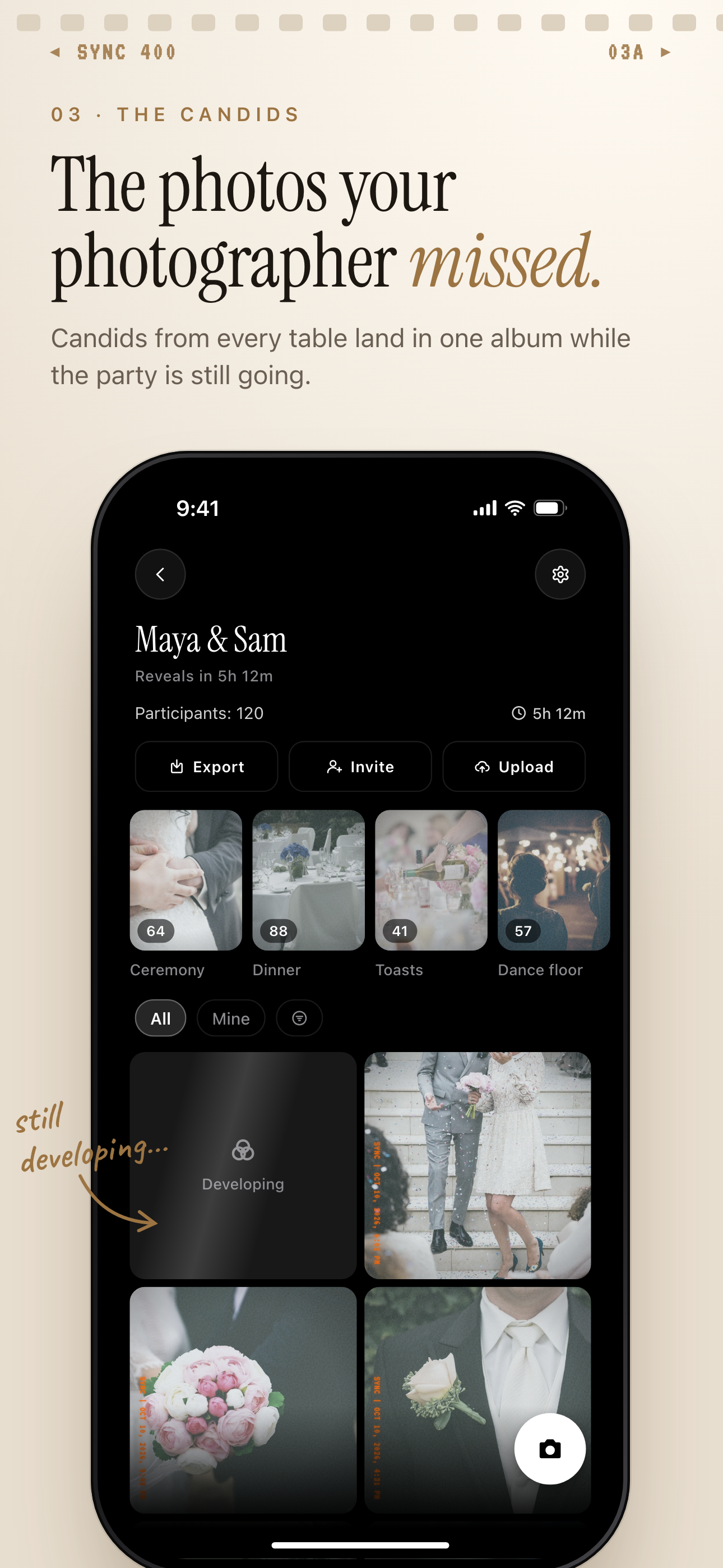 Guest candids from every table collect in one wedding album, grouped into moments like Ceremony, Dinner and Toasts.
Post-event album vs. live collaborative gallery
Post-event delivery galleries are what professional photographers use. After the wedding, they upload their finished edits to a platform like Pixieset or ShootProof. Guests receive a link days or weeks later. The photos look polished. But they only show one person's perspective.
Live collaborative galleries work differently. Guests upload directly from their own phones during the event. Photos appear in real time. The couple sees everything as it happens — the flower girl's expression, the toast at table seven, the moment two old friends reunited on the dance floor.
These aren't competing products. They complement each other. The photographer delivers the artistry. The guest gallery delivers the chaos and the candor.
Why guest photos matter as much as the photographer's shots
The photographer can't be at every table during dinner. They can't capture what happened when the lights went low on the dance floor, the grandmother dancing with the groom, the kids who snuck into the photo booth, or the getting-ready chaos before the ceremony even started.
Guests capture all of it. The challenge is gathering those photos in one place — without chasing people down for weeks after the wedding.
Here is the problem: those guest photos almost never get collected. They live scattered across dozens of phones, shared in small group chats, or never shared at all. A live collaborative gallery solves this — but only if guests can actually join without friction.
The core capabilities to look for: no mandatory guest app install, real-time upload, and host controls over what gets shown and when.
What to Look for in a Wedding Photo Gallery App
Not all gallery apps are built for weddings. Some are too simple. Others create too much friction for guests. Here is what separates the good ones from the rest.
Guest access: QR codes beat sign-up friction
Guest friction is the number-one failure mode. If joining the gallery requires creating an account, many guests won't bother — especially older relatives or those less comfortable with apps.
The gold standard: a QR code or invite link that guests scan or tap to join, with no account required and no forced app download. On iOS, App Clip experiences let guests join through a lightweight mini-app that launches instantly — no App Store visit needed. That is a meaningful difference on a busy wedding day.
Privacy and reveal controls
Who can see what — and when — matters. Consider:
- Can guests see each other's uploads in real time, or only after the event?
- Can the couple hide ceremony photos until after the first dance?
- Can the host remove an inappropriate photo before anyone else sees it?
- Can specific individuals be removed from the gallery entirely?
These controls protect the couple's story. Generic shared albums — Google Photos, iCloud Shared Albums — don't offer this. They show everything to everyone the moment it's uploaded.
Storage, downloads, and sharing after the wedding
Check whether the app compresses photos or preserves originals. Find out if the couple can bulk-download everything after the event ends. And confirm whether the gallery stays live permanently or auto-deletes after a set period.
A guest photo sharing app for weddings that compresses images, auto-deletes the gallery after 30 days, or makes downloading difficult is not a complete solution for couples who want a lasting record.
How to Set Up Your Wedding Gallery with SYNC
SYNC is built for event-based photo sharing. Here is how setup works in practice. You share a QR code at the welcome table. Guests scan it. Photos start appearing in your gallery within seconds.
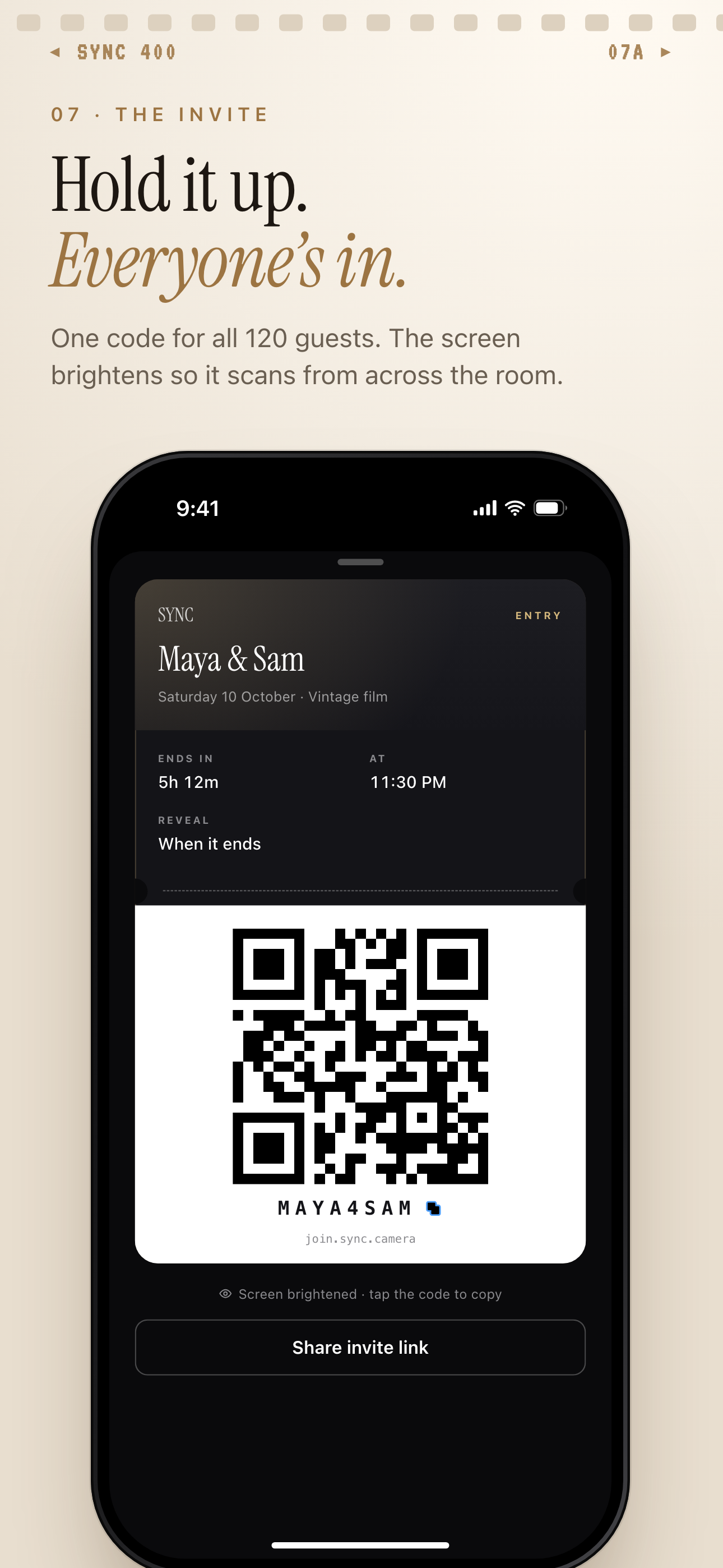 The event's invite pass shows one QR code to display at the welcome table, plus a join code guests can type.
Create an event and set your date window
When you create a wedding event in SYNC, you name the event and set a start date and an end date. Only photos taken within that window are accepted. This prevents accidental uploads from months before or after the wedding — nobody's grocery run ends up in the ceremony gallery.
Share the QR code — guests join instantly
After creating the event, SYNC generates a QR code and an invite link. Print the code for welcome table cards, display it on the venue screen, or include it in the rehearsal dinner group chat.
Guests who scan the code join immediately. No account required. iOS users join via App Clip — the phone recognizes the link and presents a lightweight upload experience without leaving the camera roll. Android and web browsers are fully supported too.
Free events support up to 7 guests — ideal for intimate elopements or micro-weddings. For a typical wedding with 50 to 300 guests, the paid tier unlocks unlimited guest count and unlimited photo uploads. Upgrade before you send the invites so the QR code works without interruption on the day. Paid events are per-event — you pay once for the wedding, not an ongoing subscription.
Filter photos by guest to find every shot
After the event, the filter-by-photographer feature lets you browse every photo uploaded by a specific guest. Want to see all of the best man's candids? Filter to his uploads. Curious what the flower girl captured? Her shots are there, sorted separately from everyone else's.
This turns hundreds of uploads into something navigable. You're not scrolling through a single endless feed — you can move through the day guest by guest, perspective by perspective.
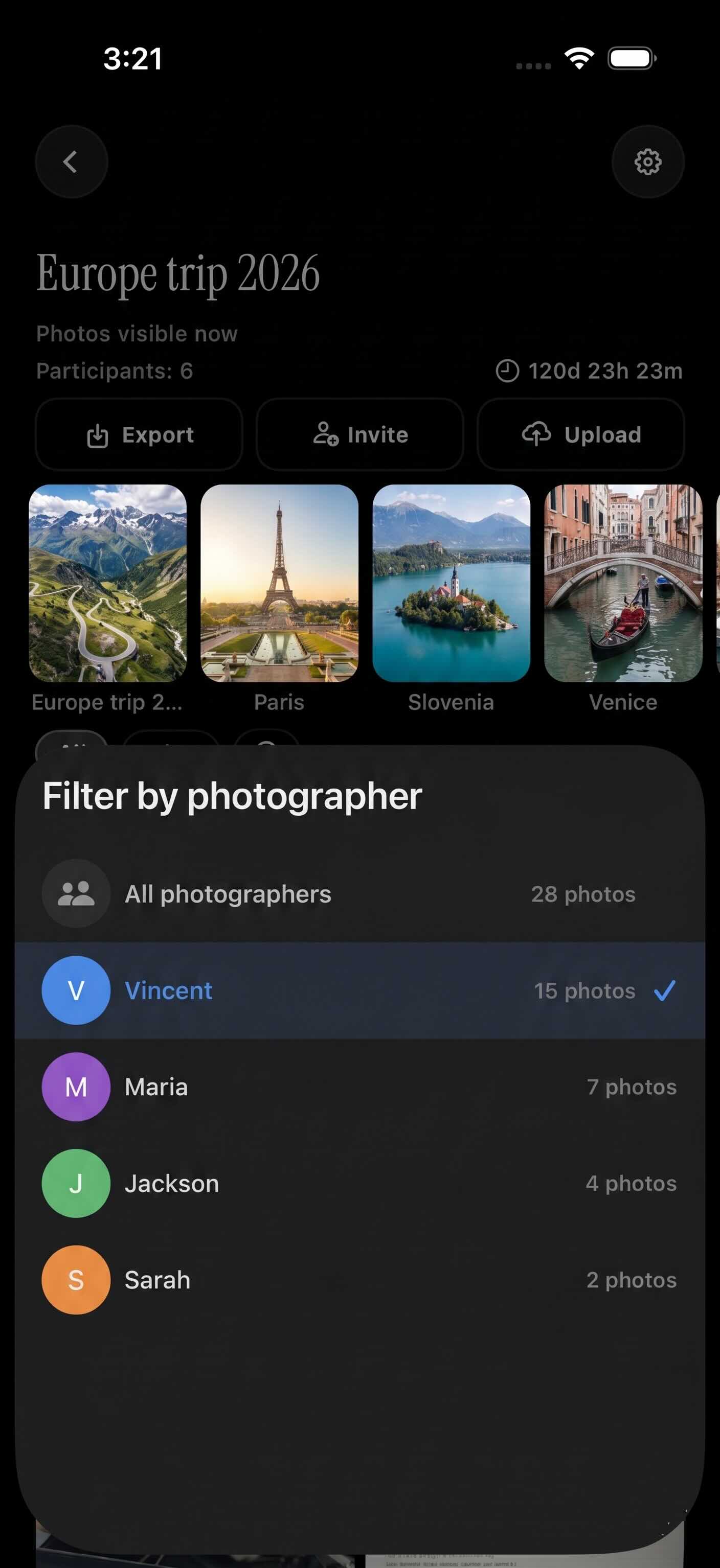
Filter by photographer narrows the album to one guest's uploads.
Gallery Reveal: Controlling When Guests See Each Other's Photos
One of the most useful features in SYNC — and the hardest to find elsewhere — is gallery reveal timing. By default, most shared album tools show photos to everyone the moment they're uploaded. For a casual birthday party, that's fine. For a wedding, it can be a real problem.
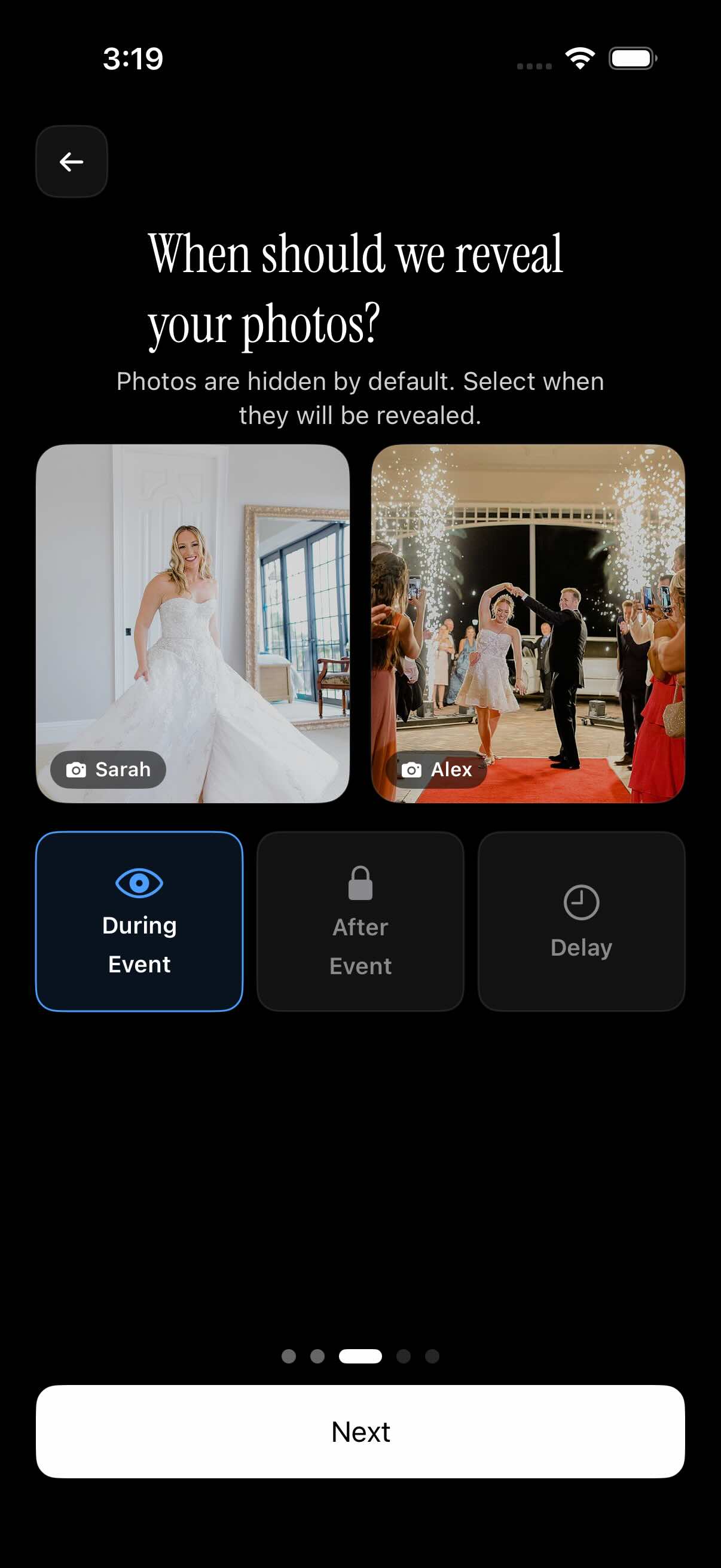 SYNC's three reveal modes give couples precise control over when guests can see each other's photos — a capability with no equivalent in Google Photos or iCloud Shared Albums.
Three reveal modes explained
SYNC offers three options:
- During the event — guests see uploads in real time as they happen. Good for casual gatherings where the live stream is part of the fun.
- After the event ends — the gallery unlocks once the event date passes. Guests upload throughout the day, but nobody sees anyone else's photos until it's over.
- Delayed reveal — the host sets a specific delay after the event ends, for example 24 hours after the reception. The couple gets their own first look before the gallery opens to guests.
The gallery reveal feature is controlled entirely by the host. The host always has full visibility regardless of which mode is selected — reveal timing only controls what other guests see.
Why 'after the event' reveal protects the big moments
Here is the scenario couples worry about: a ceremony guest photographs the bride walking down the aisle and posts it to Instagram before the couple makes their own announcement.
With reveal mode set to "after the event," that can't happen through the gallery. Guests upload freely throughout the day, but nobody else in the gallery sees those photos until the event closes. The couple controls when the story goes public.
Neither Google Photos nor iCloud Shared Albums offers this. Both show every upload to all viewers immediately. That works for many occasions. For a wedding, it's a risk worth planning around.
Sharing Your Wedding Album After the Event
The event is over. The gallery is full. Here is how SYNC handles the next step.
Sending the gallery link to family who couldn't attend
SYNC lets the host generate a shareable album link after the event ends. Anyone with the link can view the gallery — no SYNC account required. Forward it to grandparents, overseas relatives, or close friends who couldn't make the trip.
The shared album is read-only. Viewers can save individual photos to their own device. They cannot upload or modify anything. The couple's gallery stays intact.
Downloading originals for your keepsakes
Bulk download lets the couple save every guest photo to their phone or computer. Hand the full collection off to your photographer — so they have every perspective, not just their own shots — when assembling the final album.
The gallery persists beyond the event date. SYNC does not auto-delete it. The couple can revisit it on anniversaries, share it again years later, or browse it slowly in the weeks after the honeymoon.
Free vs. Paid: Guest Limits and Unlimited Uploads
What the free tier covers
Free SYNC events support up to 7 guests. That works well for elopements, intimate ceremonies, and small family gatherings where collecting photos in one place matters but the guest count is low.
When to upgrade before the wedding
Most weddings have far more than 7 guests. The paid tier removes the guest cap entirely — unlimited guests, unlimited photo uploads. For a wedding with 100, 200, or 300 attendees, this is the right choice.
Upgrade before you distribute the QR code or invite link. If guests try to join and the event is full, some will give up. The point of the gallery is to capture every shot — don't let a plan limit get in the way on the day.
Paid events are priced per event. You pay once for the wedding, not a recurring monthly or annual fee. That makes budgeting simple: one charge, one event, done.
Collecting guest photos used to mean chasing people down for weeks after the wedding and hoping they actually sent what they promised. A live collaborative gallery changes that. Guests upload as the day happens, the couple sees everything in real time, and the album that comes out the other side is complete — every perspective, every table, every moment the photographer couldn't have caught alone.
SYNC is built for exactly this use case. Create the event, set your reveal timing, and let the gallery fill itself. The wedding photo wall for venue screens can even display a live slideshow during the reception — so guests see their own shots appearing as the celebration unfolds.