
You just got home from a wedding, a birthday party, or a weekend trip. Everyone took great photos. Now comes the painful part: chasing people down on text, collecting blurry compressed images from three different group chats, and realizing half the people there weren't even in the thread.
There is a better way. A shared photo album app gives everyone one place to contribute and view photos — no chasing required.
What Is a Shared Photo Album App — and Why It Matters
The problem with sending photos over text or email
Group texts compress images. Email attachments get buried. Someone always gets left out of the thread. You end up with duplicates, missing moments, and photos you can never find again.
Sending photos over chat is not a storage solution. It is a stopgap that creates more work.
What makes a shared album different from a group chat
A shared photo album is a single, living collection that multiple people can contribute to and view. Think of it as a collaborative folder in the cloud — but designed for photos, not files.
The difference matters. Shared albums:
- Preserve full resolution so you can actually print them later
- Create a permanent record that does not disappear when someone gets a new phone
- Let everyone contribute, not just the person who started the thread
- Keep everything organized in one place instead of scattered across apps
If you have ever lost a photo because someone cleared their texts, you already know why this matters.
What to Look For in a Shared Photo Album App
Not all shared album apps are equal. Here is what actually matters when you are choosing one.
Ease of joining — no app download required for guests
The best apps let contributors join via a link. No account. No app install. No friction.
This is a strong usability signal. If Grandma has to create a Google account or download a new app just to share her photos from the reunion, she will not do it. Guest access via link removes that barrier entirely.
Privacy controls: who can see, add, and download
Privacy-forward apps do not scan your photos to serve you ads. They do not sell your metadata. They do not train AI models on your family memories.
Look for apps that are explicit about what they do — and do not do — with your photos. A clear privacy policy is not optional. It is a signal of trust.
Storage limits and photo quality
Full-resolution uploads matter. If you ever want to print a large photo or crop into a detail, compressed images will let you down. Check whether the app stores originals or downsizes them on upload.
Cross-platform access (iOS, Android, web)
Families rarely share one device ecosystem. Some people are on iPhone. Some are on Android. Some only have a laptop. The right shared photo album app works across all of them, including a simple web browser — no app required.
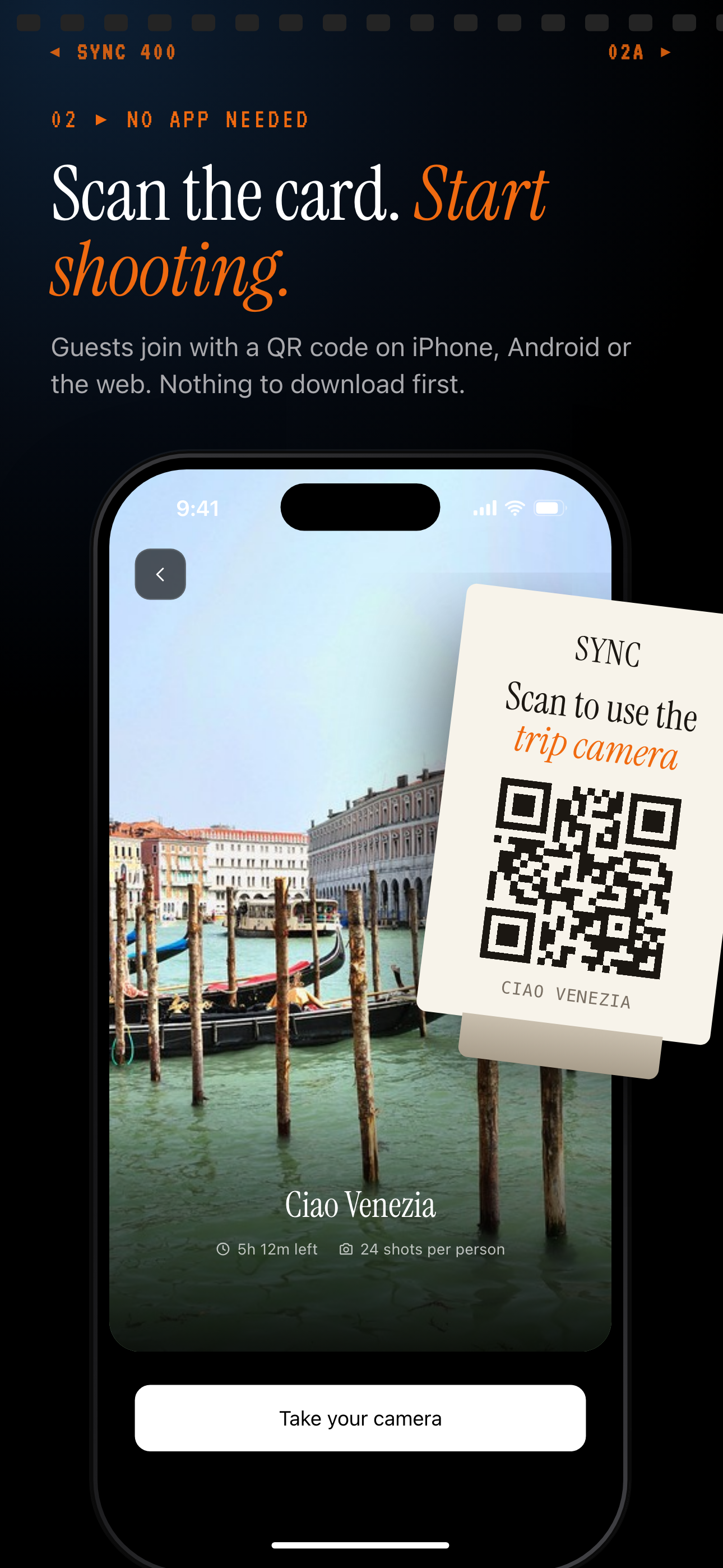
Guests join from a QR code with no account; the slide notes iPhone, Android or the web.
How sync.camera Works as a Shared Album App
sync.camera is built specifically for this use case: collecting photos from a group without making it complicated for anyone involved.
Creating and sharing an album in under a minute
The flow is straightforward:
- Create an album — takes about 30 seconds
- Share the link — copy it, text it, put it on a QR code, or print it on a card
- Contributors upload — anyone with the link can add photos immediately
That is it. No setup calls. No tutorial. No onboarding flow to get through.
How contributors add photos without signing up
This is the part that changes everything at events: contributors do not need an account.
You share a link. They open it. They upload. Done.
For a wedding, you can put a QR code on every table. Guests photograph moments you never would have caught. All of it flows into one album automatically. No one had to install anything.
For a family gathering, older relatives who struggle with app installs can still contribute. Link-only access solves the friction that excludes people.
Privacy and data: what sync.camera does not do with your photos
This is where sync.camera takes a clear position. Your photos are not scanned for ad targeting. Your metadata is not sold. Your memories are not used to train models.
The product is the album. Not your data. You can review the full data-handling details in the privacy policy.
Downloading the full album
The album owner can bulk download everything — full resolution, all at once. You always have a complete backup. You are never locked in.
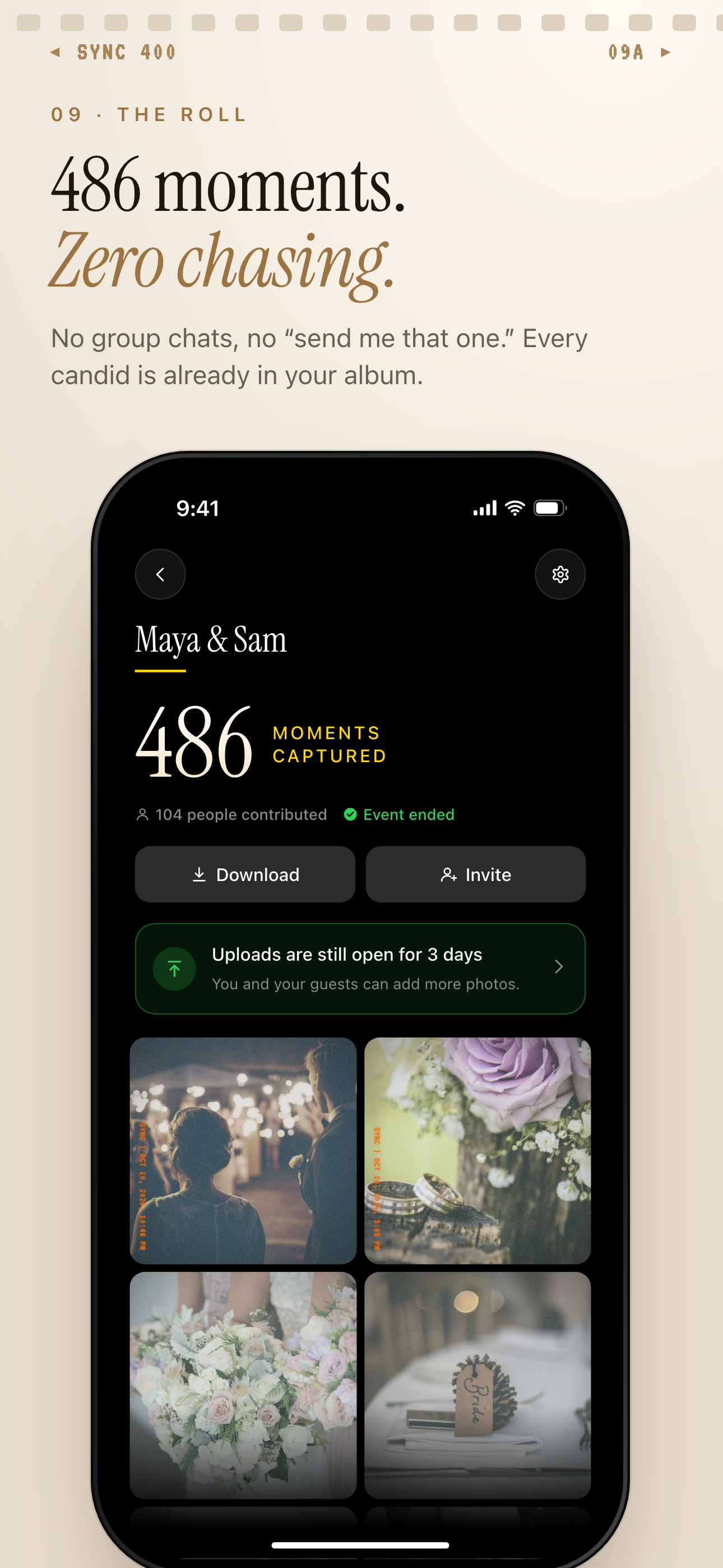
Once the event ends, the host can download the album from one Download button.
Best Use Cases for a Shared Photo Album
Weddings and events
Guests at a wedding see different moments. The couple misses most of them because they are busy. A shared album with a QR code at each table means every candid, every toast, every quiet moment gets captured — from every angle.
Print the QR code on the program, the table cards, or the welcome sign. Contributors scan, upload, and move on. By the end of the night, you have hundreds of photos you would never have taken yourself.
This is exactly the kind of use case covered in our guide to how to share photos at a wedding.
Family albums
The ongoing family album is different from a single event. You want something that works over months, not just a weekend.
An album where everyone can add photos as they happen — school plays, holidays, random Tuesday dinners — becomes a living record. No one has to remember to share. They just upload when they have something worth keeping.
For families spread across platforms and generations, the no-account model matters most. See our full guide to family photo sharing without social media.
Travel and group trips
Group trips produce a lot of photos from a lot of different people. One person photographs the hike. Another gets the restaurant. Someone else captures the moment at the viewpoint.
A shared album collects all of it. When you get home, the trip exists in one place — not scattered across seven people's camera rolls.
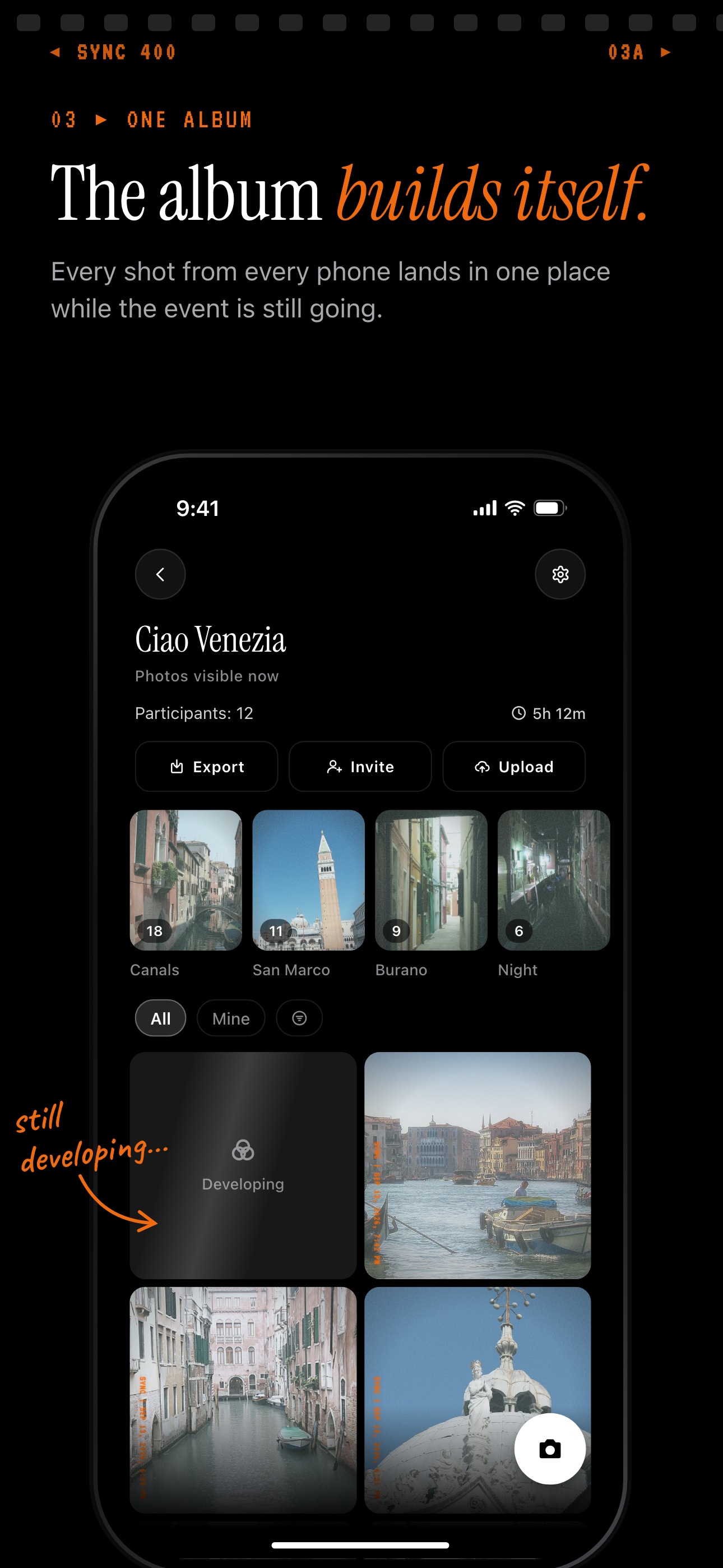
Every traveller's photos land in one shared trip album, grouped by place.
School and sports teams
A coach or teacher can create one album for the whole season. Parents, assistants, and volunteers with the link can add photos as they take them. At the end of the year, every family has access to the full set.
No one has to coordinate. No one has to chase anyone down. The album fills itself.
Shared Photo Album Apps Compared: Quick Reference
There are several apps in this space. Here is how they compare on the things that matter most.
sync.camera vs Google Photos shared albums
Google Photos is powerful and free. But every contributor needs a Google account to add photos. That is a meaningful barrier for events and for people who do not use Google services.
sync.camera removes that requirement entirely. Contributors add photos with just a link.
sync.camera vs iCloud Shared Photo Library
iCloud Shared Photo Library works well — if everyone is on Apple devices. It is iOS and macOS only. Android users are excluded by design.
If your group includes a mix of iPhone and Android users, iCloud is not a real option. sync.camera works across platforms, including a standard web browser.
sync.camera vs social-media-based sharing
Posting photos to a Facebook album or Instagram story feels easy. But the trade-offs are real:
- Lossy compression — your originals are downsized
- Ads — your photos fund an ad platform's targeting
- Algorithmic sorting — you do not control what people see or when
- Privacy — you are sharing with a platform, not just your people
For anyone thinking about privacy photo storage, social media is a poor substitute for a dedicated shared album. sync.camera gives you a private space that works across platforms — without handing your photos to an ad machine.
The right shared photo album app is the one that gets out of the way. It should be easy for you to set up and easy for everyone else to use — regardless of what device they are on or whether they want to create yet another account.
If that sounds like what you need, sync.camera is worth trying.